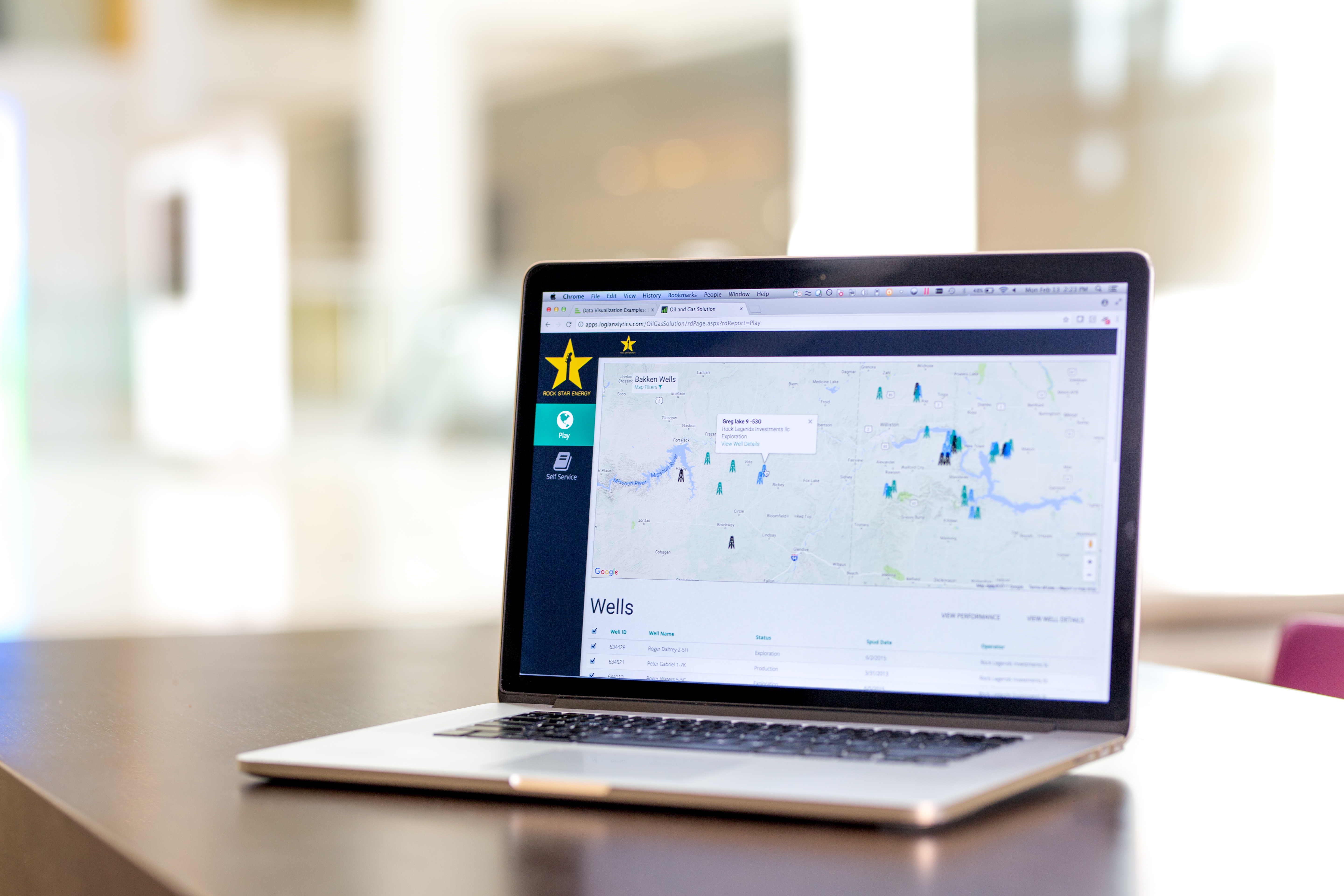
Logi Info (or the Logi Analytics Platform) is a developer-grade analytics platform designed for application teams needing to rapidly build, deploy, and maintain mission-critical applications. Logi serves the embedded model, so companies increase the
likelihood of building valuable, long lasting applications. The vendor focuses on enriching embedded analytics
capabilities so that their customers' applications become more valuable, faster. According to the vendor, Logi allows customers to…
N/A
Microsoft Power BI
Score8.5 out of 10
N/A
Microsoft Power BI is a visualization and data discovery tool from Microsoft. It allows users to convert data into visuals and graphics, visually explore and analyze data, collaborate on interactive dashboards and reports, and scale across their organization with built-in governance and security.
$10
per month per user
Pricing
Logi Info
Microsoft Power BI
Editions & Modules
No answers on this topic
No answers on this topic
Offerings
Pricing Offerings
Logi Info
Microsoft Power BI
Free Trial
Yes
Yes
Free/Freemium Version
No
Yes
Premium Consulting/Integration Services
Yes
No
Entry-level Setup Fee
No setup fee
No setup fee
Additional Details
Logi's pricing was developed with software vendors in mind and as such, we offer flexible, custom pricing aligned with your go-to-market approach and long-term growth plans. Our pricing objective is to ensure our partners can rapidly scale their analytics.
CTO (Chief Technical Officer) in Information Technology at Damstra Technology (Information Technology & Services, 501-1000 employees)
Chose Logi Info
To be honest, Logi Info (Logi Analytics Platform) is the weakest of all these products BUT it can offer value if you have a team of web developers who want to add BI widgets, vs. having a BI team who are focused on making great visualisations. Our company made the decision …
A de minimis incentive was given to thank the reviewer for their time. The incentive was not used to bias or drive a particular response, nor was the incentive contingent on a positive endorsement. More Info
Verified User
Chose Logi Info
Easy console and a well-defined large number of prebuilt data models made this product easy for business customers to produce really quick and useful insights in a very short time. Quick and fast data insights outcome in the well-defined data model with minimal support from …
A de minimis incentive was given to thank the reviewer for their time. The incentive was not used to bias or drive a particular response, nor was the incentive contingent on a positive endorsement. More Info
Verified User
Chose Logi Info
It can be embedded on top of a website for direct analysis. I feel this is a way faster and a better solution. This is like an integrated solution. That's why the firm selected Logi Analytics for quick insights on customer behavior and data.
A de minimis incentive was given to thank the reviewer for their time. The incentive was not used to bias or drive a particular response, nor was the incentive contingent on a positive endorsement. More Info
Sr Business Intelligence Analyst in Information Technology at Nhs Management Llc (Computer Software, 5001-10,000 employees)
Chose Logi Info
I believe that LOGI is a better tool than SAP's Business Objects. I say this because LOGI has provided the customer support to help figure out how to use the tool to jump through hoops, and I did not have a similar support system to use SAP's Business Objects. I just wish LOGI …
A de minimis incentive was given to thank the reviewer for their time. The incentive was not used to bias or drive a particular response, nor was the incentive contingent on a positive endorsement. More Info
Manager, Business Services Protfolio Flight Operations, SOC & Airports in Information Technology at Jazz Avaition LP (Airlines/Aviation, 1001-5000 employees)
Chose Logi Info
For general users Power BI is easy and very inexpensive for our company. It's included in our Office 365 product
A de minimis incentive was given to thank the reviewer for their time. The incentive was not used to bias or drive a particular response, nor was the incentive contingent on a positive endorsement. TR verified that a representative sample of customers was invited. More Info
Financial Data Analyst in Finance and Accounting at Dupaco Community Credit Union (Financial Services, 201-500 employees)
Chose Logi Info
Logi info gives you way more flexibility when creating custom reports. You can better include different sources and integrate multiple variables in a unique way that Power BI doesn't quite offer. I do think power BI is quicker to learn and easier to use, but in the end Logi …
A de minimis incentive was given to thank the reviewer for their time. The incentive was not used to bias or drive a particular response, nor was the incentive contingent on a positive endorsement. More Info
Logi Composer is the best of the product range that Logi Analytics offers; Logi Info is, in my mind, a terrible experience and should be discontinued. Logi Info is not a BI tool and many CEOs and product managers believe it is. Instead, it is a tool for web developers to create IIS apps with a library of BI-type components, and with everything else having to be hand-coded in JavaScript and CSS. Maybe this was cool back in the early 2000s when Logi Info came about, but today I'd recommend using Visual Studio, C#, .NET, and finding a NuGet package for your visualisations if you wanted to go the route of making your own web app. This said, where it is suited is if you have a burning desire to make a stand-alone IIS-based web application and you don't need or want to leverage any existing skills in .NET or PHP or other frameworks/languages. Instead, you want to use the Logi Info XML-based BI widgets and you're happy to make something quick without needing it to look really awesome.
A de minimis incentive was given to thank the reviewer for their time. The incentive was not used to bias or drive a particular response, nor was the incentive contingent on a positive endorsement. More Info
Has significantly improved collation of data and visualisation especially with business across Europe. Has given me the ability to see the Site availability at the click of a button to see which Site is in the "money" and seize opportunities based on Market data
A de minimis incentive was given to thank the reviewer for their time. The incentive was not used to bias or drive a particular response, nor was the incentive contingent on a positive endorsement. More Info
Clear/Concise view of data. Easily intuitive, amazing drill down capability, fully user configurable panels and dashboards.
Self-Service is such a powerful tool for facilities that want to create/design their own reports/dashboards, it's instantly recognized as being very powerful and agile.
Logi software makes the designer realize that they should think outside the box and not stick with "it's how we have always done it limitation". It allows you to be very creative.
Options for data source connections are immense. Not just which sources, but your options for *how* the data is brought in.
Constant updates (this is both good and bad at times).
User friendliness. I can get the data connections set up and draft some quick visuals, then release to the target audience and let them expand on it how they want to.
A de minimis incentive was given to thank the reviewer for their time. The incentive was not used to bias or drive a particular response, nor was the incentive contingent on a positive endorsement. More Info
It is not always intuitive to incorporate JavaScript into Logi Info. The tools are all available, but the process requires multiple resource in translating between Logi and JavaScript.
The toolbox is too vast for Logi to provide a 'quick implementation' or 'quick start guide'. There are so many tools that Logi expects the client to determine which fit their use case. There are purchasable 'Professional Services' options for implementation, but without these, the toolset is almost too big.
A de minimis incentive was given to thank the reviewer for their time. The incentive was not used to bias or drive a particular response, nor was the incentive contingent on a positive endorsement. More Info
Logi Info is a very outdated, archaic product that tries to build .NET / Java web apps using an obscure XML-based markup language to implement BI widgets, with a lot of extra CSS/JavaScript needed on your own to make it do the best things. There are many other better tools. It is not a BI tool, and as a web development tool it's not great either. I'd recommend getting some good third-party .NET BI library if you want your web devs to make the reports, otherwise use a proper BI tool like Power BI or Tableau, or even Logi Composer (formerly ZoomData before Logi acquired it.)
A de minimis incentive was given to thank the reviewer for their time. The incentive was not used to bias or drive a particular response, nor was the incentive contingent on a positive endorsement. More Info
Microsoft Power BI is an excellent and scalable tool. It has a learning curve, but once you get past that, the sky is the limit and you can build from the most simple to the most complex dashboards. I have built everything from simple reports with only a few data points to complex reports with many pages and advanced filtering.
I am giving 9 rating because the Logi Info still needs to improve on the tutorials part and make it easy for the beginners. Otherwise, it's a very good analytics tool which offers more than 20 types of visualization. It's predictive analysis feature and easy to embed with technologies make it stand out in the market.
A de minimis incentive was given to thank the reviewer for their time. The incentive was not used to bias or drive a particular response, nor was the incentive contingent on a positive endorsement. More Info
Automating reporting has reduced manual data processing by 50-70%, freeing up analysts for higher-value tasks. A finance team that previously spent 20+ hours per week on Excel-based reports now does it in minutes with Microsoft Power BI's automated Real-time dashboards have shortened decision cycles by 30-40%, enabling leadership to react quickly to sales trends, operational bottlenecks, and customer behavior.
A de minimis incentive was given to thank the reviewer for their time. The incentive was not used to bias or drive a particular response, nor was the incentive contingent on a positive endorsement. More Info
The support process is bit slow and has a good scope improvement but overall it's good as team is very supportive. They generally take 1-2 days time to respond emails sent to them but some times a delay is also expected. Overall, I did not face any major issues using the service.
A de minimis incentive was given to thank the reviewer for their time. The incentive was not used to bias or drive a particular response, nor was the incentive contingent on a positive endorsement. More Info
It is a fantastic tool, you can do almost everything related with data and reports, it is a perfect substitutive of Power Point and Excel with a high evolution and flexibility, and also it is very friendly and easy to share. I think all companies should have Power BI (or other BI tool) in their software package and if they are in the MS Suite, for sure Power BI should be the one due to all the benefits of the MS ecosystem.
A de minimis incentive was given to thank the reviewer for their time. The incentive was not used to bias or drive a particular response, nor was the incentive contingent on a positive endorsement. TR verified that a representative sample of customers was invited. More Info
A de minimis incentive was given to thank the reviewer for their time. The incentive was not used to bias or drive a particular response, nor was the incentive contingent on a positive endorsement. More Info
Logi gave us the flexibility we needed to meet the configurable nature of our product and for the need to create custom reports. Other products did not allow flexbility to generate reports via script as was one of our primary requirements.
A de minimis incentive was given to thank the reviewer for their time. The incentive was not used to bias or drive a particular response, nor was the incentive contingent on a positive endorsement. More Info
Microsoft Power BI is free. If I didn't want to create a custom platform (i.e. my organization insisted on an existing platform that I *had* to use), I'd use Microsoft Power BI. For any start-up or SMB, I'd just use Claude & Grok to build it quickly, also for free. Would not pay for Tableau or Sigma anymore. Not worth it at all.
A de minimis incentive was given to thank the reviewer for their time. The incentive was not used to bias or drive a particular response, nor was the incentive contingent on a positive endorsement. More Info
By embedding Logi in our solution and using the Logi Self-Service Module we can provide this flexibility to our users without requiring custom development work for each new request.
We succeeded in developing embedded self-service analytics at scale with a combination of Logi analytics as front-end and a Cassandra data lake with Spark aggregation algorithms as back-end.
We analyze the insurance industry and need to replicate different data formats across hundreds of databases to support multi-tenant (customer) BI reports and "ad hoc" data review on millions or hundreds of millions of records per customer.
A de minimis incentive was given to thank the reviewer for their time. The incentive was not used to bias or drive a particular response, nor was the incentive contingent on a positive endorsement. More Info
A de minimis incentive was given to thank the reviewer for their time. The incentive was not used to bias or drive a particular response, nor was the incentive contingent on a positive endorsement. More Info