Livestorm vs. Zoho Meeting

Overview
ProductRatingMost Used ByProduct SummaryStarting Price
Livestorm
Score 10.0 out of 10
N/A
French company Livestorm offers their webinar platform which integrates with many other enterprise applications via Zapier and features polling, session recording and sharing, and webinar data collection and tracking.
$0
A free plan to discover Livestorm. All features included, such as unlimited webinars and instant meetings. Up to 20 minutes per webinar and up to 10 registrants per webinar.
Zoho Meeting
Score 9.2 out of 10
N/A
Zoho Meeting is a web-based online meeting solution.
$3
per month
Pricing
LivestormZoho Meeting
Editions & Modules
Webinar Basic
$0.00
A free plan to discover Livestorm. All features included, such as unlimited webinars and instant meetings. Up to 20 minutes per webinar and up to 10 registrants per webinar.
Meet Basic
$0.00
Limited Instant and Scheduled Meetings for up to four participants
Meet Premium
$31.00
Full features for Instant and Scheduled Meetings.
Webinar Premium
$99.00
A premium experience with removed limitations to get the full benefits of Livestorm for up to 100 seats. + $99 to add 250 seats, + $209 to add 1,000 seats.
Enterprise
Contact sales
An enterprise-grade experience with premium service.
MEETING - 10
$3
per month
MEETING - 50
$9
per month
MEETING-100
$12
per month
MEETING - 250
$18
per month
Webinar -25
$19
per month
Webinar - 50
$29
per month
Webinar - 100
$39
per month
Webinar - 250
$79
per month
Webinar - 500
$125
per month
Webinar - 1000
$200
per month
Offerings
Pricing Offerings
LivestormZoho Meeting
Free Trial
YesYes
Free/Freemium Version
YesYes
Premium Consulting/Integration Services
NoNo
Entry-level Setup FeeNo setup feeNo setup fee
Additional DetailsYou can also get the toll-free add-on at $20/month and additional storage space for 200 sessions recording at $20/month for your organization.
More Pricing Information
Community Pulse
LivestormZoho Meeting
Features
LivestormZoho Meeting
Reporting & Analytics
Comparison of Reporting & Analytics features of Product A and Product B
Livestorm
10.0
Ratings
29% above category average
Zoho Meeting
-
Ratings
Dashboards10.00 Ratings00 Ratings
Data exportability10.00 Ratings00 Ratings
Performance & Compatibility of Online Events Software
Comparison of Performance & Compatibility of Online Events Software features of Product A and Product B
Livestorm
9.5
Ratings
17% above category average
Zoho Meeting
8.5
Ratings
7% above category average
High quality audio9.00 Ratings8.80 Ratings
Mobile support10.00 Ratings8.80 Ratings
Low bandwidth requirements00 Ratings8.00 Ratings
Online Meetings / Events
Comparison of Online Meetings / Events features of Product A and Product B
Livestorm
9.4
Ratings
15% above category average
Zoho Meeting
8.9
Ratings
7% above category average
Calendar integration10.00 Ratings9.00 Ratings
Record meetings / events7.50 Ratings9.00 Ratings
Slideshows10.00 Ratings00 Ratings
Event registration10.00 Ratings00 Ratings
Meeting initiation00 Ratings8.70 Ratings
Online Events Collaboration
Comparison of Online Events Collaboration features of Product A and Product B
Livestorm
10.0
Ratings
19% above category average
Zoho Meeting
8.5
Ratings
4% above category average
Audience polling10.00 Ratings8.50 Ratings
Q&A10.00 Ratings8.50 Ratings
Live chat00 Ratings8.50 Ratings
Online Events Security
Comparison of Online Events Security features of Product A and Product B
Livestorm
10.0
Ratings
19% above category average
Zoho Meeting
8.6
Ratings
6% above category average
Participant roles & permissions10.00 Ratings8.60 Ratings
Confidential attendee list10.00 Ratings8.70 Ratings
User authentication00 Ratings8.60 Ratings
Online Events Marketing
Comparison of Online Events Marketing features of Product A and Product B
Livestorm
10.0
Ratings
26% above category average
Zoho Meeting
-
Ratings
Branding options10.00 Ratings00 Ratings
Integration to Marketing Automation10.00 Ratings00 Ratings
Screen Sharing
Comparison of Screen Sharing features of Product A and Product B
Livestorm
-
Ratings
Zoho Meeting
8.9
Ratings
12% above category average
Desktop sharing00 Ratings8.90 Ratings
Best Alternatives
LivestormZoho Meeting
Small Businesses
BigMarker
BigMarker
Score 6.0 out of 10
Intermedia AnyMeeting Pro
Score 7.1 out of 10
Medium-sized Companies
ClickMeeting
ClickMeeting
Score 7.8 out of 10
JioMeet
JioMeet
Score 10.0 out of 10
Enterprises
ON24
ON24
Score 8.8 out of 10
Webex Meetings
Webex Meetings
Score 8.4 out of 10
All AlternativesView all alternativesView all alternatives
User Ratings
LivestormZoho Meeting
Likelihood to Recommend
9.5
(0 ratings)
8.9
(0 ratings)
Usability
9.0
(0 ratings)
8.5
(0 ratings)
Support Rating
10.0
(0 ratings)
8.5
(0 ratings)
User Testimonials
LivestormZoho Meeting
Likelihood to Recommend
Livestorm is well suited to use when you need to reach a group of more than ten people. It wouldn't be a good solution if you wanted interaction from the audience in more than the form of chat.
Read full review
I would definitely like to say that for a team lead who sends pie charts, surveys and questions to the teams, this software would be his best choice as the analytics of this all data by Zoho Meeting is one of the best in the market. The only downside of Zoho Meeting is its webinar pricing which could be a bit tough to pay for NGO's or less earning companies.
Read full review
Pros
  • Easy to set up landing pages. Landing pages have great design and allow users to select which session they want to attend (if it's a recurring webinar)
  • The analytics is great and allows you to export everything, even all the info they enrich with Clearbit
  • The webinar room is super intuitive and I always feel like I have full control
Read full review
  • Very very simple to use
  • Audio quality is very much clear
  • We have the recording facility with this tool, so we can record the meeting or webinar for the future purpose
  • We get the upcoming meeting and past meeting in the home page so we have less chance to miss any meeting.
  • we can share the screen and can give the control to others as well.
Read full review
Cons
  • Getting a webinar started is not super intuitive.
  • The ability to switch which screen you're sharing without stopping the screen share.
  • No longer hosting the recorded webinars.
Read full review
  • One of the negative aspects of this service is that there is no user or meeting management when you are in one videoconference.
  • Another negative aspect of Zoho Meeting is that the chat and messaging option does not exist in the middle of a webinar or video conference.
Read full review
Usability
This platform is very user friendly. I had zero training and I was able to successfully create events, customize company emails, export data, navigate feature set, and enable integrations, etc... I had to do a little bit of research into how their on-demand events worked logistically but that took about 10 minutes
Read full review
Zoho Meeting is very easy to use and very effective collaborating tool. If I say about the usability, this application is highly usable because oaf it's cost effective nature, user friendly interface, empathetic customer services and amazing application features. Most importantly, it ensures data security for the company. Overall, the usability of the application is trustworthy.
Read full review
Support Rating
I haven't used it recently, so I couldn't definitively say
Read full review
Zoho Meeting is fantastic in terms of proper after sale service as well as delivering the expectations of the clients. We, as a business, successfully achieved the engaging organisation status through this platform. Our employees are also happy with the supports from Zoho. We appreciate the efforts of Zoho and recommend to others.
Read full review
Alternatives Considered
No answers on this topic
Zoom focuses on video webinars, meetings, chat options, integration, and high-definition video conferencing, whereas Microsoft Teams focuses on Microsoft integrations that include real-time video chat. Both Google Meet and Zoho Meeting offer various features, including HD video conferencing, scheduling, recording, app sharing, and HD videoconferencing in private meeting rooms. In addition to the unique characteristics of Zoho's UI, embedding meeting links, and so forth, these are excellent features that help the end-user tremendously.
Read full review
Return on Investment
  • Extend our reach with potential clients.
  • Platform to demonstrate our capabilities.
  • Grow our leads.
Read full review
  • Zoho Meeting helped us save money because of their low cost packages.
  • Unfortunately because of their bad video quality we had to look for other options.
  • Some clients were not familiar with Zoho Meeting because of the less popularity so we had to use other meeting applications to organize meetings
Read full review
ScreenShots

Livestorm Screenshots

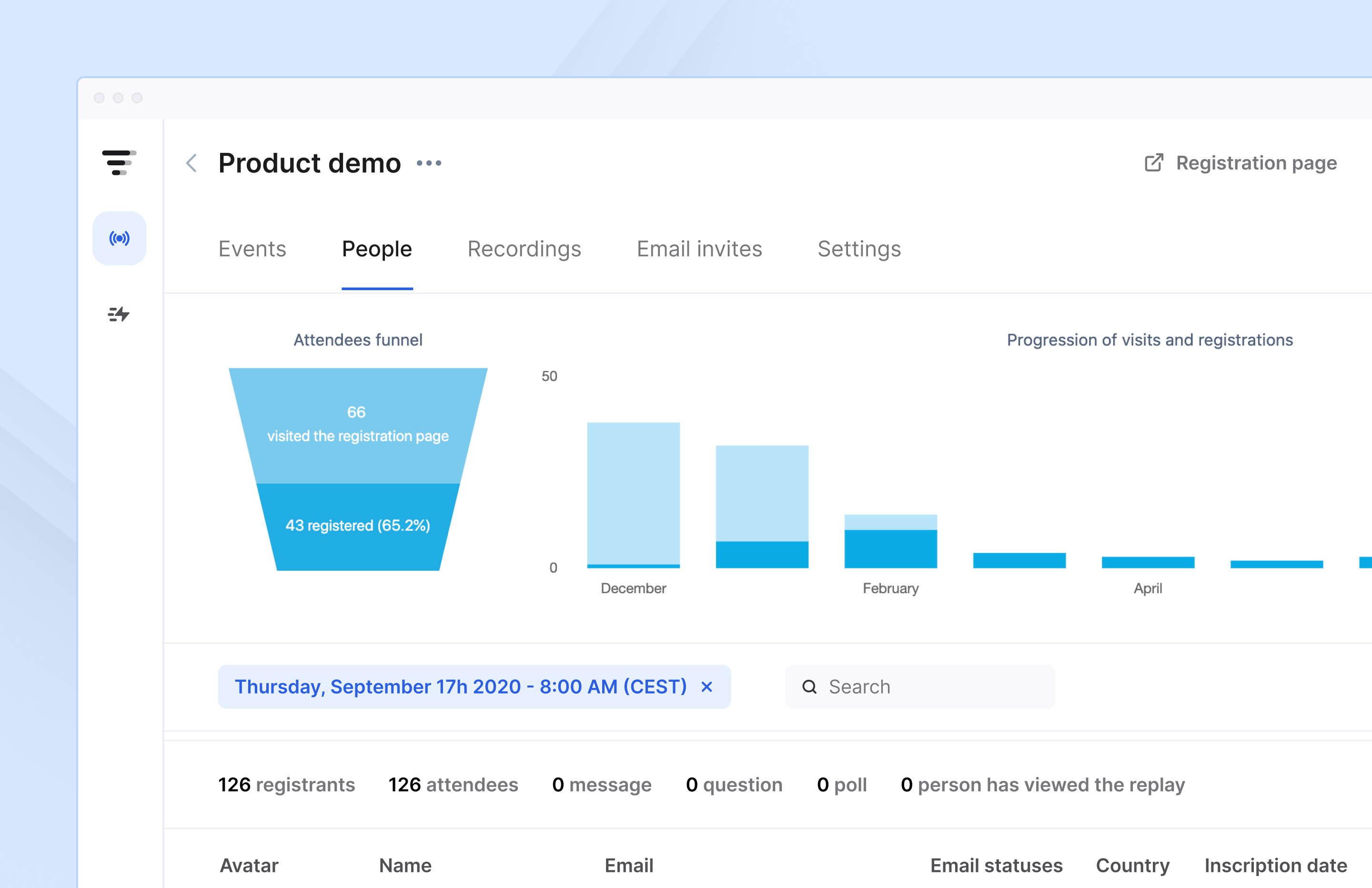
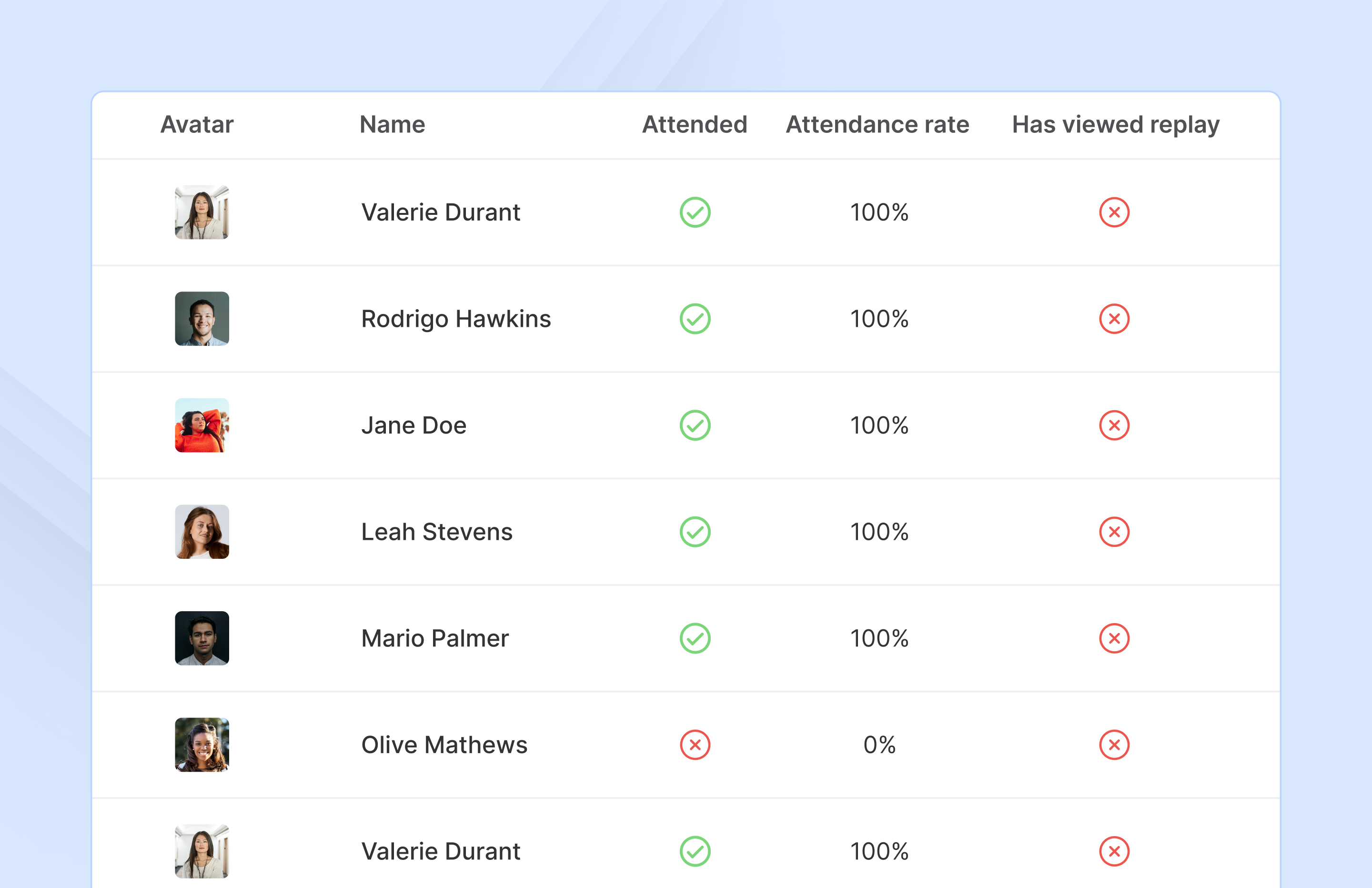
Screenshot of Access complete analytics in a built-in dashboard.Screenshot of Learn more about attendees with detailed participation reports.Screenshot of Engage with your audience in real-time with questions, chats, and polls.

Zoho Meeting Screenshots

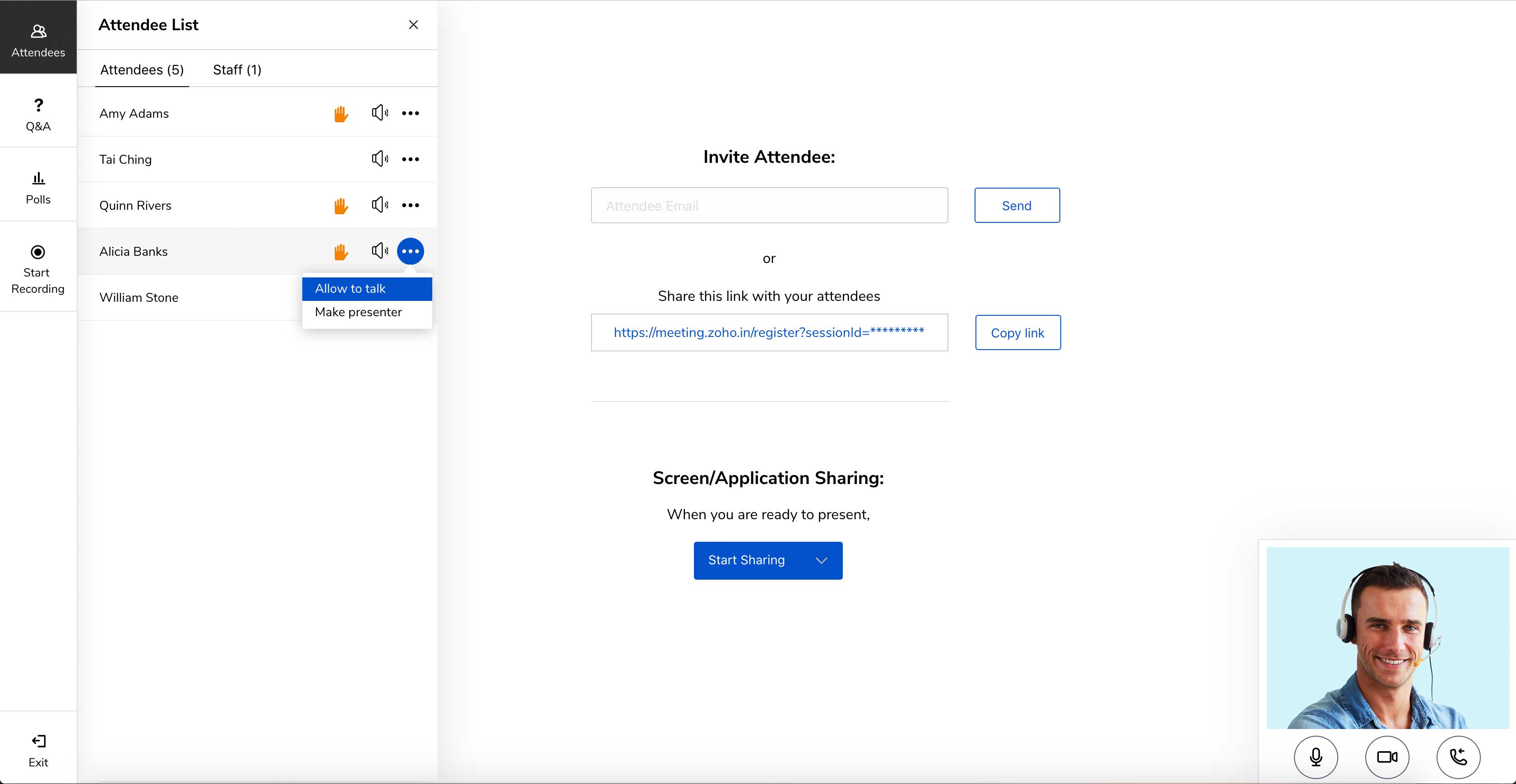
Screenshot of Meet across devices using Zoho MeetingScreenshot of Host moderator controlled meetings with Zoho MeetingScreenshot of Organize engaging webinars with Zoho MeetingScreenshot of Engage attendees during the webinarScreenshot of Meeting participant's viewing presenter's screen