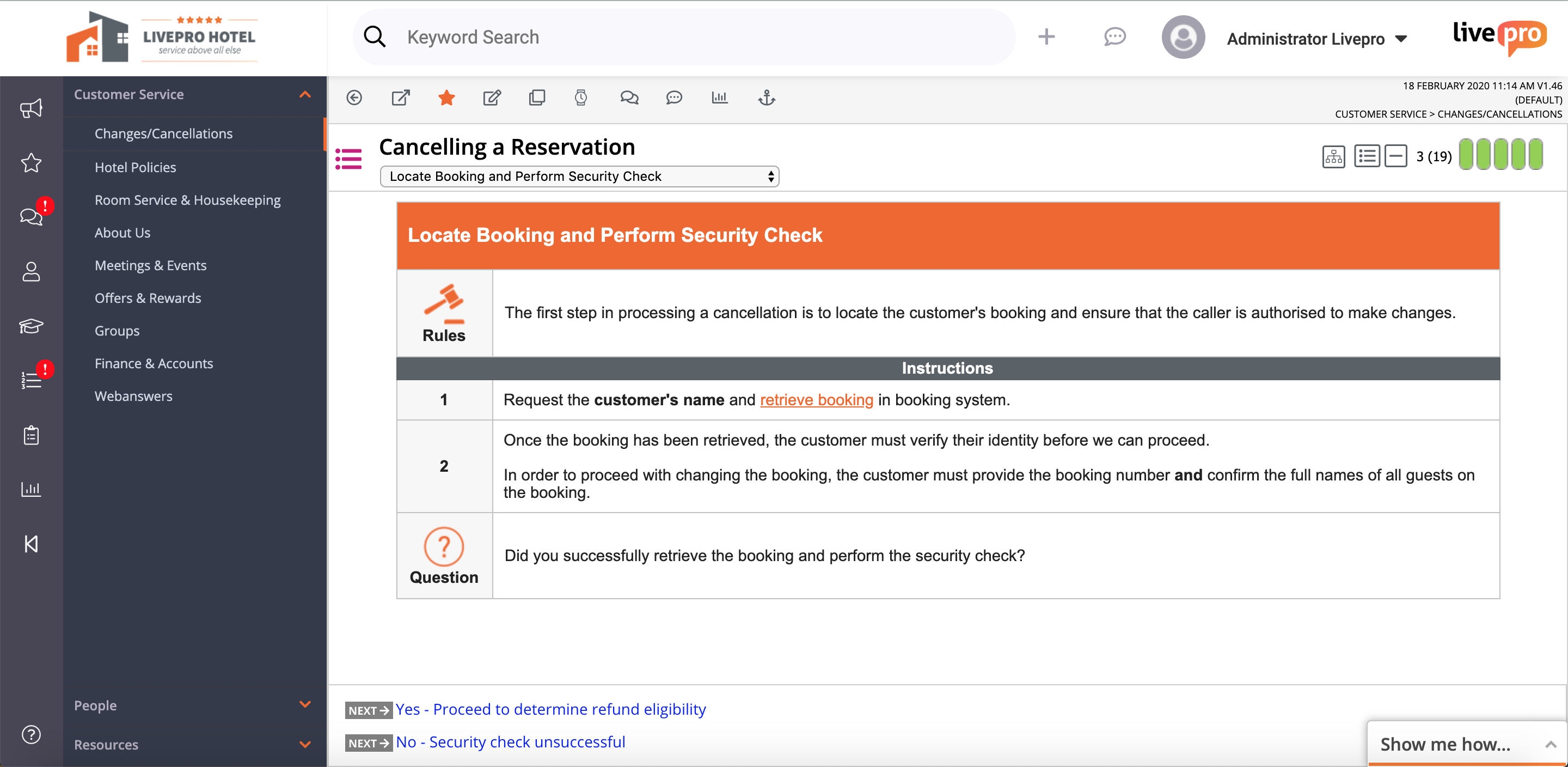
livepro headquartered in North Sydney aims to help users provide improved customer service quality and delivery through their simple knowledge management system.
N/A
Zoho Desk
Score 7.8 out of 10
N/A
Zoho Support is a Saas help desk / ticketing system aimed at SMBs. I competes most often with Zendesk, and Desk.com.
$0
Pricing
livepro
Zoho Desk
Editions & Modules
No answers on this topic
Free
$0
Express
$9
per month per user
Standard
$20
per month per user
Professional
$35
per month per user
Enterprise
$50
per month per user
Offerings
Pricing Offerings
livepro
Zoho Desk
Free Trial
Yes
Yes
Free/Freemium Version
No
Yes
Premium Consulting/Integration Services
No
No
Entry-level Setup Fee
No setup fee
Required
Additional Details
Products and plans are priced per user and only when that user accesses knowledge in that monthly period.
A discount is offered for yearly billing.
More Pricing Information
Community Pulse
livepro
Zoho Desk
Features
livepro
Zoho Desk
Incident and problem management
Comparison of Incident and problem management features of Product A and Product B
livepro
-
Ratings
Zoho Desk
8.6
Ratings
7% above category average
Organize and prioritize service tickets
00 Ratings
8.90 Ratings
Expert directory
00 Ratings
7.90 Ratings
Subscription-based notifications
00 Ratings
7.90 Ratings
ITSM collaboration and documentation
00 Ratings
10.00 Ratings
Ticket creation and submission
00 Ratings
8.50 Ratings
Ticket response
00 Ratings
8.50 Ratings
Self Help Community
Comparison of Self Help Community features of Product A and Product B
livepro
-
Ratings
Zoho Desk
8.9
Ratings
13% above category average
External knowledge base
00 Ratings
8.90 Ratings
Internal knowledge base
00 Ratings
8.90 Ratings
Multi-Channel Help
Comparison of Multi-Channel Help features of Product A and Product B
The great thing about livepro is you can structure your content the way that suits your organisation. livepro are there to support you in deciding what may work best for your team, it is not a one size fits all solution. The system allows you to write complex processes in a simplified view so staff can easily navigate to the solution they need. The 'rocket' knowledge object allows your processes that have a lot of variation to be written up in a simple decision tree setup, taking your staff to the right outcome every time.
Zoho Desk is a great customer service tool. It is very easy to track the ability to receive tickets and send responses in Zoho Desk. There are lots of options for customization. The knowledge base feature is very extensive and powerful. It makes creating internal and external FAQs easy.
Easy to navigate. Anyone can jump onto the system with minimal training, it is user friendly and intuitive.
Supportive team. The livepro team are 100% responsive and supportive to all feedback, suggestions and requests. You can tell they are focused on their users and their customer experience is fantastic.
WYSIWYG editor. The editing function when authoring content is very easy to use. You can follow the basic "what you see is what you get" editor, or you can delve into the source code if you want to get savvy with your technical skills.
livepro integrates with a number of other platforms to enhance the user experience. For example, Genesys Cloud.
Report features give the all insights of the customer team and customer support which enables us to make changes according to it.
The best thing about Zoho Desk is that it has a very beautiful and fully designed dashboard.
I have been using this software for a very long time in my organization, it is very easy to use with having the interface created on a very advanced module.
Feedback module. I'm scratching for things to record in cons here. The feedback module could be improved by having further display options - being able to preview feedback without clicking into it. However, livepro have taken this feedback on board and are already looking at ways to improve.
Admin/roles. The current way to set up the roles/permissions is clunky however this is not a space you need to use often. I'm looking forward to the new and improved version that is being worked on.
When utilizing as a ticketing system, it would be nice to have a better way to monitor when something is due. It's just a little cumbersome.
Search Functionality - The search functionality could use a tweak or two. Too many times I am unable to find tickets. This would also be very helpful for the "Recycle Bin" when you just need to find that ticket you accidentally deleted (we are all human!). :)
Zoho Desk on operational capacity is the most effective help desk we have come across, as it is suitable for businesses of all forms and shapes, from large to small. Again, Zoho Desk captures the attention of all clients, and on time, offers solutions to their demands without failing. Lastly, Zoho Desk requires no extra skill to execute the program.
Their support is excellent. They are always available to answer all your queries and doubts. Be it a call or email or even live chat. You will always get a prompt response from their customer support executives. They are very much familiar with the product and all its functionality. Sometimes you get stuck and don’t know what to do. They are always there for your questions
Zoho Desk is easily a winner for trouble ticket handling as Bitrix24 was not offering any dedicated trouble ticketing tool and we had no option but to use the Tasks section of Bitrix24 to handle our existing customers. Also Bitrix24 neither did have any dedicated mobile application for on the go usage which Zoho Desk has easily handled with applications for both Android and IOS devices.
livepro has improved our right first time response for our customer contact center. In the first six months of going live, our RFT response increased to the 60th percentile from 50 percent.
One source of truth--our customer service team is confident in the answers they are providing and that they can rely on the accuracy and quality of information.
Providing a superior level of customer service--as the team becomes more efficient in using the system, they are processing more calls and creating more meaningful outcomes for our customers. The teams percentage of missed (abandoned) calls has dropped from 4.26 percent to 3 percent since implementation of livepro.
By running reports based on ticket, we can see how much time is spent on each customer and can manage these customers better based on what we see are there issues
We can also run reports based on the types of queries customers are coming in with which allows us to develop our product based on actual customers needs as a whole.
Automatic reporting once set up saves many man hours as new customers can be added automatically if required, and it saves having to build these reports monthly or possibly weekly