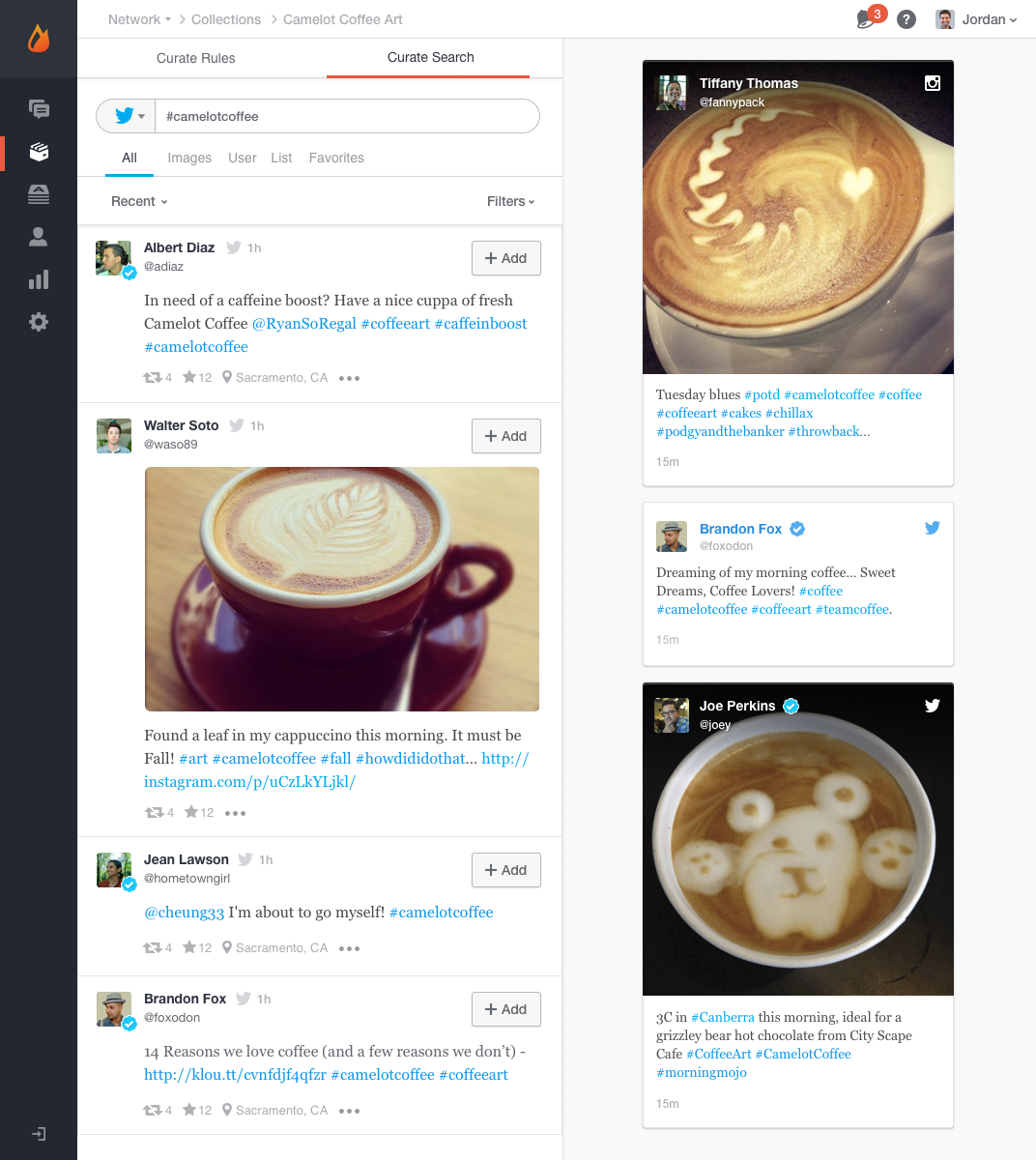
Livefyre was acquired in 2016 and became part of the Adobe Experience Manager suite of products. The product has since been discontinued, and is no longer available for sale.
N/A
OpusClip
Score8 out of 10
N/A
OpusClip is a generative AI video editing platform that turns long footage into viral-ready shorts with a single click. Opus Clip is designed to ease video content creation, making it accessible to anyone with a story to tell or a passion to share, not just those with expertise in content creation or video editing.
$8
per month
Pricing
Livefyre (discontinued)
OpusClip
Editions & Modules
No answers on this topic
Starter
$9
per month 150 processing minutes per month
Pro
$19
per month 300 processing minutes per month, available instantly
I was strictly the implementor of Livefyre (for my company only). That task alone was at least 3 weeks worth of work. From a user standpoint, Livefyre is a good product which is why this review is strictly about how difficult it was to implement. Therefore, if a colleague was to ask me if I recommend Livefyre, it's not a straight answer. Questions like, 'how fast do you need it?', 'how centralized is your user database?', 'do you want social login?', all come into question and were details that made my job not easy (hence, my review of 5/10 for suggesting it to others). Once implemented, Livefyre is a great product (notice my overall review is higher), but based on my experience with implementation, it certainly requires a senior developer's dedicated time and patience to set up exactly as desired. For smaller companies with small/simple user bases and websites, the process may be more straightforward, but from my experience, it wasn't out-of-the-box at all.
It's great for taking long-form content and clipping it out to short form content and then distributing it to social platforms. It's not great as a long-form captioning and editing platform. If your goal is to create shorter-form content and get it distributed to most major platforms, this will be a great time-saver
A de minimis incentive was given to thank the reviewer for their time. The incentive was not used to bias or drive a particular response, nor was the incentive contingent on a positive endorsement. More Info
A de minimis incentive was given to thank the reviewer for their time. The incentive was not used to bias or drive a particular response, nor was the incentive contingent on a positive endorsement. More Info
Implementation was not easy. Although flexible, I personally wrote at least 1,400 lines of code to get this implemented over a few week's time.
The social login aspect is cool, but again, hard to implement. They did not write any of those modules, although they could have. This required senior-level developmental skills and a knowledge of how social media is interfaced with programmatically. Lots of questions arose from this and it was difficult to implement with virtually no help from Livefyre, other than to provide the hooks into their system for when users were validated. I had to write at least 2 separate login/redirection scripts to accomplish this flow.
CSS tweaking was tricky. We could override lots of common CSS classes, but to get things just the way we wanted it, I ended up writing LOTS of jQuery listeners and functions to transform the output into exactly what we wanted. This was a surprise since the software was sold to us as being 'fully customizable'.
Documentation was sufficient, but not great. Getting the flow of the callbacks that are fired wasn't clear at first, and sometimes did not work as expected.
It should be noted that, after this review was published, Livefyre contacted me stating they now have better documentation and process for implementation (for version V3, specifically) and urged me to revise this review. However, I can only write of my experience with V2, and it WAS difficult to implement over 3 weeks of dedicated time. Another developer on my team implemented version V3 and his evaluation is very similar to mine, claiming much difficulty with the CSS customization.
There is an opportunity to integrate some workflows. For example, you can't add captions, b-roll, and music to long-form content AND then clip them. Those are two separate workflows.
It would be good if the distribution and scheduling were broader. Right now you can post to LinkedIn, TitTok, Facebook, and YouTube. A wider range of platform posting integrations would be useful.
The AI B-roll and stock-footage B-roll is a bit wonky. It will need better contextual matching to be bulletproof.
A de minimis incentive was given to thank the reviewer for their time. The incentive was not used to bias or drive a particular response, nor was the incentive contingent on a positive endorsement. More Info
We feel we have a real partnership with Livefyre and we both make each other better. Their customer service has been phenomenal even during a time of rapid growth.
A de minimis incentive was given to thank the reviewer for their time. The incentive was not used to bias or drive a particular response, nor was the incentive contingent on a positive endorsement. More Info
Easy to use and pretty turnkey. Prompting engine on the B-roll is pretty solid. Would be better if the lower-end versions had the ability to store more brand templates. Overall a very solid platform and a game-changer for smaller marketing and sales teams that want to push-button their content marketing efforts
A de minimis incentive was given to thank the reviewer for their time. The incentive was not used to bias or drive a particular response, nor was the incentive contingent on a positive endorsement. More Info
A de minimis incentive was given to thank the reviewer for their time. The incentive was not used to bias or drive a particular response, nor was the incentive contingent on a positive endorsement. More Info
We felt Livefyre was more innovative and better at SEO. It felt like we were working with a partner for the long haul who was interested in our business and how to improve it.
I've used Descript to create clips but that process was manual. OpusClip took a manual process and automated it significantly. Each clip used to take me around 15-20 minutes to create (captions, branding, music, b-roll, etc). With OpusClip, I've taken that down to 5 minutes per clip or less. Massive time savings.
A de minimis incentive was given to thank the reviewer for their time. The incentive was not used to bias or drive a particular response, nor was the incentive contingent on a positive endorsement. More Info
A de minimis incentive was given to thank the reviewer for their time. The incentive was not used to bias or drive a particular response, nor was the incentive contingent on a positive endorsement. More Info
A de minimis incentive was given to thank the reviewer for their time. The incentive was not used to bias or drive a particular response, nor was the incentive contingent on a positive endorsement. More Info