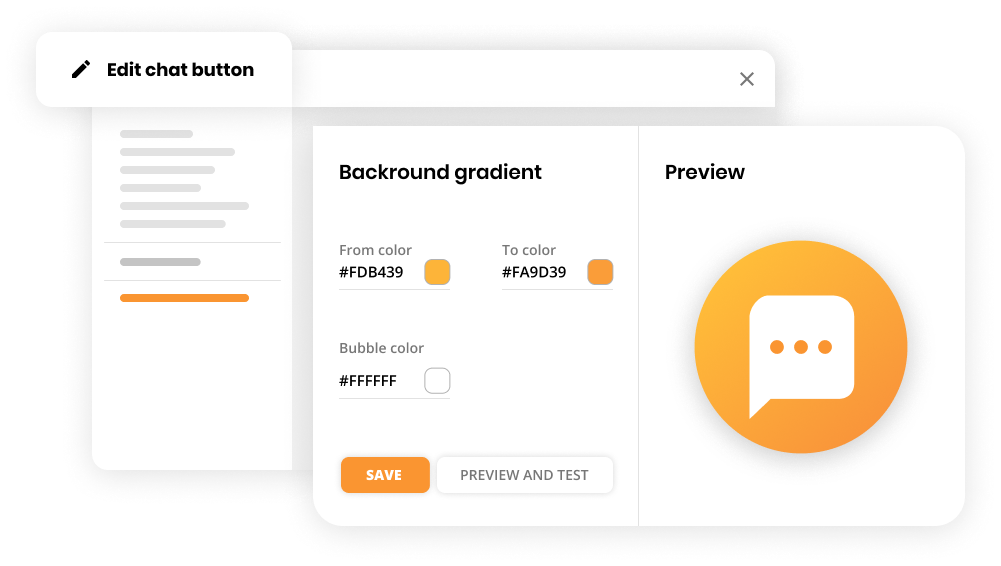
LiveAgent is a help desk software designed to help users bring personalization to customer interactions. LiveAgent presents an omnichannel universal inbox, real-time live chat, built-in call center, and a customer service portal. It offers customer segmentation, automation, built-in CRM, and an analytics package, as well as gamification features, ultimately containing are over 180+ help desk features, and 200+ integrations. The solution boasts users among companies like BMW, Yamaha,…
$15
per month per seat
Spiceworks Cloud Help Desk
Score6.8 out of 10
N/A
Spiceworks offers a set of free tools for IT network management and help desk support ticketing. The inventory management system essentially provides comprehensive device information for asset management.
LiveAgent is great for companies that want to help customers with their issues. It is also great for getting sales for our company. During our chats, if a customer is interested, we like to ask for the sale. It is too easy for the customers to say no. So it is nice that with LiveAgent, they have an automatic process where the customer can enter their item and address information and it is easy for our agents to get the sale.
A de minimis incentive was given to thank the reviewer for their time. The incentive was not used to bias or drive a particular response, nor was the incentive contingent on a positive endorsement. More Info
It's a great helpdesk solution - we currently have five years of data within it, roughly 25,000 tickets. The older edition is a great inventory and software license tracking tool. It is easy for users to use the interface and submit tickets and requests on the web, and its email integration is solid. The new version is a below-average system monitoring tool, only giving up/down status and a few other metrics.
A de minimis incentive was given to thank the reviewer for their time. The incentive was not used to bias or drive a particular response, nor was the incentive contingent on a positive endorsement. More Info
Having the ability to transfer tickets or chats has proven useful when we are working with a customer who has a specific type of inquiry - perhaps a sales question or an employment request. We’ve found it helpful to have the ability to transfer the chat to the online agent best equipped to answer the inquiry so we are able to serve our customers to the highest standard and with an immediate response.
We find being able to add notes and labels to previous chats and tickets incredibly helpful in data collection and also in our ability to work as a dynamic team. By being able to sort our chats and tickets into an organized system that our company created, we can work cohesively to review old conversations for continuity, opportunities for growth, and with transparency between departments.
A de minimis incentive was given to thank the reviewer for their time. The incentive was not used to bias or drive a particular response, nor was the incentive contingent on a positive endorsement. More Info
You cannot divert your phone call from your local carrier to LA agent directly. You need to get a third party number which is way much costly. Also, if you get a third party number to divert your calls from a local carrier to LA, then the callers have to wait more than the usual time in order to get them connected with the Customer Support Team.
A de minimis incentive was given to thank the reviewer for their time. The incentive was not used to bias or drive a particular response, nor was the incentive contingent on a positive endorsement. More Info
A de minimis incentive was given to thank the reviewer for their time. The incentive was not used to bias or drive a particular response, nor was the incentive contingent on a positive endorsement. More Info
I am giving this rating as Live Agent is a very good software that is essential to any small or big business that provides customer support services. It gives you the possibility to manage any of your clients issues, answer questions and keep a good relationship with them by providing quick solutions.
Spiceworks is a free tool, so there would be no hesitation if we are required to upgrade it. We have installed Spiceworks on a dedicated server with more than enough resources to get the most from this tool, so we will have this running in our department for years to come.
A de minimis incentive was given to thank the reviewer for their time. The incentive was not used to bias or drive a particular response, nor was the incentive contingent on a positive endorsement. TR verified that a representative sample of customers was invited. More Info
The initial setup, onboarding and training is easy. The system provides 2 graphic version of interfaces in black or white default colors. I would appreciate, if there were more. Some of the setup forms are not correctly resized. Overall, I'm always able to find what I am looking for in LiveAgent.
Spiceworks is user friendly and easy to set up. It can be customized to suit your needs. If there are any problems, you can go to the community forums for support and be in contact with many IT Pros, as well as the Spiceworks support staff and development teams who are always happy to help users out
A de minimis incentive was given to thank the reviewer for their time. The incentive was not used to bias or drive a particular response, nor was the incentive contingent on a positive endorsement. More Info
A de minimis incentive was given to thank the reviewer for their time. The incentive was not used to bias or drive a particular response, nor was the incentive contingent on a positive endorsement. More Info
The one time that I contacted the customer support at LiveAgent, they were very quick to help me out and the customer support representative walked me through every thing that I needed to know to set up what I needed. Over all, the support staff at LiveAgent were perfect.
Spiceworks has been working out of the box, and some of the basic customizations have been successful with just our internal staff handling. We don't have any other issues with the tool. It provides us with the inventory information we want in a quick and concise report in a variety of formats for our team.
A de minimis incentive was given to thank the reviewer for their time. The incentive was not used to bias or drive a particular response, nor was the incentive contingent on a positive endorsement. More Info
Implementation was quick and when not counting a bug on our website, it took a couple hours. It was mostly done on our end or with the assistance of LiveAgent's live chat support team. We recommend to check out LiveAgent's tutorial videos on their youtube channel or browsing their knowledge base - we've almost always found answers to our queries there.
If you can spin up a VM to run it on, you'll thank yourself later. If you have remote sites, set up a local server (or dedicated computer) at each site and set them up as remote collectors for the main site. You'll save time and bandwidth
A de minimis incentive was given to thank the reviewer for their time. The incentive was not used to bias or drive a particular response, nor was the incentive contingent on a positive endorsement. More Info
Before making the decision, we evaluated many tools, but none of them met all of our needs or the costs we could bear for them, until we found LiveAgent. The implementation process was super simple and supported by the LiveAgent support team, who are excellent!
EGroupware UI is clunky and hard to use, Jira is great but the pricing is expensive in comparison with spice works that has a free version and you can test it out properly before buying and make a correct decision based on your business plan and company objectives with the right software.
A de minimis incentive was given to thank the reviewer for their time. The incentive was not used to bias or drive a particular response, nor was the incentive contingent on a positive endorsement. More Info
A de minimis incentive was given to thank the reviewer for their time. The incentive was not used to bias or drive a particular response, nor was the incentive contingent on a positive endorsement. More Info