Lightning Tools Lightning Forms vs. ProProfs Quiz Maker

Overview
ProductRatingMost Used ByProduct SummaryStarting Price
Lightning Tools Lightning Forms
Score 9.1 out of 10
Enterprise companies (1,001+ employees)
Lightning Forms is a SharePoint list form design tool that aims to enable users to improve the logic, layout and styling of responsive SharePoint Forms. Lightning Forms offers cascading lookups, customized buttons with actions, repeating lists integration, tab controls, styling and conditional control formatting, calculations, and expressions. These features help users to build business forms within SharePoint and offers an alternative to InfoPath Forms.
$2,000
per year per installation
ProProfs Quiz Maker
Score 7.0 out of 10
N/A
ProProfs Quiz Maker is a tool used by trainers, universities, and businesses all over the world. Users can make quizzes and tests with ProProfs Quiz Maker. Users can create a quiz from scratch or use the ProProfs library having 100k+ customizable quizzes and 1,000,000+ ready to use questions. Users can create scored quizzes, personality quizzes or surveys by selecting from 15+ question types. Users can also add images, presentations and videos to quizzes. Creating quizzes…
$0
Forever free
Pricing
Lightning Tools Lightning FormsProProfs Quiz Maker
Editions & Modules
Lightning Forms OnPrem
From $2000
per year per installation
Lightning Forms Plus OnPrem
From $3500
per year per installation
Lightning Forms OnPrem Enterprise Edition
POA
per year per installation
Lightning Forms (Online)
From $2200
per year per installation
Form Designer Suite (Online)
From $4000
per year per installation
Lightning Forms Enterprise Edition (Online)
POA
per year per installation
Free
$ 0
Forever free
Basic
$ 9
per month (annually)
Team
$ 39
per month (annually)
Business
$ 69
per month (annually)
Enterprise
$ 199
per month (annually)
Offerings
Pricing Offerings
Lightning Tools Lightning FormsProProfs Quiz Maker
Free Trial
YesYes
Free/Freemium Version
NoYes
Premium Consulting/Integration Services
NoNo
Entry-level Setup FeeNo setup fee$9 per month (annually)
Additional DetailsPrices stated are minimum per installation for "stock" products. $2.2 & $4.00 per user/year for each product ion top of base price. Enterprise editions can be amended to suit business needs if deemed necessary, additional costs incurred and TBD. All packages include free technical support. Free upgrades available to latest versions of tool as they are released. (online versions)
More Pricing Information
Community Pulse
Lightning Tools Lightning FormsProProfs Quiz Maker
Features
Lightning Tools Lightning FormsProProfs Quiz Maker
Survey Format & Appearance
Comparison of Survey Format & Appearance features of Product A and Product B
Lightning Tools Lightning Forms
8.2
Ratings
3% above category average
ProProfs Quiz Maker
9.3
Ratings
15% above category average
Custom logo/branding8.20 Ratings10.00 Ratings
Survey templates00 Ratings10.00 Ratings
Themes00 Ratings8.00 Ratings
Survey Content
Comparison of Survey Content features of Product A and Product B
Lightning Tools Lightning Forms
8.6
Ratings
1% above category average
ProProfs Quiz Maker
8.7
Ratings
2% above category average
Changes to live survey9.10 Ratings9.20 Ratings
Multiple question types8.20 Ratings10.00 Ratings
Question design help00 Ratings7.00 Ratings
Survey Reporting & Analytics
Comparison of Survey Reporting & Analytics features of Product A and Product B
Lightning Tools Lightning Forms
9.1
Ratings
11% above category average
ProProfs Quiz Maker
10.0
Ratings
20% above category average
Data export9.10 Ratings10.00 Ratings
Standard reports9.10 Ratings10.00 Ratings
Response tracking00 Ratings10.00 Ratings
Custom reports00 Ratings10.00 Ratings
Analytics00 Ratings10.00 Ratings
Survey Administration & Security
Comparison of Survey Administration & Security features of Product A and Product B
Lightning Tools Lightning Forms
9.1
Ratings
4% above category average
ProProfs Quiz Maker
8.5
Ratings
2% below category average
Access controls9.10 Ratings8.50 Ratings
Compliance9.10 Ratings8.40 Ratings
Survey Logic
Comparison of Survey Logic features of Product A and Product B
Lightning Tools Lightning Forms
-
Ratings
ProProfs Quiz Maker
10.0
Ratings
19% above category average
Survey logic flexibility00 Ratings10.00 Ratings
Survey Distribution
Comparison of Survey Distribution features of Product A and Product B
Lightning Tools Lightning Forms
-
Ratings
ProProfs Quiz Maker
9.2
Ratings
11% above category average
Vendor-offered crowdsourcing00 Ratings9.20 Ratings
Respondent restrictions00 Ratings9.20 Ratings
Best Alternatives
Lightning Tools Lightning FormsProProfs Quiz Maker
Small Businesses
Square 9 Softworks
Square 9 Softworks
Score 9.5 out of 10
Square 9 Softworks
Square 9 Softworks
Score 9.5 out of 10
Medium-sized Companies
Qualaroo
Qualaroo
Score 6.1 out of 10
Qualaroo
Qualaroo
Score 6.1 out of 10
Enterprises
Verint Voice of the Customer
Score 10.0 out of 10
Verint Voice of the Customer
Score 10.0 out of 10
All AlternativesView all alternativesView all alternatives
User Ratings
Lightning Tools Lightning FormsProProfs Quiz Maker
Likelihood to Recommend
9.1
(0 ratings)
7.0
(0 ratings)
Usability
9.1
(0 ratings)
8.0
(0 ratings)
Support Rating
9.0
(0 ratings)
9.7
(0 ratings)
User Testimonials
Lightning Tools Lightning FormsProProfs Quiz Maker
Likelihood to Recommend
We've used lightning forms on literally dozens of our SharePoint sites now and it's just excellent, especially because it doesn't interfere with our ability to governance and administer the sites
Read full review
ProProfs is amazing for all the business marketing purposes I’ve mentioned above. Adding product recommendations and lead forms to the quizzes is very easy. Integration with Constant Contact makes the follow-ups easy as well. Also, the tool offers thorough and easily digestible reports to analyze and optimize our quiz marketing strategy.
Read full review
Pros
  • Simple user interface - users of the forms intuitively aware of how/where to input information. This is in part due to being able to show or hide different questions or areas of the form, and making them required or not, based on previous answers.
  • Low/simple code - building complex forms with automation and multiple dependencies or lookups is relatively easy once you get started. You have the power of JavaScript to use and do some quite clever things if you can get to grips with it - a lot of solutions are only a Google away.
  • As it is based on SharePoint, it integrates perfectly with the rest of the M365 suite. Things like PowerAutomate enhance its functionality even further.
Read full review
  • Creating assessments is very easy with ProProfs. It has lots of pre-designed assessments that we can quickly modify by adding questions from their question bank.
  • It has excellent anti-cheating features which allow us to conduct remote hiring tests.
  • The tool provides simple and useful reports with visual statistics that make it very easy to compare candidates.
Read full review
Cons
  • The styling of the form can sometimes be slightly awkward to use depending on what you're looking to do. For instance, if I was looking to highlight fields that users have missed (left empty), I would need to set up a validation for that question and then set a style for that particular field for when it is invalid. When you have a large and complex form with lots of dependencies, this is awkward.
  • Support for complex and niche issues is slightly lacking in my experience. I submitted a helpdesk ticket for help with a strange issue I couldn't figure out, which took several weeks to get a response to. Because it is niche, it's more difficult to find an answer by searching the internet. Luckily, knowing there is likely to always be a fix if you find the right place/use the right formula, I manage to resolve the issue with some trial and error.
  • It is disappointing that Lightning Forms does not integrate with the MS Lists app. Having the ability to access the form through the list app would add in a lot of useful functionality, including a better experience for users when taking photos to add as attachments.
Read full review
  • In my opinion, it doesn’t really need any improvements, but I’d like to see some advancements in:
  • Templates.
  • Question Types.
  • Grading.
Read full review
Usability
It is very user friendly both to me who is building the content (with little background knowledge of coding etc., other than what I have picked up from using products like PowerAutomate, PowerBI, a bit of html etc.) and to end users of varying levels of IT proficiency. This has been extremely important as we have used the forms to make relatively large process changes, and need to have our users on board and seeing that it is actually easier than it was before.
Read full review
I’d give it a solid 9 for the impeccable features that this tool offers. The features are all well-aligned with the process of creating quizzes and tests. The features have been carefully developed to help reduce human time & effort and that makes all the difference. And hence, the rating
Read full review
Support Rating
Some support has been okay, but in one instance of a fairly complex problem, the support team were not able to provide me with a fix within a few weeks, before I was able to find a workaround myself.
Read full review
Because it met all the requirements my organization had. we were using it to meet our overall business goals that include lead generation, growing our brand reach, recruiting the best candidates, quality employee on-boarding & training, and more. The easy to use interface and flexible customization made the tasks easy, and we accomplished the desired targets from the tool
Read full review
Alternatives Considered
We were using Microsoft Forms, SharePoint Lists and PowerAutomate to attempt to do much of what we are currently doing. Functionality is very limited in comparison. The ability to make questions required based on previous answers was a massive improvement from normal SharePoint List forms and has greatly improved the quality of data. Also just the very visual display and customisation is much better.
Read full review
ProProfs Quiz Maker is an easy-to-use online quiz software that makes it ideal to be used by anyone with any level of skills. It comes packed with some amazing self-explanatory features like the templates, question bank, automated grading, reports, and more that make the process of creating a quiz for lead generation seamless and easy.
Read full review
Return on Investment
  • We changed the process by which site colleagues report repairs on behalf of customers. Instead of emailing them into a shared inbox, they now report them using a lightning form. We have seen a great improvement in the time taken for our team to log the repair issue from the time is arrives with them.
  • We anticipate that streamlining our void property reletting process by using a SharePoint kanban board view with lightning forms (providing a single platform for all things void) will reduce avoidable days vacant and therefore reduce our void loss.
Read full review
  • I feel that it has allowed me to do more with my quizzes.
  • I would very much like to have more control over the certificates that are auto generated after they take the exam.
Read full review
ScreenShots

Lightning Tools Lightning Forms Screenshots

Screenshot of SHAREPOINT MODERN LIST FORM DESIGN
Lightning Forms offers the ability to redesign SharePoint List forms to reflect the business needs. Lightning Forms can be used to transform the SharePoint List Forms such as New Form, Edit Form, and Display Form to meet any business requirements of a business form or business solution. The layout can be improved to suit the needs of the business, add business logic, and include styling and conditional formatting. All of this can be achieved while retaining the modern, responsive SharePoint list forms.Screenshot of THE CONTEXTUAL DESIGN EXPERIENCE
Lightning Forms provides a design experience for SharePoint Modern List Forms with the context of the form being customized. Logic can be tested with existing list items, expressions can be built using existing fields belonging to the list being modified, and changes tested without committing changes to the list. The original design can be restored if needed. Having the context of the SharePoint List within the design tool also means that any environment values such as user profiles and site properties can be used and tested within the design experience.Screenshot of SHAREPOINT LIST FORM DESIGN WITHOUT CODE OR COMPLEXITY
With Lightning Forms, expressions can be built for calculating field values, hiding fields and other controls, adding actions to buttons or the form load experience. The user does not need to be a programmer to accomplish adding business logic. The Lightning Forms expression builder guides the user through expressions. Issues with expressions are explained in the interface and can also be tested without existing from the design experience.Screenshot of ADDING STYLE TO SHAREPOINT LIST FORMS
Modern SharePoint List Forms are responsive, and modern looking. The colours of controls adhere to the theme applied to a SharePoint site. Lightning Tools doesn’t break from that modern experience, but it does allow users to add styling and conditional formatting to any control on a form. This can be used to highlight to users where they have incorrectly completed the form. Tabs can be highlighted, border colours and labels changed based upon conditions to make form completion intuitive.Screenshot of NEW ACTIONS BUILDER
In the new Actions Builder, multiple actions can be dragged into a condition block. The conditions have an ‘If Yes’ and an ‘If No’ section. Therefore multiple actions can be dragged into the relevant sections to save time. The new interface allows users to drag and drop the actions into the sequence that they should run. Drag and drop conditional blocks can be used to save repeating condition rules against each action.Screenshot of MANAGING VARIABLES
Variables can also be used to calculate a value and then retrieve it multiple times. This update saves a lot of time as ordinarily it would need to be completed  for each new form.

ProProfs Quiz Maker Screenshots

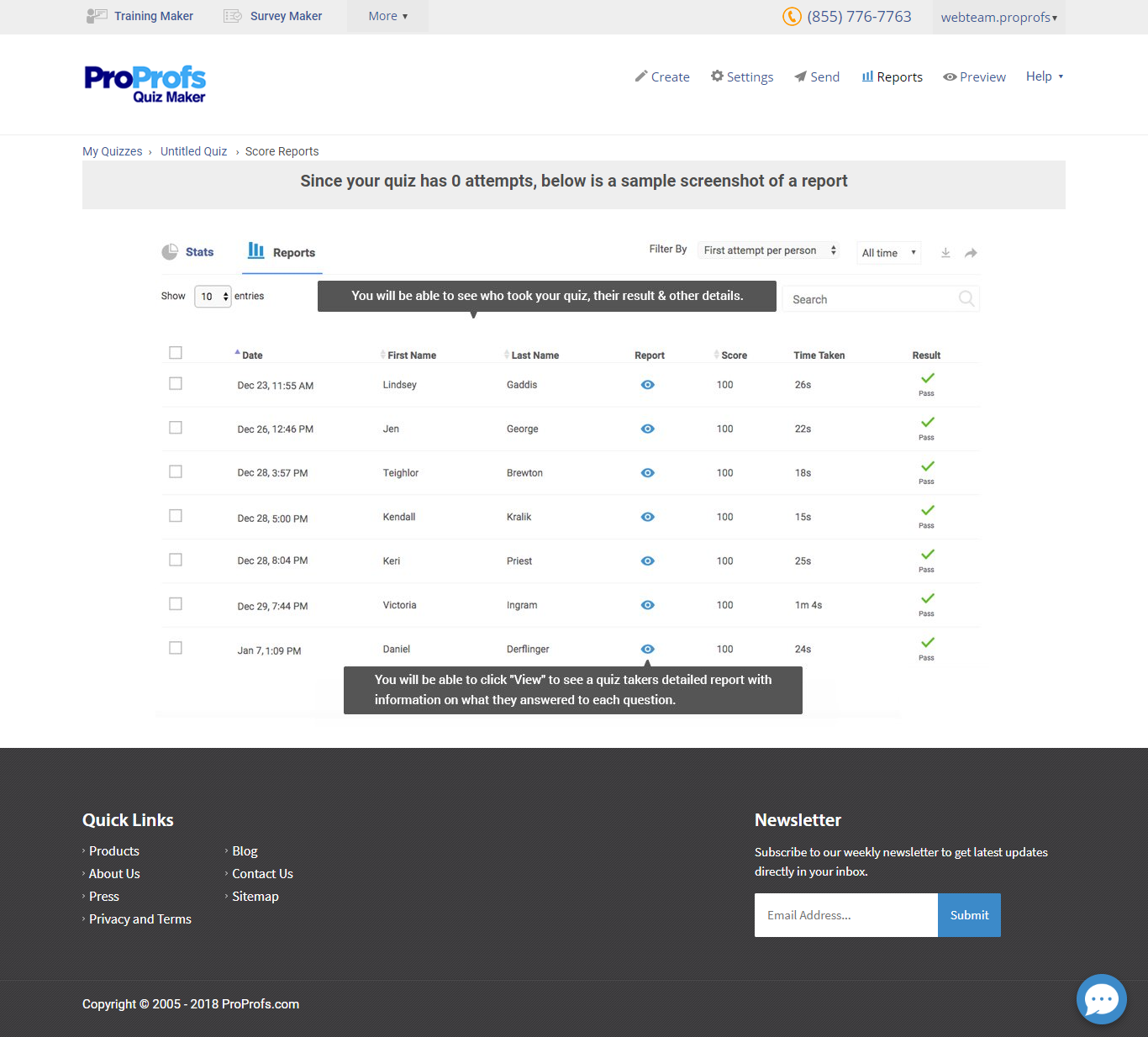
Screenshot of Home PageScreenshot of Create Online QuizScreenshot of Score report