Lenovo offers LanSchool, a classroom management platform supporting collaboration, monitoring student activity, chat, teacher broadcasting / screen-sharing, and other features.
N/A
PowerSchool SIS
Score8.4 out of 10
Mid-Size Companies (51-1,000 employees)
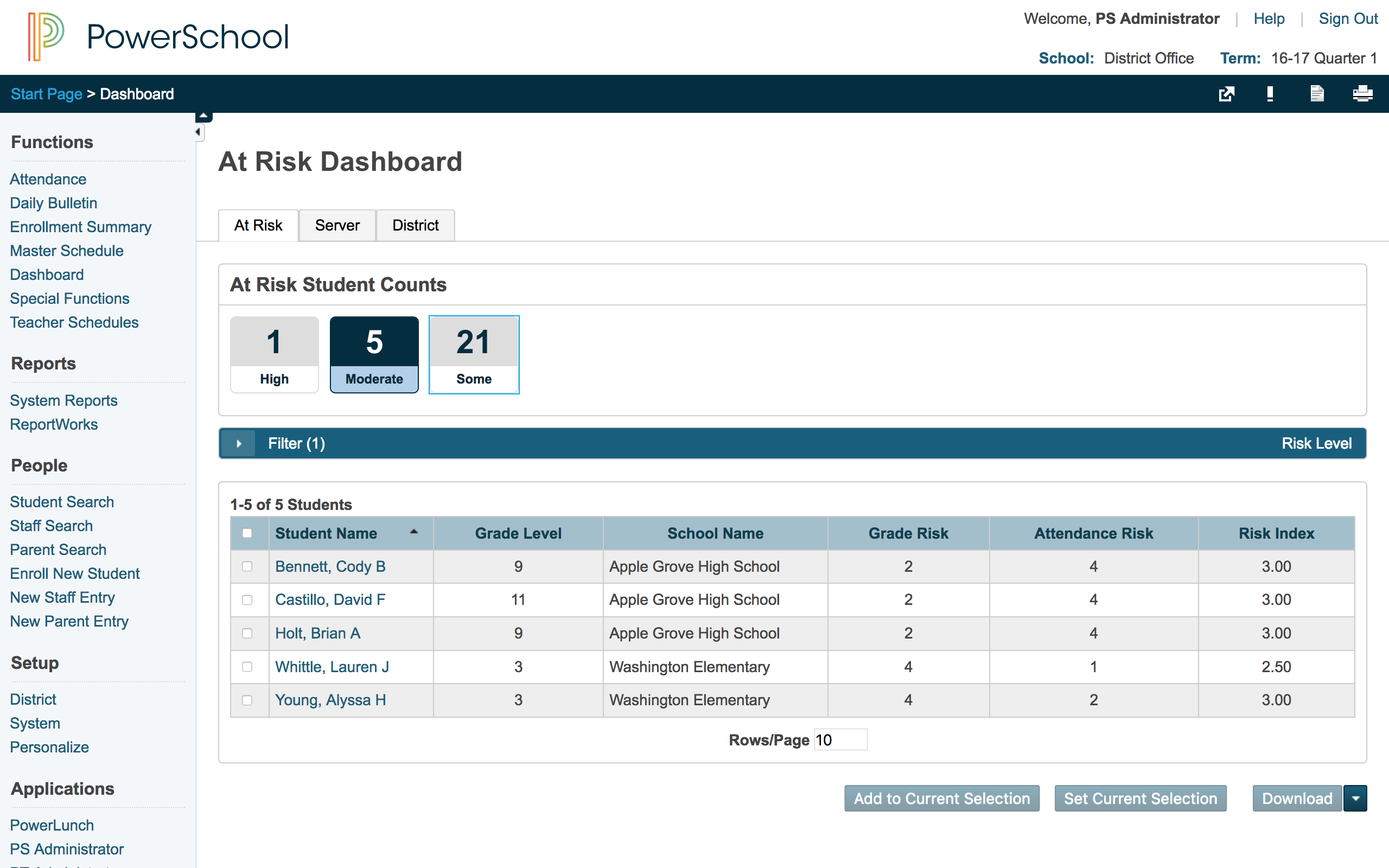
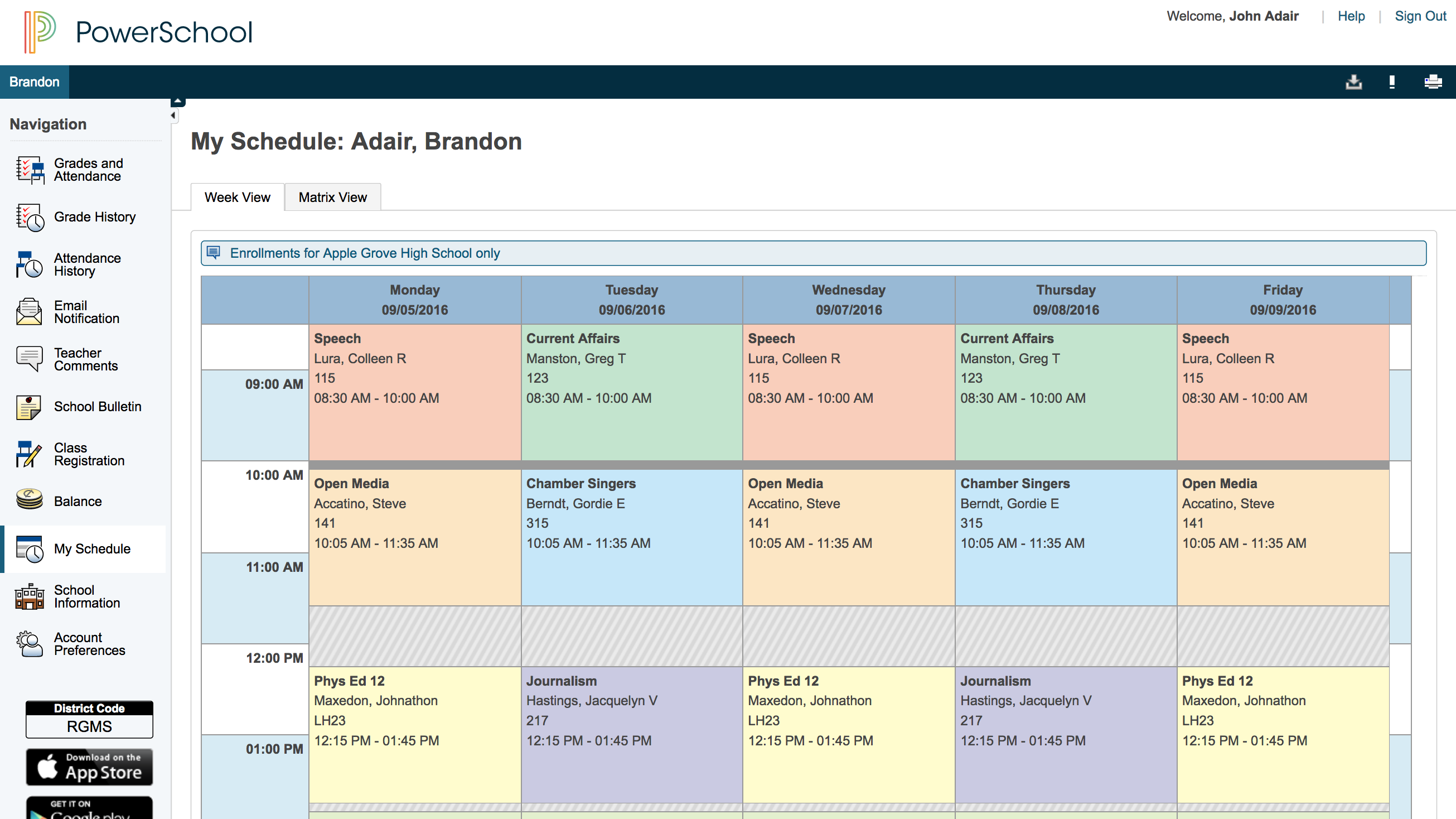
The PowerSchool Student
Information System covers administrative needs, such as scheduling, attendance,
reporting, data management, faculty management, emergency/medical and health
management, registration, and more for K-12 schools and districts. It is easy
to use and boasts an industry-leading gradebook, PowerTeacher Pro. Users enjoy
a fully web-based SIS that is flexible, configurable, and scalable with
real-time updates on any operating system, browser or device.
English Teacher at Byron Center Public Schools (Education Management, 51-200 employees)
Chose PowerSchool SIS
Each of the above products has great features, but PowerSchool has features that each of the above products has, all in one system. This means that you could more easily use JUST PowerSchool without needing extensions and other systems to supplement features. This is less …
A de minimis incentive was given to thank the reviewer for their time. The incentive was not used to bias or drive a particular response, nor was the incentive contingent on a positive endorsement. More Info
I have recommended it across campus and would not hesitate to do so again. It has been great in our lab environments and would like to continue using it for years to come. In the future as we move away from physical labs I will be investigating to purchase for BYOD devices, however I know that I will face pushback from students on this. However we must weigh privacy & security vs. using BYOD devices and integrity on exams.
A de minimis incentive was given to thank the reviewer for their time. The incentive was not used to bias or drive a particular response, nor was the incentive contingent on a positive endorsement. More Info
PowerSchool Student Information System is a cool software that can be highly recommended to anyone who is living in the educational management space. It is proven that this software can reduce your manual workload massively if you use it right. Plus it is really worth the price you pay. Especially if you are in the administrative field, this software will help you to minimize manual efforts put into student registrations, staffing recruitment, and main resource management processes.
A de minimis incentive was given to thank the reviewer for their time. The incentive was not used to bias or drive a particular response, nor was the incentive contingent on a positive endorsement. More Info
Lenovo LanSchool has a very easy to use and easy to learn interface. With software, the hardest thing to do is to teach new teachers or veteran teachers how to use technology in their classrooms. Being able to easily teach teachers to use this software is one of the best aspects of the [Lenovo LanSchool].
Something that LanSchool does well is to monitor student actions. On the screens, you can see all the linked computers of all students. This feature lets you see every student on one screen. The alternative is walking around the classroom or scrolling through pages of student screens, with LanSchool you can guarantee that you are seeing all screens at once.
Overall classroom management is a key feature on the platform. You can share files, freeze student screens, blank out student screens and share another screen to the entire class. There are far more options in terms of engaging the students than a conventional method of asking students to pay attention. Installing LanSchool is a huge asset for teachers to engage and update their lessons.
A cool element I seldom use is the speaking software, being able to speak through their computer screens is great to give direction or get attention quickly.
A de minimis incentive was given to thank the reviewer for their time. The incentive was not used to bias or drive a particular response, nor was the incentive contingent on a positive endorsement. More Info
PowerSchool houses student or staff information that can be easily accessed by those teachers and administrators who need the information. This allows everyone to go to one place to access information.
Parents can view their child's grades at any time with their protected login on a parent portal. This allows teachers to keep parents informed and involved in their child's progress at school. When everyone works together it increases our students' chance for success.
PowerSchool offers videos to train new users. When we have new employees, the videos can be accessed at any time the employee needs as opposed to them waiting for someone to help them.
A de minimis incentive was given to thank the reviewer for their time. The incentive was not used to bias or drive a particular response, nor was the incentive contingent on a positive endorsement. More Info
A de minimis incentive was given to thank the reviewer for their time. The incentive was not used to bias or drive a particular response, nor was the incentive contingent on a positive endorsement. More Info
A de minimis incentive was given to thank the reviewer for their time. The incentive was not used to bias or drive a particular response, nor was the incentive contingent on a positive endorsement. More Info
We would be starting over at square one if we did not continue our PowerSchool subscription. We do not have a program in a place that would take its place.
A de minimis incentive was given to thank the reviewer for their time. The incentive was not used to bias or drive a particular response, nor was the incentive contingent on a positive endorsement. More Info
A de minimis incentive was given to thank the reviewer for their time. The incentive was not used to bias or drive a particular response, nor was the incentive contingent on a positive endorsement. More Info
Overall, I have not had to use support for PowerSchool Student Information System because our school district gives us training in each area in which we will be utilizing PowerSchool Student Information System. In terms of in-user support, I feel that there is mild to moderate user support that is built into PowerSchool SIS.
A de minimis incentive was given to thank the reviewer for their time. The incentive was not used to bias or drive a particular response, nor was the incentive contingent on a positive endorsement. More Info
A de minimis incentive was given to thank the reviewer for their time. The incentive was not used to bias or drive a particular response, nor was the incentive contingent on a positive endorsement. More Info
I have heard good things for Infinite Campus and Skyward. I would [evaluate] each of them and see what fits your needs. Each has their strengths and weaknesses and so picking the right one for your needs is important. PowerSchool [Student Information System] does have some great features, but lacks some fundamental reports and functions to make it top notch.
A de minimis incentive was given to thank the reviewer for their time. The incentive was not used to bias or drive a particular response, nor was the incentive contingent on a positive endorsement. More Info
A de minimis incentive was given to thank the reviewer for their time. The incentive was not used to bias or drive a particular response, nor was the incentive contingent on a positive endorsement. More Info
It has created shortcuts for all staff members, saving us time.
In creating shortcuts and combining many different systems into one, it is saving our school money.
It has created a safety net for teachers because grades and student information is stored electronically, which means teachers not having to worry about losing or misplacing their grade books.
A de minimis incentive was given to thank the reviewer for their time. The incentive was not used to bias or drive a particular response, nor was the incentive contingent on a positive endorsement. More Info