LaunchBrightly vs. UserTesting

Overview
ProductRatingMost Used ByProduct SummaryStarting Price
LaunchBrightly
Score 0.0 out of 10
N/A
LaunchBrightly’s screenshot automation platform enables users to set up simple automation recipes to auto-generate the latest screenshots of a product and, automatically and continuously, update the screenshots in a help documentation as the product changes.
$275
per month per screenshot generated
UserTesting
Score 8.2 out of 10
N/A
UserTesting helps UX researchers, designers, product teams, and marketers gather actionable insights through research, testing, and feedback. With a network of real people ready to share their perspectives, UserTesting enables organizations to make customer-first decisions at scale.N/A
Pricing
LaunchBrightlyUserTesting
Editions & Modules
Free
$0
100 screenshots generated
Pro
$275
per month 500 Screenshots generated
Business
$599
per month 2000 Screenshots generated
No answers on this topic
Offerings
Pricing Offerings
LaunchBrightlyUserTesting
Free Trial
YesYes
Free/Freemium Version
YesNo
Premium Consulting/Integration Services
NoNo
Entry-level Setup FeeOptionalNo setup fee
Additional Details20% discount for annual pricing.
More Pricing Information
Community Pulse
LaunchBrightlyUserTesting
Best Alternatives
LaunchBrightlyUserTesting
Small Businesses
Sendspark
Sendspark
Score 10.0 out of 10
Smartlook
Smartlook
Score 8.2 out of 10
Medium-sized Companies
Snagit
Snagit
Score 9.3 out of 10
Optimal
Optimal
Score 9.1 out of 10
Enterprises
Snagit
Snagit
Score 9.3 out of 10
Optimal
Optimal
Score 9.1 out of 10
All AlternativesView all alternativesView all alternatives
User Ratings
LaunchBrightlyUserTesting
Likelihood to Recommend
-
(0 ratings)
8.2
(179 ratings)
Likelihood to Renew
-
(0 ratings)
7.5
(8 ratings)
Usability
-
(0 ratings)
8.1
(157 ratings)
Availability
-
(0 ratings)
9.1
(1 ratings)
Performance
-
(0 ratings)
9.1
(1 ratings)
Support Rating
-
(0 ratings)
8.3
(157 ratings)
Implementation Rating
-
(0 ratings)
4.6
(4 ratings)
Configurability
-
(0 ratings)
7.3
(1 ratings)
Product Scalability
-
(0 ratings)
7.3
(1 ratings)
Vendor post-sale
-
(0 ratings)
9.1
(1 ratings)
Vendor pre-sale
-
(0 ratings)
9.1
(1 ratings)
User Testimonials
LaunchBrightlyUserTesting
Likelihood to Recommend
LaunchBrightly
No answers on this topic
UserTesting
Well suited to its original purpose- usability testing and interviews. This can be performed at pace, given the large audience (although our brands are very well known so this should not be a barrier) and there is a decent level of task customisation when conducting unmoderated testing. Its less appropriate for survey where you are looking to capture genuine intent/behaviour, even with screeners the data skews more positively than onsite survey, makes me question the quality of survey respondents.
Read full review
Pros
LaunchBrightly
No answers on this topic
UserTesting
  • Product Manager who follows up on your UserTesting usage and gives advice/support when you need it.
  • UserTesting University is a great platform to learn how to use UT and general information about research.
  • UserTesting can find participants quickly, so you won't need to wait long before you can start the analysis.
Read full review
Cons
LaunchBrightly
No answers on this topic
UserTesting
  • Quality of participant pool - many are career testers, and many are untruthful. Since sessions are auto-scheduled if the screener is past, you often don't know until they've completed the test. Allow double screening or be more stringent in removing users from the platform.
  • Unfinished products - focus on making one product the best it can be before moving on to a new one. Unmoderated testing is still missing features (randomization of 3 or more prototypes, etc.)
Read full review
Likelihood to Renew
LaunchBrightly
No answers on this topic
UserTesting
I'm very happy with my experience of the product and the level of service and learning resources they provide. If the service becomes more expensive than it currently is then we might not be able to justify additional cost - but this is theoretical. I would recommend UserTesting and would ideally renew our contract.
Read full review
Usability
LaunchBrightly
No answers on this topic
UserTesting
It can be difficult to organize our tests and go back and find information. I think the AI tools are helping and will help with this, but for now it is time consuming to sort through all of the tests and information and then synthesize it and share it with others. It just takes a lot of time.
Read full review
Reliability and Availability
LaunchBrightly
No answers on this topic
UserTesting
Never encountered any problems
Read full review
Performance
LaunchBrightly
No answers on this topic
UserTesting
Perfectly fine. Never had any problems.
Read full review
Support Rating
LaunchBrightly
No answers on this topic
UserTesting
I have contacted UserTesting's customer service online, by email, or by phone a few times, and each time, I have encountered the same professionalism and expertise. Even in person during a work event, they were there, and it was the same experience.
Read full review
Implementation Rating
LaunchBrightly
No answers on this topic
UserTesting
From a technical perspective, the implementation was extremely smooth. Most of the change management / implementation hurdles were clearing use of the tool through our various security, legal, and information privacy teams. Once these concerns were addressed (UserTesting.com was very helpful in providing all the needed documentation), the implementation process was very simple and we were able to get going right away.
Read full review
Alternatives Considered
LaunchBrightly
No answers on this topic
UserTesting
The quality of the participants: they usually have good feedback and act like "professional" users. Which is good when we want a few insights in a short amount of time. Also, the interface is good. I miss having more features, like a good transcription tool like we have in Condens
Read full review
Scalability
LaunchBrightly
No answers on this topic
UserTesting
The package we have limits the number of people who can set up tests. This prevents us from scaling the use of the platform.
Read full review
Return on Investment
LaunchBrightly
No answers on this topic
UserTesting
  • Content is key to the sign up journey and UserTesting helps me improve that.
  • UserTesting has helped me improve the Cashier on our site, making it easier for users to deposit money.
  • UserTesting is helping me iterate all our content decisions, helping us improve the UX across all platforms.
Read full review
ScreenShots

LaunchBrightly Screenshots

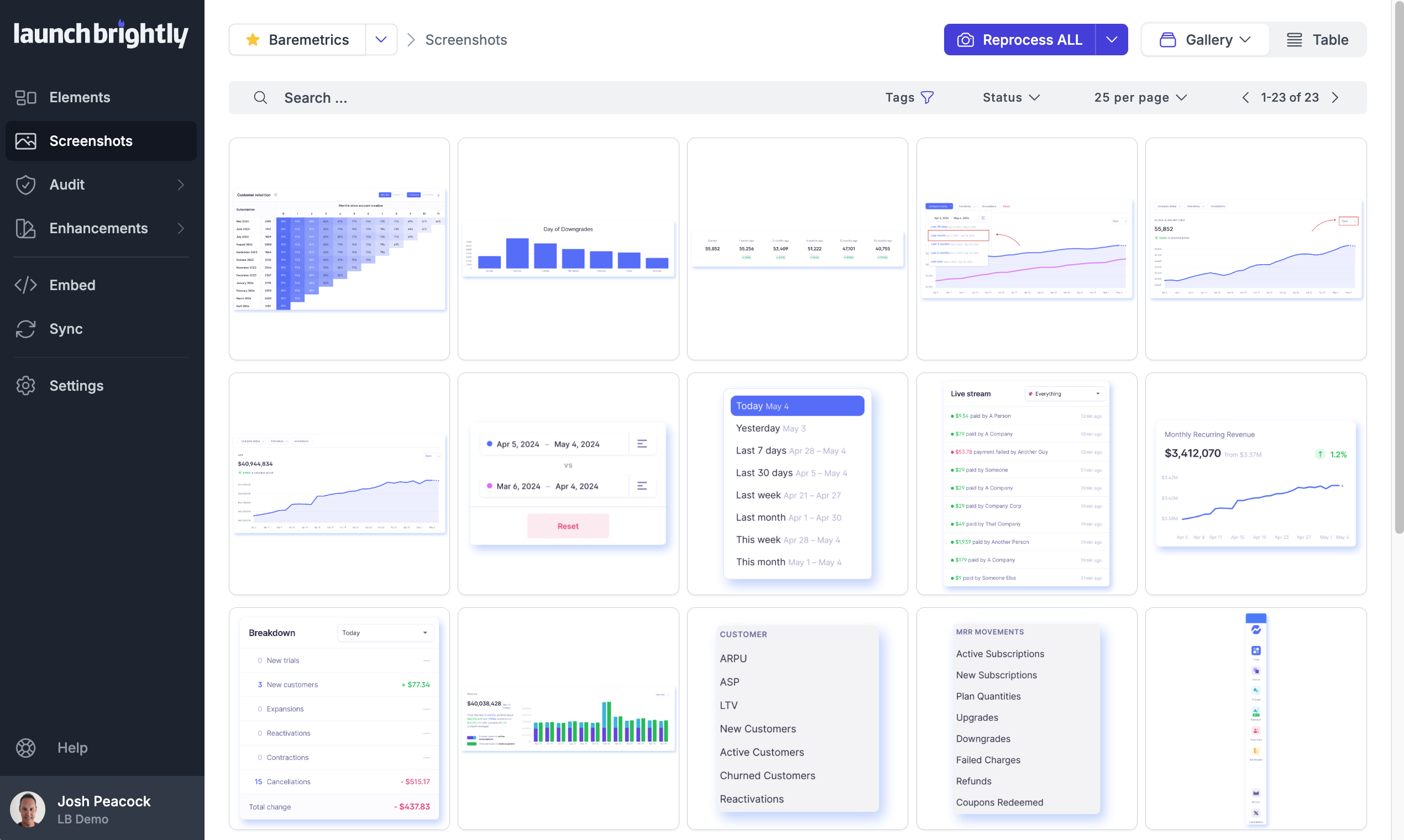
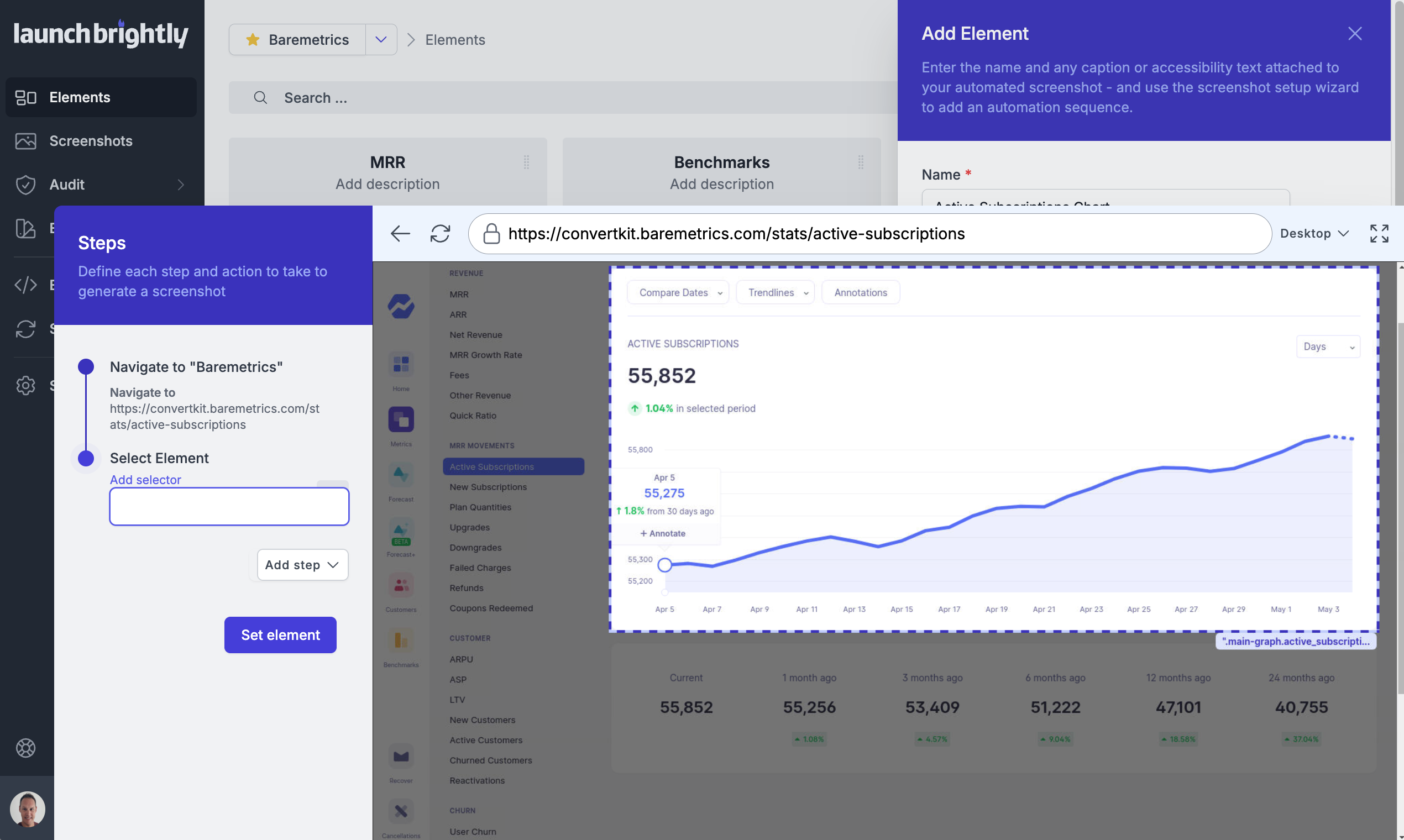
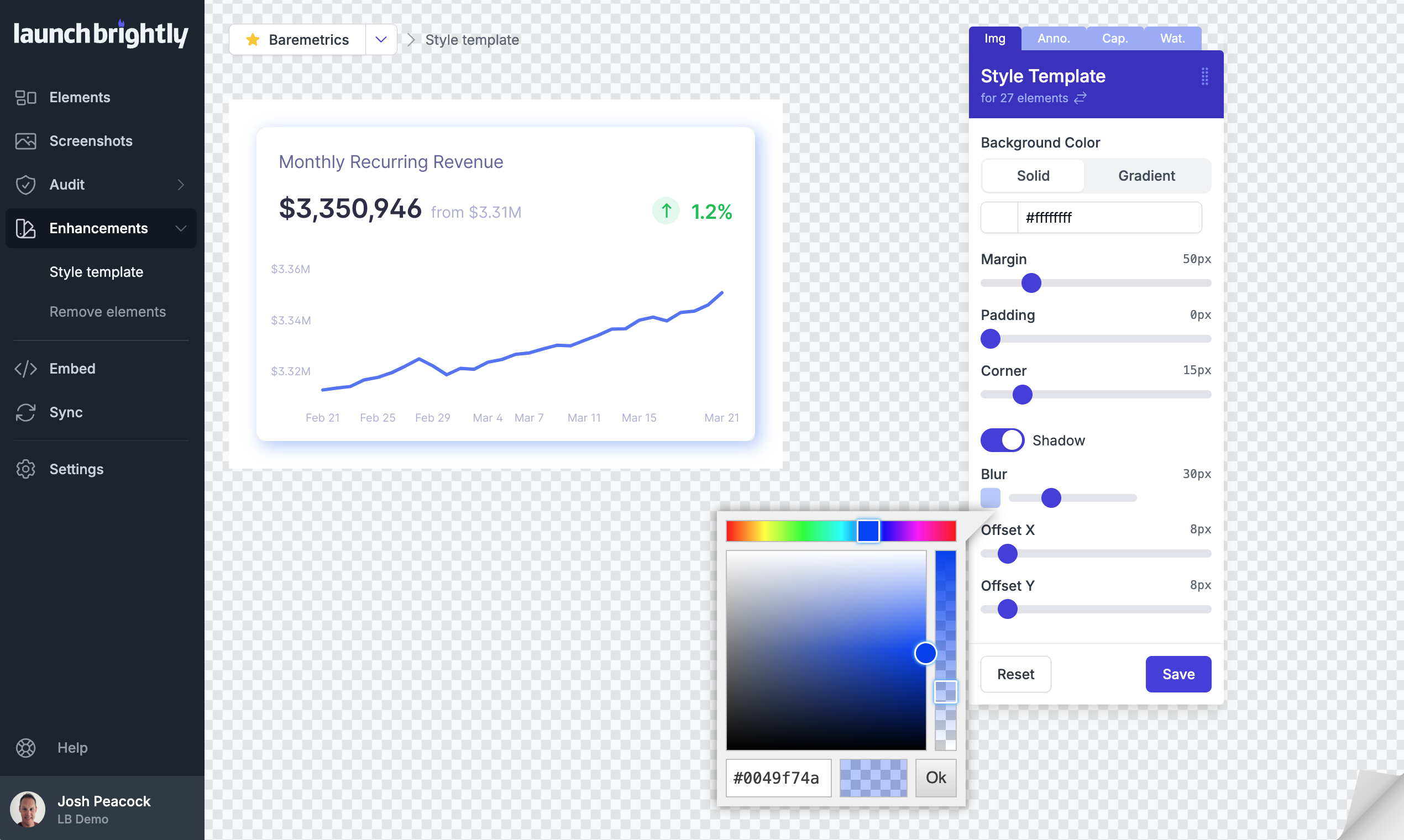
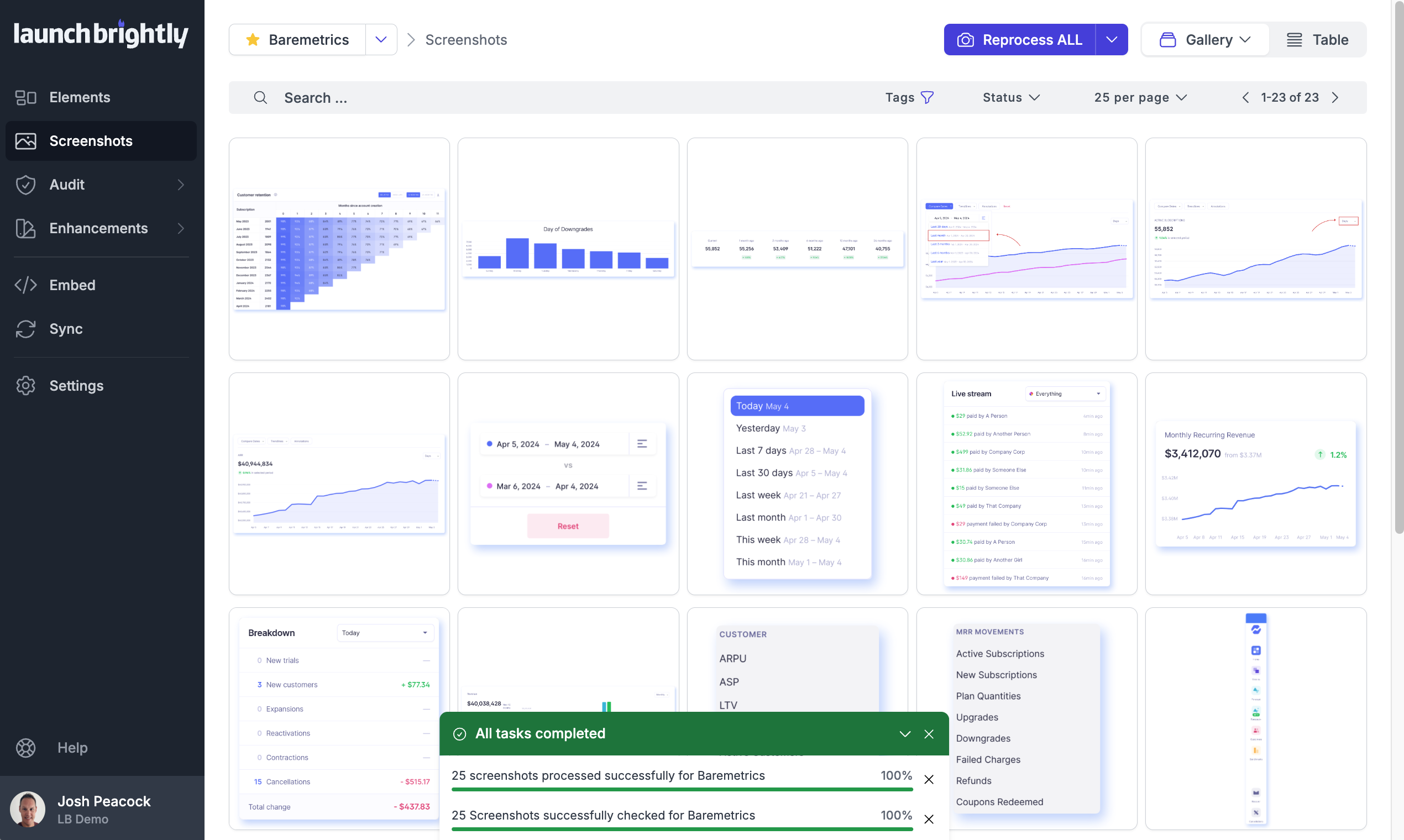
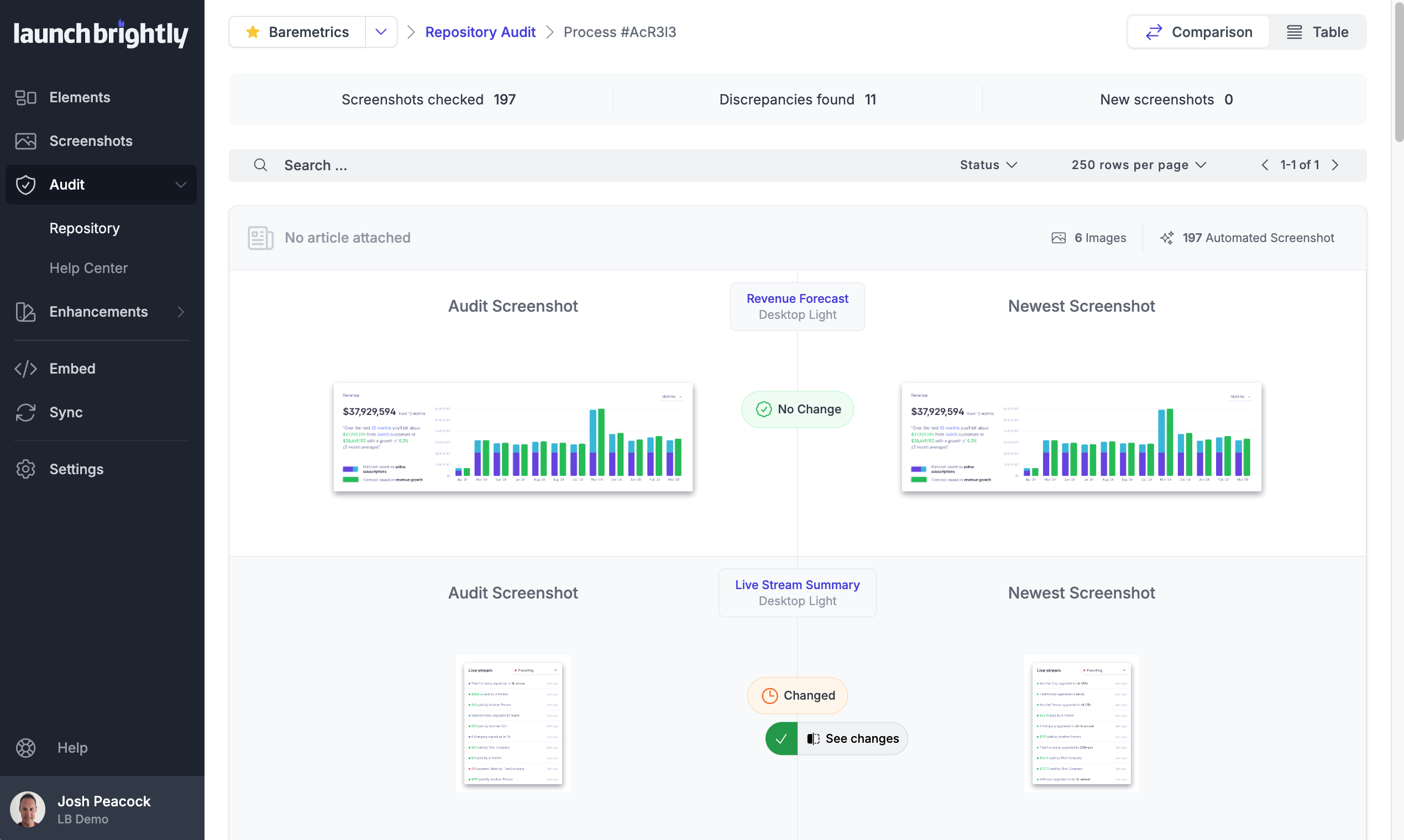
Screenshot of A gallery view of all automated screenshotsScreenshot of the Screenshot Recipe Builder is used to meticulously record the steps to capture an ideal screenshotScreenshot of the interface to style screenshots, annotations, and captions to match the product's brand identity, with reprocessing of changesScreenshot of the auto-reprocessing feature, used to automatically generate new screenshots reflecting the latest version of a  product, and ensure it always has the freshest screeshotsScreenshot of the Screenshot Audit, which is used to compare an up-to-the minute screenshot against previously generated screenshots to quickly identify what, if any, changes have occurred, with the option to accept or reject those changes.Screenshot of where each generated screenshot is preserved to history, providing a chronological screenshot archive tracking how the product changes over time

UserTesting Screenshots

Screenshot of UserTesting's several solutions for gathering rich customer experience narratives.Screenshot of Interactive Path Flows
Built on recent research in data mining, the Interactive Path Flow aggregates interaction data across multiple participant sessions to visualize the customer journey, surface unexpected behaviors, and locate key moments in the customer journey.Screenshot of Keyword Mapping
Similar keywords are automatically grouped based on overall sentiment (positive, negative, or neutral) to identify themes. Highlight reels associated with each keyword are grouped together, to discover the why behind each sentiment.Screenshot of Video capture and live streaming
Digital and real-world customer experiences are recorded on desktop and mobile devices or live streamed for in-platform viewing.Screenshot of Audience targeting
Audiences are specified by screening contributors from UserTesting’s global network of contributors or connecting to any preferred network.