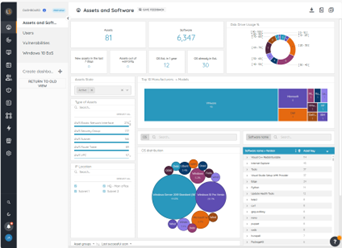
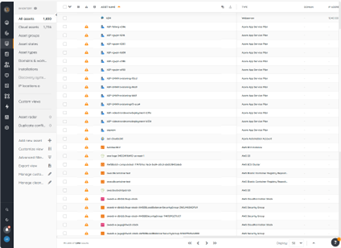
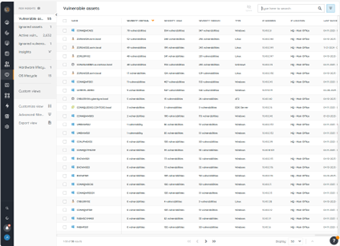
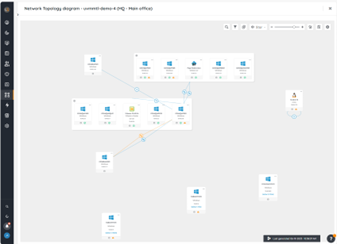
Lansweeper is an IT asset management solution that provides network discovery of all connected users, devices, and software within the IT estate. Lansweeper's device recognition capabilities provide complete visibility across the entire IT estate, in one centralized IT inventory. Lansweeper automatically and continuously discovers IT assets across infrastructure — servers, laptops, desktops, virtual & cloud machines, networks devices and IoT assets— in order to…
$2,868
per year Includes 2,000 assets
Zabbix
Score 8.7 out of 10
N/A
Zabbix is an open-source network performance monitoring software. It includes prebuilt official and community-developed templates for integrating with networks, applications, and endpoints, and can automate some monitoring processes.
N/A
Pricing
Lansweeper
Zabbix
Editions & Modules
Starter
$2868
per year Includes 2,000 assets
Pro
$5268
per year Includes 2,000 assets
Enterprise
Contact Sales
Starts at 10,000 Assets
No answers on this topic
Offerings
Pricing Offerings
Lansweeper
Zabbix
Free Trial
Yes
No
Free/Freemium Version
Yes
No
Premium Consulting/Integration Services
No
No
Entry-level Setup Fee
No setup fee
No setup fee
Additional Details
—
—
More Pricing Information
Community Pulse
Lansweeper
Zabbix
Features
Lansweeper
Zabbix
IT Asset Management
Comparison of IT Asset Management features of Product A and Product B
Because of its slowdown as we have acquired more equipment, I think LANSweeper may be better suited for smaller environments. We have 3000+ users and over 1500 devices on our WAN. It has shown considerable performance issues as we have grown. Maybe moving it to a full blown SQL instance will make things a bit better. But as it stands, it has gotten tiresome waiting for it to update and refresh.
Because we spread out in different locations, we can't always know the status of our devices. Zabbix solves this issue for us. As soon as we see an alert that the remote site is down, we can solve it right away. I can't think of a scenario where it was less appropriate for us.
Lansweeper is grabbing lots of data from the machines without slowing the network and the client machines. We can easily get all the installed software data, hardware and linked hardware and all the user you can grab from the AD (computer and user).
Lansweeper can now scan Windows, Mac and Linux with an agent installed (or not if you want that the server is the one pulling the data).
The web interface is really friendly user and offers lots of possibilities to personalize your dashboard as you see fit.
Reports engine is really powerful and easy to monitor your machines and also your security issues.
Alerts; Zabbix allows deep customization of conditions and alerts giving you the ability to perform nearly any scripted action in a variety of scenarios
Inventory; having one place to see a list of all on-going problems and list of servers within your organization is critical
Graphs; screens or graphs showing customizable and color-coded historical usage is a necessity in any monitoring software
It is free. It didn't cost anything to implement (other than my time and the cost incurred for it) and it is filling a badly needed gap in our IT infrastructure. Support is available if we have issues and can be done annually or paid for on a per incident basis as needed. Expansion, updates, and all other future lifecycle activities are likewise free of cost, so as long as someone is able to implement/maintain the software (and the OSS project is maintained) then I imagine the company will never leave it.
Well i find the tool quite useful for my daily network monitoring purpose. We get the alerts easily through SMS which saves us lot of our times and effort. The tool is highly customizable which i mentioned earlier which helps to create different alert criteria for different device or system.
Lansweeper offers a variety of customer support options (including KBs for self-serve and get in touch with them via email), and most importantly, it's a matter of dialing within their allotted supporting time frames. However, I always make sure to provide the following information:
- Screenshots of the issue (if available).
- Program Files (x86)/Lansweeper/Service/Errorlog.txt, as present on your Lansweeper server.
- If it exists, the error log present in Program Files (x86)/Lansweeper/Website/App_Data.
The setup is the most time-consuming portion of using zabbix. It takes a lot of effort to shape it into a usable format and even then it can get very messy. It's not exactly intuitive and as mentioned the UI seems a bit antiquated. If I was to roll out a monitoring solution from scratch, I'd probably look for alternatives which are easier to use and maintain.
We are a mainly Windows environment, so it would be useful if we could have used Active Directory to deploy agents. As of version 4.2, Zabbix has announced a new agent MSI file to allow exactly that. Unfortunately, we didn't have that option. Also, for Linux and MAC deployments, there is no simple way to deploy that. Using remote scripts you may be able to create something, but most places will opt for either SNMP (agentless) or manual installation of agents to add to Zabbix. A way of deploying agents via discovery would go a long way to helping in the adoption of the tool.
Lansweeper is DRAMATICALLY cheaper than KACE and provides the same level of reporting and inventory of asset data. Where KACE outshines Lansweeper, is Lansweeper has a very minimal software deployment system that requires clients to have direct access to a common file share. KACE allows you to upload files directly into it's environment, and assets can download over HTTPS those files for installation anywhere. Spiceworks was a great inventory and helpdesk system for free - but the product I feel has gone stale and not nearly as powerful as it use to be - for that reason Lansweeper appears to have taken up the charge and utilized a lot of Spiceworks was going for
The software's I mentioned are great, but they are overpriced comparing to Zabbix while it's a free open-source application. The value its adding has high price than any other free open-source apps. the monitoring and alerts details and the friendly user interface is stacking up against any other apps in the web.
Zabbix has had a positive impact on uptime of our external facing website. Users don't always call up our Customer Service team to report that something is down - sometimes they just abandon the website all together. By having a monitoring solution that tells us when things are down before customers do, we are able to respond quickly and avoid losing visitors and ultimately sales.