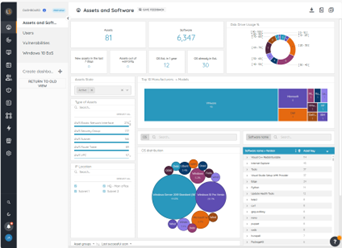
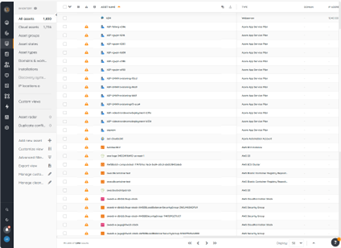
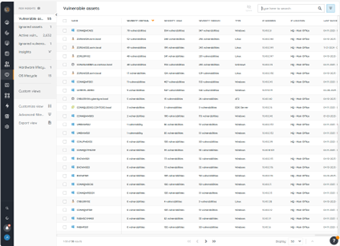
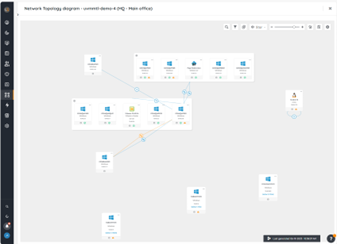
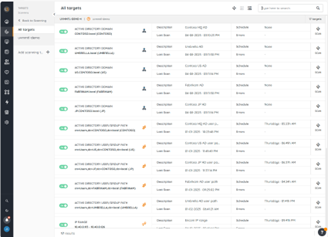
Lansweeper is an IT asset management solution that provides network discovery of all connected users, devices, and software within the IT estate. Lansweeper's device recognition capabilities provide complete visibility across the entire IT estate, in one centralized IT inventory. Lansweeper automatically and continuously discovers IT assets across infrastructure — servers, laptops, desktops, virtual & cloud machines, networks devices and IoT assets— in order to…
$2,868
per year (includes 2000 assets)
ManageEngine ServiceDesk Plus
Score9.2 out of 10
N/A
ServiceDesk Plus is free help desk software from ManageEngine, a division of Zoho Corporation.
Lansweeper I believe is well suited for any environment - its low cost and small footprint make it an easy addition to any organization, big or small, that is looking for an asset inventory solution that can either replace or supplement existing asset management systems. It may not be well suited for situations where a lot of customization is necessary, such as pulling in custom fields or details from equipment that don't reside in a registry.
A de minimis incentive was given to thank the reviewer for their time. The incentive was not used to bias or drive a particular response, nor was the incentive contingent on a positive endorsement. More Info
We use the free version, it allows up to 10 technicians to be added to the system, but that has never been an issue, as we are a small team. The functionality and usability of MESDP are great and can work with larger teams too. It is well suited to be used as a main Ticketing system, and this is not limited to IT only, I am sure other teams that need to keep track and log issues will be able to utilize MESDP without any issues. There is a self-service portal as an option, however, we do not use it as of yet, as there has not been the need for it. If you would need to use the same instance within multiple departments, this may be a bit tricky to achieve, as there is no easy way to limit visibility to tickets from other departments, however, I am sure there is a way around it.
A de minimis incentive was given to thank the reviewer for their time. The incentive was not used to bias or drive a particular response, nor was the incentive contingent on a positive endorsement. More Info
Inventory - LANSweeper scans the network for devices - anything with an SNMP trap or using AD or local credentials. We can get an in-depth look at devices.
Reporting - LANSweeper can generate just about any report you can imagine. We can check RAM in groups and determine where upgrades are needed. We can find local printers (which aren't allowed on our network) and address that issue with the user. We can check CPU type to help determine end of life without our network.
Printers - It's nice to have a quick look at printer statuses. Toner levels, out of paper, and service errors are all reported via LANSweeper.
A de minimis incentive was given to thank the reviewer for their time. The incentive was not used to bias or drive a particular response, nor was the incentive contingent on a positive endorsement. More Info
A de minimis incentive was given to thank the reviewer for their time. The incentive was not used to bias or drive a particular response, nor was the incentive contingent on a positive endorsement. More Info
Can only scan what it sees. Doesn't show every item on the machine. Patches are also absent.
Software Recognition is OK with Microsoft. It is dire within our network of multiple products. Recognition is at about 35% with constant manual work needed to baseline for each manufacturer in each network
Datacenter compliance is a manual project. We used Excel extensively.
License optimization is limited to installations v surplus licenses. We need to know who's using what and how.
A de minimis incentive was given to thank the reviewer for their time. The incentive was not used to bias or drive a particular response, nor was the incentive contingent on a positive endorsement. More Info
We would like to see the ability to schedule technician auto-assign based on shifts. Presently we have to manually select technicians after close of business Friday for the weekend shift each week.
When managing a problem, it is difficult to extract a list of attached Incidents for use elsewhere. I must add that it is very easy to bulk add Incidents during an event. The only small issue with the bulk add is that the window only shows you 5-10 incidents at a time, and you must scroll through to select Incidents. We'd like to be able to see a full page view of the list.
When editing a request, the history is graphically & textually very verbose. Too much so in many cases. For example if a user has included screen shots, the entire email string is repeated for each change. For example an email forwarded to Helpdesk, repeats even though the only change made was to update the requestor from the person forwarding to the actual requestor.
It is not currently possible to update a problem automatically using special characters in the subject line, like we are able to do in a request. We overcome this by always creating a root incident for each problem that collects all the email communication of the resolution.
A de minimis incentive was given to thank the reviewer for their time. The incentive was not used to bias or drive a particular response, nor was the incentive contingent on a positive endorsement. More Info
A de minimis incentive was given to thank the reviewer for their time. The incentive was not used to bias or drive a particular response, nor was the incentive contingent on a positive endorsement. More Info
we are looking at other tools like Zendesk which may replace ServiceDesk. We are currently evaluating both tools to see which one would serve our needs better
A de minimis incentive was given to thank the reviewer for their time. The incentive was not used to bias or drive a particular response, nor was the incentive contingent on a positive endorsement. More Info
As any other feature-rich software package, starting out with ManageEngine ServiceDesk Plus has a little bit of a learning curve, but it usually doesn't take very long until you can use the basic features. Training new technicians on the use of the software does not take very long, and for users to submit tickets it is as easy as sending an email.
A de minimis incentive was given to thank the reviewer for their time. The incentive was not used to bias or drive a particular response, nor was the incentive contingent on a positive endorsement. More Info
Lots of info online there are tons of SQL Reports you can copy from the web as Lansweeper and users post many of them. They also send out alerts that pop up on Lansweeper, letting you know of an update that you need for certain software and provide an SQL report so you can scan your system to see what PCs need this update.
A de minimis incentive was given to thank the reviewer for their time. The incentive was not used to bias or drive a particular response, nor was the incentive contingent on a positive endorsement. More Info
I have a few issues with MESDP and even though we use the free version, the support staff was very quick to respond and extremely competent and helpful. Luckily, I have only had to use them a couple of times over the 2.5 years I have been using their product, but they strike me as very competent, friendly and helpful, regardless of the version of their product you use.
A de minimis incentive was given to thank the reviewer for their time. The incentive was not used to bias or drive a particular response, nor was the incentive contingent on a positive endorsement. More Info
Microsoft System Center needs to install agents on all IT asset for discovery and sometimes the agents can easily get corrupted. Lansweeper is a SaaS solution and it's easier to deploy to all IT asset that are connected to the network. This save us a lot of deployment time without the need to engage vendor for professional service.
Spiceworks was free, which obviously had both benefits and limitations - I will say that the community around Spiceworks has always been great. If we could replicate that experience with the ME user base, it would be terrific.
A de minimis incentive was given to thank the reviewer for their time. The incentive was not used to bias or drive a particular response, nor was the incentive contingent on a positive endorsement. More Info
It had a positive impact on solutions expense cause several teams we're using different solutions with different costs that used several servers and DB resources. Now, we've been able to simply that a lot with Lansweeper.
With my previous point, people had to train and learn about each of their solutions. Now we can put a team in charge and so the other teams can focus on other tasks.
Last year Lansweeper changed their licencing prices a lot so it slashed our budget.
A de minimis incentive was given to thank the reviewer for their time. The incentive was not used to bias or drive a particular response, nor was the incentive contingent on a positive endorsement. More Info
It has provided better visibility to upper management in terms of the scale of the workload of the IT department
It has allowed licensed software to be tracked more efficiently, allowing redundant license to be reclaimed, rather than additional ones being purchased
It has fulfilled the requirements for multiple audits, including Microsoft audits, as it allows the assets and their software to be tracked
A de minimis incentive was given to thank the reviewer for their time. The incentive was not used to bias or drive a particular response, nor was the incentive contingent on a positive endorsement. More Info