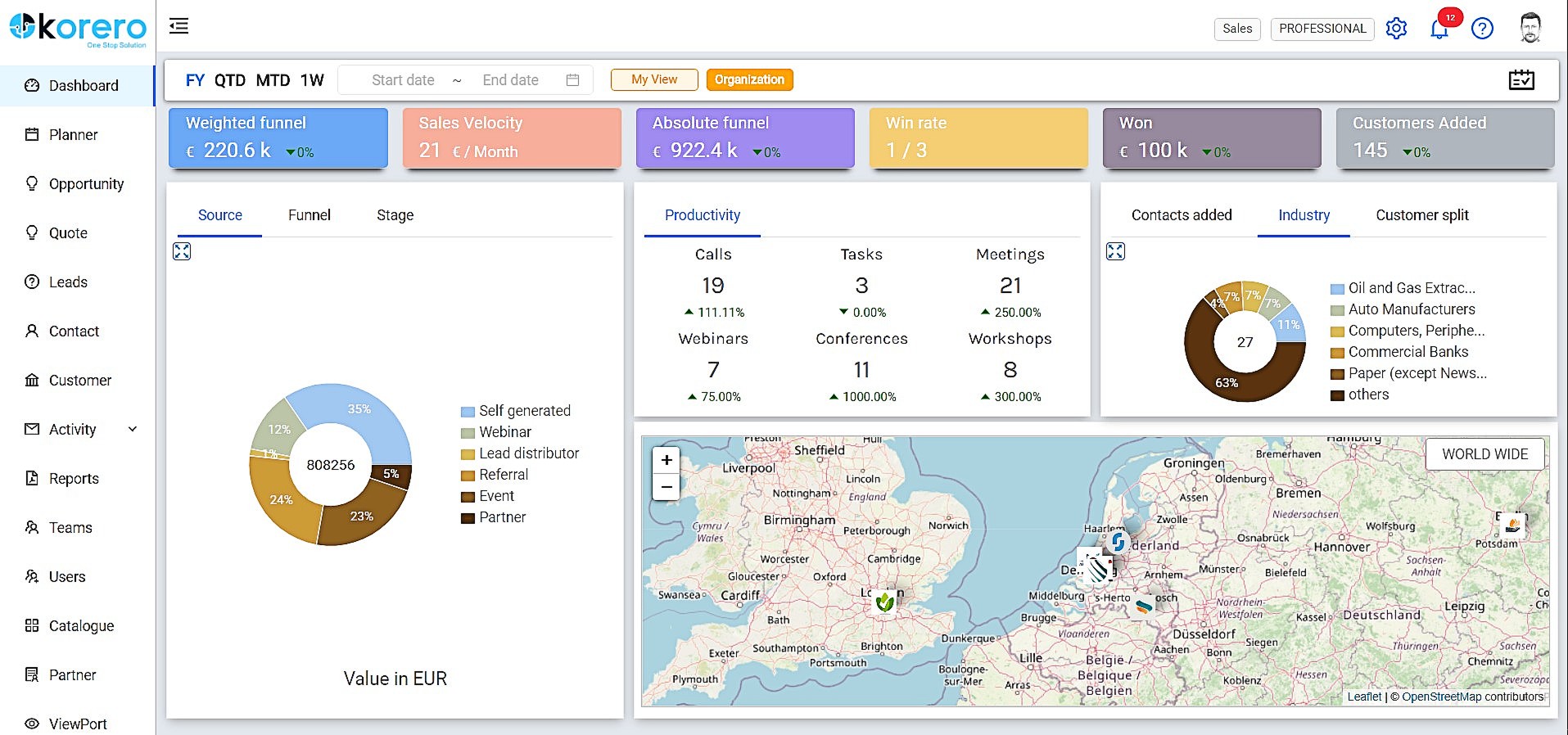
Korero is designed to be a one stop solution for Customer Relationship
Management, Collaboration and Communication combined with Automation features
to empower and make your sales team highly effective and productive. Primarily
focused on the B2B and Small & Medium Enterprises sector, Korero boasts a simplified User Interface for a
great User Experience.
Korero is available as a Software as a Service solution – pay as you go,
cloud enabled with an omnichannel presence (Android…
$10
per user
Salesforce Sales Cloud
Score8.7 out of 10
N/A
Salesforce Sales Cloud is a platform for sales with a community of Sellers, Sales Leaders, and Sales Operations, who use the solution to grow sales and increase productivity. The AI CRM for Sales features data built right in, so that companies can sell faster, sell smarter and sell efficiently. Salesforce Sales Cloud is used for, and supports: Buyer Engagement Sales Engagement Enablement Sales AI Sales Analytics Team…
$25
per month
Pricing
Korero
Salesforce Sales Cloud
Editions & Modules
Basic
$10.00
per user
Professional
$22.00
per user
Starter
$25.00
per month per user
Professional
$80.00
per month per user
Enterprise
$165.00
per month per user
Unlimited
$330.00
per month per user
Agentforce 1 Sales
$550
per month per user
Offerings
Pricing Offerings
Korero
Salesforce Sales Cloud
Free Trial
Yes
Yes
Free/Freemium Version
Yes
No
Premium Consulting/Integration Services
Yes
No
Entry-level Setup Fee
Optional
Optional
Additional Details
Pricing is computed on a monthly basis, exclusive of VAT and minimum time is 1 month.
Korero would be the best choice for freelance professionals, small and medium size companies, in my opinion. It is also a great platform for those who are looking for ATS and CRM together at an affordable price. For a one man company it becomes expensive to buy software and manage relationships and recruitment process online and in that scenario Korero platform comes handy with its offerings and price. Its relatively new in the market so I would say they can bring more add-ons with time but for now I feel it has a lot of potential to support the recruiters like me and many other businesses.
It’s great at bringing in members from different sources and streamlining their journey — making it easier for our staff to manage follow-ups and tailor actions based on where each member is in their path. As for where it’s less suited, I’d say it depends on company size — it might be a bit too much for a very small organization.
A de minimis incentive was given to thank the reviewer for their time. The incentive was not used to bias or drive a particular response, nor was the incentive contingent on a positive endorsement. More Info
A de minimis incentive was given to thank the reviewer for their time. The incentive was not used to bias or drive a particular response, nor was the incentive contingent on a positive endorsement. More Info
Logging notes: SF makes it easy to log notes in the timeline or static notes that live in an easy-to-see spot for longevity.
Logging activities: It's easy to post a call, text, email, etc.
API data: Once connected, SF is critical to automation, such as website activity, login activity, pages visited, etc., which saves the Customer Success side time in understanding account activity.
Custom fields: you can add custom fields to really personalize your experience. We use quite a few and it's brilliant.
A de minimis incentive was given to thank the reviewer for their time. The incentive was not used to bias or drive a particular response, nor was the incentive contingent on a positive endorsement. TR verified that a representative sample of customers was invited. More Info
A de minimis incentive was given to thank the reviewer for their time. The incentive was not used to bias or drive a particular response, nor was the incentive contingent on a positive endorsement. TR verified that a representative sample of customers was invited. More Info
There are days when I wish we hadn't switched, but I know that if we put in the time, we will get to where we want to be with the software and that it has many more capabilities than anything else we looked at. However, the amount of time and onboarding we need to do is also far greater than we realized/were told when we originally bought the product. They told us we should hire onboarding support, but at the end, after we had already reached our budget maximum for this, so it's been slower than we had hoped.
A de minimis incentive was given to thank the reviewer for their time. The incentive was not used to bias or drive a particular response, nor was the incentive contingent on a positive endorsement. More Info
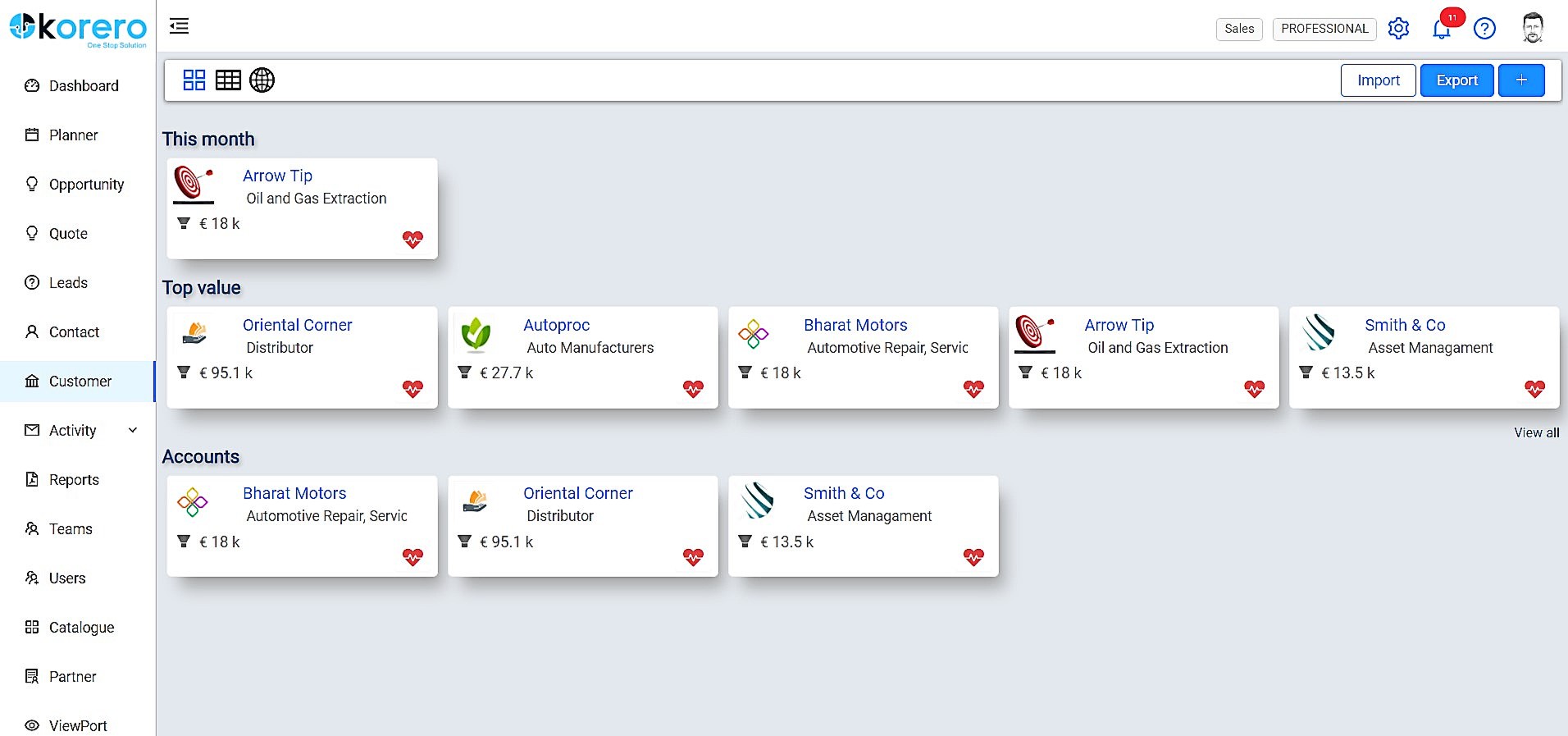
I’m pretty happy with Korero as it gives me an easy to use interface and a holistic view for my sales and recruitment requirements. It helps me keep a tab on various open opportunities and ones in the pipeline. At this point of time, my business requirements are well met.
Salesforce has been designed on the basis of "Clicks, not code". So anyone willing to learn the Salesforce user interface (which is quite good as far as management software platforms go) is able to become a Salesforce user or even a Salesforce administrator. You don't have to know coding language to work in the Salesforce environment. Also, Salesforce has one of the best software training resources (Trailhead) that I have ever encountered. It is free to all, easy to use, and most importantly it is interactive. No scrolling through endless text in a user manual. There are hands-on modules and related videos interlaced and through it all you earn points and badges to display your level of learning.
A de minimis incentive was given to thank the reviewer for their time. The incentive was not used to bias or drive a particular response, nor was the incentive contingent on a positive endorsement. More Info
Salesforce is always available securely from any internet-capable device anywhere in the world, UNLESS you choose to set security measures so that ONLY trusted IP ranges may access the system at certain times of the day. It's all about choice and flexibility with Salesforce products.
A de minimis incentive was given to thank the reviewer for their time. The incentive was not used to bias or drive a particular response, nor was the incentive contingent on a positive endorsement. More Info
Salesforce performance in general is excellent. "The cloud infrastructure beneath Force.com has been fine-tuned over the past 10 years. It powers nearly 100,000+ businesses running more than 185,000 applications that 3 million users count on every day." Points per Salesforce - 1) Multitenant kernel - With a multitenant platform, each business that uses the app doesn’t have its own copy. Instead, all businesses share a single copy and then customize it for their specific needs. 2) ISO 27001 certified security - You can’t compromise when it comes to enterprise-level security. Force.com is road-tested and trusted by nearly 100,000+ companies, including many of the world’s most security-conscious organizations, such as banks and health care providers. 3) Proven reliability - All Force.com apps run on world-class data centers with backup, failover, and disaster-recovery facilities. Force.com has had a proven 99.9 percent uptime record for years. 4) Proven, real-time scalability - Force.com is used by many of the world's largest enterprises, including Cisco, Japan Post Network, and Symantec. Applications can automatically scale from a few users to millions of page views, as needed. 5) Real-time query optimizer - You need fast access to your data. The Force.com query optimizer delivers under 300ms response time, at a massive scale. 6) Real-time transparent system status - You can always see real-time system performance, availability, and security information at trust.salesforce.com. 7) Real-time upgrades - Unlike traditional software platforms, our upgrades never break your customizations, code, or integrations. We upgrade the platform for you 3 to 4 times each year. As a result, you’re always on the latest version, with access to the latest features, performance, and security enhancements. 8) Real-time sandbox environments - With a single click, you can create copies of your applications, configuration, and data in separate environments for development, testing, and training. 9) Three global production data centers and disaster recovery - Force.com runs on three geographically dispersed, mirrored data centers with built-in replication, disaster recovery, a redundant network backbone, and no single points of failure
The support team is open for discussions and to look into to improve the system that is suits for us. If needed they are always available and they solve problems very fast. They give us the feeling that we are important for them. They don’t charge extra for any small questions. The support is very friendly.
A de minimis incentive was given to thank the reviewer for their time. The incentive was not used to bias or drive a particular response, nor was the incentive contingent on a positive endorsement. More Info
The overall support has been good. More and more features are being released quite frequently. Very small features are also making big difference in how the tool can be adapted and used better. If there is anything we need or are stuck, the support team sets up a call and helps in resolving the issue/provides workarounds.
I attended two training sessions. I would rate them a 4 as an advanced user. It was very basic – great for someone new – would give 8+ for new person.
I had 3 years of experience at the time. I skipped basic and went onto advanced and still not helpful. A lot of it was best practices that didn’t feel relevant for our business
I have gone through multiple. The content that’s delivered is quite basic – I wish they had more advanced training.
We are grandfathered into premium support plus training. We get unlimited access to instructor led and online training for free. We have taken advantage of this
Just from an organizational standpoint - we standardized our data prior to moving to Salesforce. But we essentially standardized it wrong. That's created a big disgusting mess for us know that I'll have to deal with as the Admin. Be sure you think through use cases prior to doing something like that - seek outside opinions on how the data will work best, especially depending on what else you're going to integrate with Salesforce.
Price point is a great advantage as it combines ATS and CRM . Easy to navigate and the best part is if I feel something is missing and needs improvement, I leave feedback and the company acts upon it. The support team is very responsive and my work has never been hindered.
At our company, we use Salesforce and HubSpot. I personally like both for different reasons. Salesforce makes it easy to generate reports, keep track of dealer and customer information, tie customers to dealers, and is easy to use. However, I like HubSpot for the marketing features. I think HubSpot has easier-to-use workflows and email creations.
A de minimis incentive was given to thank the reviewer for their time. The incentive was not used to bias or drive a particular response, nor was the incentive contingent on a positive endorsement. More Info
Salesforce is the most widely used CRM system. Professionalism tends to increase when things go wrong for market leaders. Salesforce considers us as users because they own the market. Having all of our data in one place and all of our teams working within Salesforce. Anyone who uses Salesforce is impacted by it, even if they don't.
Salesforce Sales Cloud is highly scalable and designed to accommodate the needs of businesses of all sizes, from small startups to large enterprises. It offers flexible subscription models and can easily scale up or down based on the organization's requirements. Whether a company is expanding its sales team, increasing its customer base, or adding new features and functionalities, Sales Cloud can adapt to support growth without sacrificing performance or reliability. Additionally, Salesforce's cloud-based architecture ensures that users have access to resources and capabilities as needed, making it a highly scalable solution for organizations looking to automate customer relationship management at scale.
A de minimis incentive was given to thank the reviewer for their time. The incentive was not used to bias or drive a particular response, nor was the incentive contingent on a positive endorsement. More Info
Using Salesforce.com has made my daily routines more efficient and simplified the manual tasks I had to perform independently. I can now access data from any device, online or offline, and provide better guidance to my team about the forecasts provided by the built-in artificial intelligence (AI). A chat with a Salesforce support specialist would be great. The knowledge base has a community forum where Salesforce users can ask questions and learn more about the product.
The inbox feature allows me to see when the customer opens my email, and hence a timely follow-up could result in a higher response rate.
The mobile app allows users to gain access to leads and customer contacts on the go, which increases sales team productivity and enhances customer conversations.
The reports of the notes on the account level are not working, which is causing manual work in the weekly report to leadership.
A de minimis incentive was given to thank the reviewer for their time. The incentive was not used to bias or drive a particular response, nor was the incentive contingent on a positive endorsement. TR verified that a representative sample of customers was invited. More Info