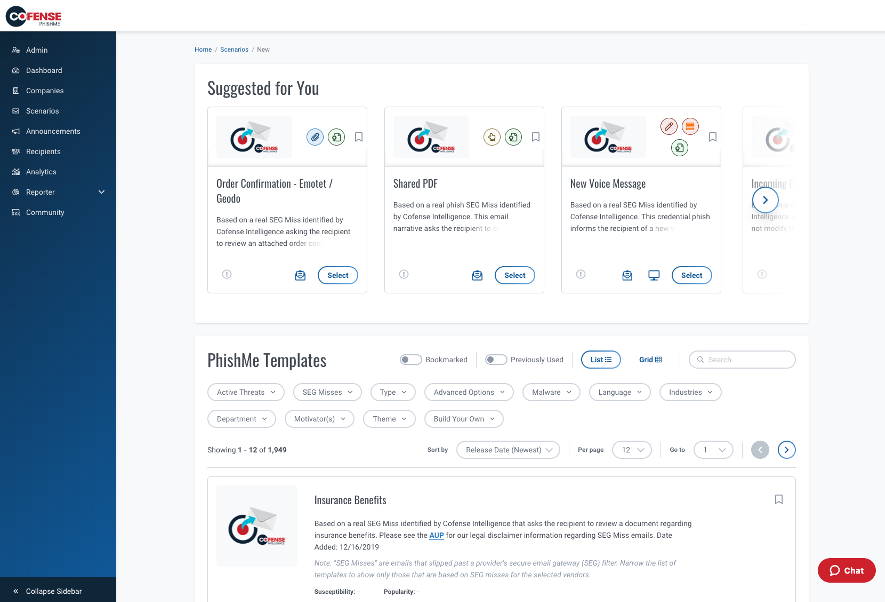
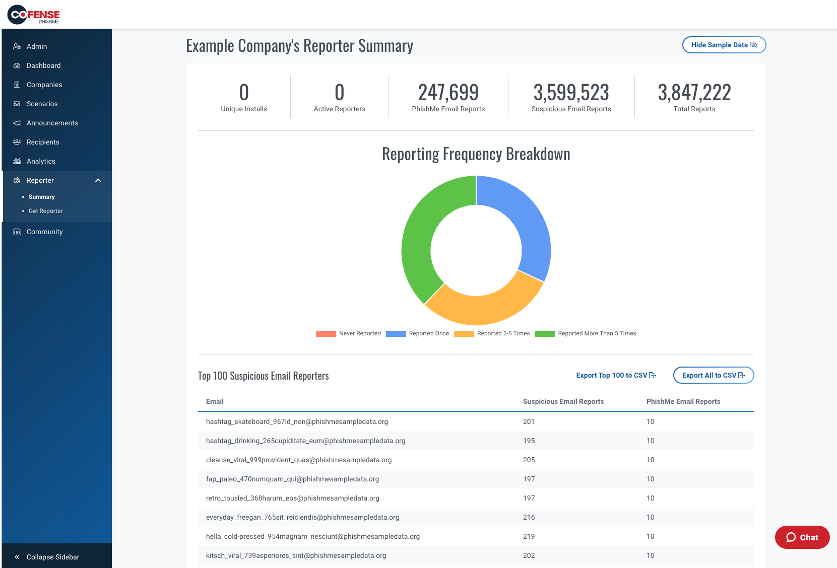
Cofense PhishMe is a cyber threat and phishing simulator meant to be of use in training employees to be wary against threats and also to gain information about general employee threat knowledge and preparedness. A free trial is available for small business.
N/A
KnowBe4 Security Awareness Training
Score9.4 out of 10
N/A
KnowBe4 is a security awareness and compliance training and simulated social engineering product. It is used by organizations worldwide to strengthen their security culture and reduce human risk. The product includes a comprehensive suite of awareness and compliance training, real-time user coaching, AI-powered simulated social engineering, crowdsourced anti-phishing defense and an AI suite that enhances human risk management through personalized training and automation. With…
We closely looked at KnowBe4's platform as well when it came time to renew. We chose to continue with Cofense because we already had over a year's worth of data in the platform that we would lose by switching vendors.
A de minimis incentive was given to thank the reviewer for their time. The incentive was not used to bias or drive a particular response, nor was the incentive contingent on a positive endorsement. More Info
Verified User
Chose Cofense PhishMe
PhishMe is a market leader in terms of phishing simulation solutions. The customization appears unmatched when compared with competitors and the support we have experienced from Cofense has been excellent. Phish me offers lots of realistic templates which are updated regularly …
A de minimis incentive was given to thank the reviewer for their time. The incentive was not used to bias or drive a particular response, nor was the incentive contingent on a positive endorsement. More Info
Verified User
Chose Cofense PhishMe
Cofense was selected as a vendor before I was in this role. Another vendor was evaluated for additional security awareness training but not to replace the Cofense PhishMe program. We also looked at Ninjio to supplement our phishing education program.
A de minimis incentive was given to thank the reviewer for their time. The incentive was not used to bias or drive a particular response, nor was the incentive contingent on a positive endorsement. More Info
KnowBe4
Verified User
Chose KnowBe4 Security Awareness Training
KnowBe4 is easy to integrate with AD and Outlook so onboarding and off boarding users is easy. The reporting, training, and templates are varied and easily changed to tailor to our business. PhishMe is strictly a security training and reporting tool, while KnowBe4 includes …
A de minimis incentive was given to thank the reviewer for their time. The incentive was not used to bias or drive a particular response, nor was the incentive contingent on a positive endorsement. More Info
VP, Enterpise Architecture and Software Development in Information Technology at Customers Bank (Banking, 1001-5000 employees)
Chose KnowBe4 Security Awareness Training
We previously used PhishMe before the cofense acquisition. At the time, it felt clunky and outlook integration was flakey. We've had much more success via training and overall usage with KnowBe4 due to effective tools and campaigns. Costs and support were also a factor, with …
A de minimis incentive was given to thank the reviewer for their time. The incentive was not used to bias or drive a particular response, nor was the incentive contingent on a positive endorsement. More Info
System Administrator in Information Technology at Stribling Equipment Llc (Retail, 501-1000 employees)
Chose KnowBe4 Security Awareness Training
We looked at PhishMe, but it just didn't have the same feature set as KnowBe4. So far to us, this has been the best product we can find. There are some others that have made up ground and have some of the same features, but overall, KnowBe4 is still the best in our minds.
A de minimis incentive was given to thank the reviewer for their time. The incentive was not used to bias or drive a particular response, nor was the incentive contingent on a positive endorsement. More Info
Verified User
Chose KnowBe4 Security Awareness Training
While I think PhishMe is a good product, it lacks the continuous training required once the phishing campaign is complete. SANS has a decent training platform, but training materials can become outdated. It also does not address the need to evaluate effectiveness of the …
A de minimis incentive was given to thank the reviewer for their time. The incentive was not used to bias or drive a particular response, nor was the incentive contingent on a positive endorsement. TR verified that a representative sample of customers was invited. More Info
Verified User
Chose KnowBe4 Security Awareness Training
We looked at PhishMe and Wombat in addition to KnowBe4. We found that the feature set and price point and user support made KB4 the clear winner in our process. I can't say enough about how the communication with KnowBe4 really helps to keep the training on point and timely.
A de minimis incentive was given to thank the reviewer for their time. The incentive was not used to bias or drive a particular response, nor was the incentive contingent on a positive endorsement. TR verified that a representative sample of customers was invited. More Info
Verified User
Chose KnowBe4 Security Awareness Training
KnowBe4 is similar in many ways to its competitors, but has an edge in terms of training content, usability, and integration. I would like to see more technical options with our level of subscription.
A de minimis incentive was given to thank the reviewer for their time. The incentive was not used to bias or drive a particular response, nor was the incentive contingent on a positive endorsement. More Info
Verified User
Chose KnowBe4 Security Awareness Training
We knew that most of our "sister schools" used KnowBe4 Security Awareness Training and once we got in communication with the KnowBe4 Security Awareness Training team we knew it was the best product. It balances that security and robustness with ease of use and ease of …
A de minimis incentive was given to thank the reviewer for their time. The incentive was not used to bias or drive a particular response, nor was the incentive contingent on a positive endorsement. More Info
Verified User
Chose KnowBe4 Security Awareness Training
Although Cofense was a good product, years of limited updates of any substance caused us to look into additional products. We have reduced our time of needing to review phishing emails by almost 90%. For example, 800 messages delivered into our phishing platform resulted in 650 …
A de minimis incentive was given to thank the reviewer for their time. The incentive was not used to bias or drive a particular response, nor was the incentive contingent on a positive endorsement. More Info
General Manager in Information Technology at ViC IT Consulting (Information Technology & Services, 51-200 employees)
Chose KnowBe4 Security Awareness Training
We have still utilized Knowbe4 for the last 3 years and on going! Hoping the pricing can come down as it is starting to become expensive especially with the current reducing IT spend and ROE
A de minimis incentive was given to thank the reviewer for their time. The incentive was not used to bias or drive a particular response, nor was the incentive contingent on a positive endorsement. TR verified that a representative sample of customers was invited. More Info
Verified User
Chose KnowBe4 Security Awareness Training
Code as was strictly a phishing simulator. KnowBe4 goes beyond phishing simulations by providing security training modules, posters, and exciting new features such as QR codes.
A de minimis incentive was given to thank the reviewer for their time. The incentive was not used to bias or drive a particular response, nor was the incentive contingent on a positive endorsement. More Info
Verified User
Chose KnowBe4 Security Awareness Training
I had used KnowBe4 Security Awareness Training previously and therefore knew that it's intuitive, easy to use, quick to customize where I'm able to and works well for reporting. I did like Cofense's ability to customize training modules but ultimately went for KnowBe4 Security …
A de minimis incentive was given to thank the reviewer for their time. The incentive was not used to bias or drive a particular response, nor was the incentive contingent on a positive endorsement. More Info
Verified User
Chose KnowBe4 Security Awareness Training
The other tools in this space didn't compare well in terms of easy of use, quick to implement and exceptional support.
A de minimis incentive was given to thank the reviewer for their time. The incentive was not used to bias or drive a particular response, nor was the incentive contingent on a positive endorsement. More Info
Verified User
Chose KnowBe4 Security Awareness Training
At the time we looked at the others, we found KB4 had more features and at that time was AD integrated.
A de minimis incentive was given to thank the reviewer for their time. The incentive was not used to bias or drive a particular response, nor was the incentive contingent on a positive endorsement. More Info
A de minimis incentive was given to thank the reviewer for their time. The incentive was not used to bias or drive a particular response, nor was the incentive contingent on a positive endorsement. More Info
Information Security Officer in Information Technology at GlobalSign (Information Technology & Services, 501-1000 employees)
Chose KnowBe4 Security Awareness Training
I normally refer to Gartner's Magic Quadrant before selecting a product for my organization. Seeing KnowBe4 Security Awareness Training as a leader really helped boost our confidence. However we didn't want to rely only upon the Gartner's report, hence created our own test …
A de minimis incentive was given to thank the reviewer for their time. The incentive was not used to bias or drive a particular response, nor was the incentive contingent on a positive endorsement. More Info
Director of Technology in Information Technology at Evesham Twp Schools (Education Management, 501-1000 employees)
Chose KnowBe4 Security Awareness Training
KnowBe4 seems to be a more complete package from campaigns to training end users. We really liked the short training videos for our end users. They are pressed for time during the school year and we sometimes hesitate to break their stride with long mandatory trainings. We push …
A de minimis incentive was given to thank the reviewer for their time. The incentive was not used to bias or drive a particular response, nor was the incentive contingent on a positive endorsement. More Info
Verified User
Chose KnowBe4 Security Awareness Training
This product so far has outpaced anything we've looked into in the past. It seems they are on the cutting edge of hacker methods and it shows. We have a much better grasp on the topics with KnowBe4 than we ever did. Our users seem happy with the training and testing as well.
A de minimis incentive was given to thank the reviewer for their time. The incentive was not used to bias or drive a particular response, nor was the incentive contingent on a positive endorsement. More Info
Verified User
Chose KnowBe4 Security Awareness Training
KnowBe4 stands alone in its ability to communicate to the user what to look out for and how to be on the alert to common malicious emails. Others that I've tried just don't have the ease of use that this does. The last product was a lot more confusing for all our employees.
A de minimis incentive was given to thank the reviewer for their time. The incentive was not used to bias or drive a particular response, nor was the incentive contingent on a positive endorsement. More Info
Verified User
Chose KnowBe4 Security Awareness Training
KnowBe4 compares favorably to other competitive products.
A de minimis incentive was given to thank the reviewer for their time. The incentive was not used to bias or drive a particular response, nor was the incentive contingent on a positive endorsement. More Info
InfoSec Analyst in Information Technology at CoServ (Utilities, 201-500 employees)
Chose KnowBe4 Security Awareness Training
Tech guard is an up and comer and has some features that KnowBe4 could learn from. However, in terms of total product assets, it is much smaller than KB4, particularly in terms of available training modules.
A de minimis incentive was given to thank the reviewer for their time. The incentive was not used to bias or drive a particular response, nor was the incentive contingent on a positive endorsement. More Info
Verified User
Chose KnowBe4 Security Awareness Training
I used a trial of Cofense before making a final decision. I got quotes from them and KnowBe4 and KnowBe4 seemed much happier to work with a smaller business, and Cofense was a ridiculous cost compared to even KnowBe4's most expensive plan. I think their licensing is geared more …
A de minimis incentive was given to thank the reviewer for their time. The incentive was not used to bias or drive a particular response, nor was the incentive contingent on a positive endorsement. More Info
Verified User
Chose KnowBe4 Security Awareness Training
They don't compare. Each has its sharp points and defects, but KnowBe4 is the industry leader because of their wide range of tools and effective training program.
A de minimis incentive was given to thank the reviewer for their time. The incentive was not used to bias or drive a particular response, nor was the incentive contingent on a positive endorsement. More Info
Assistant Vice President / Security Awareness Program Manager in Information Technology at UMB Bank (Financial Services, 1001-5000 employees)
Chose KnowBe4 Security Awareness Training
When we looked at other vendors, we felt like the platforms were relatively similar in that they would help us provide phishing exercises and education to our associates. What really set them apart was the great customer service we received from the sales team through each of …
A de minimis incentive was given to thank the reviewer for their time. The incentive was not used to bias or drive a particular response, nor was the incentive contingent on a positive endorsement. TR verified that a representative sample of customers was invited. More Info
I.T. Administrator in Information Technology at UNICO Engineering, Inc. (Civil Engineering, 11-50 employees)
Chose KnowBe4 Security Awareness Training
KnowBe4 has a great library of training materials and their Phishing testing tools is the best. Our users have really responded to being phished regularly and are more alert now for false and strange emails I teach them to question everything and they take that to heart. …
A de minimis incentive was given to thank the reviewer for their time. The incentive was not used to bias or drive a particular response, nor was the incentive contingent on a positive endorsement. More Info
Cofense PhishMe and KnowBe4 Security Awareness Training are both security awareness training software designed to train and test users on defending against social engineering attacks such as phishing. Both software options are most popular with larger enterprises, likely because as staff sizes increase, it becomes more difficult to train staff without a dedicated tool.
Features
Cofense PhishMe and KnowBe4 Security Awareness Training both provide essential features like phishing user training, they have a few standout features that set them apart from each other.
Cofense PhishMe boasts a powerful phishing reporting tool that allows users to report emails with a single click so that they can be assessed. When suspicious emails are reported, they go through Cofense Triage, which analyzes emails and clusters threats together before sending them to your security team. Additionally, Cofense PhishMe offers a simple to use user interface that users will be able to pick up on quickly with minimal training.
KnowBe4 Security Awareness Training provides over 2,000 phishing templates, allowing businesses to safely test their staff’s vulnerability to social engineering attacks and report on the results. Social Engineering tests can also be automated using KnowBe4 Security Awareness Training’s artificial intelligence tools, which can push social engineering tests out through email, text, or voicemail.
Limitations
Cofense PhishMe and KnowBe4 Security Awareness Training both help businesses secure themselves against social engineering attacks, but they also have some limitations that are important to consider.
Cofense PhishMe has robust reporting tools on potential vulnerabilities, but it doesn’t provide the variety of phishing templates the KnowBe4 Security Awareness offers. Additionally, social engineering tests aren’t as easy to automate using Cofense PhishMe. For businesses looking primarily to test their staff on social engineering, KnowBe4 Security Awareness Training may be preferred.
KnowBe4 Security Awareness Tarining helps businesses test their employees on social engineering attacks, but it doesn’t offer email threat analysis features that are as robust as Cofense Triage. For businesses looking not only to educate their staff, but also to analyze suspicious emails before sending them to the security team, Cofense PhishMe may be ideal.
Pricing
Cofense PhishMe is priced based on the number of users an organization has. Pricing starts at $10.00 per user per year, but can reach as high as $12.00 per user per year for smaller businesses.
Similarly, Pricing for KnowBe4 Security Awareness Training is dependent on the number of users, as well as the feature needs of the organization. Pricing starts as low as $8.00 per user per year, but can reach as high as $29.50 per user per year.
Features
Cofense PhishMe
KnowBe4 Security Awareness Training
Security
Comparison of Security features of Cofense PhishMe and KnowBe4 Security Awareness Training
Feature
Cofense PhishMe
7.8
4 Ratings
9% below category average
KnowBe4 Security Awareness Training
8.8
303 Ratings
3% above category average
Single sign-on capability
7.44 Ratings
9.6269 Ratings
Role-based user permissions
8.24 Ratings
7.9293 Ratings
Security Awareness Training
Comparison of Security Awareness Training features of Cofense PhishMe and KnowBe4 Security Awareness Training
Cofense PhishMe is an excellent solution for scenarios where it will be sold as a managed service. I believe that PhishMe is too expensive for many clients and instead would benefit from the economies of scale where an MSSP sells it as part of a whole service, which offers the analysts and reporting included. PhishMe is excellent for training and awareness of Phishing, but shouldn't replace mandatory training for new joiners or yearly refreshers, it should only be used as an additional training option.
A de minimis incentive was given to thank the reviewer for their time. The incentive was not used to bias or drive a particular response, nor was the incentive contingent on a positive endorsement. More Info
I don't have any frame of reference for comparison, but the training that I have used has proved impactful for my staff. Since starting KnowBe4 training, we've seen a great increase in the number of phishing attempts, but also a great increase in the number of attempts that have been recognized by staff, and we have thus not been the victim of phishing or other cyberattact vectors
A de minimis incentive was given to thank the reviewer for their time. The incentive was not used to bias or drive a particular response, nor was the incentive contingent on a positive endorsement. More Info
It gives clear-cut segregation of different parts of an email, header, text and HTML body, URL, attachments, HTML preview and some analytical insight like "similar reports." This distinctive approach actually helps reduce data overload during an analysis.
The URLs captured here pass through an automatic reputation check [in our case VirusTotal] and add a tag of the reputation. If it is a well-known bad URL the tag helps us take the decision fast.
For creating automation rules on the reported emails the "Recipes" section is really helpful. We can create easy recipes [or rules ] to handle a huge flow of reports and also we can create more sophisticated rules depending on the Cyber intelligence feed to catch the really bad currently less known attack attempts by malicious emails.
The "Threat Indicators" section is also useful to use as a threat intelligence source to check the URLs for their maliciousness.
A de minimis incentive was given to thank the reviewer for their time. The incentive was not used to bias or drive a particular response, nor was the incentive contingent on a positive endorsement. More Info
A de minimis incentive was given to thank the reviewer for their time. The incentive was not used to bias or drive a particular response, nor was the incentive contingent on a positive endorsement. More Info
A de minimis incentive was given to thank the reviewer for their time. The incentive was not used to bias or drive a particular response, nor was the incentive contingent on a positive endorsement. More Info
The provided templates for phishing simulations are mainly available in English. There are also some templates available in our native language, but their number is small. We have seen other platforms offer way more phishing simulation templates in our language.
Although there is a really huge number of training videos available, some of them are outdated and no longer have much to offer. Some cleaning up could help in this direction.
Although there a some games / puzzle like trainings available, we have seen other platforms offer more and better ones (on the other platforms had they had almost no videos at all...). It would help significantly to also invest in enriching the provided puzzles / games.
We have seen other platforms offer games, where, for example, employees of the company can compete against each other while working together in groups to achieve a common goal (e.g., eliminate a fictional security threat that has "hit" the company. Plan the steps needed to be taken, take the steps one after another and have a chance to see the impact each action has. At the end the team that has suffered the least cost to end the threat is the one that wins. Just an example. The point is to make this challenging, using gamification and to make the employees part of the prevention force of the company against cybersecurity threats.
A de minimis incentive was given to thank the reviewer for their time. The incentive was not used to bias or drive a particular response, nor was the incentive contingent on a positive endorsement. TR verified that a representative sample of customers was invited. More Info
Between the ease of use, cost effectiveness, functionality and continued improvements Knowbe4 continues to make it would be pretty hard to find another competitive product that wraps it all up like KnowBe4 has. Not saying it couldn't happen, but haven't seen anything that competes at this point.
A de minimis incentive was given to thank the reviewer for their time. The incentive was not used to bias or drive a particular response, nor was the incentive contingent on a positive endorsement. More Info
Its built with UX in mind and is aimed at non-tech people, to ensure that almost everyone can run the campaign. But if we go deeper - sometimes you will need an HTML editor or support in order to figure out some advanced edits you might want to add in your scenarios.
A de minimis incentive was given to thank the reviewer for their time. The incentive was not used to bias or drive a particular response, nor was the incentive contingent on a positive endorsement. More Info
KnowBe4 Security Awareness Training is simple to use, simple to administer, effective, with quality content. It is easy to take the training and we have the reminders set so that the longer a user puts the training off, the more frequently they will receive reminder emails. Eventually they get emailed every day until they take the training. But with a simple click, they can get into the training content.
A de minimis incentive was given to thank the reviewer for their time. The incentive was not used to bias or drive a particular response, nor was the incentive contingent on a positive endorsement. More Info
There have only been a handful of outages in the 2 years we have had the product. Even during those instances, parts of the system were still operational
A de minimis incentive was given to thank the reviewer for their time. The incentive was not used to bias or drive a particular response, nor was the incentive contingent on a positive endorsement. More Info
Pages load quickly, filter/sort quickly, and don't slow down or freeze. Everything is smooth and very easy to use. There are a places in the UI where you can forget how to get there, but other than that everything is great. We have had no issues using any part of the website.
A de minimis incentive was given to thank the reviewer for their time. The incentive was not used to bias or drive a particular response, nor was the incentive contingent on a positive endorsement. More Info
I have not had to use their support for pretty much anything. The software works well, and is very intuitive. I would imagine their support would be rather basic as there is not too much that can go wrong with a report phishing button, and if it were I would probably consider a different software.
A de minimis incentive was given to thank the reviewer for their time. The incentive was not used to bias or drive a particular response, nor was the incentive contingent on a positive endorsement. More Info
Tech prod support is great! I did have to ask for a new customer success rep, needed a more experienced person to match my 12 years of experience running Cybersec training programs. Would suggest that more matching of rep level of knowledge to client level knowledge would help.
A de minimis incentive was given to thank the reviewer for their time. The incentive was not used to bias or drive a particular response, nor was the incentive contingent on a positive endorsement. More Info
A de minimis incentive was given to thank the reviewer for their time. The incentive was not used to bias or drive a particular response, nor was the incentive contingent on a positive endorsement. More Info
A de minimis incentive was given to thank the reviewer for their time. The incentive was not used to bias or drive a particular response, nor was the incentive contingent on a positive endorsement. More Info
confusing question. I inherited this application so I didnt get any formal training other than the person who was leaving. The CSM provided some later on when I asked in a zoom call
A de minimis incentive was given to thank the reviewer for their time. The incentive was not used to bias or drive a particular response, nor was the incentive contingent on a positive endorsement. More Info
The implementation went really well and KnowBe4 was there the whole time on setup to make sure things were setup correctly. The only thing we had to figure out on our own was to script users automatically being added to security groups. So that when they sync to knowBe4 from AD they are placed into the same/correct groups.
A de minimis incentive was given to thank the reviewer for their time. The incentive was not used to bias or drive a particular response, nor was the incentive contingent on a positive endorsement. More Info
Cofense PhishMe was the first choice for us as the user interface as well as their bundle package with Cofense Triage and Vision has helped the organisation to alleviate the overall security awareness posture. The other vendors did not provide a vast range of phishing scenarios as compared to Cofense PhishMe platform.
A de minimis incentive was given to thank the reviewer for their time. The incentive was not used to bias or drive a particular response, nor was the incentive contingent on a positive endorsement. TR verified that a representative sample of customers was invited. More Info
KnowBe4 offered a significantly more favorable cost-benefit ratio compared to other solutions. Its seamless integration with our existing infrastructure—particularly Active Directory and email systems—was the most compatible with our operational and security requirements.
A de minimis incentive was given to thank the reviewer for their time. The incentive was not used to bias or drive a particular response, nor was the incentive contingent on a positive endorsement. More Info
A de minimis incentive was given to thank the reviewer for their time. The incentive was not used to bias or drive a particular response, nor was the incentive contingent on a positive endorsement. More Info
The product scales greatly. As long as you upgrade the license to support the number of users you are needing, adding in those new users is easy. Also getting those users set up with trainings/campaigns is very easy as well
A de minimis incentive was given to thank the reviewer for their time. The incentive was not used to bias or drive a particular response, nor was the incentive contingent on a positive endorsement. More Info
The team was great to work with and took their time to ensure that we knew what we were doing with the product and that it was set up to meet the specific needs of our organization. This wasn't just a cookie-cutter deployment, but rather they focused specifically on our needs.
A de minimis incentive was given to thank the reviewer for their time. The incentive was not used to bias or drive a particular response, nor was the incentive contingent on a positive endorsement. More Info
Recipes in the system are capable of handling almost 2x what an analyst does, which cuts down the efforts [of] an analyst and provides more time for accurate strategies.
With roughly 90% false positives coming through, the remaining 10% of true positives need as much attention as they can get for the full investigation and analysis.
1,500 or more phishing messages can come through in a given week and the amount of time/employees required to review this without a tool like Cofense is surely beyond [the] expected/anticipated budget.
A de minimis incentive was given to thank the reviewer for their time. The incentive was not used to bias or drive a particular response, nor was the incentive contingent on a positive endorsement. More Info
With the implementation of KnowBe4 Security Awareness Training, we have reduced a lot of issues of social engineering attacks like Phishing attacks, Smishing attacks, Vishing attacks, and a lot more. After implementing the KnowBe4 Security Awareness Training, we have seen a significant decrease in the clicking on a phishing email. Now users are aware of phishing attacks and they know how to react to them.
With KnowBe4 Security Awareness Training, we got another tool Phish Alert Button that we have installed on the user's outlook and after providing training on these topics, now we are receiving a lot of spam report emails are users are protecting them from clicking and just reporting it to the IT team.
With the Phishing test, we are seeing the growth and analyzing how our users will react in the case of a real phishing attack, and with this, we are providing more training to them and going with them as per the test report. This whole process is making our company more stronger against any type pf social engineering attack.
After implementing KnowBe4 Security Awareness Training, we have seen a lot of improvements in the account compromise case in our company because users are not clicking on fake links now.
A de minimis incentive was given to thank the reviewer for their time. The incentive was not used to bias or drive a particular response, nor was the incentive contingent on a positive endorsement. TR verified that a representative sample of customers was invited. More Info