Klipfolio Klips vs. Panorama Necto

Overview
ProductRatingMost Used ByProduct SummaryStarting Price
Klipfolio Klips
Score 9.2 out of 10
Small Businesses (1-50 employees)
Klipfolio is a customizable dashboard and reporting platform that provides real-time business insights. It is used by small to mid-sized businesses and agencies to track performance metrics and create tailored reports, and to consolidate, transform, and visualize data.
$90
per month
Panorama Necto
Score 8.0 out of 10
N/A
Panorama Necto is a business intelligence solution that provides enterprises with new ways to collaborate and create unique contextual connections. Some key features include: Workboards/Dashboards, Advanced Analytics, and Contextual Discovery.N/A
Pricing
Klipfolio KlipsPanorama Necto
Editions & Modules
Base
$90
per month
Grow
$190
per month
Team
$350
per month
No answers on this topic
Offerings
Pricing Offerings
Klipfolio KlipsPanorama Necto
Free Trial
YesYes
Free/Freemium Version
NoNo
Premium Consulting/Integration Services
NoNo
Entry-level Setup FeeOptionalNo setup fee
Additional DetailsDiscount available for annual pricing. There are various implementation and training options available, from a 60 Day Proof of Concept, to Onboarding & Training, or ongoing dedicated Data Hero support.
More Pricing Information
Community Pulse
Klipfolio KlipsPanorama Necto
Features
Klipfolio KlipsPanorama Necto
BI Standard Reporting
Comparison of BI Standard Reporting features of Product A and Product B
Klipfolio Klips
9.0
Ratings
7% above category average
Panorama Necto
7.3
Ratings
11% below category average
Pixel Perfect reports9.10 Ratings6.00 Ratings
Customizable dashboards8.90 Ratings8.00 Ratings
Report Formatting Templates9.10 Ratings8.00 Ratings
Ad-hoc Reporting
Comparison of Ad-hoc Reporting features of Product A and Product B
Klipfolio Klips
8.6
Ratings
8% above category average
Panorama Necto
8.0
Ratings
1% below category average
Drill-down analysis8.30 Ratings9.00 Ratings
Formatting capabilities7.80 Ratings7.00 Ratings
Integration with R or other statistical packages9.10 Ratings8.00 Ratings
Report sharing and collaboration9.10 Ratings8.00 Ratings
Report Output and Scheduling
Comparison of Report Output and Scheduling features of Product A and Product B
Klipfolio Klips
9.4
Ratings
11% above category average
Panorama Necto
7.2
Ratings
14% below category average
Publish to Web8.90 Ratings7.80 Ratings
Publish to PDF9.20 Ratings6.70 Ratings
Report Delivery Scheduling10.00 Ratings7.00 Ratings
Report Versioning00 Ratings7.10 Ratings
Data Discovery and Visualization
Comparison of Data Discovery and Visualization features of Product A and Product B
Klipfolio Klips
9.3
Ratings
13% above category average
Panorama Necto
7.7
Ratings
3% below category average
Pre-built visualization formats (heatmaps, scatter plots etc.)8.90 Ratings7.00 Ratings
Location Analytics / Geographic Visualization9.10 Ratings8.50 Ratings
Predictive Analytics10.00 Ratings7.60 Ratings
Access Control and Security
Comparison of Access Control and Security features of Product A and Product B
Klipfolio Klips
-
Ratings
Panorama Necto
7.6
Ratings
11% below category average
Multi-User Support (named login)00 Ratings8.40 Ratings
Role-Based Security Model00 Ratings7.30 Ratings
Multiple Access Permission Levels (Create, Read, Delete)00 Ratings7.30 Ratings
Mobile Capabilities
Comparison of Mobile Capabilities features of Product A and Product B
Klipfolio Klips
-
Ratings
Panorama Necto
7.0
Ratings
11% below category average
Responsive Design for Web Access00 Ratings7.40 Ratings
Mobile Application00 Ratings6.80 Ratings
Dashboard / Report / Visualization Interactivity on Mobile00 Ratings7.20 Ratings
Best Alternatives
Klipfolio KlipsPanorama Necto
Small Businesses
Supermetrics
Supermetrics
Score 10.0 out of 10
BrightGauge
BrightGauge
Score 9.0 out of 10
Medium-sized Companies
Supermetrics
Supermetrics
Score 10.0 out of 10
Reveal
Reveal
Score 10.0 out of 10
Enterprises
Dataiku
Dataiku
Score 7.6 out of 10
Kyvos Semantic Intelligence Layer
Score 9.9 out of 10
All AlternativesView all alternativesView all alternatives
User Ratings
Klipfolio KlipsPanorama Necto
Likelihood to Recommend
8.8
(0 ratings)
8.0
(0 ratings)
Likelihood to Renew
-
(0 ratings)
8.0
(0 ratings)
Usability
9.5
(0 ratings)
8.2
(0 ratings)
Support Rating
9.1
(0 ratings)
7.1
(0 ratings)
Implementation Rating
8.2
(0 ratings)
6.7
(0 ratings)
User Testimonials
Klipfolio KlipsPanorama Necto
Likelihood to Recommend
It's
a piece of software that's capable of almost anything. Dynamic variables can be
changed in real-time via the interface's UI/UX and UI/UX customizations. As a
result, it can always keep its database up-to-date and obtain the most current
information from a variety of sources. The Klip customer service team is
extremely friendly and helpful. Every time a problem with the Klip setup
arises, they're there to help. As a result of their activities, they try to
work with the group's experience.
Read full review
How efficient is the tool for error handling capabilities? - In this case Panorama Necto has a unique feature of exceptional error handling capability and conditional error alerts that can be sent to stakeholders via email. An important question to ask while selecting any BI tool is, how good is the support? Panorama Necto has a group of highly knowledgeable and responsible support team members. The online video tutorials are very helpful and it's easy to learn this tool. This tool is very cost effective.
Read full review
Pros
  • Dashboard design. Super simple and easy to set up, move and size components, and display.
  • Klip creation. This is report/chart creation. Klipfolio straddles the line well between ease-of-use and robust capability for data crunching and visualization.
  • Data sync. I have had very few data sync issues. The sync just works and it is very light-weight on API calls.
  • Multiple data source formats. You can make data sources in JSON, Summarized View, and Detailed View.
  • Modeled data sources. You can create modeled versions of any data source, which allows you to lock in data formats, add columns (including formula columns), and more.
  • Team permissions. I have been able to set team permission sets and use that to display the given dashboards around the office. With this, I can control who has access to which data.
  • Chart options. There is a great selection of chart types to choose from.
  • Great support. Their support staff has always been very responsive—almost always immediate. I have always been able to resolve my issues with them.
Read full review
  • Comes with lot of option to modify and build the smart infographic. Uses innovative pictures and charts to create the dashboards
  • Helps you identify why you are succeeding and where you should shift your focus to.
  • The maps are amazing and they just don’t act as control points rather you can populate various measures on them making it really efficient to understand the business in geographical info graph
Read full review
Cons
  • Onboarding. The process of setting up a new client for a dashboard can be a little tedious.
  • File size upload and third-party integrations. I have been limited to the size of the .csv file we were uploading but we were able to find a workaround.
Read full review
  • Panorama Necto does not have support for Linux or commodity hardware.
  • The big data technology support is very limited.
  • I would also appreciate if there was a personal edition that I could install on Windows home edition for my client to access the product.
Read full review
Likelihood to Renew
No answers on this topic
Some features are very basic and sometimes you can't add your own SQL query for custom reports. For Macs and Blackberry users this application is not helpful. Non-languages are not supported in info-graphics. They need to improve their forecast analysis. Report sharing is limited among the portal users only
Read full review
Usability
My initial impressions of the software have been extremely positive. There are YouTube tutorials that explain how to make klips. The intuitive design of the UI It appears that everything in this software has been thoroughly tested to create all the visualizations that can be imagined as well as the user input controls that allow users to have exactly the data they want to be displayed in seconds, considering the various functions and formulas available in the Excel integrations and the extensive list of other services that can be integrated.
Read full review
It provides all the features that are required and some that are not the basic requirements, but they represent a great additional capabilities, not available within the similar products
Read full review
Support Rating
It provides all the necessary information to be able to carry out the analysis of any type of business, to know how money is managed virtually, what to do to have greater visibility, in addition to being a platform that is always accessible and allows continuous and efficient work.
Read full review
Support provider are very attentive.
Read full review
Implementation Rating
None at all; just be sure of what information you will need for working.
Read full review
Everything went smoothly, we didn't have any unexpected issues
Read full review
Alternatives Considered
It was clear that Klipfolio had the edge in terms of the number of third-party connectors and templates available, allowing us to quickly be up and running with various API integrations and visually stunning designs in only an hour. It was a no-brainer for us, and we're glad we went with them instead of the other options.
Read full review
In comparison with Pentaho Business Analytics, Panorama Necto 14 is providing similar features where it is distinguished through its provision of a suggestive analytics feature. This is fairly unique to the Panorama Necto 14 software where it analyzes information from various data sources and recommends solutions based on historical review
Read full review
Return on Investment
  • Klipfolio not only delivers great-looking dashboards, but it makes our agency look awesome to our clients!
  • Klipfolio is one of the few platforms that we have implemented where the minimal investment has consistently provided maximum results in the return on our investment.
  • Not only had Klipfolio proven to be a fiscally smart - money-saving - move, but has also proven to be a great time saver as well.
  • Thanks to Klipfolio we spend less time having to pull data and have more time to analyze and strategize for our reporting and recommendations to our clients.
Read full review
No answers on this topic
ScreenShots

Klipfolio Klips Screenshots

Screenshot of an example of a customized dashboard. For showcasing KPIs, tracking performance, or telling complex data stories, Klips lets the user tailor layouts, visuals, and insights, ensuring dashboards are suitable for internal teams or external stakeholders.Screenshot of visualizations, with descriptive text blocks and live data to communicate more than just numbers. Klips lets users insert real-time data directly into text to add context, improving interpretation. Progress towards goals and trends can be tracked using vibrant charts, colors, and text descriptions.Screenshot of one example of the over 30 chart types available, some including bar graphs, pie charts, and heatmaps. The library of pre-built Klip templates connect to popular data sources like Google Analytics, HubSpot, or Salesforce. These templates can be modified.Screenshot of Klipfolio’s formula engine. Similar to Excel, the Klip Editor can be used to clean, transform, and analyze data using functions. Users can perform complex calculations, manipulate dates or text, and add logic or statistical formulas.Screenshot of the Klip editor, used to take precise control over visual properties, customizing font sizes, colors, and styles to match a brand, or to emphasize key metrics. Set decimal places for numerical data, and add prefixes or suffixes—such as currency symbols or percentages—for clear and professional formatting. It also supports conditional formatting, and dynamic colors or icons to highlight trends, anomalies, or thresholds. These tools allow the user to craft Klips that not only deliver insights but also communicate them at a glance.Screenshot of a Klipfolio Klips dashboard. These allow users to customize every aspect, from layouts and fonts to colors and chart styles, ensuring that dashboards align with a brand. For presenting on a laptop, a big-screen TV, or by sharing published links, dashboards are designed to look exceptional in both light and dark modes.

Panorama Necto Screenshots

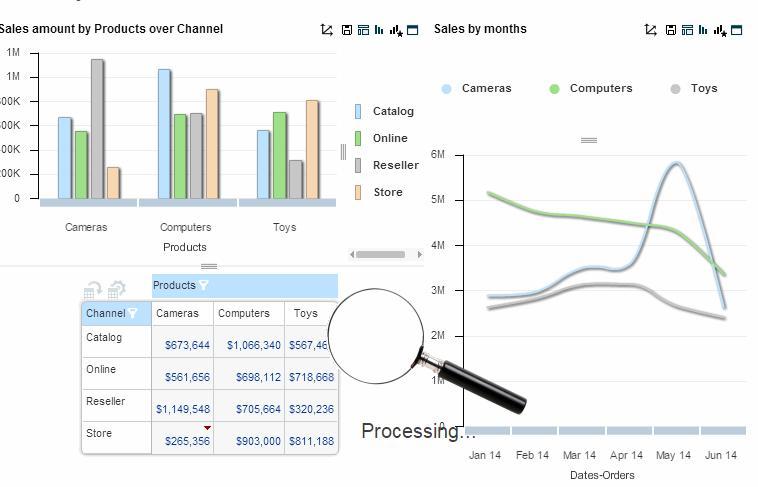
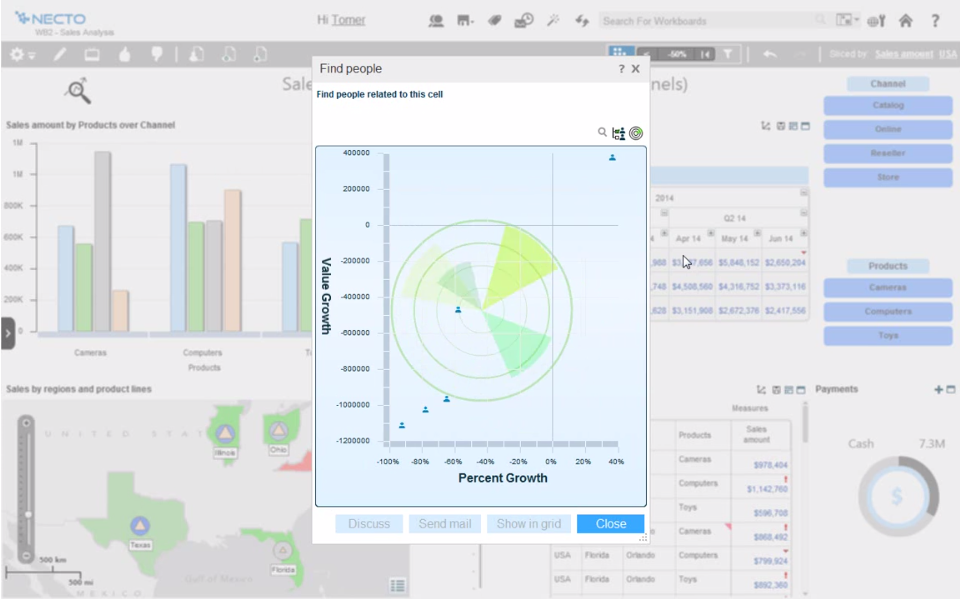
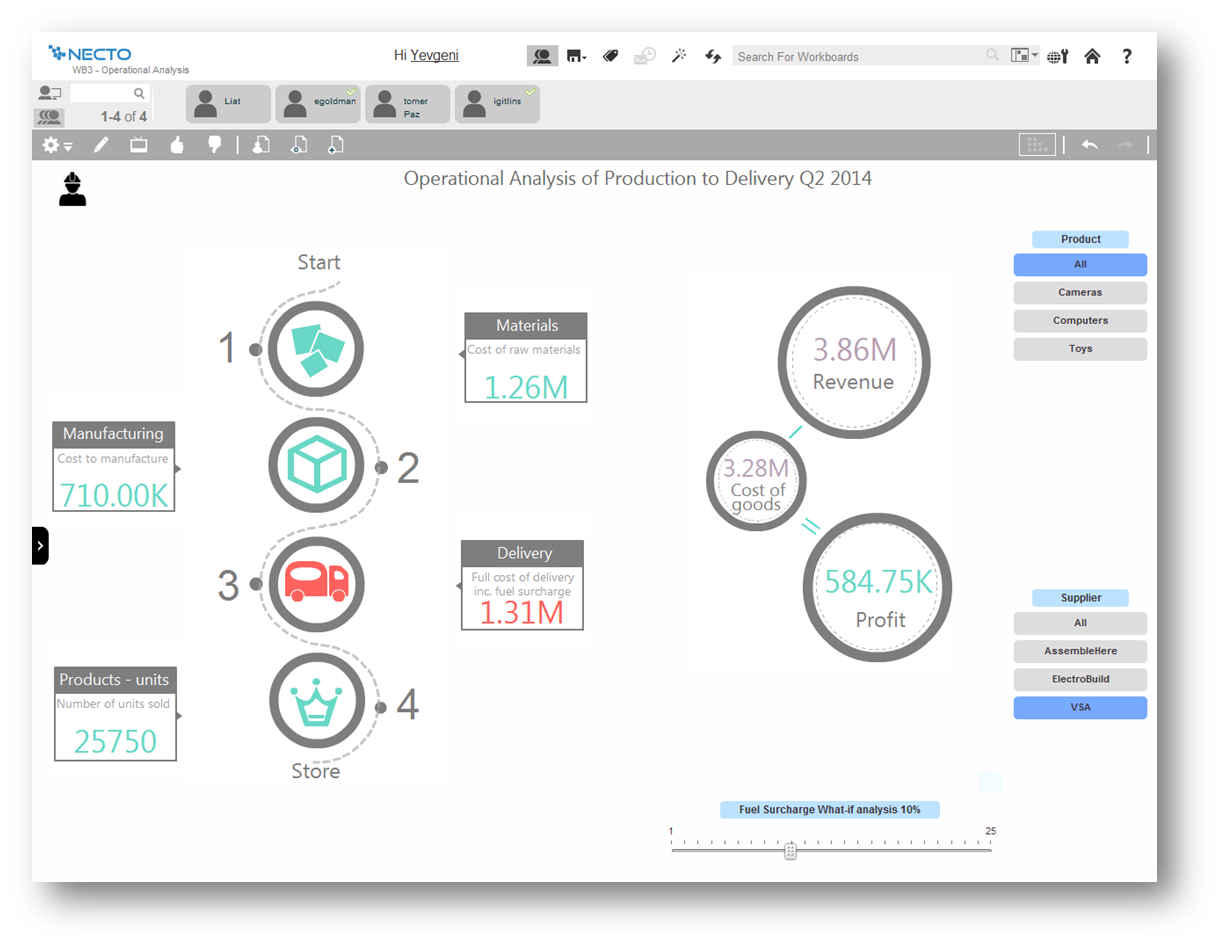
Screenshot of Screenshot of Screenshot of Screenshot of Screenshot of Screenshot of