Kelloo vs. Oracle Primavera Portfolio Management

Overview
ProductRatingMost Used ByProduct SummaryStarting Price
Kelloo
Score 0.0 out of 10
Small Businesses (1-50 employees)
Kelloo portfolio resource management software - plan, track and manage teams and people across projects and initiatives. Kelloo combines resource management, portfolio management, resource planning, resource capacity planning and project planning in an easy to use solution. With Kelloo you will ensure you get the right teams and people onto the right projects at the right time. Kelloo supports agile, traditional and hybrid planning. Key…N/A
Oracle Primavera
Score 7.7 out of 10
N/A
Oracle’s Primavera is a software suite designed for construction and other asset-intensive industries. It contains a variety of project planning, management, and execution components for buyers to select from.N/A
Pricing
KellooOracle Primavera Portfolio Management
Editions & Modules
No answers on this topic
Offerings
Pricing Offerings
KellooOracle Primavera
Free Trial
YesNo
Free/Freemium Version
NoNo
Premium Consulting/Integration Services
NoNo
Entry-level Setup FeeNo setup feeNo setup fee
Additional DetailsOur pricing is based on the number of resources you plan and schedule. You also get unlimited users with every plan
More Pricing Information
Community Pulse
KellooOracle Primavera Portfolio Management
Best Alternatives
KellooOracle Primavera Portfolio Management
Small Businesses
monday.com
monday.com
Score 8.6 out of 10
monday.com
monday.com
Score 8.6 out of 10
Medium-sized Companies
Planview PPM Pro
Planview PPM Pro
Score 9.0 out of 10
Planview PPM Pro
Planview PPM Pro
Score 9.0 out of 10
Enterprises
Planview PPM Pro
Planview PPM Pro
Score 9.0 out of 10
Planview PPM Pro
Planview PPM Pro
Score 9.0 out of 10
All AlternativesView all alternativesView all alternatives
User Ratings
KellooOracle Primavera Portfolio Management
Likelihood to Recommend
-
(0 ratings)
8.0
(0 ratings)
Usability
-
(0 ratings)
8.0
(0 ratings)
User Testimonials
KellooOracle Primavera Portfolio Management
Likelihood to Recommend
No answers on this topic
This program is well suited for online database management for construction-related fields and their contract management. It has many features which allow for reporting, issuance of changes, applications for payment and HB, and related construction-related documentation for both client and user. It also allows one to print and review in PDF any required documentation needed as per contracts.
Read full review
Pros
No answers on this topic
  • Critical Path Methodology will identify potential issues in on time completion if activities move.
  • A resources loaded schedule can accurately forecast % complete and staffing requirements.
  • Coding allows easy group, sort, and filtering when reporting to certain business units out of the same file.
Read full review
Cons
No answers on this topic
  • The software is high end with rich features, hence its rich price.
  • There is room for improvement in their customer service.
  • Oracle is doing its best in coming up with new features, and has a planned roadmap. It would be good if the enhancements are delivered faster.
Read full review
Usability
No answers on this topic
Is easy to use but the the interface should be more nice and contemporary
Read full review
Alternatives Considered
No answers on this topic
I did not select Oracle Primavera Portfolio Management. It was an inherent application. Having used other applications, compared to those, Oracle Primavera Portfolio Management is a far superior tool for portfolio management. However, in the span of the last 10 years, there are newer, perhaps better products available. Oracle Primavera Portfolio Management does still manage to get the job done, but its time in the sun is fading.
Read full review
Return on Investment
No answers on this topic
  • P6 has had measurable ROI in the fact that projects can be completed on schedule or sooner using it.
  • P6 it presents data date stamps, which are used to share with clients during the project for the progress of the schedule.
  • P6 may have a high level of entry to use for the smaller project, which can be a hindrance to use.
Read full review
ScreenShots

Kelloo Screenshots

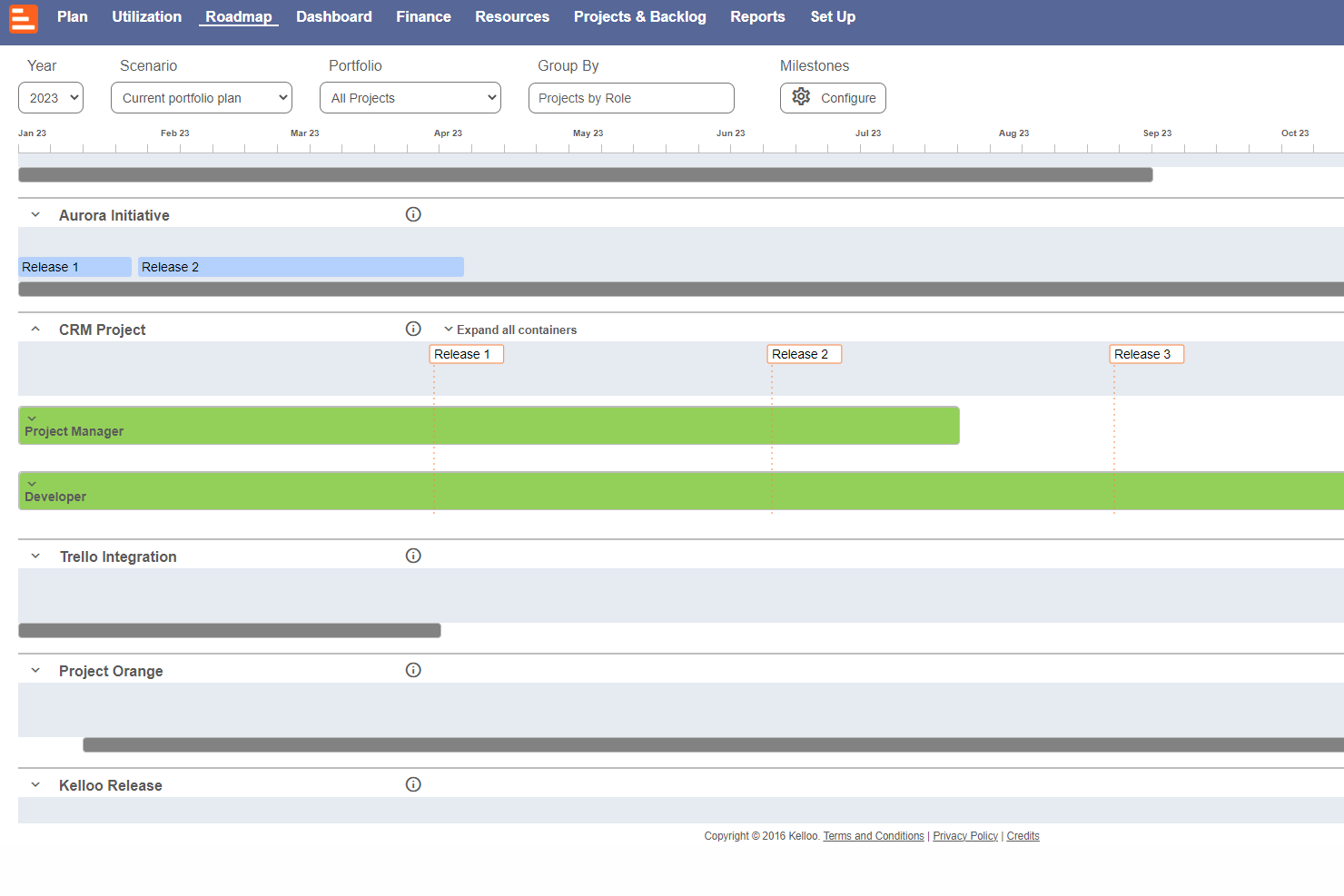
Screenshot of Use the  timeline planner to schedule projects, initiatives and sprints. The heat-map shows which teams, skills or resources are over-utilized.Screenshot of The resource planner offers a way to schedule teams and people.Screenshot of Capacity planning and forecasting to work out if there are people with the right skills to do the work.Screenshot of The Kelloo road map is used to share plans, milestones and a vision with a team.Screenshot of The portfolio dashboard is used to keep tabs on project status, costs, budgets and resource supply.Screenshot of Kelloo includes a report builder and report templates that can be shared with a team.