
KDAN PDF vs. Smallpdf
| Product | Rating | Most Used By | Product Summary | Starting Price |
|---|---|---|---|---|
 KDAN PDF | Score8 out of 10 | Small Businesses (1-50 employees) | KDAN PDF (formerly PDF Reader) is a PDF document service that leverages AI-driven technology to enhance user efficiency in creating, managing, and sharing documents, streamlines business workflows, and transforms documents into valuable digital assets through information exchange. Accessible on both mobile devices and desktops, KDAN PDF is used by educational institutions, government organizations, and businesses. KDAN PDF provides flexible licensing options through its Licensing… | $59.99 per year per user |
 Smallpdf | Score10 out of 10 | N/A | Made in Switzerland, Smallpdf is a company that offers a suite of document management tools for everyone-for work, for home, for life. Founded in Switzerland in 2013, Smallpdf provides what they describe as a simple, secure, and reliable answer to the world's PDF challenges. Smallpdf boasts serving over a billion users in 24 different languages since 2013, and in every country in the world. | $0 |
| KDAN PDF | Smallpdf | |||||||||||||||
|---|---|---|---|---|---|---|---|---|---|---|---|---|---|---|---|---|
| Editions & Modules | No answers on this topic |
| ||||||||||||||
| Offerings |
| |||||||||||||||
| Entry-level Setup Fee | Optional | No setup fee | ||||||||||||||
| Additional Details | — | Discounts are available for bulk purchases | ||||||||||||||
| More Pricing Information | ||||||||||||||||
| KDAN PDF | Smallpdf | |
|---|---|---|
| Considered Both Products | No answer on this topic | No answer on this topic |
| Key User Insights | ||
| Would buy again | ||
No answers on this topic | 93% Would buy again 14 Answers | |
| Delivers good value for the price | ||
No answers on this topic | 100% Delivers good value for the price 13 Answers | |
| Happy with the feature set | ||
No answers on this topic | 100% Happy with the feature set 15 Answers | |
| Lived up to sales and marketing promises | ||
No answers on this topic | 82% Lived up to sales and marketing promises 9 Answers | |
| Implementation went as expected | ||
No answers on this topic | 91% Implementation went as expected 10 Answers | |
| KDAN PDF | Smallpdf | |
|---|---|---|
| Small Businesses |  Foxit PDF Editor Score8.7 out of 10 |  M‑Files Score8.9 out of 10 |
| Medium-sized Companies |  Adobe Acrobat Reader Score8.8 out of 10 |  Esker Score10 out of 10 |
| Enterprises | Adobe Acrobat Reader Score8.8 out of 10 |  Tungsten Capture Score8 out of 10 |
| All Alternatives | View all alternatives | View all alternatives |
| KDAN PDF | Smallpdf | |
|---|---|---|
| Likelihood to Recommend | 8.6 | 8.7 |
| Usability | - | 9.5 |
| Performance | - | 9.4 |
| Support Rating | 8.3 | 9.9 |
| Ease of integration | - | 6.8 |
| KDAN PDF | Smallpdf | |
|---|---|---|
| Likelihood to Recommend |
|
|
| Pros |
|
|
| Cons |
|
|
| Usability | No answers on this topic |
|
| Performance | No answers on this topic |
|
| Support Rating |
|
|
| Alternatives Considered |
|
|
| Return on Investment |
|
|
| ScreenShots | KDAN PDF Screenshots      | Smallpdf Screenshots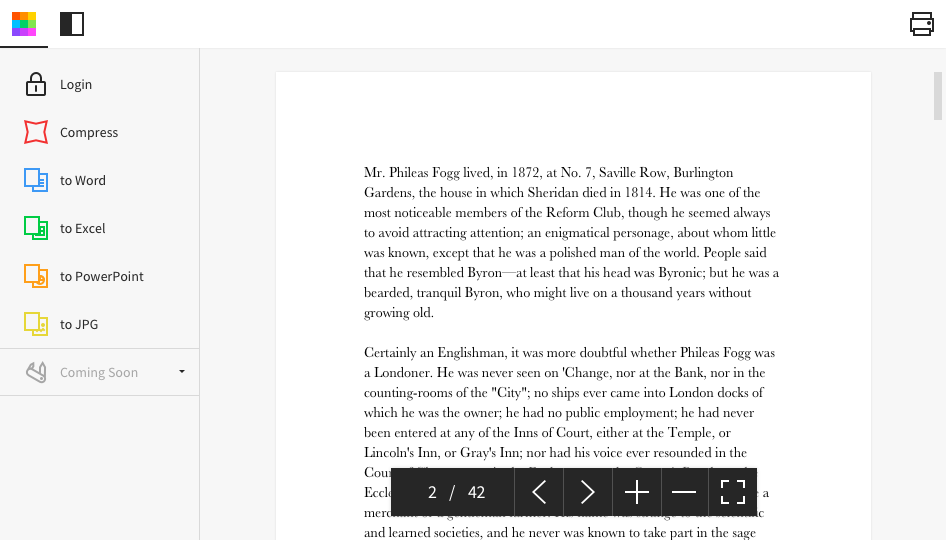  |




