DottedSign vs. Zoho Sign

Overview
ProductRatingMost Used ByProduct SummaryStarting Price
DottedSign
Score 9.6 out of 10
Small Businesses (1-50 employees)
Providing e-signing on mobile devices, DottedSign lets users sign documents and get signatures from others in a legal and secure process, so as to stop wasting time emailing signers, printing copies, and faxing paper. DottedSign can be used to complete work, including NDAs, sales contracts, lease agreements, permission slips, financial agreements, and w9 forms. Import a document, sign or request signatures, and send.
$0
per year per user
Zoho Sign
Score 9.3 out of 10
Small Businesses (1-50 employees)
Zoho Sign is a digital signing service that lets you execute contracts quickly without the hassles of transporting paper documents while ensuring security and legality. It works completely on cloud and integrates readily with your everyday apps. According to the vendor, Zoho Sign is perfect for anyone who needs to sign business documents but widely used for HR, legal, finance, HR, and sales functions. Documents that can be signed include:…
$0
per user
Pricing
DottedSignZoho Sign
Editions & Modules
Free Plan
$0
per year per user
Pro Plan
$8
per year per user
Business (5-n users) Plan
$15
per year per user
Business (1-4 users) Plan
$18
per year per user
Free
$0.00
per user
Standard
$10.00
per user/ month
Professional
$15.00
per user/ month
Offerings
Pricing Offerings
DottedSignZoho Sign
Free Trial
YesNo
Free/Freemium Version
YesYes
Premium Consulting/Integration Services
NoNo
Entry-level Setup Fee$9.99 per user$10 per user
Additional Details• Pro plan: USD 8 per user billed yearly, or USD 15 per user billed monthly • Business (1-4 users): $18 per user billed yearly, or $ 30 per user billed monthly. • Business (5-n users): $15 per user billed yearly, or $ 25 per user billed monthly.
More Pricing Information
Community Pulse
DottedSignZoho Sign
Best Alternatives
DottedSignZoho Sign
Small Businesses
Foxit eSign
Foxit eSign
Score 9.8 out of 10
Foxit eSign
Foxit eSign
Score 9.8 out of 10
Medium-sized Companies
MSB Docs
MSB Docs
Score 9.4 out of 10
MSB Docs
MSB Docs
Score 9.4 out of 10
Enterprises
DocuSign
DocuSign
Score 8.3 out of 10
DocuSign
DocuSign
Score 8.3 out of 10
All AlternativesView all alternativesView all alternatives
User Ratings
DottedSignZoho Sign
Likelihood to Recommend
10.0
(0 ratings)
9.0
(0 ratings)
Support Rating
9.0
(0 ratings)
-
(0 ratings)
User Testimonials
DottedSignZoho Sign
Likelihood to Recommend
The app is quite versatile - as for me, I've been using it at work for some time and can't say that the problems that I have listed affect the general impression of the platform. Apart from using it at work, DottedSign is also pretty good for personal tasks, if you have to sign something on the go and so on. It's great for keeping track of the entire signing process and making sure everybody is on the same page with the help of reminders and such.
Read full review
If your business needs an electronic signing software, then I recommend Zoho Sign because it has all the great features. It ensures fast and secure document signing and, most importantly, it is legally binding.
Read full review
Pros
  • Of course DottedSign isn't the first one to show how convenient e-signatures are, but in my opinion the creators really nailed it because it's both easy-to-use and also pleasant to work with due to the nice and intuitive interface and truly helpful tools.
  • Another point I'd like to make is the reminders feature is really nice - anyone who hasn't yet signed their part gets an email notification to speed them along.
  • Another thing that I like that there's no need to contact customer support to figure anything out - just download the app and get going.
Read full review
  • Shared organizational templates encourage corporate uniformity and standards.
  • Centralized retention of the executed agreements.
  • Orchestrated signing workflow with internal and external users.
Read full review
Cons
  • Well, the synchronization feature isn't perfect - when you log in into your account on the browser version, for instance, you need to wait for a couple of minutes to load a file that you have already loaded in the app.
  • Apart from that, the platform doesn't allow you to rotate blank windows to add a date or signatures and sometimes documents are scanned upside down, and you have to edit them subsequently, which is time consuming.
Read full review
  • It integrates from sign to the CRM (in that order) poorly. To have the doc associated with the contact it can ONLY come from the CRM.
Read full review
Usability
No answers on this topic
The UI is easy and using Zoho Sign is easy too.
Read full review
Support Rating
I can't say that there is something special in the work of customer support. Everything is professional and timely, but that's about it.
Read full review
No answers on this topic
Alternatives Considered
eversign wasn't quite as good because of how the interface was designed. I don't think that for a software with such simple features the interface should be so piled on. While DottedSign's interface is one of its strongest features.
Read full review
Price is important but it has all the same features as some of the main brand names on the market which makes this package ideal for small businesses and larger ones looking at costs. The advantage we find is that we can edit forms with drop-down boxes and preset answers for the forms. Each entry field can be customized by data type and length or allow the client to enter their own answers.
Read full review
Return on Investment
  • I think after we started using DottedSign at our company, we're achieving our goals a little faster due to less time being spent on traveling to meet clients and so on, and with the process being more streamlined, it's easier. to pay attention to other parts that might have been neglected before.
  • We got a bit more new clients in the last quarter, but it might be due to different reasons, but I think DottedSign played a part.
  • Also, having all the newly signed contracts digitized and available on the cloud gives us a peace of mind.
Read full review
  • Allowed us to appear more more professional by sending out a fillable document instead of emailing a PDF.
  • Saved us time by sending automated reminders to recipients reminding them to sign the document.
Read full review
ScreenShots

DottedSign Screenshots

Screenshot of Screenshot of Screenshot of Screenshot of Screenshot of Screenshot of

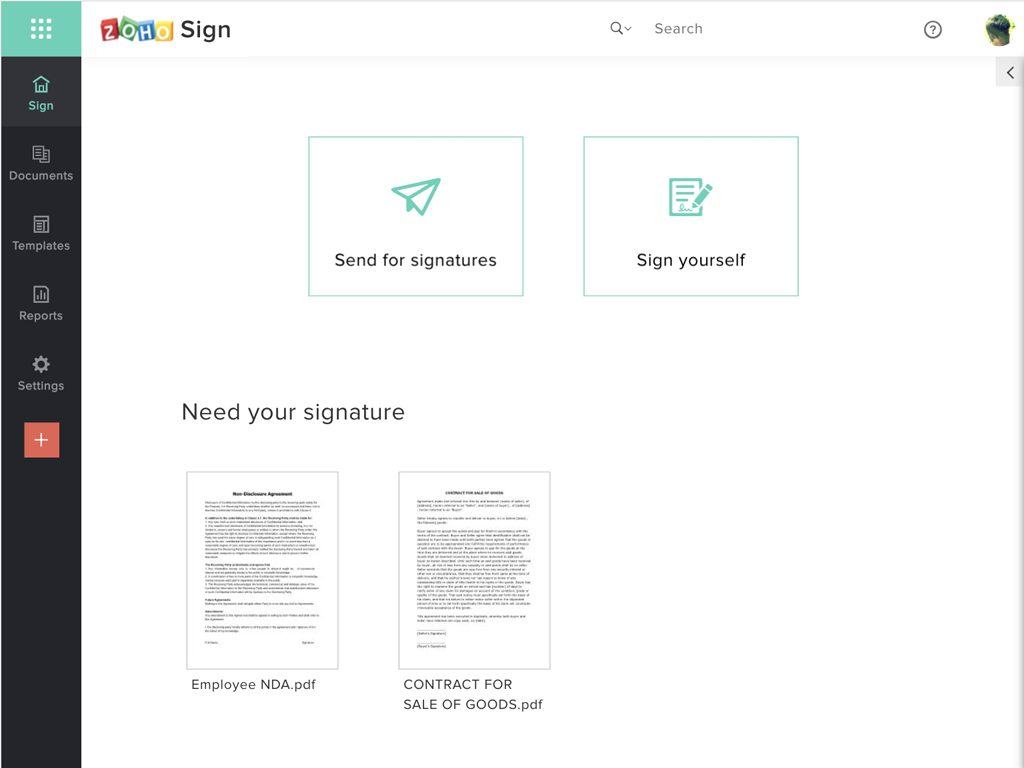
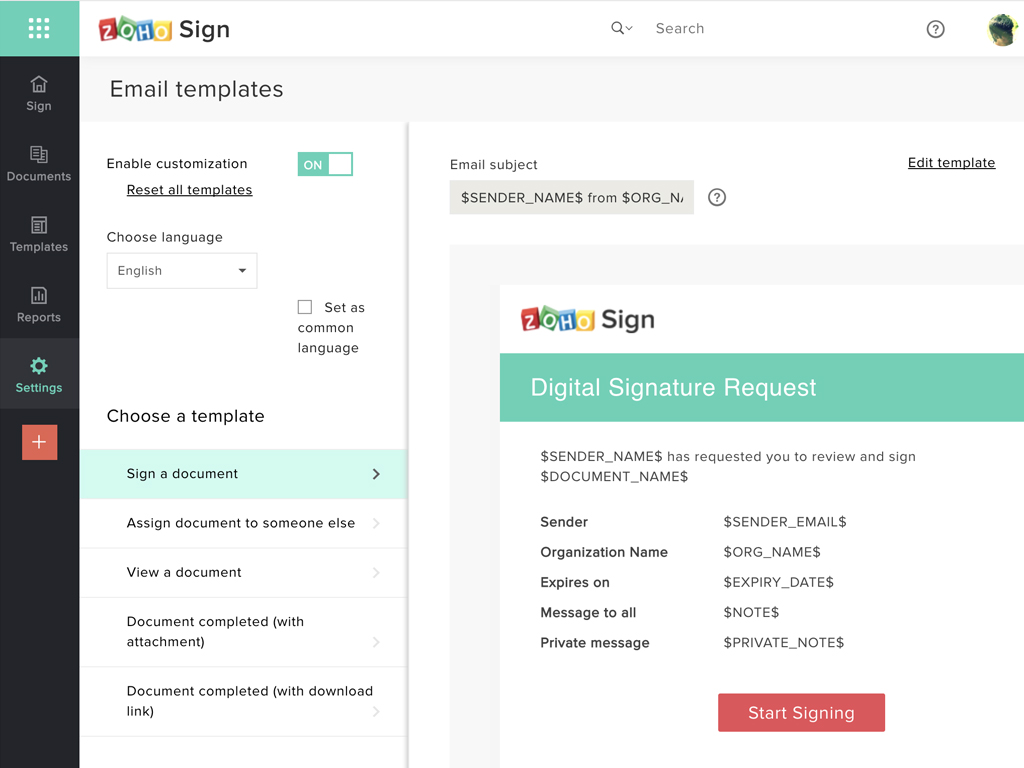
Zoho Sign Screenshots

Screenshot of Zoho Sign DashboardScreenshot of Sending documents for signatures using templatesScreenshot of All document sent using Zoho SignScreenshot of Rebranding email templates sent from Zoho Sign