KACE Systems Management Appliance (SMA) vs. xAssets IT Asset Management Software

Overview
ProductRatingMost Used ByProduct SummaryStarting Price
KACE Systems Management Appliance
Score 10.0 out of 10
N/A
Quest now offers the KACE Systems Management Appliance (SMA) as an IT Asset tracking and management appliance (also available as a virtual deployment if hardware requirements are met). Beyond discovery, inventory tracking and license management, KACE emphasizes automating software upgrade distribution with minimal end-user disruption, featuring remote replication for multi-site upgrades and rollouts. KACE SMA may be bundled with KACE Cloud Mobile Device Management (MDM) to form a complete UEM…N/A
xAssets IT Asset Management Software
Score 9.1 out of 10
Enterprise companies (1,001+ employees)
IT asset management software with large enterprise scalability and deep configurability to meet the complex requirements of large enterprises. The product provides highly scalable agentless network discovery software, full lifecycle asset management including software asset management, help desk, barcoding, procurement, receiving, disposal and obsolescence, contract management, financials and depreciation, spares, storage and this can be extended easily to new functional areas.
$0
Pricing
KACE Systems Management Appliance (SMA)xAssets IT Asset Management Software
Editions & Modules
No answers on this topic
Enterprise Edition
$0.00
Express Edition - free for one user
$0.00
Offerings
Pricing Offerings
KACE Systems Management AppliancexAssets IT Asset Management Software
Free Trial
NoYes
Free/Freemium Version
NoYes
Premium Consulting/Integration Services
NoNo
Entry-level Setup FeeNo setup feeOptional
Additional DetailsExpress edition is free to qualifying customers for a single user. Pricing then depends on additional users and number of assets and discovered nodes. Enterprise edition provides enterprise level scalability, security and configurability suitable for medium and large enterprises.
More Pricing Information
Community Pulse
KACE Systems Management Appliance (SMA)xAssets IT Asset Management Software
Features
KACE Systems Management Appliance (SMA)xAssets IT Asset Management Software
IT Asset Management
Comparison of IT Asset Management features of Product A and Product B
KACE Systems Management Appliance (SMA)
8.6
Ratings
9% above category average
xAssets IT Asset Management Software
9.1
Ratings
15% above category average
Software and hardware inventory tracking10.00 Ratings9.10 Ratings
License management9.00 Ratings9.10 Ratings
Asset lifecycle monitoring8.00 Ratings9.10 Ratings
Contract management6.00 Ratings00 Ratings
Asset relationship management10.00 Ratings9.10 Ratings
User Ratings
KACE Systems Management Appliance (SMA)xAssets IT Asset Management Software
Likelihood to Recommend
10.0
(0 ratings)
9.1
(0 ratings)
Usability
8.6
(0 ratings)
-
(0 ratings)
Support Rating
9.5
(0 ratings)
-
(0 ratings)
User Testimonials
KACE Systems Management Appliance (SMA)xAssets IT Asset Management Software
Likelihood to Recommend
I think it has added value for any organization. It reduced our Tech Support cost by: -Supporting users anywhere -Reducing users downtime as well keep them informed with the status of their tickets -Managing software and hardware actively -Processing automation -deploy mass software installs, patching or updates - Provide approved software's to users to install without IT help
Read full review
We run a large environment where managing agents and clients would be difficult, but this software doesn't require either. We use it a lot from our iPhones accessing the software from anywhere in the office and even from home.
Read full review
Pros
  • Helpdesk ticketing, the software allows not only the building of a portal that the users can log into to submit the tickets, but it also allows them to generate a ticket via email, which is a huge successful implementation that we have had.
  • Live inventory tracking. With an agent installed on a PC, as long as we maintain the data, it can report back information that is crucial to the machine.
  • Web portal makes for easy maintenance and implementation of the software and updates.
Read full review
  • Network discovery--with no agents to manage is great and its very fast
  • Reporting--custom reports, charts and PDFs; the software also emails monthly reports automatically
  • Users only see the data and menus they need, so no training needed and the UI is focused
  • No clients to install; we can use it from any browser and from our cell phones
  • Upgrades are done quickly; we've never needed to get involved, as they do it for us
Read full review
Cons
  • Administrative interface can be slow at times, and does require some decent PC specifications to run adequately.
  • The cost of the KACE solution can be very expensive depending on how many agents you plan to deploy
  • There is a learning curve in order to master KACE's capabilities - however Quest does provide lots of resources to dig into. It is not as intuitive as it could be.
Read full review
  • Looking forward to using their full endpoint management system, which is under development
Read full review
Usability
Overall, the software is simple to understand and use. That said, most vendors have been slowly updating their user interfaces to HTML5 so that they have a clean updated look and feel. This is where KACE falls short in that the UI is great for a packaged software 10 years ago. This isn't a major limitation as the software is really meant primarily for technology users.
Read full review
No answers on this topic
Support Rating
KACE does exactly what you need it to do, it maintains your computer environment. You can set patch schedules, inventory computers, setup software catalogs; basically everything you need to ensure the computers on your network are being actively managed. This is all with little need for constant configuration or updating the setup.
Read full review
No answers on this topic
Alternatives Considered
For our size organization, KACE offered a more complete solution that was easier to understand and deploy when compared to Ivanti. It was also more affordable to get the features we wanted. Ivanti might be more appropriate in a larger environment. You would definitely need someone that was primarily dedicated to run behind Ivanti.
Read full review
No answers on this topic
Return on Investment
  • The time savings on Windows patching through the KACE SMA alone has helped us in saving hundreds of technician hours.
  • Ticket tracking through the KACE SMA has reduced the amount of calls to our helpdesk asking about the status of a ticket.
  • The tracking of licensed software through the KACE SMA has kept us in compliance and saved time from having to run around and look to see where the software is installed.
Read full review
No answers on this topic
ScreenShots

xAssets IT Asset Management Software Screenshots

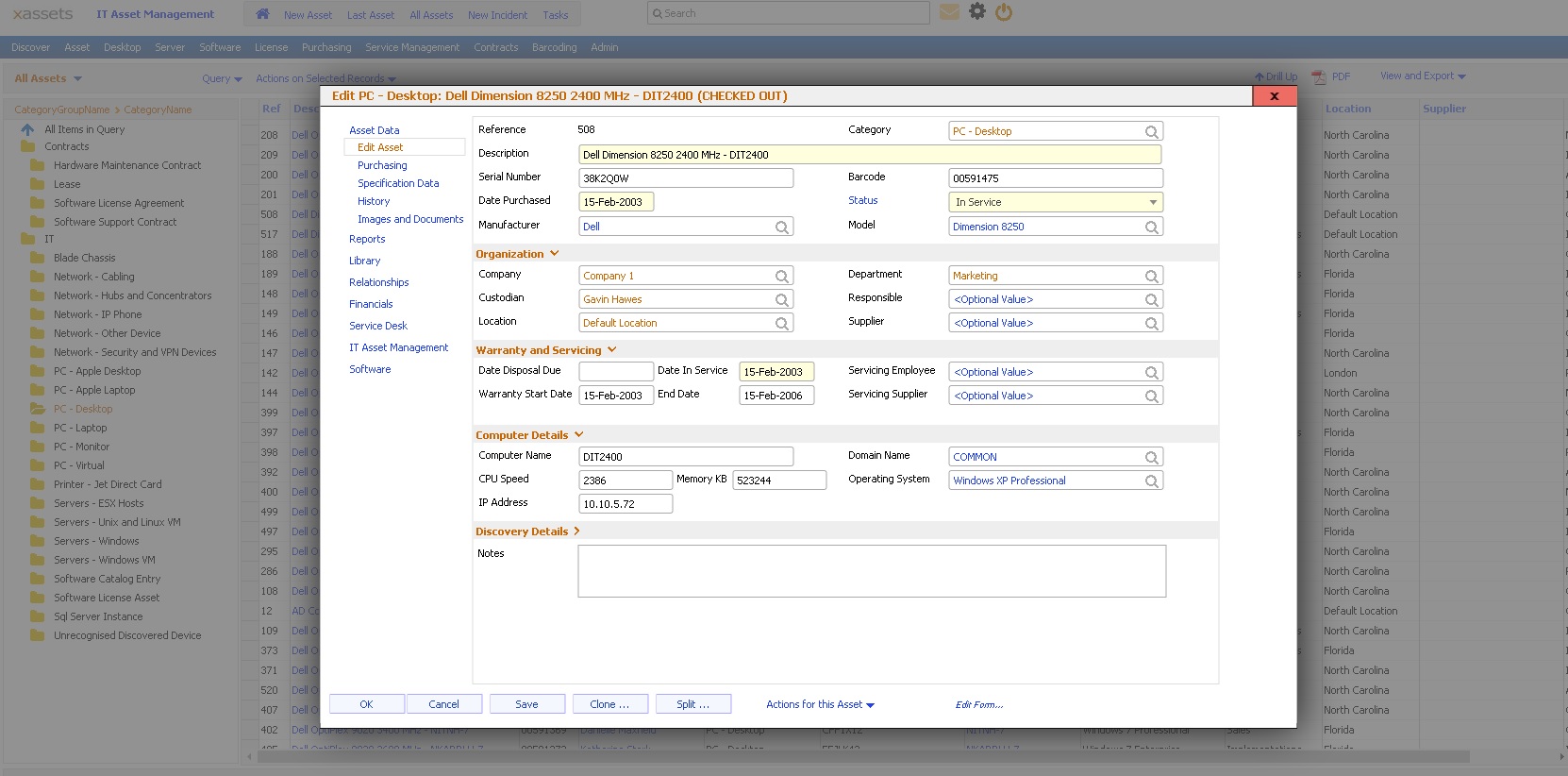
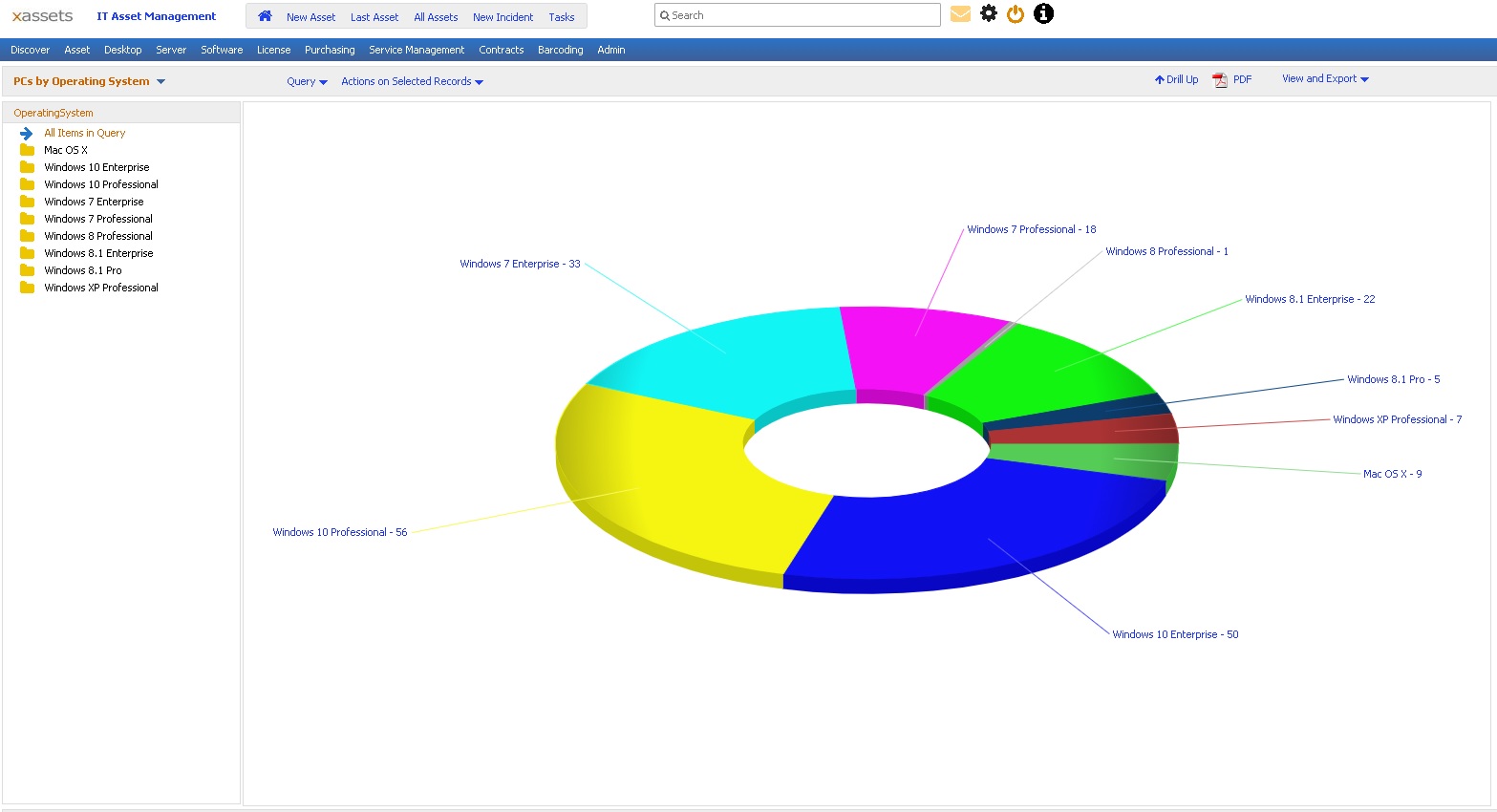
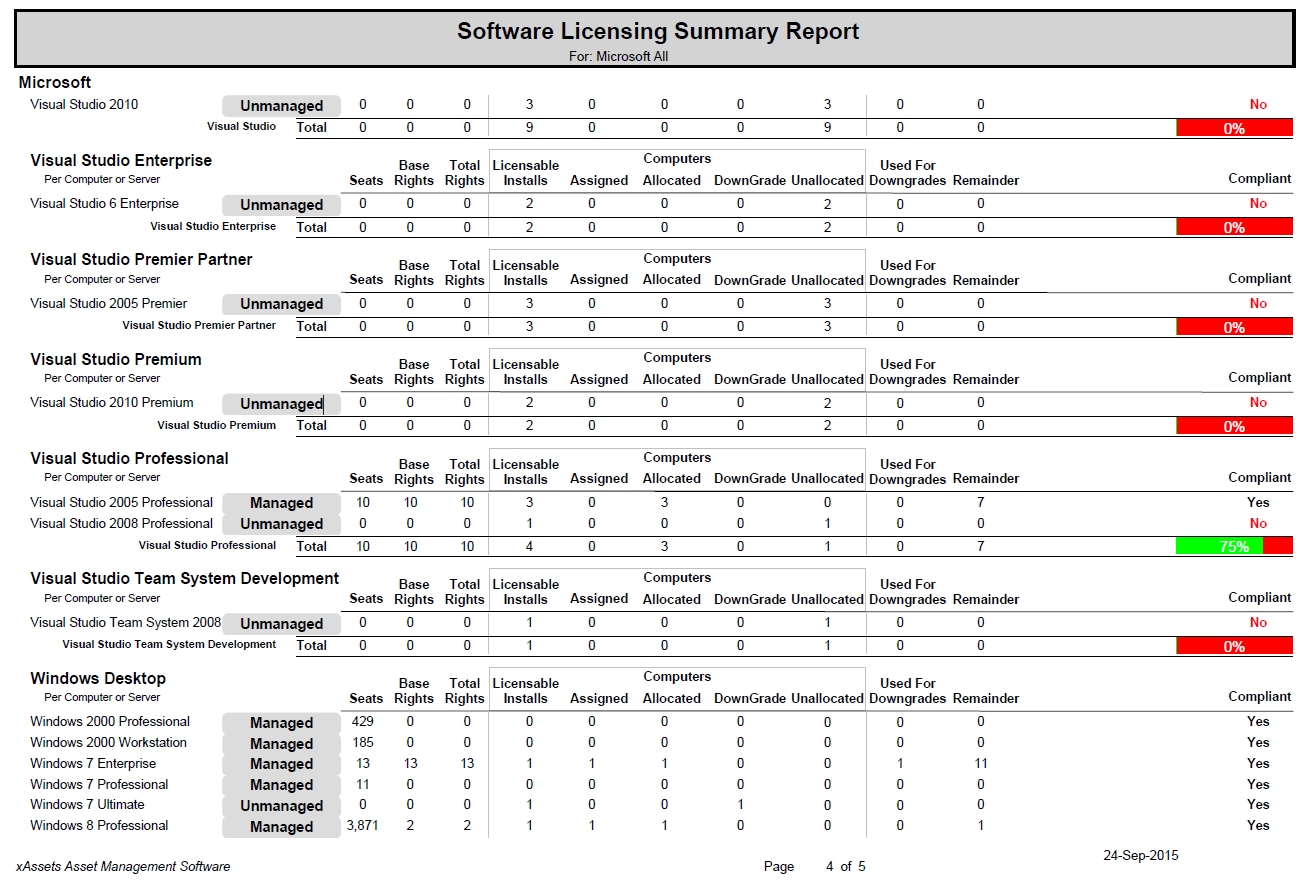
Screenshot of Home page can be any configurable dashboardScreenshot of Asset list with charts, filtering, sort and drilldownScreenshot of Asset entry with configurable formsScreenshot of Store any number of asset imagesScreenshot of Drilldownable pie and column chartsScreenshot of Software licensing report shows compliance at the summary level