Jupyter Notebook is an open-source web application that allows users to create and share documents containing live code, equations, visualizations and narrative text. Uses include: data cleaning and transformation, numerical simulation, statistical modeling, data visualization, and machine learning. It supports over 40 programming languages, and notebooks can be shared with others using email, Dropbox, GitHub and the Jupyter Notebook Viewer. It is used with JupyterLab, a web-based IDE for…
N/A
Posit
Score 10.0 out of 10
N/A
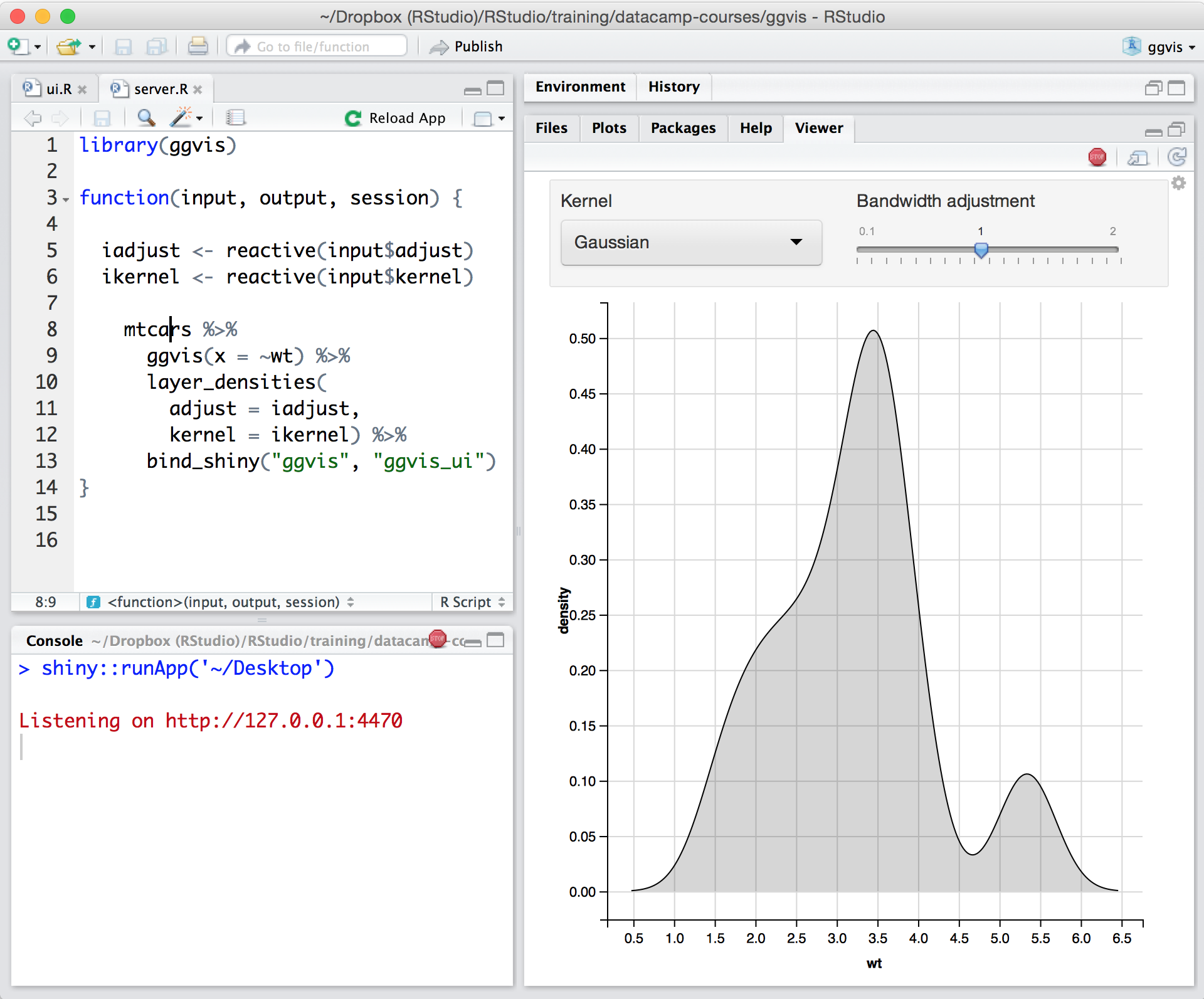
Posit, formerly RStudio, is a modular data science platform, combining open source and commercial products.
N/A
Pricing
Jupyter Notebook
Posit
Editions & Modules
No answers on this topic
No answers on this topic
Offerings
Pricing Offerings
Jupyter Notebook
Posit
Free Trial
No
Yes
Free/Freemium Version
No
Yes
Premium Consulting/Integration Services
No
No
Entry-level Setup Fee
No setup fee
Optional
Additional Details
—
—
More Pricing Information
Community Pulse
Jupyter Notebook
Posit
Features
Jupyter Notebook
Posit
Platform Connectivity
Comparison of Platform Connectivity features of Product A and Product B
Jupyter Notebook
9.0
Ratings
7% above category average
Posit
9.3
Ratings
11% above category average
Connect to Multiple Data Sources
10.00 Ratings
8.00 Ratings
Extend Existing Data Sources
10.00 Ratings
10.00 Ratings
Automatic Data Format Detection
8.50 Ratings
10.00 Ratings
MDM Integration
7.40 Ratings
00 Ratings
Data Exploration
Comparison of Data Exploration features of Product A and Product B
Jupyter Notebook
7.0
Ratings
18% below category average
Posit
9.0
Ratings
7% above category average
Visualization
6.00 Ratings
8.00 Ratings
Interactive Data Analysis
8.00 Ratings
10.00 Ratings
Data Preparation
Comparison of Data Preparation features of Product A and Product B
Jupyter Notebook
9.5
Ratings
15% above category average
Posit
10.0
Ratings
20% above category average
Interactive Data Cleaning and Enrichment
10.00 Ratings
10.00 Ratings
Data Transformations
10.00 Ratings
10.00 Ratings
Data Encryption
8.50 Ratings
00 Ratings
Built-in Processors
9.30 Ratings
00 Ratings
Platform Data Modeling
Comparison of Platform Data Modeling features of Product A and Product B
Jupyter Notebook
9.3
Ratings
10% above category average
Posit
10.0
Ratings
18% above category average
Multiple Model Development Languages and Tools
10.00 Ratings
10.00 Ratings
Automated Machine Learning
9.20 Ratings
00 Ratings
Single platform for multiple model development
10.00 Ratings
10.00 Ratings
Self-Service Model Delivery
8.00 Ratings
10.00 Ratings
Model Deployment
Comparison of Model Deployment features of Product A and Product B
I would rate it 9/10 while recommending Jupyter Notebook as it offers me a wide range of functionality to operate. It is very well suited for someone who is new to python programming as the user interface helps you build code line by line. I personally have written multiple programs in Python using Jupyter Notebook as it helps me organize long code by breaking it in a structure. Also the ability to write comments using '#' helps a lot to a reader understand the code.
In my humble opinion, if you are working on something related to Statistics, RStudio is your go-to tool. But if you are looking for something in Machine Learning, look out for Python. The beauty is that there are packages now by which you can write Python/SQL in R. Cross-platform functionality like such makes RStudio way ahead of its competition. A couple of chinks in RStudio armor are very small and can be considered as nagging just for the sake of argument. Other than completely based on programming language, I couldn't find significant drawbacks to using RStudio. It is one of the best free software available in the market at present.
Need more Hotkeys for creating a beautiful notebook. Sometimes we need to download other plugins which messes [with] its default settings.
Not as powerful as IDE, which sometimes makes [the] job difficult and allows duplicate code as it get confusing when the number of lines increases. Need a feature where [an] error comes if duplicate code is found or [if a] developer tries the same function name.
Ability to scale across the company is limited based on the users license, cannot share a dashboard to the general view of the company.
Ability to retain session - not simple method to customize view per user (e.g., once session is ended, the users will return next time to the baseline view).
Ability to enable communication between multiple users - leave notes, tag other users, or share specific view.
There is no other platform that meets our needs. Even if it was terrible we would still use it but fortunately for us it is a very solid project with a great support team. I hope in the future to expand our use and get more licences as well as upgrade to RStudio workbench but for now we are very happy.
Jupyter is highly simplistic. It took me about 5 mins to install and create my first "hello world" without having to look for help. The UI has minimalist options and is quite intuitive for anyone to become a pro in no time. The lightweight nature makes it even more likeable.
For someone who learns how to use the software and picks up on the "language" of R, it's very easy to use. For beginners, it can be hard and might require a course, as well as the appropriate statistical training to understand what packages to use and when
RStudio is very available and cheap to use. It needs to be updated every once in a while, but the updates tend to be quick and they do not hinder my ability to make progress. I have not experienced any RStudio outages, and I have used the application quite a bit for a variety of statistical analyses
Since R is trendy among statisticians, you can find lots of help from the data science/ stats communities. If you need help with anything related to RStudio or R, google it or search on StackOverflow, you might easily find the solution that you are looking for.
Jupyter Notebook is unique in that it offers a flexible, lightweight, easy-to-replicate way of organizing your code in a visually intuitive fashion that can be exported in a number of formats. I've found that the broad functionalities available within the notebooks suit a lot of needs I have for EDA, modeling, and data export that makes other software products fairly redundant.
RStudio was provided as the most customizable. It was also strictly the most feature-rich as far as enabling our organization to script, run, and make use of R open-source packages in our data analysis workstreams. It also provided some support for python, which was useful when we had R heavy code with some python threaded in. Overall we picked Rstudio for the features it provided for our data analysis needs and the ability to interface with our existing resources.
I think that RStudio scales pretty well based on the size of the datasets I'm using. It has multithreading capabilities unlike some other statistical analysis programs which is very useful in cutting down on time. The format of RStudio's syntax also makes it very easy to replicate regardless off the scale of the analysis and data set
Using it for data science in a very big and old company, the most positive impact, from my point of view, has been the ability of spreading data culture across the group. Shortening the path from data to value.
Still it's hard to quantify economic benefits, we are struggling and it's a great point of attention, since splitting out the contribution of the single aspects of a project (and getting the RStudio pie) is complicated.
What is sure is that, in the long run, RStudio is boosting productivity and making the process in which is embedded more efficient (cost reduction).