TrustRadius: an HG Insights company

JSEAsy vs. Public Safety Pro powered by Incode

Save this comparison

Save this comparison

Add Product

Recommended Comparisons

    Overview
    ProductRatingMost Used ByProduct SummaryStarting Price

    JSEAsy

    N/A
    Small Businesses (1-50 employees)
    JSEAsy Environmental Health and Safety (EHS) Software is a tool designed to streamline and enhance safety management and risk assessment processes. It simplifies the creation of site-specific Job Hazard Analysis (JHA), Job Safety and Environmental Analyses (JSEA), Job Safety Analyses (JSA), and Safe Work Method Statements (SWMS) with a library of pre-built templates. The software offers customization options to meet the unique safety requirements of various industries. JSEAsy helps…

    $435

    one-time fee per installation

    Public Safety Pro powered by Incode

    Score9.7 out of 10
    N/AIncode Public Safety is a mobile RMS integrated with its CAD counterpart to share information between agencies, departments, and jurisdictions, and update state and federal reporting features.N/A
    Pricing
    JSEAsyPublic Safety Pro powered by Incode
    Editions & Modules
    No answers on this topic
    No answers on this topic
    Offerings
    Pricing Offerings
    JSEAsyPublic Safety Pro powered by Incode
    Free Trial
    NoNo
    Free/Freemium Version
    NoNo
    Premium Consulting/Integration Services
    YesNo
    Entry-level Setup FeeNo setup feeNo setup fee
    Additional DetailsRental and Cloud versions include a joining fee. Subsequent renewals are discounted.—
    More Pricing Information
    User Ratings
    JSEAsyPublic Safety Pro powered by Incode
    Likelihood to Recommend
    -
    (0 ratings)
    9.0
    (1 ratings)
    User Testimonials
    JSEAsyPublic Safety Pro powered by Incode
    Likelihood to Recommend
    JSEAsy
    No answers on this topic
    Tyler Technologies
    Using the entire Incode Public Safety suite (CAD/Mobile CAD/RMS/E-Citations/Court) allows municipal police departments to create a connected system of information that can share records and reduce the administrative burden on staff to complete the necessary steps of completing all law enforcement reports. But, if you cannot bundle the systems using IPS as a stand-along RMS system will help departments complete professional, detailed, and accurate reports and be able to research crime data to direct resources. Some small departments may not have a dedicated drug investigator function, but for those that do, their system needs to add a narcotics module to better manage informants, buy money expenditures, case data. There are ways to use the system to accomplish these tasks but can be improved.
    Incentivized
    Read full review
    Pros
    JSEAsy
    No answers on this topic
    Tyler Technologies
    • Report dashboards-user defined updated.
    • Mobile CAD-Calls, maps, chat messages, and alerts.
    • Accurate electronic IBR data transfer.
    Incentivized
    Read full review
    Cons
    JSEAsy
    No answers on this topic
    Tyler Technologies
    • The addition of a narcotics module would allow for better management of confidential informants or a source separate from the master name index files.
    • Advanced property room management functions using bar code scanning devices.
    • Same options for date ranges across all fields. The ability to choose the "Last 24 hours" style instead of the date range makes selection much easier to pull data. Many fields have this function but not all.
    Incentivized
    Read full review
    Return on Investment
    JSEAsy
    No answers on this topic
    Tyler Technologies
    • IPS delivered a product as described and demonstrated by the sales team-it will do what they say it will do and do it well!
    • Provide citizens and elected officials accurate crime data
    • User-defined reports approval flows, that include use of force reporting embedded into the incident, accurate property room management, and master name, vehicle, and gun index to track each of these items.
    Incentivized
    Read full review
    ScreenShots

    JSEAsy Screenshots

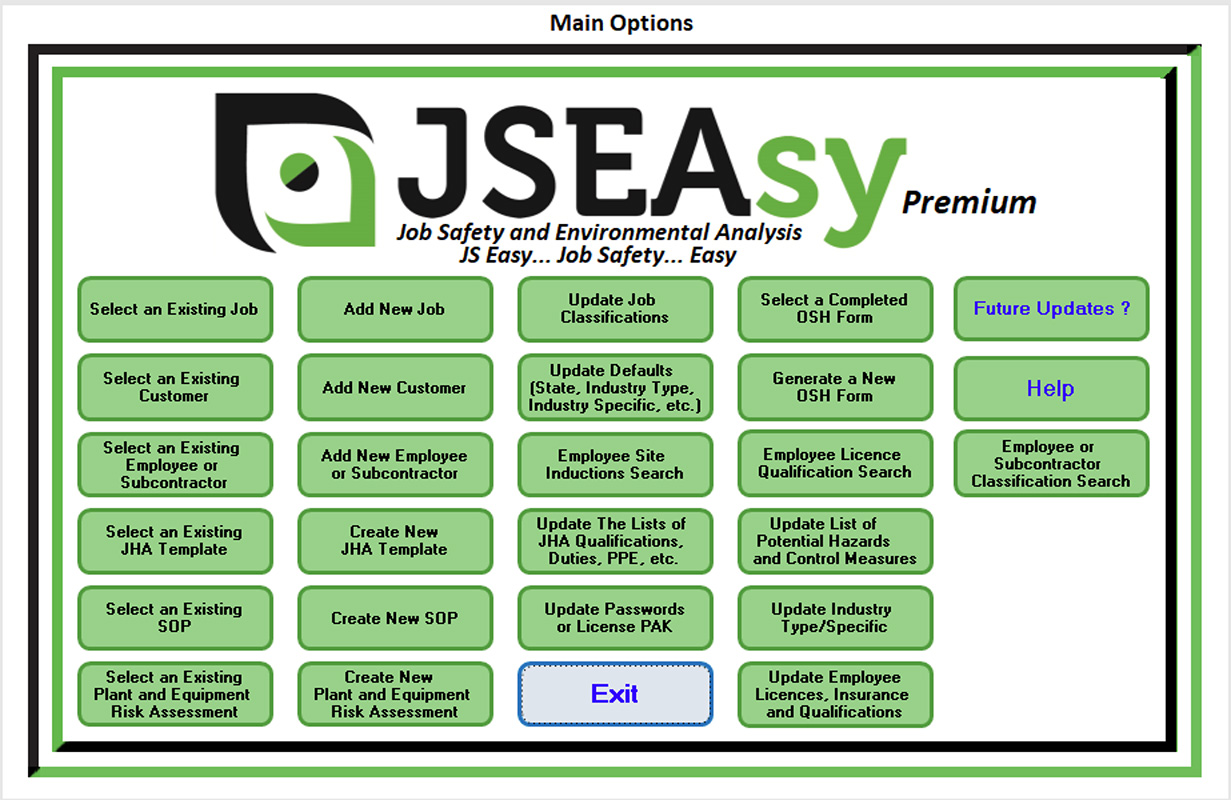
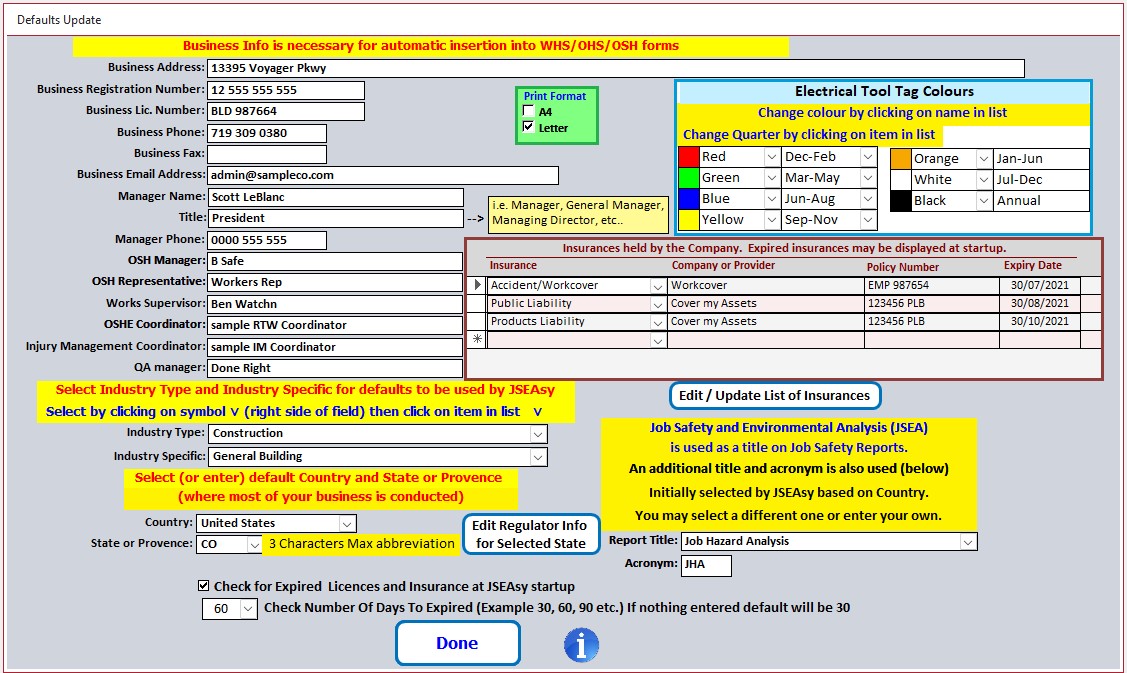
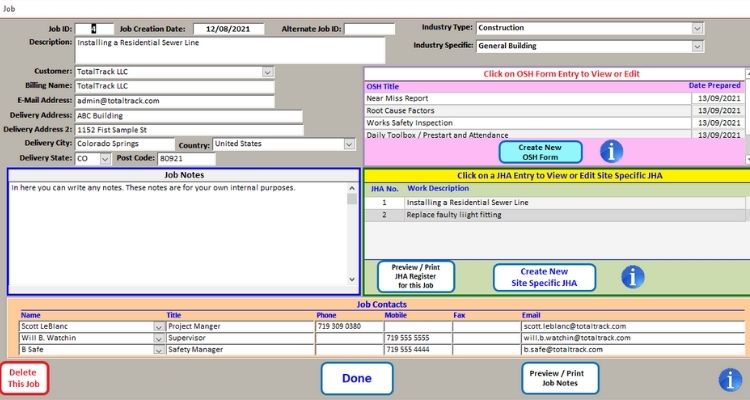
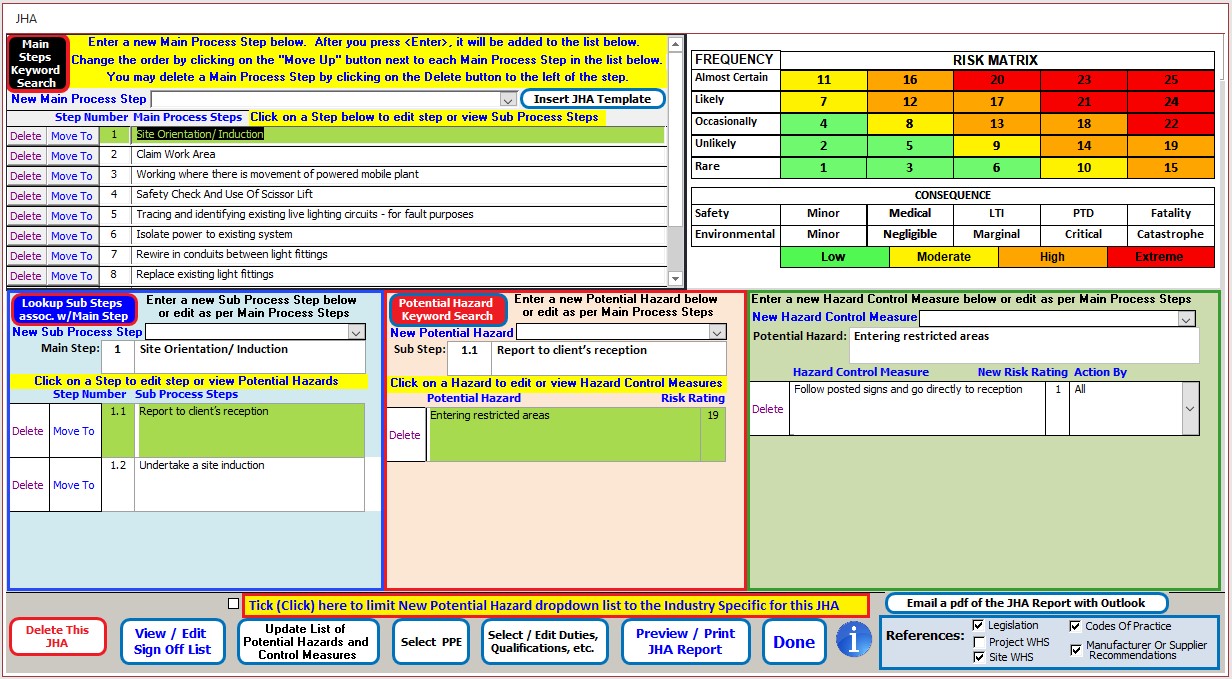
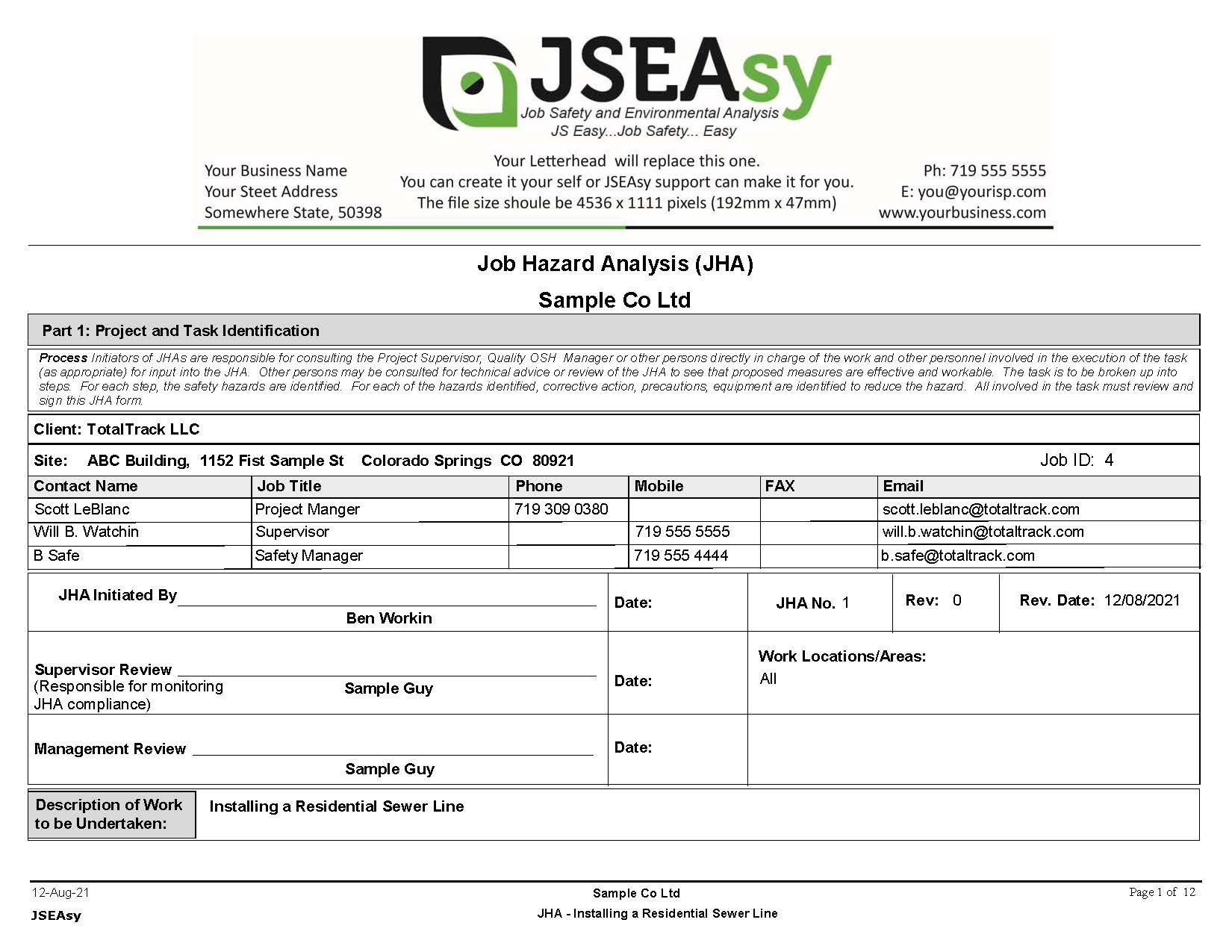
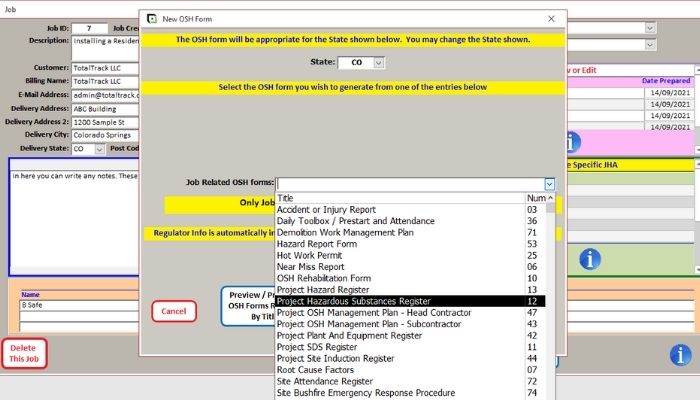
    Screenshot of JSEAsy Main options. This is the launching pad into the different areas of the software.Screenshot of Default settings. This is where you set your defaultsScreenshot of Job Form. This is where you create job related OSH forms or a site-specific JHAScreenshot of Create a site-specific Job Hazard analysis use prepopulated and editable templates.Screenshot of Job Hazard Analysis reportScreenshot of There are a suite of job-related OSH Forms and inspections built in for use.

    Public Safety Pro powered by Incode Screenshots

    Screenshot of Incode Public Safety Users