Joomla! is a free and open source content management system used to publish web content. Included features are page caching, RSS feeds, printable versions of pages, news flashes, blogs, polls, a search function, and support for language internationalization.
N/A
WebWave
Score 9.5 out of 10
N/A
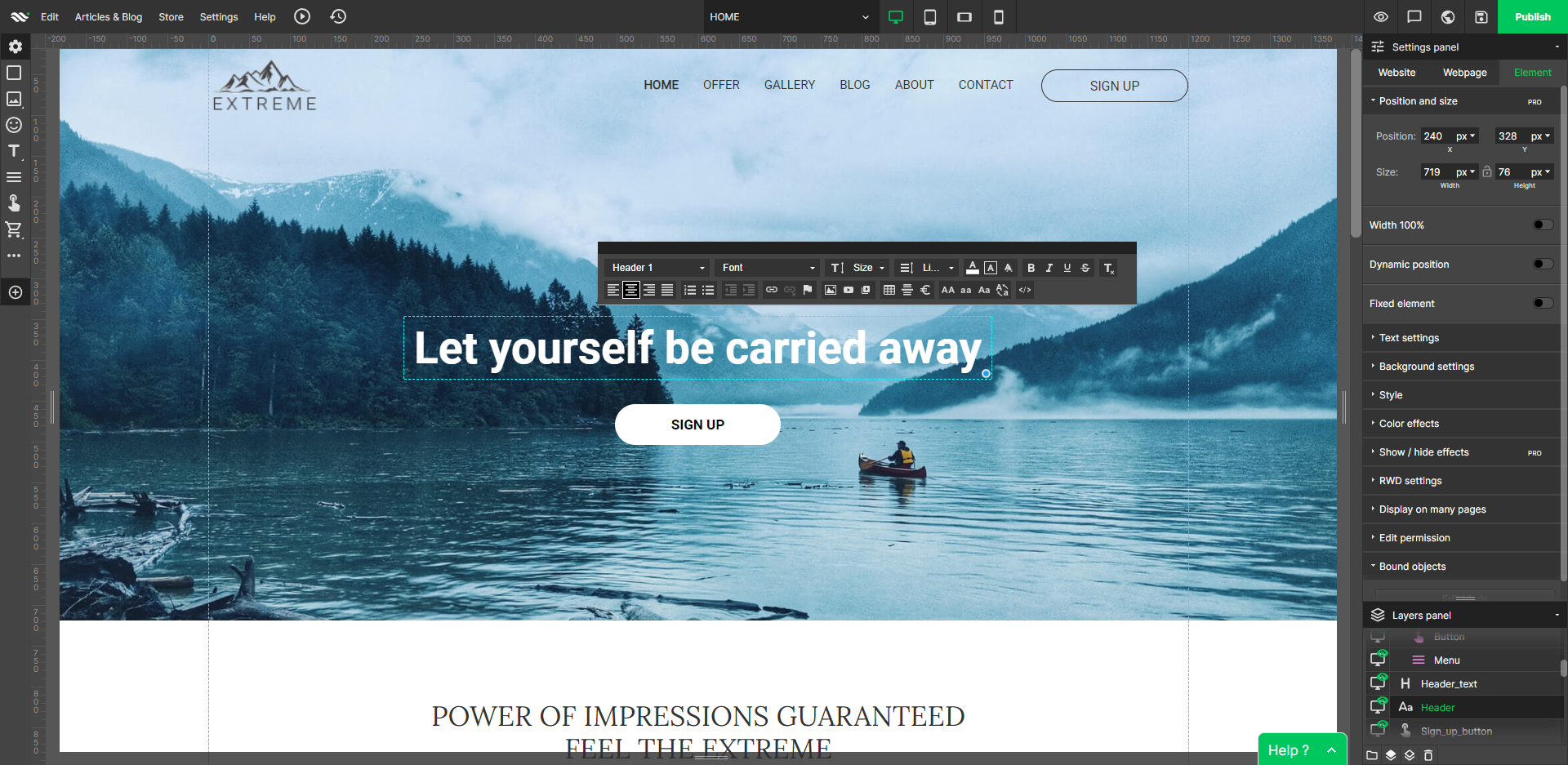
WebWave — an alternative for agencies and freelancers for creating custom websites for clients with the support of CMS. Using CMS with no sacrifices WebWave is a CMS platform that gives a designer precision up to 1 px in every single detail just like in more sophisticated graphic programs such as Photoshop while remaining a drag and drop software. This is to make creating websites much faster without loosing on details. Spend less time talking WebWave…
N/A
Pricing
Joomla!
WebWave
Editions & Modules
No answers on this topic
No answers on this topic
Offerings
Pricing Offerings
Joomla
WebWave
Free Trial
No
Yes
Free/Freemium Version
No
Yes
Premium Consulting/Integration Services
No
No
Entry-level Setup Fee
No setup fee
$7 per month
Additional Details
—
—
More Pricing Information
Community Pulse
Joomla!
WebWave
Features
Joomla!
WebWave
Security
Comparison of Security features of Product A and Product B
Joomla!
9.6
Ratings
17% above category average
WebWave
-
Ratings
Role-based user permissions
9.60 Ratings
00 Ratings
Platform & Infrastructure
Comparison of Platform & Infrastructure features of Product A and Product B
Joomla!
7.8
Ratings
3% above category average
WebWave
-
Ratings
API
6.10 Ratings
00 Ratings
Internationalization / multi-language
9.50 Ratings
00 Ratings
Web Content Creation
Comparison of Web Content Creation features of Product A and Product B
Joomla!
9.0
Ratings
15% above category average
WebWave
-
Ratings
WYSIWYG editor
9.50 Ratings
00 Ratings
Code quality / cleanliness
9.70 Ratings
00 Ratings
Admin section
10.00 Ratings
00 Ratings
Page templates
6.10 Ratings
00 Ratings
Library of website themes
8.10 Ratings
00 Ratings
Mobile optimization / responsive design
9.60 Ratings
00 Ratings
Publishing workflow
9.50 Ratings
00 Ratings
Form generator
9.50 Ratings
00 Ratings
Web Content Management
Comparison of Web Content Management features of Product A and Product B
It seems with the release of Joomla! 4 that the weak areas have all been covered. Its always been good for the mid-level small to large business, the blogging was WP, and the large-scale enterprise was probably bespoke. But the new interface is so simple it seems pointless using WP when Joomla! is as easy and can then grow as big as you like. The Workflows feature which allows you to set up work pipelines easily is going to be a boom to any larger enterprise sites. Couples with the new API which I got to see at one of their user groups, is amazing. They were creating articles on one site then another site was taking the feed directly for just certain categories. Really blows your mind what you could do with that and the new workflows.
The WYSIWYG web builder marketspace is saturated, but there are not many solutions out there that eschew table-based design in favor of letting creators build sites where anything goes wherever you want. You’ll likely want to skip this product if you need a plug-and-play solution where everything is automatically responsively. However, if you have an eye for design, love creative control, and like to sweat the details until you have made the perfect website, WebWave is a must buy.
We use Joomla to build our websites and web applications because of its incredible intuitiveness and tools to make everything more manageable.
Its working environment is quite comfortable for my development team, and its web design resources significantly speed up our work when carrying out web development projects.
It allows you to use blocks to create and visually manage websites and divide them into different categories without programming knowledge.
WebWave's site builder is the platform's truly innovative feature. I've never come across another service that deploys a layer-based approach in web design, as most of them usually deploy a grid-based system. This is an incredible alteration that ensures WebWave behaves much like a traditional graphic design tool, thereby resulting in an experience that is a lot more intuitive and instinctive. I believe this has the potential to radically change the way people approach no-code web design.
WebWave provides automatic, daily backups and a free SSL certificate for every website. This results in excellent security.
WebWave's support team is first-class! I had some teething-issues in the beginning, but the support team quickly got me back on track.
WebWave's community/forum is an excellent place to vote and request new features. This proves the development team is committed to making WebWave better by listening to their users.
Updating was never as seamless/easy as it seems to be with Wordpress. Obviously we accounted for this with our own workflow/methods, but I remember whenever we did WordPress updates it always seemed a breeze compared to the time/energy involved with a Joomla update/upgrade.
For a while (I think this has changed some) Joomla left itself open to attacks when administrators were not as well versed as they should be. There were developer additions that did security checks/audits for you, but the CMS was the subject of a lot of attacks when left in the hands of our clients for a long time (who had changed permissions to make editing easier/convenient). Ideally the CMS would have been more restrictive on some of these things to prevent easy abuse. Obviously this is more the fault of the misinformed/human then the CMS, but it could have been more dummy-proof.
No native versioning. There are some community extensions that add this functionality, but they pale in comparison to the versioning plugins of other CMS's (WordPress specifically). Again this was some time ago and in our experience, it could have changed by now.
Some scope for improvement in UX (colors are not very appealing). It is simple to use but design is a little dated. Especially in the builder section, I'd like to see modern design for buttons and maybe gradients also: as this is where visual motivation is also important
Some edits take effect only after pressing OK. That should be eliminated as it's an unnecessary addition. It's also kind of annoying to do that again and again, which can add up to a lot as we do so many small tweaks while building the website.
Few things (maybe glitches) in design. The rectangle below the footer was uneditable for me. I spent quite some time trying to figure it out so I'm convinced it's a glitch.
I gave it a rating of 10 because I just love how Joomla! works, how it is set up and how it handles many users. Also it is very fast, and there is no overload on the MySQL database or servers ever.
The user experience and interface are good, but sometimes it is down. Delayed in the loading speed. Workflows can be simplified, and understanding templates needs much time. It is user-friendly and with multi-language support. Users can be added to the groups, which is easier. User controls can also be created based on role-based permission.
Today's Modern Joomla performs very well and is robust and durable. The pages load faster than they ever did in the past and Modern Joomla's integration into other software or systems has become seamless. Modern Joomla sites will last long and will stay running forever.
Between the core Joomla developers who are excellent at answering questions and providing support, you have a whole community of developers who work with Joomla and are happy to help fellow developers out answering questions and supporting the Joomla project. Out of the many communities I am involved in for open-source software, Joomla's community is by far the best.
1. The support person does not seem to understand the issues, and seems like they go off to talk to somebody and revert back every 5 to 10 minutes. It takes up a lot of time. 2. There is a lack of reading material to address simple issues like changing the website name in the dashboard, pasting a code, etc.
Make sure that PHP.ini is set to at least 60 ms for computer priority, 60MB for maximum downloads and 128MB for uploads. This is the minimum. It is best to run Joomla on a business host if you are using a shared hosting environment so that there are fewer accounts on the server. Make sure you have access to the root on CPanel. Be sure to point the DNS to the host and set up all zones prior to implementation and run your new version in a sub-domain hidden from the live version until you are ready to cut over.
Joomla is a very stable and secure CMS platform that ranks about in the middle of the pack with the other 'modern day' CMS systems out there. It's not as complex and frustrating as Magento, but it's also not as easy or robust to work on as WordPress. Thankfully when we do utilize it, there's still an online community our we can bounce issues and ideas off of.
Fast load times: WebWave's websites have fast load times, which is critical for ensuring a positive user experience and better SEO performance. Responsive design: WebWave's websites are optimized for mobile devices, ensuring that they look great and function well on any screen size. Wix simply just doesn't have that and I was really struggling with this issue. Cost-effective: WebWave's pricing plans are affordable and provide excellent value for money, making it a cost-effective option for small businesses and entrepreneurs.
Deploying Joomla! for clients has helped them discover the benefits of using Open Source software while helping them appreciate our expertise.
Because the Joomla! community is smaller than the WP community, we are able to reach a wide range of clients looking for experts in the software, boosting our bottom line.
Occasionally a client will find Joomla! too complicated and wish to move to a proprietary DIY CMS, which we do not support, so we have lost clients looking for that level of flexibility.