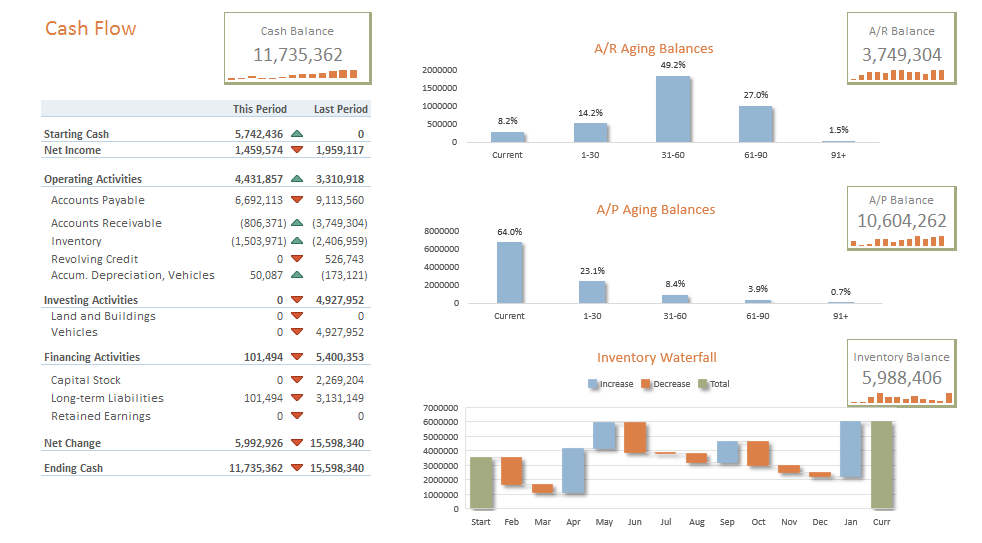
Jet Reports is a business intelligence software now offered by insightsoftware, inc since the company's 2019 acquisition of Jet Global Data Technologies.
N/A
Looker Studio
Score7.6 out of 10
N/A
Looker Studio is a data visualization platform that transforms data into meaningful presentations and dashboards with customized reporting tools.
Jet Reports is better suited if you have a specific population set you are looking at and less suited when querying or summing large pools or data, records, etc. I use a combination of Jet & SQL syntax when performing the latter because it allows me to harness the speed of our SQL server. Jet allows more for more customization when bodes better for users.
A de minimis incentive was given to thank the reviewer for their time. The incentive was not used to bias or drive a particular response, nor was the incentive contingent on a positive endorsement. More Info
Looker Studio is well-suited for those wanting to analyze web/site data and performance quickly. It is simple enough to learn/use for quick report-building or drilling into data. Looker Studio is easier to use/understand than the GA4 console and thus has a better UI/UX. It is an efficient tool for fast, simple data needs—especially for team members with limited analytical capabilities and knowledge.
A de minimis incentive was given to thank the reviewer for their time. The incentive was not used to bias or drive a particular response, nor was the incentive contingent on a positive endorsement. More Info
A de minimis incentive was given to thank the reviewer for their time. The incentive was not used to bias or drive a particular response, nor was the incentive contingent on a positive endorsement. More Info
A de minimis incentive was given to thank the reviewer for their time. The incentive was not used to bias or drive a particular response, nor was the incentive contingent on a positive endorsement. More Info
A de minimis incentive was given to thank the reviewer for their time. The incentive was not used to bias or drive a particular response, nor was the incentive contingent on a positive endorsement. More Info
It is the simplest and least expensive way for us to automate our reporting at this time. I like the ability to customize literally everything about each report, and the ability to send out reports automatically in emails. The only issue we have been having recently is a technical glitch in the automatic email report. Sadly, there is almost no support for this tool from Google, but is also free, so that is important to take into consideration
A de minimis incentive was given to thank the reviewer for their time. The incentive was not used to bias or drive a particular response, nor was the incentive contingent on a positive endorsement. More Info
Because it is not the costliest tool in this category but it serves the purpose. It is easy to use, cost effective, and works really well with the data stored on cloud. It has wide range of dashboard templates which go really well with different types of data sets. I would love to use it agains and again
A de minimis incentive was given to thank the reviewer for their time. The incentive was not used to bias or drive a particular response, nor was the incentive contingent on a positive endorsement. More Info
It is not ideal and requires time and dedication to understand how to work with it. Also, it has a lot of limitations around data it can accept. But in most cases, this tool is sufficient for everyday tasks of product and marketing departments. I wouldn't say that the interface is very user-friendly, but for people who regularly work with analytical tools, it must be ok.
A de minimis incentive was given to thank the reviewer for their time. The incentive was not used to bias or drive a particular response, nor was the incentive contingent on a positive endorsement. More Info
I hinestly have not used the support a lot but i have always had to way for longer durations to get a response on my emails. I have tried calling them a few times and the wait time was a little more than what i expected. They were able to answer my queries nonetheless
A de minimis incentive was given to thank the reviewer for their time. The incentive was not used to bias or drive a particular response, nor was the incentive contingent on a positive endorsement. More Info
I give it a lower support rating because it seems like our Dev team hasn't gotten the support they need to set up our database to connect. Seems like we hit a roadblock and the project got put on pause for dev. That sucks for me because it is harder to get the dev team to focus on it if they don't get the help they need to set it up.
A de minimis incentive was given to thank the reviewer for their time. The incentive was not used to bias or drive a particular response, nor was the incentive contingent on a positive endorsement. More Info
A de minimis incentive was given to thank the reviewer for their time. The incentive was not used to bias or drive a particular response, nor was the incentive contingent on a positive endorsement. More Info
The free version of Looker Studio is still better than the leading enterprise-embedded BI tools, despite its weaknesses. The leading embedded BI platforms have terrible visualizations that can be spotted a mile away. They are also primarily locked to a grid, making it very hard to fully customize. The price point is also a major deterrent, since users end up paying for lots of features they might never use. Looker Studio has weaknesses on the blending and modeling side, but we've been able to get by via connection to GBQ and transformation done in dbt.
A de minimis incentive was given to thank the reviewer for their time. The incentive was not used to bias or drive a particular response, nor was the incentive contingent on a positive endorsement. More Info
A de minimis incentive was given to thank the reviewer for their time. The incentive was not used to bias or drive a particular response, nor was the incentive contingent on a positive endorsement. More Info
A de minimis incentive was given to thank the reviewer for their time. The incentive was not used to bias or drive a particular response, nor was the incentive contingent on a positive endorsement. More Info