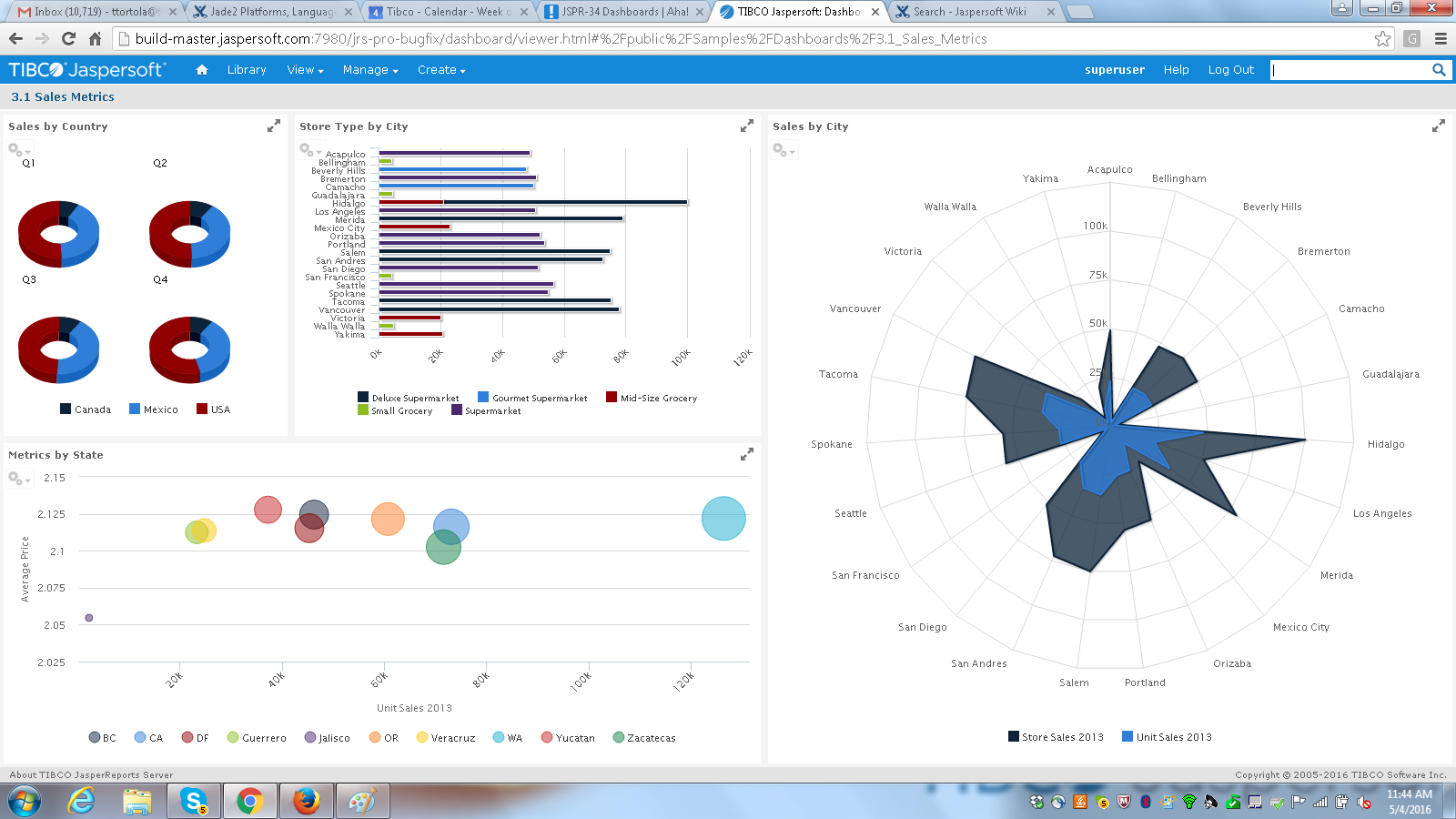
Jaspersoft commercial edition is an embedded business intelligence suite designed to be built-into SaaS products as an integrated reporting engine. It provides reports and dashboards for customer-facing applications without requiring app developers to build their own reporting engine.
N/A
Pentaho
Score 5.1 out of 10
N/A
Pentaho is a suite of open source business intelligence and analytics products, now offered and supported by Hitachi Data Systems since the June 2015 acquisition.
N/A
Pricing
Jaspersoft
Pentaho
Editions & Modules
No answers on this topic
No answers on this topic
Offerings
Pricing Offerings
Jaspersoft
Pentaho
Free Trial
Yes
No
Free/Freemium Version
Yes
No
Premium Consulting/Integration Services
Yes
No
Entry-level Setup Fee
No setup fee
No setup fee
Additional Details
Jaspersoft offers flexible pricing for ISVs and SaaS per customer or by CPU core.
—
More Pricing Information
Community Pulse
Jaspersoft
Pentaho
Considered Both Products
Jaspersoft
Verified User
Engineer
Chose Jaspersoft
As per the basic evaluations, both provides same features in our context of use.
More flexible than Qlik, easier to integrate and cheaper to run. Less polished and ultimately capable than Tableau, but more flexible commercially and technically. In terms of commercials and support, easier to deal with than either Qlik or Tableau.
It's been a long time since we have been using Jasper, so I can't really remember the details, but mainly it was about comparing how easy it was to integrate with our Java-based product, reporting capability, and datasources/platform supported.
The support and chances of implementing the own branding, as we ship TIBCO Jaspersoft as a stand-alone server we did our own branding for the Jasper server with the login page and the theme, hiding the unnecessary options to the user. The ease of creating canned reports using …
Pentaho BA server, SAP, InformationBuilders. We chose Jaspersoft because of ease of customization, how well it fit into our environment, feature package, price and performance.
These could be more easy to learn and reporting. For example, building a demo page, but we expected guarantee for Business Intelligence work. So my clients and I at the end we decided to try Jaspersoft and the result was as expected.
We were using Actuate e-reporting. The product suited our needs but the vendor was difficult to work with as far as licensing and contract issues. Also relatively much more expensive. We didn't actually even evaluate BIRT as a replacement due to the poor relationship. So I …
Selected Jaspersoft because of it's open source credentials and value for money. Our requirements did not require top of the range MI or analytics, just a basic MI platform
We used Pentaho (community edition) in the past and Spago BI suite. Both require a significant effort of highly skilled resources to implement new reports and features and the self-service reporting capability for a final user is missing. We also evaluated Pentaho Business …
When we originally selected Jaspersoft four years ago, the other finalists were Cognos (could not scale at an affordable price) and Pentaho (reports and security model - not as functional).
Pentaho
Verified User
Team Lead
Chose Pentaho
Of all the open source tools we looked at Pentaho was the only one with a full suite of tools (i.e. ETL, reporting, dashboards, etc). A lot of the open source tools were either ETL (Talend) or reporting (Jaspersoft).
Features
Jaspersoft
Pentaho
BI Standard Reporting
Comparison of BI Standard Reporting features of Product A and Product B
Jaspersoft
7.6
100 Ratings
7% below category average
Pentaho
9.0
20 Ratings
10% above category average
Pixel Perfect reports
7.687 Ratings
8.618 Ratings
Customizable dashboards
7.588 Ratings
9.918 Ratings
Report Formatting Templates
7.886 Ratings
8.718 Ratings
Ad-hoc Reporting
Comparison of Ad-hoc Reporting features of Product A and Product B
Jaspersoft
7.4
98 Ratings
9% below category average
Pentaho
8.7
19 Ratings
8% above category average
Drill-down analysis
7.289 Ratings
7.618 Ratings
Formatting capabilities
7.397 Ratings
8.319 Ratings
Report sharing and collaboration
7.781 Ratings
9.717 Ratings
Integration with R or other statistical packages
00 Ratings
9.312 Ratings
Report Output and Scheduling
Comparison of Report Output and Scheduling features of Product A and Product B
Jaspersoft
7.7
101 Ratings
8% below category average
Pentaho
9.7
20 Ratings
15% above category average
Publish to Web
7.176 Ratings
9.618 Ratings
Publish to PDF
8.799 Ratings
9.819 Ratings
Report Versioning
7.759 Ratings
9.713 Ratings
Report Delivery Scheduling
7.582 Ratings
9.917 Ratings
Delivery to Remote Servers
7.562 Ratings
9.310 Ratings
Data Discovery and Visualization
Comparison of Data Discovery and Visualization features of Product A and Product B
It is well suited for the fact of scalability itself and the breadth of features this application has in order to make the migration from legacy systems to the newer different versions more seamless and effective. Data integrity and security are the main aspects of this tool which does not lose their value when doing day-to-day operations for data mapping.
Pentaho is very well suited to perform data extraction & data mining from various cloud storage & transform that data using various available data models. However, the software struggles when it comes to visualizing the extracted data in an appealing manner & can be difficult for end-users to get an understanding of data tables created using those models.
TIBCO Jaspersoft allows you to embed reports into your own application, which gives users the feeling they are using a single product.
TIBCO Jaspersoft Studio allows for more advanced report development, such as adding subreports, drilldown to detail reports, images, page headers, page footers, maps, and more.
TIBCO's Jaspersoft Domain Designer is very easy to use and navigate.
One of the issues we found during our implementation was that the reporting software would work faster for certain data sources and not the others. Extracting CSVs and XML was slower in comparison to JSON in our experience.
Jaspersoft Studio was the main IDE we used for development. Built atop the Eclipse IDE, we found that the tool was really resource intensive and generally take long time to initialize.
I think the relative obscurity of the tool is a downside, not as many developers, consultants or peers you can tap into.
Lack of a solid user community held us back, looking at Power BI and Qlik, they have huge user communities that help each other out. Would have liked that here.
Smaller company means smaller sales force, and the lack of a local presence made it hard to only interact online with the account rep. Other companies have someone local who often stops by with pre-sales developers to just pitch in free of charge when they have time.
JasperSoft has been amazing. It is well documented, fast, and transparent in how it functions. We have been very confident in JasperSoft in every aspect of our business and offerings where we've used it. On top of that, their improvements to the product have been fantastic. I am really looking forward to seeing where they take their product and how we can leverage that to please our clients
I will use Pentaho until I find a better tool with a better, easier to use report designer client. For now, Pentaho has been the most powerful reporting tool for our clients because of its ability to connect to Odoo, integrate in Odoo (reports are accessible in Odoo) and the flexibility in report design and parameter integration
I think it's a tool well suited for a software developer. Others with less coding skills could struggle somewhat with the tool. I find java a little unforgiving as a language for expressions and not very user friendly for the technically dis-inclined. Sometimes the numeric conversions cause issues (who knew that 0 and 0.0 would cause different things to happen). Previous experience with a reporting tool that used visual basic for its' expressions that I found much simpler to use. On the other hand, java is so widespread, you can easily google the syntax to accomplish what you need to do.
The Pentaho tools are designed so you can start playing around on your own. Of course, you will need guidance at some point, but the training teams are good at guiding new users, and the online documentation is usually pretty up-to-date.
Some of the tools, such as the Pentaho Data Integration tool and the Pentaho Server, are pretty self-explanatory. The other tools maybe are not so quickly and obvious to use, but again, with some documentation and some customer support, you can find your way around them.
They have a great customer support ticketing system in which they always respond same-day. They offer conference calls with srcreensharing as well in order to better understand your issues.
I wish that the lower level support access came with more than just 12 cases per year though as this makes us less likely to reach out for questions on things that we then instead try to solve ourselves which results in loss of time in trying to acquire new features and or solve a problem.
They were responsive to our questions when we raised issues. They gave us workarounds when required. They were quite knowledgeable when it came to issue analysis and providing fixes. They were forthright in informing us if a bug was not due for release soon.
It did the job of getting us to our deadline we set for ourselves for initial launch. The customer we launched the product for was also there to learn about it at the same in order to better understand the capabilities. This helped greatly so that the customer was on the same page on what was possible when using jaspersoft. I think most people would not want their customers aware the product they are using is third-party but in this case it was a new experience for us both and so as we learned more about jaspersoft, we both had better communication on what the future road map was for their business needs in BI.
Resources available in the TIBCO Knowledge Base are covering almost everything. They are well organized, and covering almost every possibility. There is always the change to get back to the TIBCO support or to the dedicated Customer Success Manager whenever something very specific or bound to a customization is not covered.
Course Taken: DI1000 Pentaho Data Integration Fundamentals Setup A week before your class started, the instructor will start sending out class material and lab setup instructions. This is helpful so that you understand how the environment is laid out and can start reviewing the content. Ultimately it saved about a 1/2 day trying to setup with 10 other people online which was great! The Course The 3-day course was laid out like many other technical classes with 15-30 minutes instruction and 15-60 minutes of lab exercises. The instructor was very knowledgeable with the functionality from version to version and answered questions as we went along. I was amazed at some of the functionality that was available that I was not using at the time and quickly implemented changes to many existing transformations and jobs. The novice users seemed to catch on quickly and more experienced users explained how some of the functionality was used in their home environments. Towards the end there was enough time so that we were able to ask very directed questions about our own environments. Overall, I really found the class to be informative and deliver enough information to be dangerous. My skills improved and I was able to design better and efficient transformations for the HIE. Course Description: https://training.pentaho.com/instructor-led-training/pentaho-data-integration-fundamentals-di1000
Having just completed an upgrade to the latest version of Jaspersoft, I am happy to say their support was very good. There were a couple of small challenges which were not easily resolved, but they were primarily related to the fact that we had skipped updates for a couple of versions. The current update procedures assumed we were upgrading from the prior latest version (6.4) to to the new version (7.1).
Get the right people in before starting implementation. Start small and build as you go approach is time consuming and involves lot of rework. Evangalize within the organization the capabilities and limitations equally so that correct delivery expectations are set. Set expectations with the Customer that the tool cannot replace proprietary software in terms of stability/usability and that timelines could change given the new ness of the product.
When looking at the different features of these reporting engines, and what we were going to be using it for, the answer seemed clear. Jasper offered exactly what we were looking for, and did so for a price that we were happy with. For a scalable, feature-rich reporting engine that doesn't break the bank, Jaspersoft is the way to go.
Since the Pentaho platform offers a range of broad functionality across data preparation and advanced analytics, it also can be easily integrated to support many data sources and machine-learning frameworks. Based on that fact, we selected Pentaho to be used in our internal department. It also supports many of our BI use cases as required by company management or the business user. Last but not least, the Pentaho license is cheaper than their competitor.
When we demo our Jaspersoft environment to potential clients, their eyes light up and they sit up in their chairs a bit more. A lot of our meetings have ended with with the client very interested in our product due to Jaspersoft.
Our existing clients have been very satisfied with the adhoc features of Jaspersoft. We've been able to provide them better access to their data on their terms instead of ours. Of course this turns into a huge win for us.
We've always used SQL Server Reporting Services to deliver our reports to our clients. Converting to Jaspersoft has allowed us to generate the reporting layer that our clients demand. They no longer feel like they are settling for what we offer.