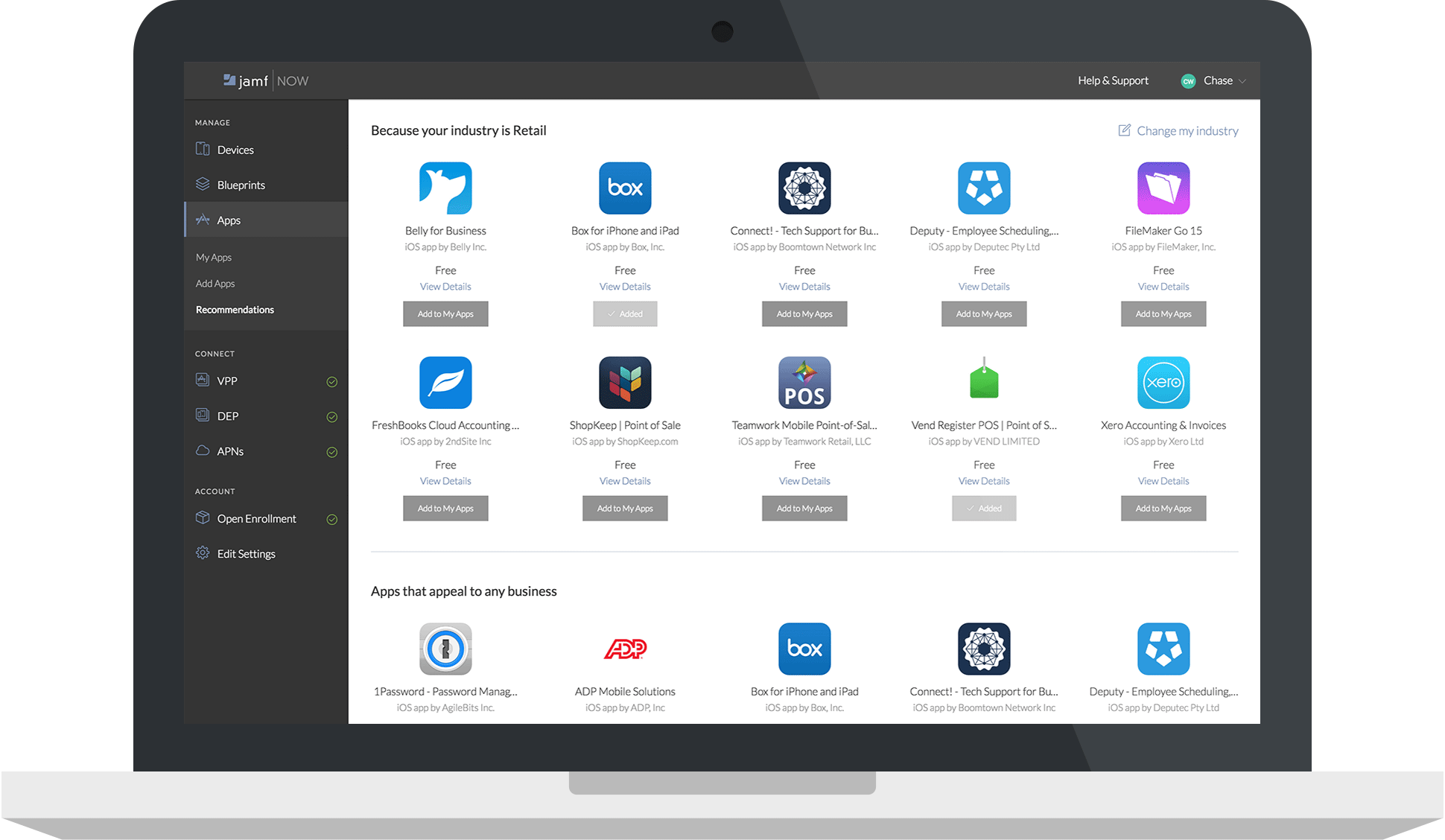
Jamf Now, formerly Bushel, is a cloud-based Mobile Device Management (MDM) solution for iPads, iPhones, and Macs in the workplace. According to the vendor, Jamf Now makes device management accessible and affordable for everyone, so businesses can support their users without help from IT. Jamf Now helps configure settings on all Apple devices quickly and consistently over the air and allows users to manage their devices by centrally deploying apps anytime from anywhere. Jamf Now can be…
N/A
ManageEngine Mobile Device Manager Plus
Score9.1 out of 10
N/A
The ManageEngine Mobile Device Manager Plus application is an enterprise mobile device management (MDM) solution.
N/A
Pricing
Jamf Now
ManageEngine Mobile Device Manager Plus
Editions & Modules
No answers on this topic
No answers on this topic
Offerings
Pricing Offerings
Jamf Now
ManageEngine Mobile Device Manager Plus
Free Trial
Yes
No
Free/Freemium Version
Yes
No
Premium Consulting/Integration Services
No
No
Entry-level Setup Fee
No setup fee
No setup fee
Additional Details
$2 per month per Mac or iOS device.
First 3 devices are free.
Price per month per device, billed monthly. No minimum.
Cancel at any time; no questions asked.
As your needs change, add or remove devices. We bill you based on current number of managed devices.
Anywhere with under 100 Apple devices, I would recommend this service. It was always so simple to add a device you recently purchased to your inventory and be able to check in on it anytime. If they had more than 100, I would recommend Jamf Pro, the enterprise version of this software.
A de minimis incentive was given to thank the reviewer for their time. The incentive was not used to bias or drive a particular response, nor was the incentive contingent on a positive endorsement. More Info
An amazing solution for an organisation of up to 25 devices as they offer a free subscription. You could use this to trial the product at your organisation. The perfect fit for any size of organisation with the software being simple enough for non-technical staff to be able to deploy and manage devices.
Geo tracking: once the mobile app is installed, the phone checks in to our cloud management console and we can ping the location of the device easily.
Lost/stolen device: when a device is lost or stolen, we can make the phone make a sounds to help in finding it or perform a complete wipe to remove any sensitive data.
App management: they make it easy to add mobile apps that can automatically be pushed out to all of the managed devices. It is easy to control what apps you want to have immediately installed, apps you want to make available, or apps you want to block.
A de minimis incentive was given to thank the reviewer for their time. The incentive was not used to bias or drive a particular response, nor was the incentive contingent on a positive endorsement. More Info
I would like to see some more advanced functions for the iOS supervised mode. Maybe pushing iOS updates? Right now we can only see if it requires an update, but can't schedule an update time, etc.
I would like to see Jamf Now work with Apple to allow apps with in-app purchases that can be used with Jamf Now. Right now some apps don't have two versions available in the app store (a full version, and a free version with in-app purchases), so the single version free app with in-app purchases can't be used across our enterprise environment. :(
They could do with a better lost device activation lock. Currently, you can only lock a device from being erased and re-setup if you associate an icloud account with it and turn it on to find the lost device.
A de minimis incentive was given to thank the reviewer for their time. The incentive was not used to bias or drive a particular response, nor was the incentive contingent on a positive endorsement. More Info
Documents are sorted by some random order by default, users need to manually select "sort by A-Z", and even by doing so, coming out of documents and back in will reset the order to the random one. Would be amazing if A-Z was default, or if I could find out what this default order was to edit the files accordingly.
Playing audio files from the app is approached as if it was a video: if you come out of the app or lock the screen, the audio will stop. Would be great if it could act like music apps and keep playing with locked screen.
A de minimis incentive was given to thank the reviewer for their time. The incentive was not used to bias or drive a particular response, nor was the incentive contingent on a positive endorsement. More Info
A de minimis incentive was given to thank the reviewer for their time. The incentive was not used to bias or drive a particular response, nor was the incentive contingent on a positive endorsement. More Info
Working in an environment with just macOS devices, Jamf Now is a great option. With Jamf Now, you get details with configurations that get down to the fine details of each device. Without Jamf Now, it would be a much bigger headache managing our Apple devices. Overall, this application makes our jobs much easier.
A de minimis incentive was given to thank the reviewer for their time. The incentive was not used to bias or drive a particular response, nor was the incentive contingent on a positive endorsement. More Info
The ManageEngine Mobile Device Manager Plus overall usability is very good. So far, they provided all functionalities that we need to manage mobile devices and also applications deployment and security.
No body is perfect and occasionally, but rare, it take a little bit to get a reply on the chat, but overall as compared to other chat sessions it is pretty responsive and fairly quick. They allow you to upload a screen shot if that helps and to reply with solutions via email so I have it as a reference in writing for future problems.
A de minimis incentive was given to thank the reviewer for their time. The incentive was not used to bias or drive a particular response, nor was the incentive contingent on a positive endorsement. More Info
We selected ManageEngine Mobile Device Manager Plus because is one of the best solutions on the market. Very good price, easy deployment, and management. Great support from the vendor. Great user community on forums. Geolocation and real-time management are very useful. The product is constantly improving and offers many possibilities
A de minimis incentive was given to thank the reviewer for their time. The incentive was not used to bias or drive a particular response, nor was the incentive contingent on a positive endorsement. More Info
A de minimis incentive was given to thank the reviewer for their time. The incentive was not used to bias or drive a particular response, nor was the incentive contingent on a positive endorsement. More Info