
Jama Analyze (Discontinued) vs. Zendesk Explore
| Product | Rating | Most Used By | Product Summary | Starting Price |
|---|---|---|---|---|
 Jama Analyze (Discontinued) | Score8 out of 10 | Mid-Size Companies (51-1,000 employees) | Jama Analyze (formerly called Notion) was a solution for quickly creating shareable, custom dashboards. However, the product is no longer available. Jama Software sunset the Analyze product in 2019. Some of the benefits of Jama Analyze included the ability to: Create custom metrics across all teams with data from any source with the intuitive metric builder. Experience self-serve BI with no coding and no IT to get started making custom dashboards.… | $23 per month |
 Zendesk Explore | Score8.7 out of 10 | N/A | Zendesk offers Explore, a business intelligence and customer analytics tool which integrates with the Zendesk suite featuring ticket analytics, custom fields, dashboards, and other features. Zendesk is migrating customers of the BIME analytics product, which is approaching end of support, to Zendesk Explore in 2019. | N/A |
| Jama Analyze (Discontinued) | Zendesk Explore | |||||||||||||||
|---|---|---|---|---|---|---|---|---|---|---|---|---|---|---|---|---|
| Editions & Modules |
| No answers on this topic | ||||||||||||||
| Offerings |
| |||||||||||||||
| Entry-level Setup Fee | No setup fee | No setup fee | ||||||||||||||
| Additional Details | — | — | ||||||||||||||
| More Pricing Information | ||||||||||||||||
| Jama Analyze (Discontinued) | Zendesk Explore | |
|---|---|---|
| Considered Both Products | No answer on this topic | No answer on this topic |
| Key User Insights | ||
| Would buy again | ||
No answers on this topic | 100% Would buy again 7 Answers | |
| Delivers good value for the price | ||
No answers on this topic | 100% Delivers good value for the price 6 Answers | |
| Happy with the feature set | ||
No answers on this topic | 100% Happy with the feature set 7 Answers | |
| Lived up to sales and marketing promises | ||
No answers on this topic | No answers on this topic | |
| Implementation went as expected | ||
No answers on this topic | 100% Implementation went as expected 6 Answers | |
| Jama Analyze (Discontinued) | Zendesk Explore | ||||||||||||||||||||||
|---|---|---|---|---|---|---|---|---|---|---|---|---|---|---|---|---|---|---|---|---|---|---|---|
| BI Standard Reporting |
| ||||||||||||||||||||||
| Ad-hoc Reporting |
| ||||||||||||||||||||||
| Report Output and Scheduling |
| ||||||||||||||||||||||
| Data Discovery and Visualization |
| ||||||||||||||||||||||
| Access Control and Security |
| ||||||||||||||||||||||
| Mobile Capabilities |
| ||||||||||||||||||||||
| Application Program Interfaces (APIs) / Embedding |
| ||||||||||||||||||||||
| Jama Analyze (Discontinued) | Zendesk Explore | |
|---|---|---|
| Small Businesses |  Cyfe Score8.8 out of 10 | Cyfe Score8.8 out of 10 |
| Medium-sized Companies | Zendesk Explore Score8.7 out of 10 |  Geckoboard Score6.2 out of 10 |
| Enterprises |  Jaspersoft Community Edition Score9.7 out of 10 | Jaspersoft Community Edition Score9.7 out of 10 |
| All Alternatives | View all alternatives | View all alternatives |
| Jama Analyze (Discontinued) | Zendesk Explore | |
|---|---|---|
| Likelihood to Recommend | 8.0 | 9.5 |
| Usability | - | 10.0 |
| Support Rating | - | 10.0 |
| Data Sharing and Collaboration | 9.0 | 8.2 |
| Data Sources | 8.0 | 7.3 |
| Jama Analyze (Discontinued) | Zendesk Explore | |
|---|---|---|
| Likelihood to Recommend |
|
|
| Pros |
|
|
| Cons |
|
|
| Usability | No answers on this topic |
|
| Support Rating | No answers on this topic |
|
| Alternatives Considered |
|
|
| Return on Investment | No answers on this topic |
|
| ScreenShots | Jama Analyze (Discontinued) Screenshots     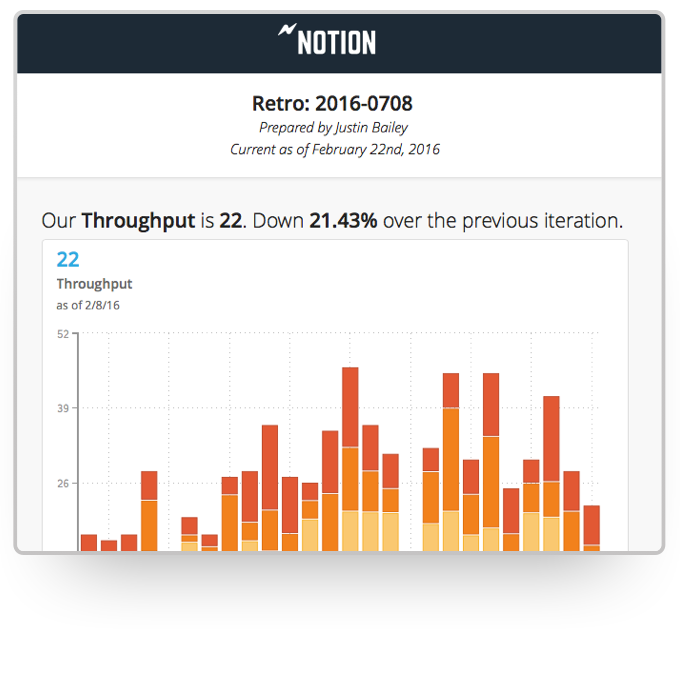 |

