
Ivanti Endpoint Manager vs. SecPod SanerNow
Ivanti Endpoint Manager vs. SecPod SanerNow
| Product | Rating | Most Used By | Product Summary | Starting Price |
|---|---|---|---|---|
 Ivanti Endpoint Manager | N/A | Ivanti Endpoint Manager increases user and IT productivity by helping IT administrators gather detailed device data, automate software and OS deployments, and quickly fix user issues. | N/A | |
 SecPod SanerNow | Mid-Size Companies (51-1,000 employees) | SecPod's SanerNow platform for unified endpoint security and systems management queries systems to find aberrations, and helps systems to retain normality. SanerNow has six different tools: Vulnerability Management (VM) Patch Management (PM) Asset Management (AM) Compliance Management (CM) Endpoint Threat Detection Response (EDR) Endpoint Management (EM) Just as a computing infrastructure can be provisioned, a similar… | N/A |
| Ivanti Endpoint Manager | SecPod SanerNow | |||||||||||||||
|---|---|---|---|---|---|---|---|---|---|---|---|---|---|---|---|---|
| Editions & Modules | No answers on this topic | No answers on this topic | ||||||||||||||
| Offerings |
| |||||||||||||||
| Entry-level Setup Fee | No setup fee | Optional | ||||||||||||||
| Additional Details | — | — | ||||||||||||||
| More Pricing Information | ||||||||||||||||
| Ivanti Endpoint Manager | SecPod SanerNow |
|---|
| Ivanti Endpoint Manager | SecPod SanerNow | |
|---|---|---|
| Small Businesses |  Avast CloudCare Score 10.0 out of 10 | Avast CloudCare Score 10.0 out of 10 |
| Medium-sized Companies |  KACE Systems Management Appliance Score 10.0 out of 10 | KACE Systems Management Appliance Score 10.0 out of 10 |
| Enterprises | KACE Systems Management Appliance Score 10.0 out of 10 | KACE Systems Management Appliance Score 10.0 out of 10 |
| All Alternatives | View all alternatives | View all alternatives |
| Ivanti Endpoint Manager | SecPod SanerNow | |
|---|---|---|
| Likelihood to Recommend | 6.1 (36 ratings) | - (0 ratings) |
| Likelihood to Renew | 7.9 (4 ratings) | - (0 ratings) |
| Usability | 6.0 (3 ratings) | - (0 ratings) |
| Support Rating | 8.4 (3 ratings) | - (0 ratings) |
| Ivanti Endpoint Manager | SecPod SanerNow | |
|---|---|---|
| Likelihood to Recommend |  Ivanti
| SecPod Technologies No answers on this topic |
| Pros | Ivanti
 Jesse Miller IT Specialist | SecPod Technologies No answers on this topic |
| Cons | Ivanti
| SecPod Technologies No answers on this topic |
| Likelihood to Renew | Ivanti
 Adam Howard System Administrator | SecPod Technologies No answers on this topic |
| Usability | Ivanti
| SecPod Technologies No answers on this topic |
| Support Rating | Ivanti
| SecPod Technologies No answers on this topic |
| Alternatives Considered | Ivanti
| SecPod Technologies No answers on this topic |
| Return on Investment | Ivanti
| SecPod Technologies No answers on this topic |
| ScreenShots | SecPod SanerNow Screenshots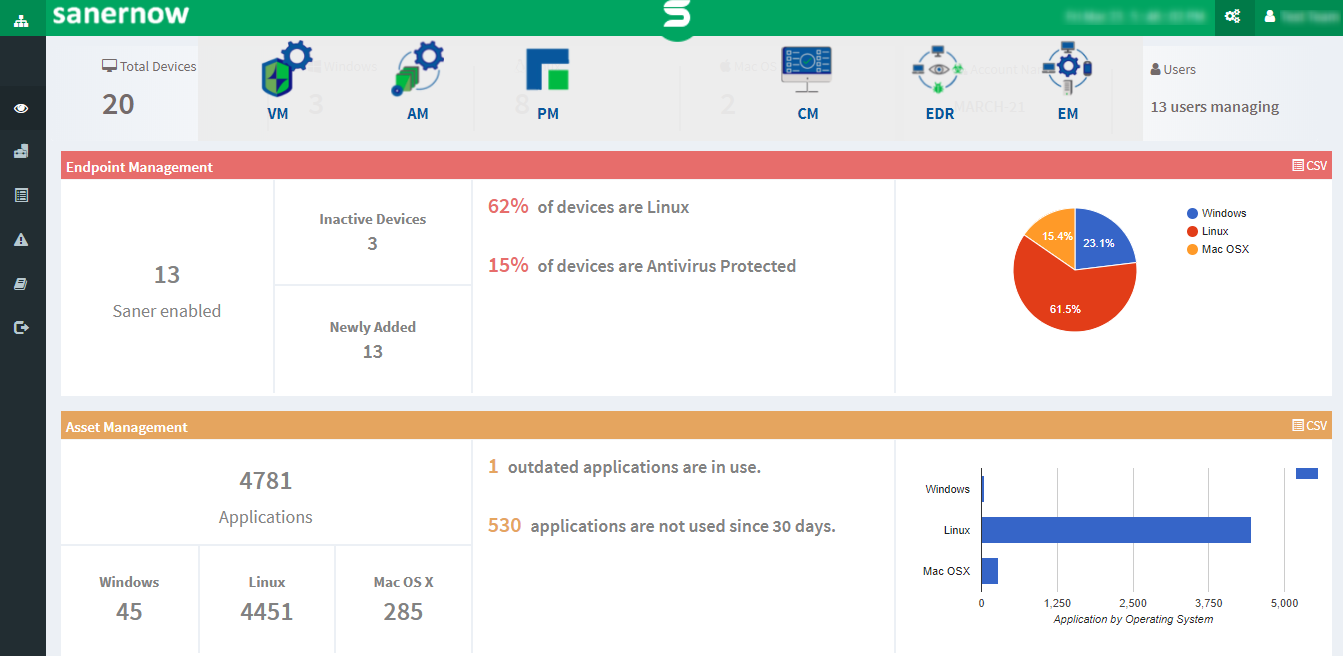  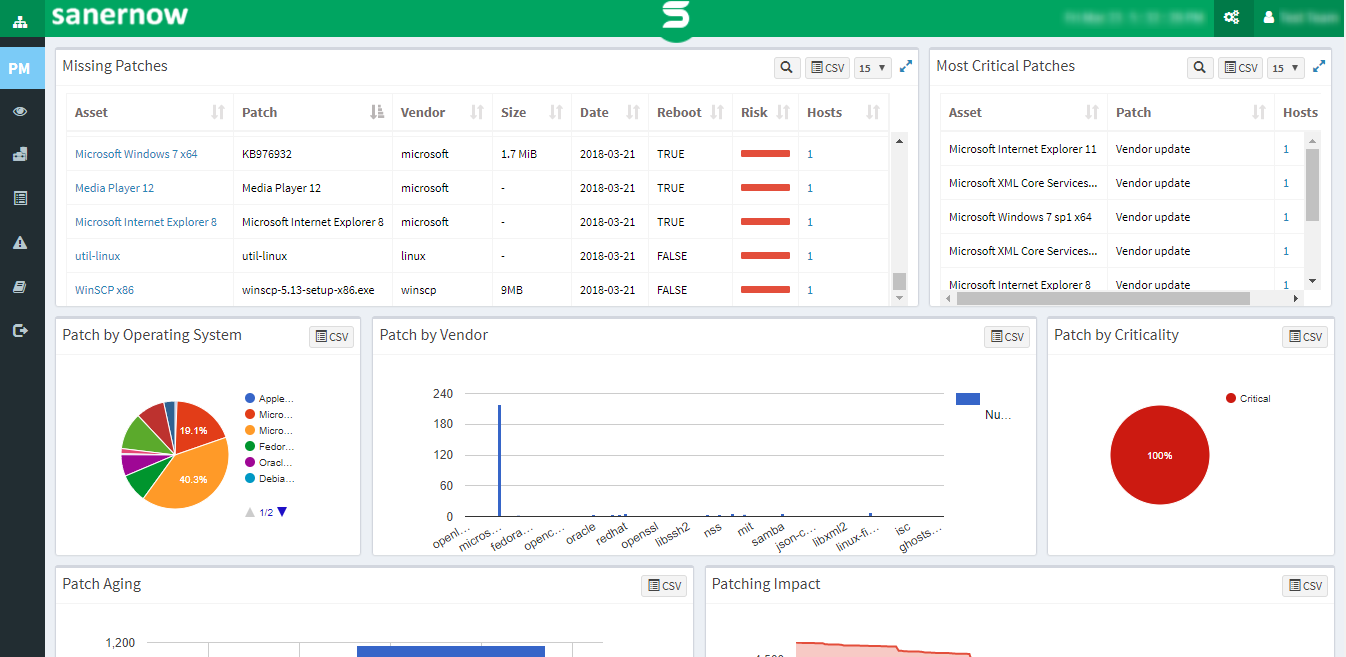 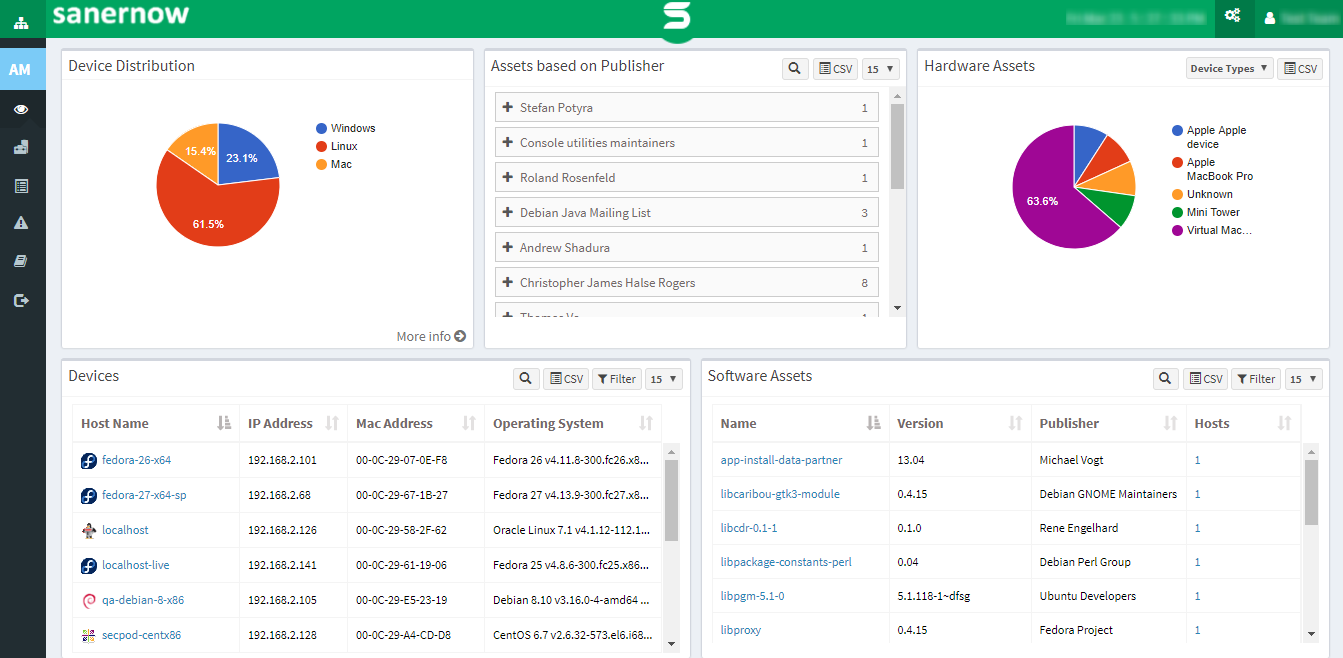   |