ITCS-WebClock vs. TimeCamp

Overview
ProductRatingMost Used ByProduct SummaryStarting Price
ITCS-WebClock
Score 9.0 out of 10
N/A
N/AN/A
TimeCamp
Score 8.3 out of 10
Small Businesses (1-50 employees)
TimeCamp is cloud based, multi-platform (Windows, Mac, Linux, iOS, Android) time tracking and invoicing software.
$0
For unlimited users
Pricing
ITCS-WebClockTimeCamp
Editions & Modules
No answers on this topic
Free
$0
For unlimited users
Starter
$2.99
per month per user
Premium
$4.99
per month per user
Ultimate
$7.99
per month per user
Enterprise
Custom
Offerings
Pricing Offerings
ITCS-WebClockTimeCamp
Free Trial
YesYes
Free/Freemium Version
NoYes
Premium Consulting/Integration Services
NoNo
Entry-level Setup FeeNo setup feeNo setup fee
Additional DetailsFree plan includes: unlimited users, unlimited rojects & tasks, project templates, bulk edit, desktop & mobile app, one integration, tags, PDF export
More Pricing Information
Community Pulse
ITCS-WebClockTimeCamp
User Ratings
ITCS-WebClockTimeCamp
Likelihood to Recommend
9.0
(0 ratings)
8.6
(0 ratings)
Support Rating
-
(0 ratings)
8.0
(0 ratings)
User Testimonials
ITCS-WebClockTimeCamp
Likelihood to Recommend
No answers on this topic
TimeCamp
is a software designed for mobile devices that allows us to keep track of the
working hours of employees without the use of a computer. It also allows us to
send notifications to employees when their workday is approaching.


TimeCamp
allows you to add taxes, calculate payroll and invoice everything in one place.


TimeCamp
is useful to create the payment plan of each employee; automatically calculates
the discounts for the taxes that must be paid, facilitating the task of
processing payroll payments.


TimeCamp
makes it easy to calculate ROI by evaluating and comparing hourly labor costs
to revenue.


TimeCamp
makes it easy to review the workday while budgeting for new initiatives and
paying employees.
Read full review
Pros
  • Provides alerts for missed punches
  • Allows EE to review and approve their timesheet
  • Easy to use reporting system
Read full review
  • Easy time tracking with the Windows desktop app.
  • Time tracking management for editing and adding entries manually.
  • In-depth reporting with unlimited view possibilities.
  • iPhone app for tracking and viewing time entries.
  • Allows for computer activity tracking. Is helpful for fixing time entries, when I've incorrectly assigned my time.
Read full review
Cons
No answers on this topic
  • TimeCamp is a little bit expensive. It needs overall improvement in all tools. Moreover, the mobile version is not as useful as the web version of TimeCamp.
  • Other than that, customer service needs more attention and requires more improvement.
  • Also, I feel like that if there are more features of TimeCamp then it would be better.
Read full review
Support Rating
No answers on this topic
I am giving support a rating of 8 but that is quite arbitrary. Honestly, we have never had the need to contact support for any reason. There has not been a situation where we became stuck and could not figure out how to work through it. Sign up was easy and billing is like clockwork so there has been no need to contact billing support. I think this is a testament to the ease of use of TimeCamp.
Read full review
Alternatives Considered
MITC was our old phone based platform and ITCS is so much better. When reviewing replacements, all options seemed to stack up to each other pretty equally
Read full review
Ultimately I selected Clockify instead of TimeCamp. As previously mentioned, I believe that TimeCamp wasn't that intuitive, and too many things were behind pay walls. Clockify offered the same features mostly for free. Although TimeCamps UX was sleeker than Clockify's I found that Clockify was a better fit for me.
Read full review
Return on Investment
  • Less employee time spent trying to clock in
  • Less manager time spent in managing timesheets
Read full review
  • The most positive impact it has had is that we are able to accurately track our clients billed time. This has streamlined our process giving us a more efficient system.
  • One thing that timecamp can do is track computer time that is non billed time. This allow us to see where time is being wasted which does have a direct effect on out ROI.
Read full review
ScreenShots

TimeCamp Screenshots

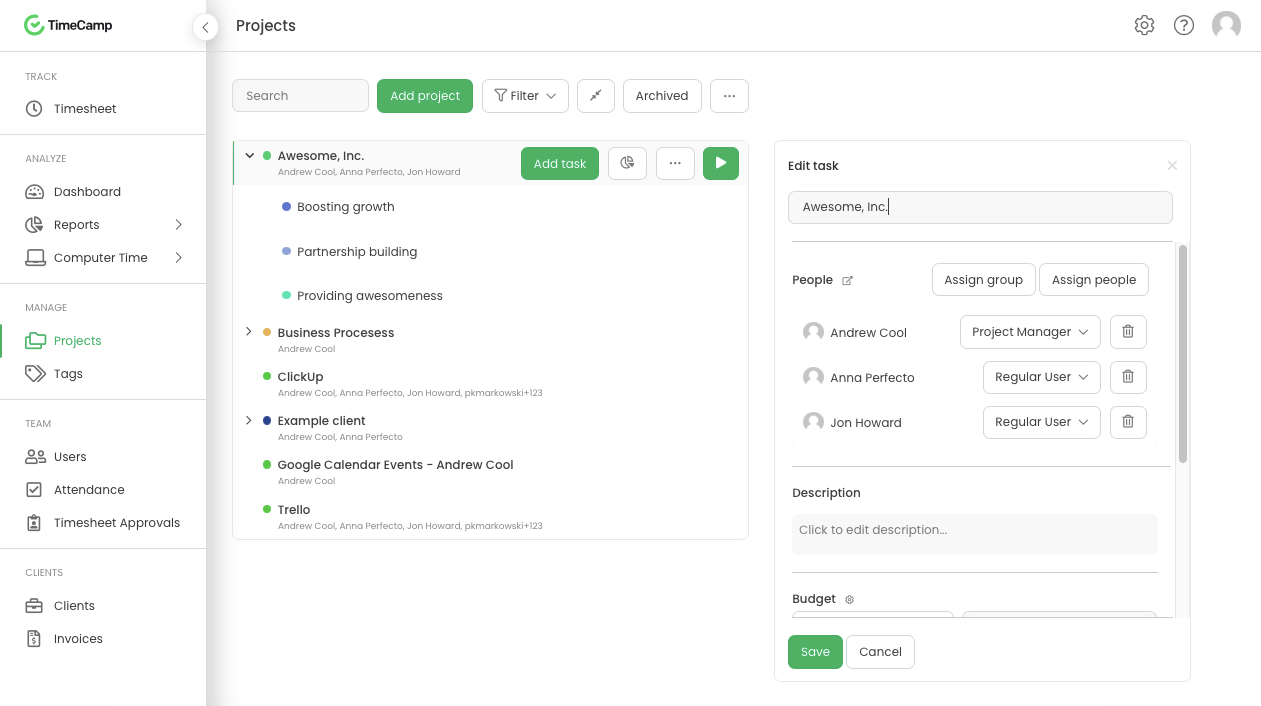
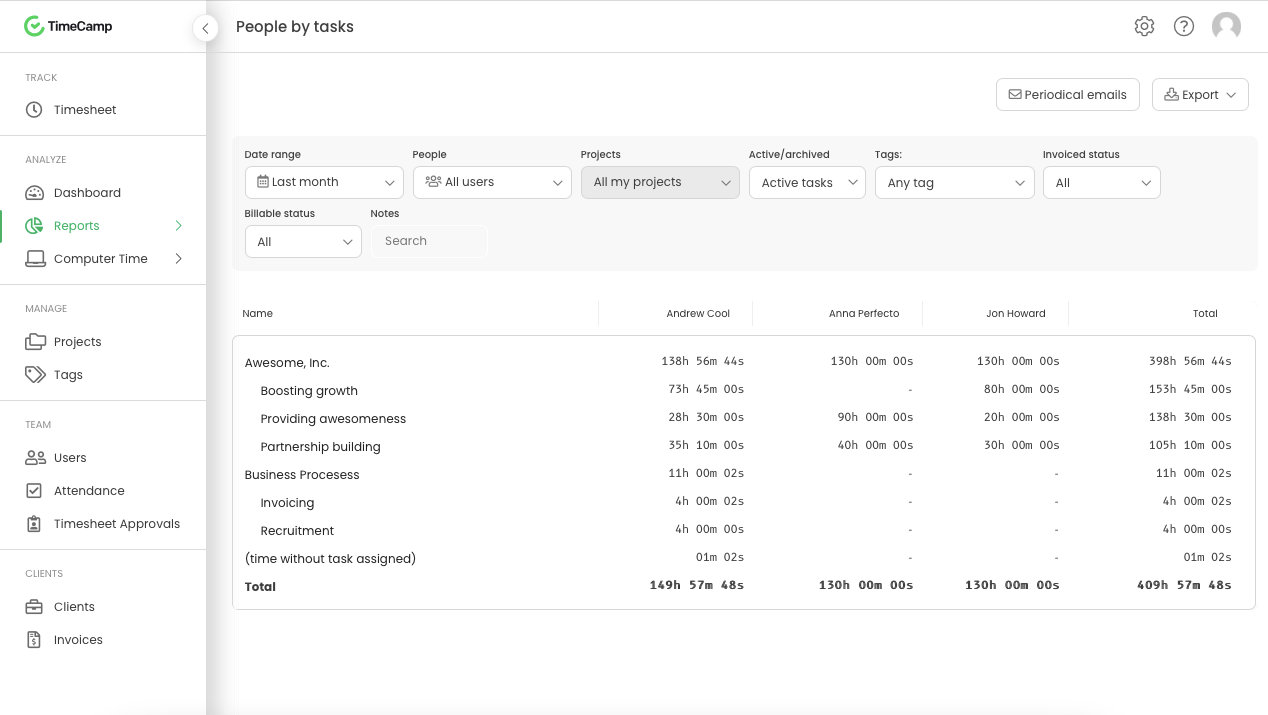
Screenshot of Daily timesheet viewScreenshot of Weekly timesheet viewScreenshot of ProjectsScreenshot of People by task reportScreenshot of Attendance