Made in Switzerland, Smallpdf is a company that offers a suite of document management tools for everyone-for work, for home, for life. Founded in Switzerland in 2013, Smallpdf provides what they describe as a simple, secure, and reliable answer to the world's PDF challenges. Smallpdf boasts serving over a billion users in 24 different languages since 2013, and in every country in the world.
I would suggest Smallpdf for simple needs in terms of PDFs management that can be [easily] resolved such as: size compression, deleting of pages and file conversions. This tool is very user-friendly and easy to use, it is available online so the user doesn't need to download any software. In case of heavy files compression, the tool isn't appropriate since it doesn't support heavy documents.
One of the best things that Smallpdf does is pdf conversion both to and from pdf. It is especially great to transform pdf tables into Excel documents.
PDF splitting is really great since allows for cropping large files and just keep the information necessary; something that comes really handy when presenting information to your supervisors.
PDF merging also works wonders, it allows for mixing several different pdf documents into just one of them. It is extremely easy to set up.
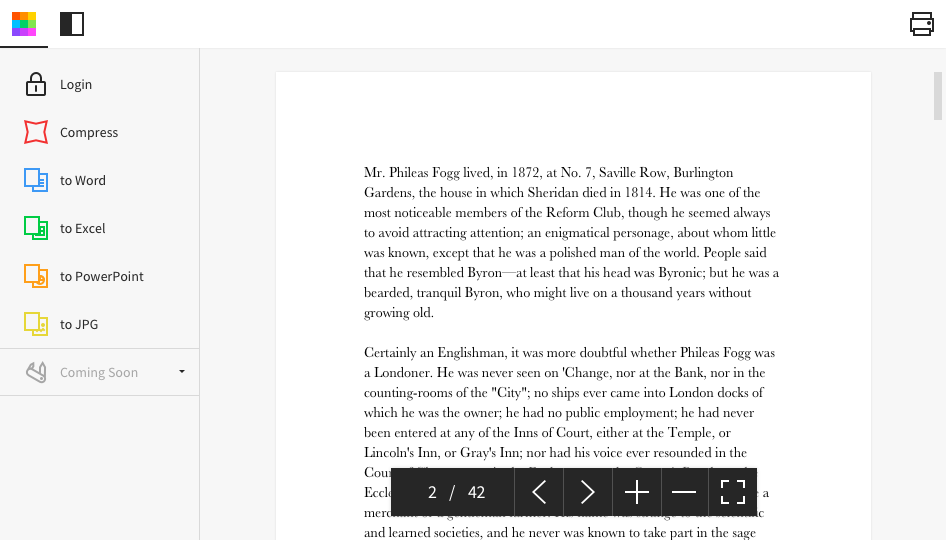
This a really fast pdf reader, it feels really fast compared to other options that tend to feel clunky. Its workspace is super comfortable and well organized so finding a tool you need is always a simple task.
Its usability in my work is very important. I have to share various documents with my clients very frequently and most of the documents I send them are in PDF format only. So I use this software very much to convert my Word and Excel files into PDF. And whenever I need to send large file to my clients, I convert them into PDFs and compress them with this tool and then I send those files to my clients.
1.- Because it is easy to use and each function is duly indicated so you can not go wrong. 2.- Its service is fast, it takes only a few seconds to transform the files and in less than a minute it is downloaded and you can occupy it without problem. 4.-This IS online so you do not install anything, which is very useful because you can also use it from a tablet or your mobile
Everything is so simple and works so well, you shouldn't need support, but on the one occasion in several years that I needed it, support was quick and courteous.
As per my understanding, Smallpdf stacks up against the above tool because it is easy to use, the targeted goal only for pdf, handy, and one more thing is that small pdf has created the application for android and iOS. I really found Smallpdf helpful when using it on the fly. Small pdf not only provides for the PDF it also provides the different functions for the other files like excel, HTML, doc, ppt, and many more.
From an initial cost perspective, we've gone from a collection of free and freemium software products that we used in combination to do what we wanted, to paying Smallpdf's per-user license fee.
We estimate that creating the same final product with our old method took about 30 minutes per 1-100 page file. We are now down to approximately 10 minutes, if the input material does not require much manipulation.
Around 50% of tasks used to require advice from a highly-technical user to fix unexpected errors. With Smallpdf we estimate we are now down to less than 20%.
For things that Smallpdf cannot do we find ourselves falling back to old methods which can sometimes create wasted time when we only realize that Smallpdf is not up to the task in the middle of the job.