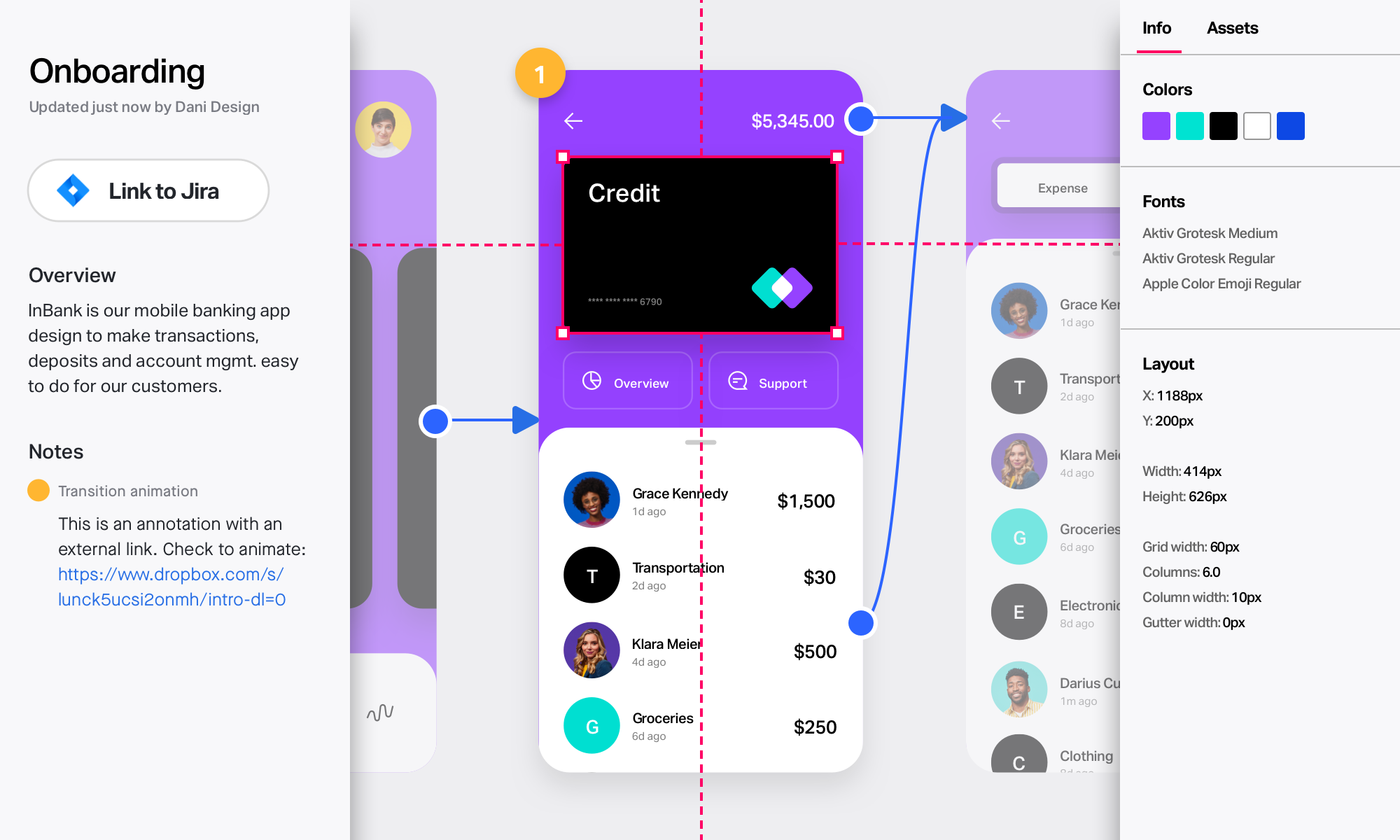
InVision is a collaborative design and prototyping platform with features such as freehand drafting mode and interactive mockups, collaboration, idea management, user testing, and integration with Slack and other collaboration tools. According to the vendor, 1 million designers are using the free version.
$0
Marvel
Score9 out of 10
N/A
Marvel is a prototyping and wireframing app.
N/A
Pricing
InVision
Marvel
Editions & Modules
Free
$0
Pro
$7.75
per user/per month
Enterprise
Contact Sales
No answers on this topic
Offerings
Pricing Offerings
InVision
Marvel
Free Trial
No
No
Free/Freemium Version
No
No
Premium Consulting/Integration Services
No
No
Entry-level Setup Fee
No setup fee
No setup fee
Additional Details
—
—
More Pricing Information
Community Pulse
InVision
Marvel
Considered Both Products
InVisionApp Inc.
Verified User
Chose InVision
Compared to other tools, InVision is a very solid tool with a great reputation and prototyping functionalities to back it up. InVision was the first prototyping tool we purchased, and it’s served us really well. However, more and more design tools are now also providing …
A de minimis incentive was given to thank the reviewer for their time. The incentive was not used to bias or drive a particular response, nor was the incentive contingent on a positive endorsement. More Info
Verified User
Chose InVision
I decided to switch to Zeplin and Principle after using InVision. The whole workflow becomes bit faster and simpler. I will upload all design files into Zeplin and share them with our developers. At the same time, I use Principle to create dynamic animation/transition between …
A de minimis incentive was given to thank the reviewer for their time. The incentive was not used to bias or drive a particular response, nor was the incentive contingent on a positive endorsement. More Info
Director of Product Experience in Research & Development at WuXi NextCODE (Biotechnology, 201-500 employees)
Chose InVision
We started using Marvel for rapid prototyping and the two are fairly analogous. In the end team and enterprise functionality drove the switch from one tool to the other. Another tool we had used is Axure, and for truly advanced, data driven prototyping, it's still the tool to …
A de minimis incentive was given to thank the reviewer for their time. The incentive was not used to bias or drive a particular response, nor was the incentive contingent on a positive endorsement. More Info
Axure is expensive, and there's a much bigger then you get with InVision. I also feel like the finished prototype just never looks as nice. I do still use Balsamiq on occasion, that's the best option when you want to create something quickly, to communicate a simple idea. …
A de minimis incentive was given to thank the reviewer for their time. The incentive was not used to bias or drive a particular response, nor was the incentive contingent on a positive endorsement. More Info
Web Developer in Engineering at Upwork (Information Technology and Services, 201-500 employees)
Chose InVision
Marvel is also a good prototyping tool. I have experimented these two tools for my prototyping work, and both seemed very good to me. Maybe for some people Marvel may have and easy to lean dashboard and features, but I love to use InVision. I don't really find any major …
A de minimis incentive was given to thank the reviewer for their time. The incentive was not used to bias or drive a particular response, nor was the incentive contingent on a positive endorsement. More Info
MarvelApp
Verified User
Chose Marvel
In some works, I prefer to use InVision than Marvel for high fidelity prototypes, as there is a wide variety of interactions and micro-interactions available, but still, I use marvel a lot for quick prototyping. It also uses Figma a lot for high-fidelity prototypes. The …
A de minimis incentive was given to thank the reviewer for their time. The incentive was not used to bias or drive a particular response, nor was the incentive contingent on a positive endorsement. More Info
Verified User
Chose Marvel
Marvel isn’t the most robust prototyping tool, but its simplicity is what makes the tool rise to the top when it comes to creating quick, simple prototypes to elicit feedback on designs and iterate upon them. While tools like InVision and Axure provide many tools to make more …
A de minimis incentive was given to thank the reviewer for their time. The incentive was not used to bias or drive a particular response, nor was the incentive contingent on a positive endorsement. More Info
Verified User
Chose Marvel
Ultimately, InVision was just a better fit for our company's needs. It's probably faster to create prototypes using Marvel, but InVision's collaboration features (comments, notes, etc.) are much more robust, which was helpful for our large team spread across multiple …
A de minimis incentive was given to thank the reviewer for their time. The incentive was not used to bias or drive a particular response, nor was the incentive contingent on a positive endorsement. More Info
Desarrollador AngularJs - Front-End Developer in Research & Development at Global Consulting Factory (Computer Software, 51-200 employees)
Chose Marvel
Marvel creates prototypes much faster than InVision. Both tools use global hotspots---a global hotspot is a linked area which is visible on multiple screens. Marvel has a better UX for setting up new hotspots. Marvel asks only necessary questions, does not interrupt the flow, …
A de minimis incentive was given to thank the reviewer for their time. The incentive was not used to bias or drive a particular response, nor was the incentive contingent on a positive endorsement. More Info
Visual and Experience Designer at Freelance, Various Clients (Design, 1-10 employees)
Chose Marvel
Marvel has replaces InVision for me in terms of quick prototyping for high-fidelity mockups. There is a greater variety of interactions, especially between screens, and overall it seems to just have a sleeker feels. I still use Principle over Marvel for more detailed …
A de minimis incentive was given to thank the reviewer for their time. The incentive was not used to bias or drive a particular response, nor was the incentive contingent on a positive endorsement. More Info
InVision is well suited for design reviews and immersing yourself in the experience of an app-to-be. As a Product Manager, it's difficult to take abstract concepts, user pain points, and business needs, and produce a vision for an app without a visual aid to communicate a vision. InVIsion offers PMs, designers, and developers the opportunity to sketch a vision, communicate about it with inline commenting, and shareable with other stakeholders.
A de minimis incentive was given to thank the reviewer for their time. The incentive was not used to bias or drive a particular response, nor was the incentive contingent on a positive endorsement. More Info
Marvel is a very strong tool in scenarios where designers seek to quickly create simple prototypes on their desktops using a simple, intuitive interface. It offers “just enough” functionality to create somewhat realistic designs to present to stakeholders and other designers. However, there’s a limit to how “realistic” those designs can be, given that Marvel has somewhat limited functionality around animations. Marvel is not a strong option for those who want to create very complex prototypes with many animations, or for those who want to edit prototypes on their tablet or phone. Marvel is a jewel for simplicity but starts to be difficult to use when creating complicated designs. For creating more complicated prototypes, I would recommend a more robust tool, such as Axure.
A de minimis incentive was given to thank the reviewer for their time. The incentive was not used to bias or drive a particular response, nor was the incentive contingent on a positive endorsement. More Info
A de minimis incentive was given to thank the reviewer for their time. The incentive was not used to bias or drive a particular response, nor was the incentive contingent on a positive endorsement. More Info
A de minimis incentive was given to thank the reviewer for their time. The incentive was not used to bias or drive a particular response, nor was the incentive contingent on a positive endorsement. TR verified that a representative sample of customers was invited. More Info
I really miss being able to duplicate, make a copy of the prototype I'm working on. Sometimes, I want to make a comparison with detail changes and without being able to duplicate it is difficult.
Compared to other similar services, I feel the animations could be more fluid and smoother.
It could have more free sophisticated icons and images.
A de minimis incentive was given to thank the reviewer for their time. The incentive was not used to bias or drive a particular response, nor was the incentive contingent on a positive endorsement. More Info
A de minimis incentive was given to thank the reviewer for their time. The incentive was not used to bias or drive a particular response, nor was the incentive contingent on a positive endorsement. More Info
A de minimis incentive was given to thank the reviewer for their time. The incentive was not used to bias or drive a particular response, nor was the incentive contingent on a positive endorsement. More Info
I didn't need to contact InVision support, as I've never needed it. They have an intuitive UI, and most of the questions are answered in their help portal or in tutorials online. Since many people use it, there a great resources available on for example YouTube. No problems so far with InVision.
A de minimis incentive was given to thank the reviewer for their time. The incentive was not used to bias or drive a particular response, nor was the incentive contingent on a positive endorsement. More Info
We only tested out using Adobe XD for similar uses and found it to be more challenging to fit within our processes. It didn't have as robust a set of capabilities as InVision and wasn't as easy to use enterprise wide. I recall also having issues with working with Sketch.
A de minimis incentive was given to thank the reviewer for their time. The incentive was not used to bias or drive a particular response, nor was the incentive contingent on a positive endorsement. More Info
Ultimately, InVision was just a better fit for our company's needs. It's probably faster to create prototypes using Marvel, but InVision's collaboration features (comments, notes, etc.) are much more robust, which was helpful for our large team spread across multiple continents. InVision also offers more advanced features, and Marvel felt a little too limited for our overall business needs.
A de minimis incentive was given to thank the reviewer for their time. The incentive was not used to bias or drive a particular response, nor was the incentive contingent on a positive endorsement. More Info
InVision helps our team better and more professionally portray the value and the work we do as designers, leading to more company buy-in in supporting and funding our work. In the past, we would create PowerPoints with screenshots to portray a user workflow that we would share out to stakeholders. Once we began to use this app, where stakeholders could click through and comment as though they were “real” users, stakeholders began to better understand our work, designs, and workflows. This has led to more productive conversations that, in turn, lead to more effective end products that have more consistently served our business goals in tangible ways.
InVision helps us save production time, effort, and cost, as we are able to solve design issues early in the process by having clickable prototypes to show to internal stakeholders and external users. It’s, understandably, difficult for people to provide effective feedback on screenshots. Using the clickable prototypes we created in InVision, we are able to get more effective feedback to solve user workflow issues before we spend time and money developing problematic designs (and later having to redesign them).
It’s easier to market designs to potential buyers with clickable prototypes than with screenshots. With these prototypes, we’ve been able to sell more digital products before product release dates, which has helped to secure many contracts and new business relationships that continue to this day.
A de minimis incentive was given to thank the reviewer for their time. The incentive was not used to bias or drive a particular response, nor was the incentive contingent on a positive endorsement. More Info
A de minimis incentive was given to thank the reviewer for their time. The incentive was not used to bias or drive a particular response, nor was the incentive contingent on a positive endorsement. More Info