
InvGate Assets vs. KACE Systems Management Appliance (SMA)
InvGate Assets vs. KACE Systems Management Appliance (SMA)
| Product | Rating | Most Used By | Product Summary | Starting Price |
|---|---|---|---|---|
 InvGate Assets | N/A | InvGate Assets is the IT asset management platform from Argentinian company InvGate. | N/A | |
 KACE Systems Management Appliance | N/A | Quest now offers the KACE Systems Management Appliance (SMA) as an IT Asset tracking and management appliance (also available as a virtual deployment if hardware requirements are met). Beyond discovery, inventory tracking and license management, KACE emphasizes automating software upgrade distribution with minimal end-user disruption, featuring remote replication for multi-site upgrades and rollouts. KACE SMA may be bundled with KACE Cloud Mobile Device Management (MDM) to form a complete UEM… | N/A |
| InvGate Assets | KACE Systems Management Appliance (SMA) | |||||||||||||||
|---|---|---|---|---|---|---|---|---|---|---|---|---|---|---|---|---|
| Editions & Modules | No answers on this topic | No answers on this topic | ||||||||||||||
| Offerings |
| |||||||||||||||
| Entry-level Setup Fee | No setup fee | No setup fee | ||||||||||||||
| Additional Details | — | — | ||||||||||||||
| More Pricing Information | ||||||||||||||||
| InvGate Assets | KACE Systems Management Appliance (SMA) |
|---|
| InvGate Assets | KACE Systems Management Appliance (SMA) | ||||||||||||||||||
|---|---|---|---|---|---|---|---|---|---|---|---|---|---|---|---|---|---|---|---|
| IT Asset Management |
|
| InvGate Assets | KACE Systems Management Appliance (SMA) | |
|---|---|---|
| Small Businesses |  Atera Score 8.7 out of 10 | Atera Score 8.7 out of 10 |
| Medium-sized Companies | KACE Systems Management Appliance Score 10.0 out of 10 |  ManageEngine ServiceDesk Plus Score 9.2 out of 10 |
| Enterprises | KACE Systems Management Appliance Score 10.0 out of 10 | ManageEngine ServiceDesk Plus Score 9.2 out of 10 |
| All Alternatives | View all alternatives | View all alternatives |
| InvGate Assets | KACE Systems Management Appliance (SMA) | |
|---|---|---|
| Likelihood to Recommend | 4.0 (1 ratings) | 10.0 (12 ratings) |
| Usability | - (0 ratings) | 8.6 (3 ratings) |
| Support Rating | - (0 ratings) | 9.5 (4 ratings) |
| InvGate Assets | KACE Systems Management Appliance (SMA) | |
|---|---|---|
| Likelihood to Recommend |  InvGate
 Kevin Smith Information Systems Manager |  Quest Software
 Thayer Ramahi Director, IMIT |
| Pros | InvGate
Kevin Smith Information Systems Manager | Quest Software
 Jeff Nickles Vice President, Information Technology |
| Cons | InvGate
Kevin Smith Information Systems Manager | Quest Software
|
| Usability | InvGate No answers on this topic | Quest Software
|
| Support Rating | InvGate No answers on this topic | Quest Software
|
| Alternatives Considered | InvGate
Kevin Smith Information Systems Manager | Quest Software
|
| Return on Investment | InvGate
Kevin Smith Information Systems Manager | Quest Software
|
| ScreenShots | InvGate Assets Screenshots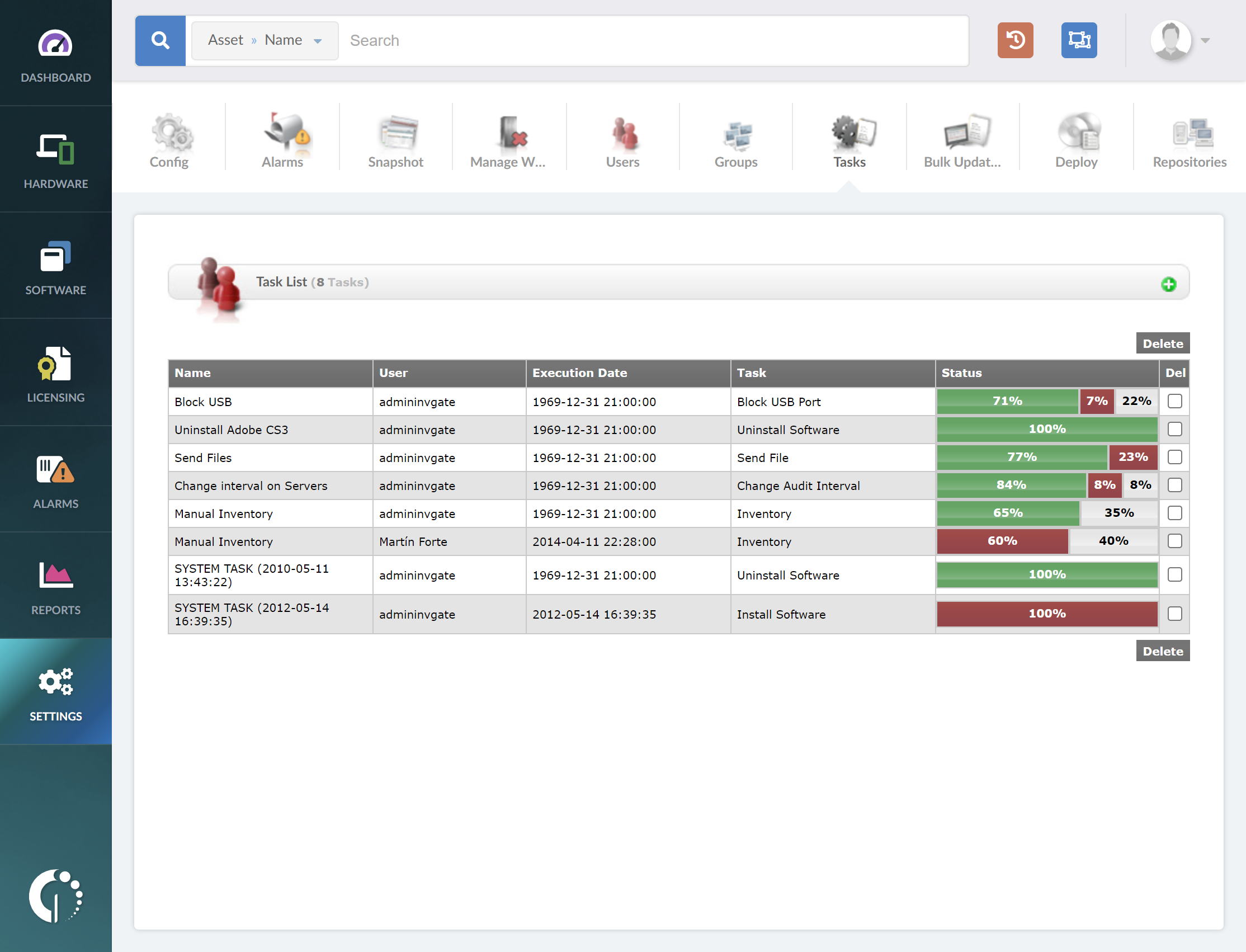 |