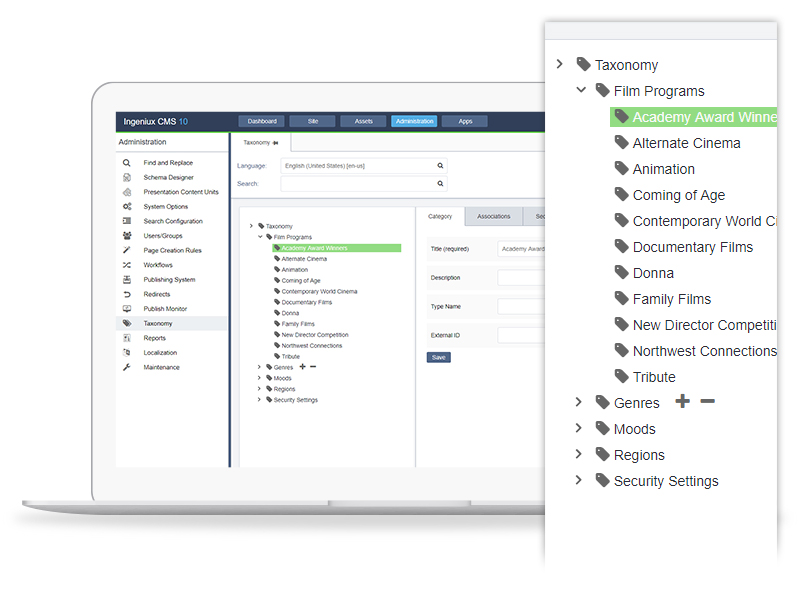
Ingeniux is a provider of web content management and
digital experience software. The vendor states their solutions are built to enable organizations to orchestrate
the entire customer experience – from acquisition through to support and
service – on any device, application, or website. Ingeniux CMS is designed to
manage and deliver modern websites, customer support portals, online
communities, and other customer touchpoints.
The vendor further states Ingeniux builds content…
N/A
Modern Campus CMS
Score9.2 out of 10
N/A
Modern Campus CMS (formerly Omni Campus) is a CMS for institutions of higher education. It can be deployed as a cloud-based service or hosted locally. It is built in Java, uses open standards, and is extensible through APIs.
N/A
Pricing
Ingeniux CMS
Modern Campus CMS
Editions & Modules
No answers on this topic
No answers on this topic
Offerings
Pricing Offerings
Ingeniux CMS
Modern Campus CMS
Free Trial
No
Yes
Free/Freemium Version
No
No
Premium Consulting/Integration Services
Yes
Yes
Entry-level Setup Fee
No setup fee
Required
Additional Details
—
—
More Pricing Information
Features
Ingeniux CMS
Modern Campus CMS
Security
Comparison of Security features of Ingeniux CMS and Modern Campus CMS
Feature
Ingeniux CMS
9.1
7 Ratings
12% above category average
Modern Campus CMS
10.0
6 Ratings
21% above category average
Role-based user permissions
9.17 Ratings
10.06 Ratings
Platform & Infrastructure
Comparison of Platform & Infrastructure features of Ingeniux CMS and Modern Campus CMS
Feature
Ingeniux CMS
8.2
5 Ratings
8% above category average
Modern Campus CMS
9.3
5 Ratings
20% above category average
API
8.35 Ratings
8.65 Ratings
Internationalization / multi-language
8.14 Ratings
10.04 Ratings
Web Content Creation
Comparison of Web Content Creation features of Ingeniux CMS and Modern Campus CMS
Feature
Ingeniux CMS
8.4
7 Ratings
8% above category average
Modern Campus CMS
8.9
6 Ratings
14% above category average
WYSIWYG editor
8.33 Ratings
9.26 Ratings
Code quality / cleanliness
8.33 Ratings
9.26 Ratings
Admin section
9.16 Ratings
9.26 Ratings
Page templates
7.47 Ratings
9.65 Ratings
Mobile optimization / responsive design
8.16 Ratings
8.85 Ratings
Publishing workflow
8.37 Ratings
9.26 Ratings
Form generator
9.01 Ratings
6.03 Ratings
Library of website themes
00 Ratings
10.02 Ratings
Web Content Management
Comparison of Web Content Management features of Ingeniux CMS and Modern Campus CMS
This is a CMS solution that uses ASP and now XSLT and ASP.NET MVC environment, so make sure your servers are Windows based. Also, be sure to speak about audits to your CMS environment, this can save you time, money and energy if you intend on developing anything custom in the future. The more prepared your environment, the smoother it is to use this powerful cms.
OU Campus is the best CMS product I've seen, especially when you have a large organization with less staff and resources. Also, its power, if one team likes marketing, handles all pages and that saves a lot of time and effort. I strongly like the components/snippets. Tags all dynamic modules.
A de minimis incentive was given to thank the reviewer for their time. The incentive was not used to bias or drive a particular response, nor was the incentive contingent on a positive endorsement. More Info
The JustEdit feature makes updating content a breeze. With a small staff, we rely on others to update their content. OU Campus makes it easy.
Site-wide find and replace. I use the site-wide find and replace feature for all sorts of things - links, enrollment numbers, department names. It's really helpful.
Customer service. The staff at OU Campus answers questions quickly and is always willing to discuss the most effective ways to take on new projects.
A de minimis incentive was given to thank the reviewer for their time. The incentive was not used to bias or drive a particular response, nor was the incentive contingent on a positive endorsement. More Info
SEO Management - though our courses are not available free publicly but still within our systems a better search engine for the courses and its content could work very well.
Ingeniux could be more interactive when it comes to exporting/importing documents.
A de minimis incentive was given to thank the reviewer for their time. The incentive was not used to bias or drive a particular response, nor was the incentive contingent on a positive endorsement. More Info
Formatting. The page can sometimes look very differently when published than what it looks like while editing. Some improvements have been made in this area with version 10 however.
Find and replace. The command+F needs to find text on the page while editing, not present an actual find and replace dialog box. At least give me the option to simply "find" the text I'm looking for. The dialog box just gets in the way most of the time.
There is not a way to "unpublish" items. At least not a way that I can think of. I would like the ability to pull a page offline without deleting it. Seems like it should be done simpler.
A de minimis incentive was given to thank the reviewer for their time. The incentive was not used to bias or drive a particular response, nor was the incentive contingent on a positive endorsement. More Info
A de minimis incentive was given to thank the reviewer for their time. The incentive was not used to bias or drive a particular response, nor was the incentive contingent on a positive endorsement. More Info
A de minimis incentive was given to thank the reviewer for their time. The incentive was not used to bias or drive a particular response, nor was the incentive contingent on a positive endorsement. More Info
A de minimis incentive was given to thank the reviewer for their time. The incentive was not used to bias or drive a particular response, nor was the incentive contingent on a positive endorsement. More Info
A de minimis incentive was given to thank the reviewer for their time. The incentive was not used to bias or drive a particular response, nor was the incentive contingent on a positive endorsement. More Info
Before using OU Campus Content Management System we were using Adobe's DreamWeaver suite for creating and maintaining web pages. The core web development environment was cumbersome to set up. Non-tech people also had trouble understanding how the web works and how web pages are created/maintained. OU Campus Content Management System solved all problems for us.
Company employees can easily locate product documentation now. Our team doesn't have to field nearly as many pings and calls from people looking for content.
The writers can manage the content much more easily now. For example, multiple writers can work on individual topics as opposed to passing around Word files.
We can single-source content that is duplicated across the site. This is a huge time saver.