
Slingshot vs. Looker
| Product | Rating | Most Used By | Product Summary | Starting Price |
|---|---|---|---|---|
 Slingshot | Score9.1 out of 10 | N/A | Slingshot, from Infragistics, helps users manage work from a single app. The solution brings all the apps that a team already uses into the Slingshot workflow. | $12 per year per user |
 Looker | Score8.5 out of 10 | N/A | Looker is a BI application with an analytics-oriented application server that sits on top of relational data stores. It includes an end-user interface for exploring data, a reusable development paradigm for data discovery, and an API for supporting data in other systems. | N/A |
| Slingshot | Looker | |||||||||||||||
|---|---|---|---|---|---|---|---|---|---|---|---|---|---|---|---|---|
| Editions & Modules |
| No answers on this topic | ||||||||||||||
| Offerings |
| |||||||||||||||
| Entry-level Setup Fee | Optional | Required | ||||||||||||||
| Additional Details | — | Must contact sales team for pricing. | ||||||||||||||
| More Pricing Information | ||||||||||||||||
| Slingshot | Looker | |
|---|---|---|
| Considered Both Products | No answer on this topic | No answer on this topic |
| Key User Insights | ||
| Would buy again | ||
No answers on this topic | 98% Would buy again 60 Answers | |
| Delivers good value for the price | ||
No answers on this topic | 98% Delivers good value for the price 53 Answers | |
| Happy with the feature set | ||
No answers on this topic | 100% Happy with the feature set 61 Answers | |
| Lived up to sales and marketing promises | ||
No answers on this topic | 98% Lived up to sales and marketing promises 40 Answers | |
| Implementation went as expected | ||
No answers on this topic | 96% Implementation went as expected 48 Answers | |
| Slingshot | Looker | |||||||||||||||||||
|---|---|---|---|---|---|---|---|---|---|---|---|---|---|---|---|---|---|---|---|---|
| BI Standard Reporting |
| |||||||||||||||||||
| Ad-hoc Reporting |
| |||||||||||||||||||
| Report Output and Scheduling |
| |||||||||||||||||||
| Data Discovery and Visualization |
| |||||||||||||||||||
| Access Control and Security |
| |||||||||||||||||||
| Mobile Capabilities |
| |||||||||||||||||||
| Slingshot | Looker | |
|---|---|---|
| Small Businesses |  Cyfe Score8.8 out of 10 | Cyfe Score8.8 out of 10 |
| Medium-sized Companies |  Zendesk Explore Score8.7 out of 10 | Zendesk Explore Score8.7 out of 10 |
| Enterprises |  Jaspersoft Community Edition Score9.7 out of 10 | Jaspersoft Community Edition Score9.7 out of 10 |
| All Alternatives | View all alternatives | View all alternatives |
| Slingshot | Looker | |
|---|---|---|
| Likelihood to Recommend | 9.1 | 8.7 |
| Likelihood to Renew | - | 9.5 |
| Usability | - | 8.8 |
| Availability | - | 10.0 |
| Performance | - | 6.0 |
| Support Rating | - | 8.8 |
| Implementation Rating | - | 10.0 |
| Configurability | - | 10.0 |
| Contract Terms and Pricing Model | - | 10.0 |
| Data Sharing and Collaboration | - | 8.5 |
| Data Sources | - | 7.3 |
| Ease of integration | - | 10.0 |
| Product Scalability | - | 10.0 |
| Professional Services | - | 10.0 |
| Vendor post-sale | - | 10.0 |
| Vendor pre-sale | - | 10.0 |
| Slingshot | Looker | |
|---|---|---|
| Likelihood to Recommend |
|
|
| Pros |
|
|
| Cons |
|
|
| Likelihood to Renew | No answers on this topic |
|
| Usability | No answers on this topic |
|
| Reliability and Availability | No answers on this topic |
|
| Performance | No answers on this topic |
|
| Support Rating | No answers on this topic |
|
| Implementation Rating | No answers on this topic |
|
| Alternatives Considered |
|
|
| Contract Terms and Pricing Model | No answers on this topic |
|
| Return on Investment |
|
|
| ScreenShots | Slingshot Screenshots     | Looker Screenshots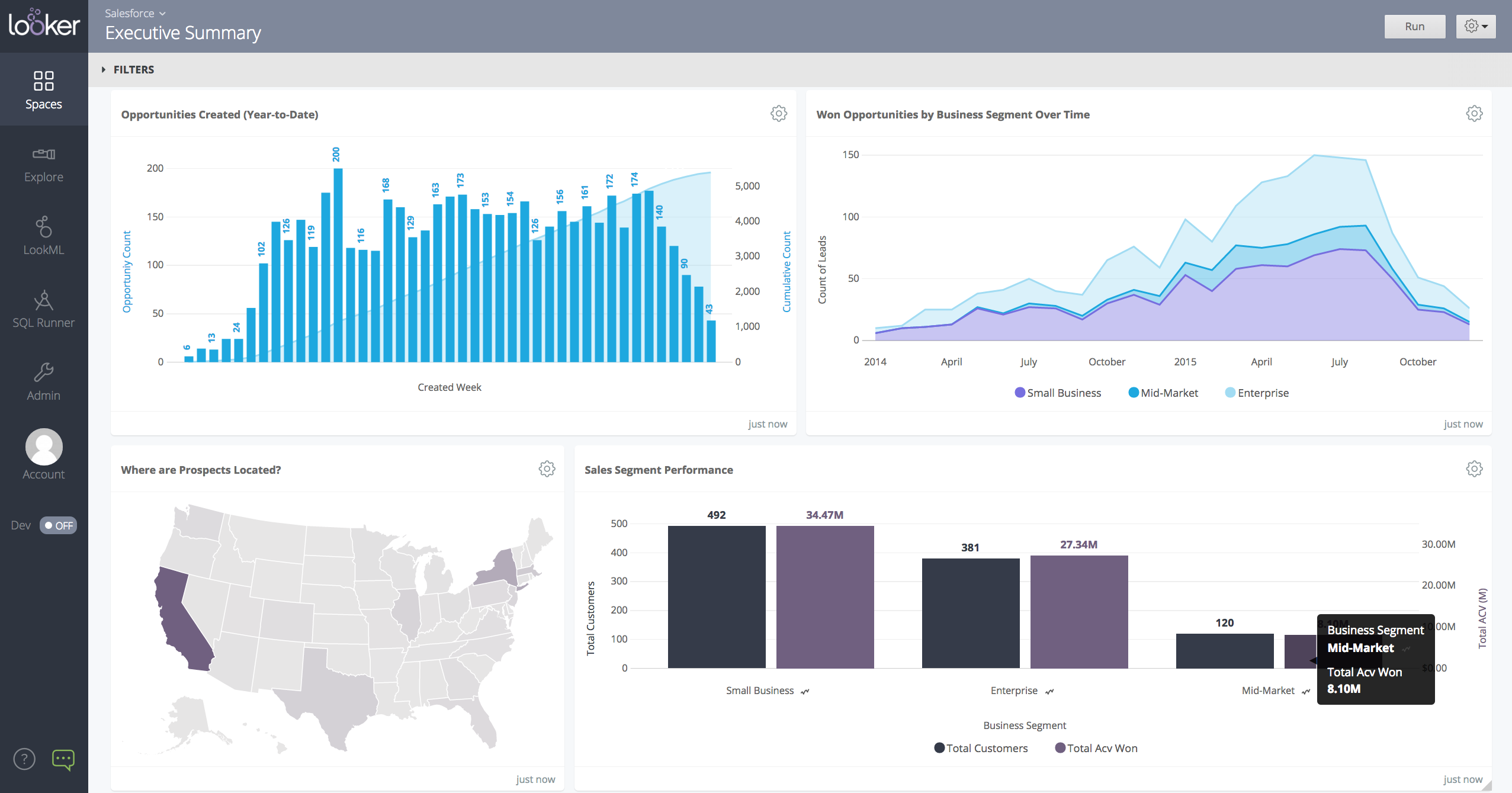 |


