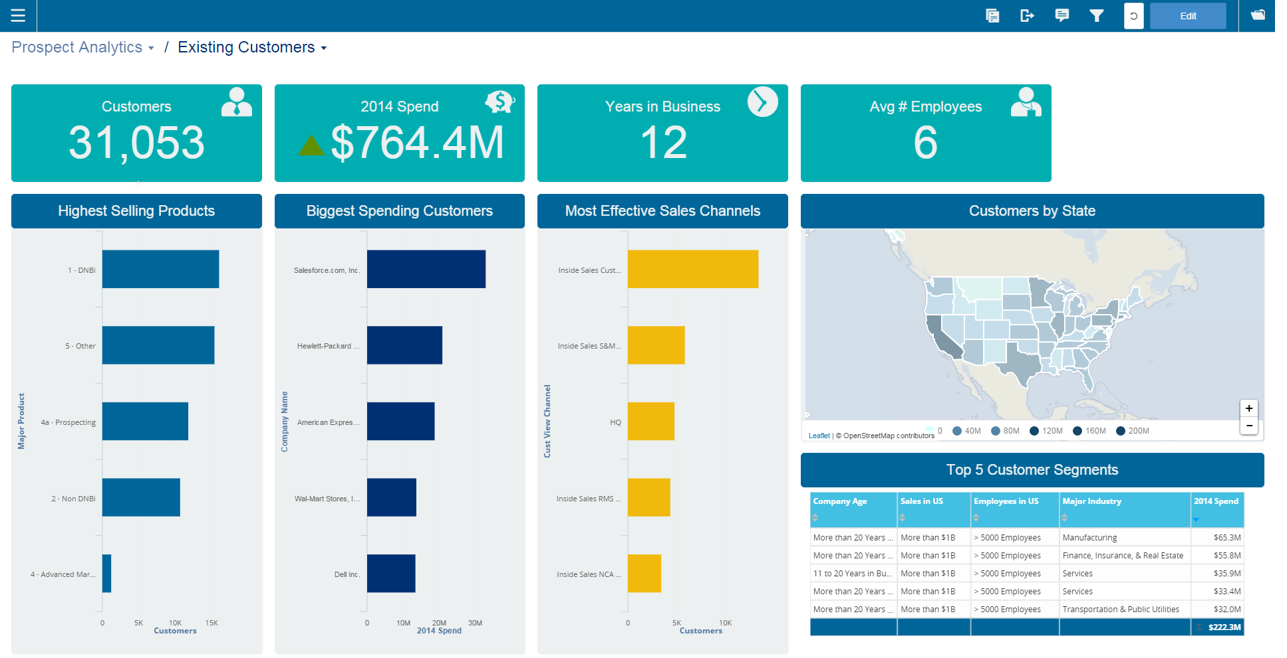
Infor Birst offers multi-tenant cloud BI for deployment in a public or private cloud, or on-premises. It provides an in-memory columnar data store and a BI layer comprising a reporting engine, predictive analytics tools, mobile native apps, dashboards, discovery tools, and an open client interface.
N/A
MS SharePoint / SQL
Score 8.5 out of 10
N/A
MS SharePoint / SQL refers to Microsoft Sharepoint, a web-based collaborative platform, being used in tandem with Microsoft SQL Server to provide business intelligence analytics and reporting. They can provide BI content such as data connections, reports, scorecards, dashboards, and more.
N/A
Pricing
Infor Birst
MS SharePoint / SQL
Editions & Modules
No answers on this topic
No answers on this topic
Offerings
Pricing Offerings
Infor Birst
MS SharePoint / SQL
Free Trial
No
No
Free/Freemium Version
No
No
Premium Consulting/Integration Services
No
No
Entry-level Setup Fee
No setup fee
No setup fee
Additional Details
—
—
More Pricing Information
Community Pulse
Infor Birst
MS SharePoint / SQL
Features
Infor Birst
MS SharePoint / SQL
BI Standard Reporting
Comparison of BI Standard Reporting features of Product A and Product B
Infor Birst
7.4
Ratings
10% below category average
MS SharePoint / SQL
7.7
Ratings
6% below category average
Pixel Perfect reports
7.00 Ratings
8.70 Ratings
Customizable dashboards
8.00 Ratings
7.00 Ratings
Report Formatting Templates
7.10 Ratings
7.30 Ratings
Ad-hoc Reporting
Comparison of Ad-hoc Reporting features of Product A and Product B
Infor Birst
7.0
Ratings
14% below category average
MS SharePoint / SQL
8.2
Ratings
2% above category average
Drill-down analysis
8.00 Ratings
7.80 Ratings
Formatting capabilities
7.00 Ratings
8.30 Ratings
Integration with R or other statistical packages
6.10 Ratings
8.00 Ratings
Report sharing and collaboration
7.00 Ratings
8.60 Ratings
Report Output and Scheduling
Comparison of Report Output and Scheduling features of Product A and Product B
Infor Birst
8.0
Ratings
4% below category average
MS SharePoint / SQL
8.9
Ratings
7% above category average
Publish to Web
8.00 Ratings
8.70 Ratings
Publish to PDF
8.00 Ratings
9.40 Ratings
Report Versioning
7.20 Ratings
8.30 Ratings
Report Delivery Scheduling
9.00 Ratings
9.00 Ratings
Delivery to Remote Servers
00 Ratings
9.00 Ratings
Data Discovery and Visualization
Comparison of Data Discovery and Visualization features of Product A and Product B
Birst is well suited for an organization looking for a cloud-hosted analytics solution that is contained within one package. It is able to connect to a very wide variety of different data sources, and has options for either light or involved ETL procedures, depending on the users experience with preparing data. As with any BI project, it would not be suitable for an organization where there is no dedicated team to maintain and manage the project.
As I mentioned in my previous answers, MS SharePoint is very useful as a shared drive for the organization and is very easy to manage. It also helps us import data from SharePoint directly into PowerBI for creating reports. According to my understanding, only share link features should be improved.
Birst is an platform that provides connectors to some of the applications we use, but also allows us to bring in data from disparate systems to perform ETL and integrate all of the data for analyses. It makes no assumptions about your data, which is good for us, as we have a lot of customizations to many of our systems.
We have been able to overcome any of the drawbacks we've found with Birst easily and it has fulfilled almost all of our analytic needs to date. Having seen their roadmap it would be highly unlikely we would move away from this platform any time soon. You simply can't beat the functionality that Birst provides for the price and the things I see coming out of the company solidify that our decision to choose Birst was the best possible choice. We have never regretted the decision.
This was a long-term buy-in from a corporate perspective, to remain in the SharePoint space. Migration is certainly possible, which is good for planning and having options further out. At this point, the only planned migration is to eventually move the architecture up to SharePoint/SQL 2013. At that point, we will be able to leverage some greater efficiencies, some enhanced content design and management features, and some more current social features. It is well worth a full consideration in any shop looking at a new implementation of or migration to SharePoint (although you will probably be considering 2013 versions or beyond in those discussions), but the platform should be a strong competitor to any alternatives. Realizing the capability of a fully-branded and customized website was not part of the original choice for the architecture at Lincoln, but seeing it implemented and functioning now with this capacity far beyond original expectations has certainly cemented plans to continue using it.
Birst is a reliable BI platform that has developed through uploads via the cloud, easy tabular views, quick manual uploads and links to SQL databases. It however does not compete with other BI tools with the data manipulation and connections when your data is uploaded in the platform and the visualisation and customisations available. The automation aspect is very useful and is one of the top features, alongside the user hierarchy and permissions. Birst is an easy and useful tool for finicial reporting, however is not currently the best option on the market for providing easy to understand, edit and present visualisations.
I gave this rating due to MS SharePoint being a big help with our userbase. We have a lot of users that are just old enough to not have much technical skills or they have been in this industry long enough to where they haven't really needed to utilize much technology. MS SharePoint helped us move beyond that barrier without too many bumps and bruises.
We frequently experience -103 errors due to us using the Live Connect functionality, which does not seem to handle even minor interruptions in connectivity, and treats all future connection attempts or data requests as errors, even if the issue does not exist any longer
In a reporting and analytics package there are two distinct performance times to look at. First is the performance of calculating the report data and metrics. I would rate a 9 for this. However, the interface rendering is slow, rating a 7. Dashboards can take 3-5 seconds to load. This is probably not a problem for normal users, as the dashboard render is performed once. My application integrated the dashboard into a commercial product though, with hundreds of customers - so my demands are higher with a large number of end users.
I've only had to call in to support on one occasion but they were able to work though our issue and find a solution that did fully resolve the issue in a timely manner. I can't always say the same about support from other companies so it was a refreshing change to have support that did help.
I went to their annual user conference (Birst Forward) and their standard training class (Birst Boot Camp) this year, and both were excellent. Very educational, and I got all of the personal attention I needed to get my questions about my specific answered. I've also reached out to the trainers after those events to ask more questions, and they've been great about getting back to me with answers
Although I found the online resources helpful, a lack of appropriate examples for certain tasks key to report creation and advanced modeling make the online training/documentation less than perfect. For an inexperienced BI professional, the online training would not enable a streamlined launch of the product.
Have clean data! Birst flexibility allows - Start small, then introduce functionality and complexity along the way. If you try to present all the functionality [bells and whistles] and wow them, but bad data is uncovered, the end user blames the new application and turns away.
Infor Birst OEM and embedded analytics have low-code no-code features which are easy to deploy and with easy instances creation with a dev-quality-production environment. Good capability on data mapping features from source to intermediate to target with impressive metadata management.
At the time of the two large projects, SharePoint was the enterprise solution so we were required to use that. We have since lobbied the enterprise teams to review and consider Atlassian Confluence and were successful. Confluence is cheaper than Sharepoint which is why we wanted to bring that in. The enterprise has now made Confluence an enterprise solution as an alternative to SharePoint. After using both I think SharePoint has many more add-ins than Confluence. It has much more customization ability than Confluence. SharePoint is not good for mobile readiness. Confluence is so there is a difference that might lead you to Confluence over SharePoint. I would also say that SharePoint is very document-centric and that Confluence has better KM than SharePoint does. even with the use of SQL Server. We were told that we could not use Google Drive even though it had features we liked.
we can see that loading a lot of data can cause a noticable slow down in performance. Birst support indicated that they don't really consider anything less than 30 seconds to be an issue, but that is not the case for our customers, so we have had to change some of implementation to address this
Being a manufacturing company we tend to lag behind technologically. But having all the data for different ERP systems in one place has been an eye opener for the executives. It has lessened the need to convert some legacy ERP systems.
Having such a simple reporting tool is a great asset to some of our sites that have traditionally had trouble gathering data from AS400 systems.