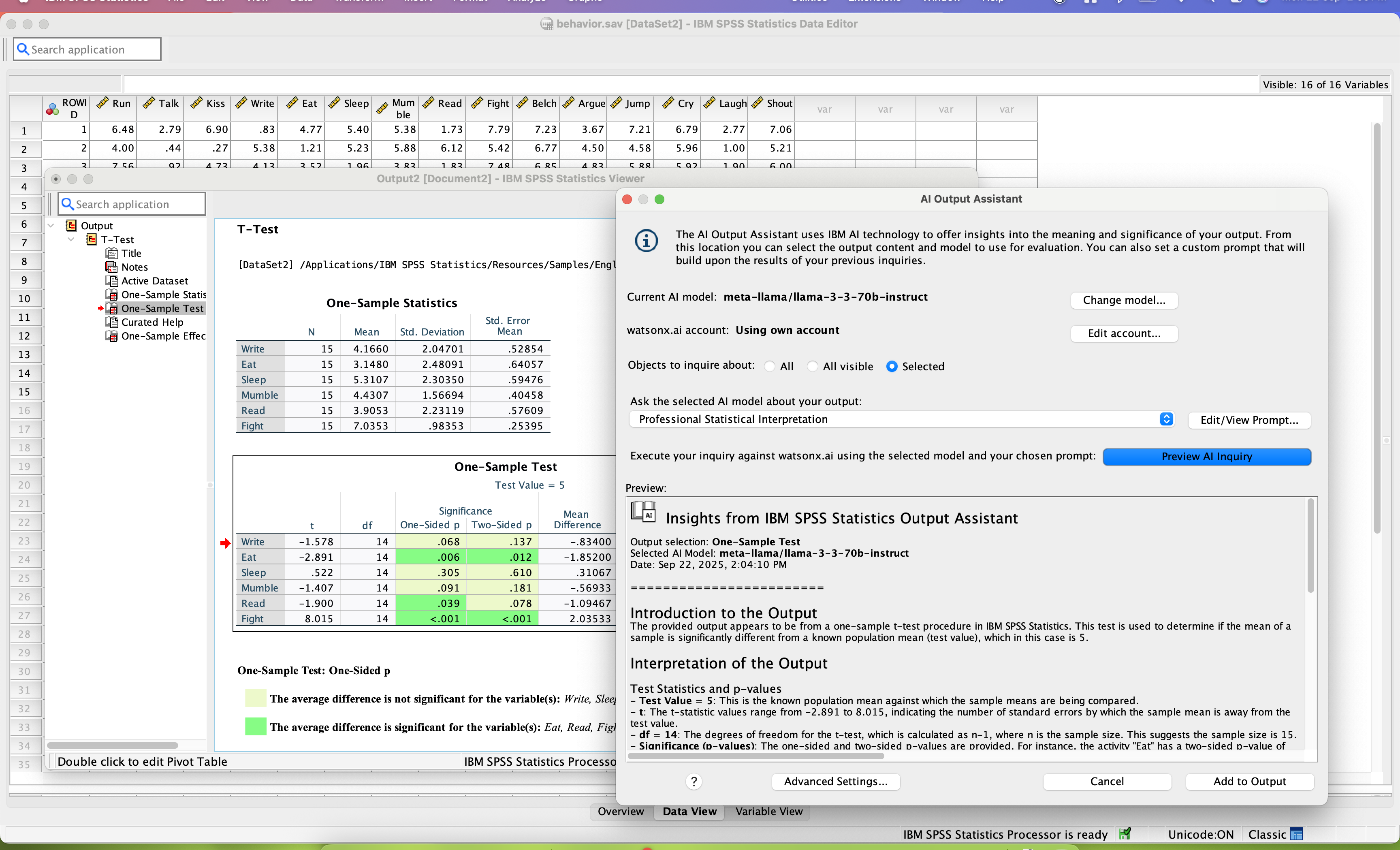
SPSS Statistics is a software package used for statistical analysis. It is now officially named "IBM SPSS Statistics". Companion products in the same family are used for survey authoring and deployment (IBM SPSS Data Collection), data mining (IBM SPSS Modeler), text analytics, and collaboration and deployment (batch and automated scoring services).
$99
per month per user
JMP
Score 9.2 out of 10
N/A
JMP® is statistical analysis software with capabilities that span from data access to advanced statistical techniques, with click of a button sharing. The software is interactive and visual, and statistically deep enough to allow users to see and explore data.
SPSS is well-suited for the following: 1) User Behavior Analysis: SPSS handles large datasets to analyze user behavior data. 2) Customer Satisfaction / Foundational Surveys: SPSS facilitates analysis of quant data from satisfaction surveys, keeping us informed about customer needs and preferences. 3) A/B test analysis: SPSS statistical tools for A/B test analysis, which helps optimize user experience of our products. Scenarios where SPSS are less appropriate: 1) Qualitative Data Analysis: I do not use SPSS for open-ended survey responses/qual data. 2) Live/in-vivo data analysis: SPSS is not ideal for real-time data processing. 3) Complex Data Integration: SPSS isn’t the best fit for complex data integration tasks
Many organizations have seen their analytical capabilities, and the results from them, plateau. Of these, we've observed, that most of them didn't appreciate that they could do (even) better. These companies should definitely consider JMP. Any company that is research-based can benefit from accelerating their research, learning more in less time, effort and cost, with JMP's tools. Basically, any organization that is hungry enough for improvement to seek out better ways is suitable for JMP. Those who are happy with their current performance are not likely to consider the changes, though they were not major impediments by our clients, required.
SPSS has been around for quite a while and has amassed a large suite of functionality. One of its longest-running features is the ability to automate SPSS via scripting, AKA "syntax." There is a very large community of practice on the internet who can help newbies to quickly scale up their automation abilities with SPSS. And SPSS allows users to save syntax scripting directly from GUI wizards and configuration windows, which can be a real life-saver if one is not an experienced coder.
Many statistics package users are doing scientific research with an eye to publish reproducible results. SPSS allows you to save datasets and syntax scripting in a common format, facilitating attempts by peer reviewers and other researchers to quickly and easily attempt to reproduce your results. It's very portable!
SPSS has both legacy and modern visualization suites baked into the base software, giving users an easily mountable learning curve when it comes to outputting charts and graphs. It's very easy to start with a canned look and feel of an exported chart, and then you can tweak a saved copy to change just about everything, from colors, legends, and axis scaling, to orientation, labels, and grid lines. And when you've got a chart or graph set up the way you like, you can export it as an image file, or create a template syntax to apply to new visualizations going forward.
SPSS makes it easy for even beginner-level users to create statistical coding fields to support multidimensional analysis, ensuring that you never need to destructively modify your dataset.
In closing, SPSS's long and successful tenure ensures that just about any question a new user may have about it can be answered with a modicum of Google-fu. There are even several fully-fledged tutorial websites out there for newbie perusal.
It's super easy to use for newbies and super powerful for power users! It does EVERYTHING you are usually asked to do analytically. Their Help Desk is PHENOMENAL. And I find the upgrade and renewal price to be a good deal.
I've mentioned this earlier, but the licensing agreements are very prohibitive. I work with a company where my role has become less and less doing my own analytics and more and more trying to help other people in that role. As we are bringing more people "up to speed" it's hard to justify licenses for 2-3 people when they aren't full time, Six Sigma black belts just looking at stats all day. A floating license option would make this a no-brainer, since these people could continue their other work and add JMP usage as they grow their skills, but this is not something JMP/SAS has offered.
SPSS is beginner friendly and user-friendly for beginner analysts and simple statistical tests. It's "click and go" interface does take some learning, but overall this is much easier than other programs I have used and seen. Compared to SAS software, SPSS takes a great deal less familiarizing and it not a matter of learning a coding language like SAS and RStudio.
The GUI interface makes it easier to generate plots and find statistics without having to write code. The JSL scripting is a bit of a steep learning curve but does give you more ability to customize your analysis. Overall, I would recommend JMP as a good product for overall usability.
I have not contacted IBM SPSS for support myself. However, our IT staff has for trying to get SPSS Text Analytics Module to work. The issue was never resolved, but I'm not sure if it was on the IT's end or on SPSS's end
The helpful tips are great for new users. I am always able to find solutions to a tool I am working with through the hep section. And my area has a users group that meets each quarter to share ideas and view upcoming JMP revisions.
Have a plan for managing the yearly upgrade cycle. Most users work in the desktop version, so there needs to be a mechanism for either pushing out new versions of the software or a key manager to deal with updated licensing keys. If you have a lot of users this needs to be planned for in advance.
If you have made it this far, you should have a very good idea of how SPSS stacks up the competition (data processing and analytics tools). Even the free ones, such as r Studio or Stata, are leaps and bounds ahead of SPSS. IBM is resting on a reputation developed nearly 30 years ago and has shown no desire to improve.
We actually use both JMP and IBM SPSS, but I think JMP's complexity lends itself to more in-depth statistical analyses. SPSS is designed for that as well, but we tend to use it more for quicker analyses, and we have found that JMP is far more powerful.
I found SPSS easier to use than SAS as it's more intuitive to me.
The learning curve to use SPSS is less compared to SAS.
I used SAS, to a much lesser extent than SPSS. However, it seems that SAS may be more suitable for users who understand programming. With SPSS, users can perform many statistical tests without the need to know programming.
JMP has resulted in literally millions of dollars in ROI due to identification of correctable errors.
Use of JMP control charts JMP has greatly simplified and improved interpretation of Lean, FMEA, and PDSA type analyses.
Use of JMP has enable the testing and subsequent selection of 'best practices' saving uncounted hours in false starts based on 'collective experience'.
The down side is that JMP is not a 'magic box', one still has to take care in applying the tools properly. Moreover, time-consuming approaches using JMP may still be the 'order of the day', because the service (even power user) is unaware of significant shortcuts available for free on the JMP community website.