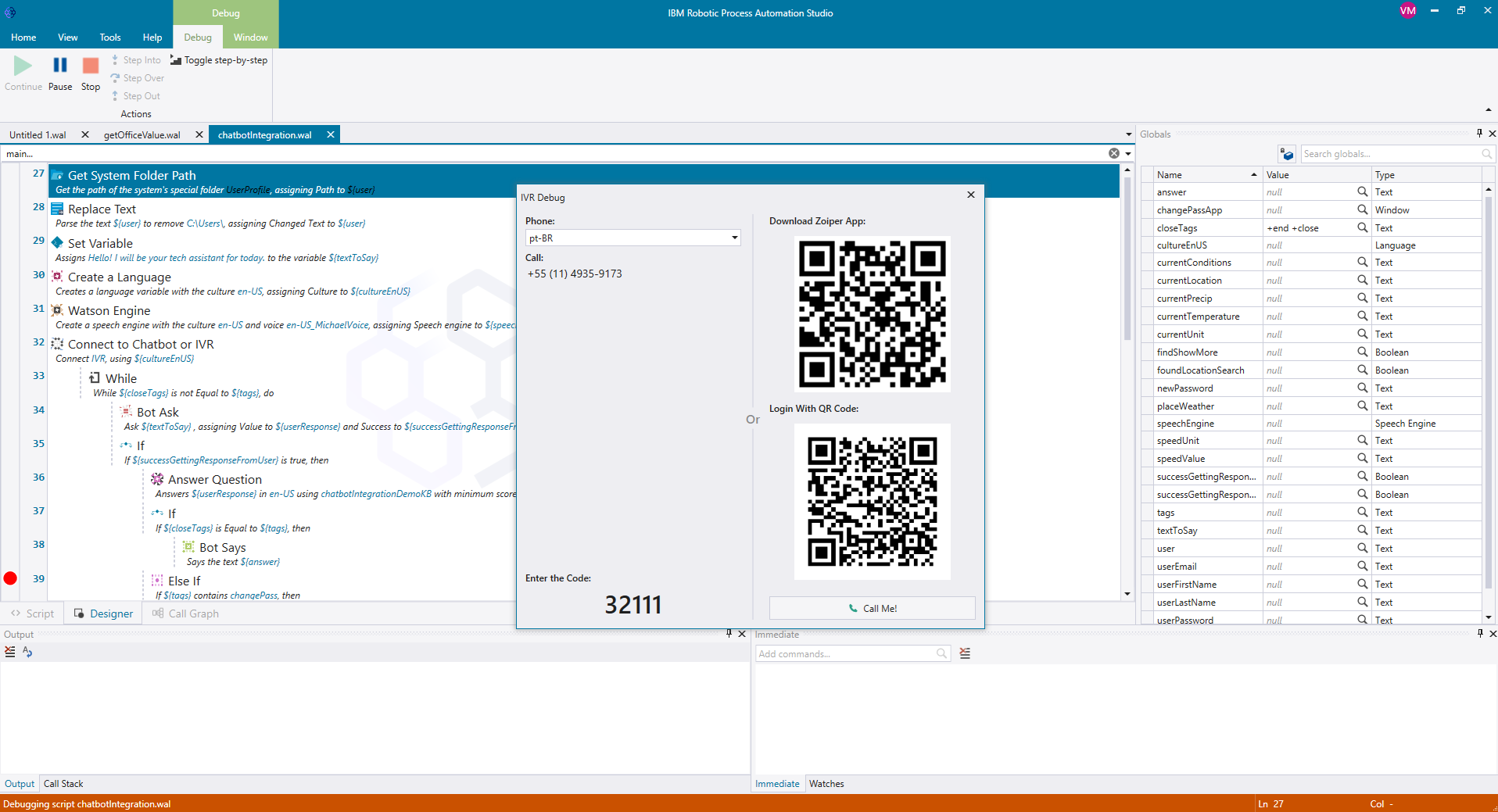
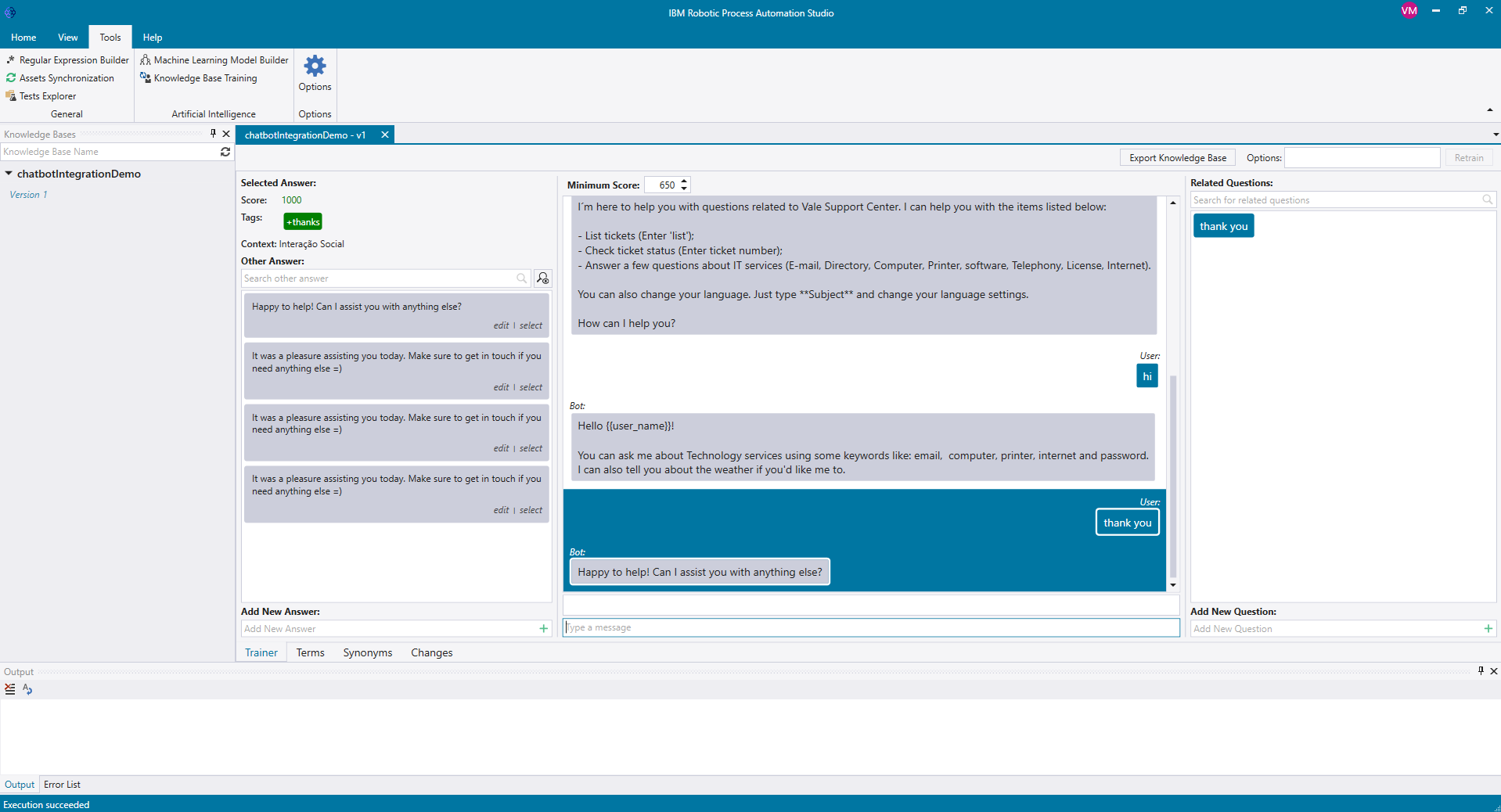
IBM Robotic Process Automation with Automation Anywhere is a robotic process automation solution combining business process management tools from IBM with Automation Anywhere's bots and automation capabilities.
$840
per month
airSlate SignNow
Score9.1 out of 10
N/A
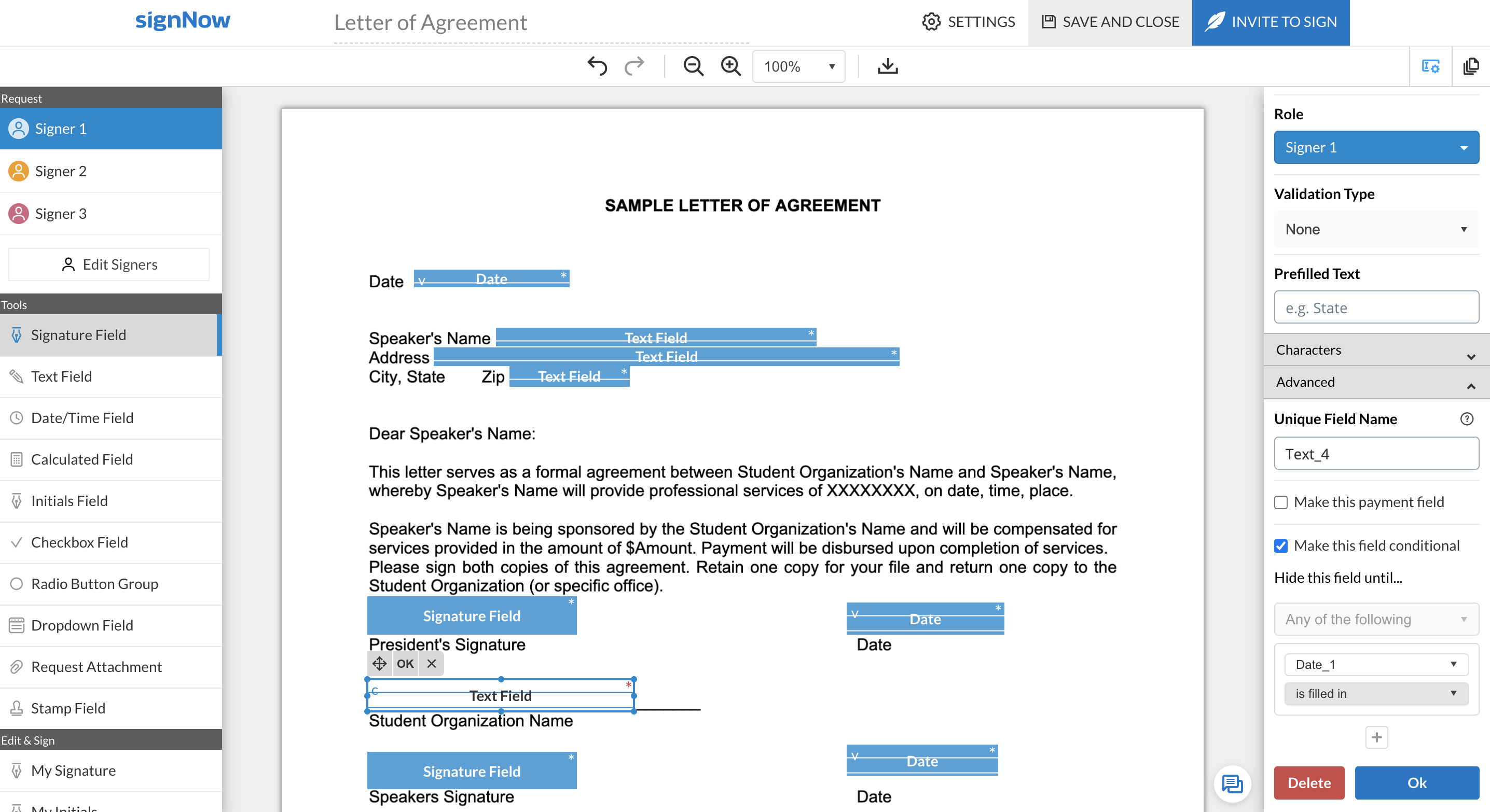
signNow is an eSignature solution with mobile apps for iOS and Android. signNow can be integrated into popular platforms and offers SaaS, public cloud, and private cloud deployment options with the same underlying API. This enables customers to leverage the power and usability of the signNow eSignature platform, while meeting their particular security and compliance requirements.
$1.50
one-time fee per signature invite
Pricing
IBM Robotic Process Automation
airSlate SignNow
Editions & Modules
IBM RPA On premises
Platform starter pack, starting at USD 840.00 per month
per month
IBM RPA Software as a service (SaaS)
Platform starter pack, starting at USD 840.00 per month
per month
Site License
$1.50
one-time fee per signature invite
Business
$20
per month
Business Premium
$30
per month
Enterprise
$50
per month
Offerings
Pricing Offerings
IBM Robotic Process Automation
airSlate SignNow
Free Trial
Yes
Yes
Free/Freemium Version
No
No
Premium Consulting/Integration Services
Yes
Yes
Entry-level Setup Fee
Optional
-$8 per user/month
Additional Details
—
All subscriptions include unlimited number of users. Up to a 60% discount available for annual pricing.
While it can be applied to various scenarios, its suitability can depend on the specific requirements of a given task or process. Here are some scenarios where IBM RPA is well-suited and scenarios where it may be less appropriate: Well suited: 1.Data Entry and Data Migration: RPA can efficiently automate data entry tasks, such as copying information from one system to another or migrating data between databases, reducing the risk of human error 2. Report Generation: RPA can generate routine reports by extracting data from various sources, formatting it, and delivering the reports to the relevant stakeholders, saving time and effort. 3. Email and Message Handling: RPA can help manage and categorize emails and messages, such as routing customer inquiries to the right department or processing routine email requests.Less suited for: 1. Cases where there is High Variability: RPA may struggle with tasks that have a high degree of variability, where each case is unique and difficult to standardize. 2. For Complex Decision-Making: RPA is rule-based and not designed for complex decision-making processes. It cannot replace the judgment and decision-making capabilities of humans. 3.Tasks Requiring Creativity: RPA is not suitable for tasks that require creativity, innovation, or problem-solving skills, as it operates based on predefined rules and logic.
SignNow is particularly useful for simple documents, forms and contracts where there the fields are pretty standards- names, signature block, title. It would be helpful to have features that allow substitution of certain fill in the blanks such that allow you to use the same template but first have a dialog to integrate language for a person, corporation, partnership or LLP. I'm a lawyer and having the ability to assemble variation of this nature into one template would be helpful. Also (and it may do this) the ability to change the actual form/document within the a template would be useful.
A de minimis incentive was given to thank the reviewer for their time. The incentive was not used to bias or drive a particular response, nor was the incentive contingent on a positive endorsement. More Info
It was programmed to navigate to the web page requiring reCAPTCHA verification, locate the reCAPTCHA challenge, and generate a screenshot or other data to present to a user for manual input.
It was programmed to extract employee data from emails or forms, update the employee record in Workday, and send automated notifications.
A de minimis incentive was given to thank the reviewer for their time. The incentive was not used to bias or drive a particular response, nor was the incentive contingent on a positive endorsement. More Info
A de minimis incentive was given to thank the reviewer for their time. The incentive was not used to bias or drive a particular response, nor was the incentive contingent on a positive endorsement. More Info
Security and data privacy: IBM RPA may not have the strongest security features, which can leave sensitive data vulnerable to breaches or hacking.
Scalability: IBM RPA may not scale well to accommodate larger businesses and more complex processes, which can lead to performance issues and increased costs.
Customization: IBM RPA may not provide as much customization options as some users would like, making it difficult to tailor the software to specific business needs.
A de minimis incentive was given to thank the reviewer for their time. The incentive was not used to bias or drive a particular response, nor was the incentive contingent on a positive endorsement. More Info
When using shared templates, the option to rename the document is at the bottom of the signatures page. I would like that to be visible sooner as some of my team misses it and sends documents to clients with the templated name instead of the correct name because they forgot to scroll down far enough to see it.
CC'ed contacts used to show suggestions as you typed the email if you've sent that person a document before, but that functionality no longer shows on our account. I'd like to see that brought back.
It would be nice if we could add folders to our documents page so that we could sort sent and signed documents into individual client folders. The search feature works fine, but folders would help clean up the view for my team.
A de minimis incentive was given to thank the reviewer for their time. The incentive was not used to bias or drive a particular response, nor was the incentive contingent on a positive endorsement. More Info
By implementing IBM Robotic Process Automation, we realized that they are digital robots with a great impact on our manual tasks, generating good automation capabilities that are beneficial to the entire company.
A de minimis incentive was given to thank the reviewer for their time. The incentive was not used to bias or drive a particular response, nor was the incentive contingent on a positive endorsement. More Info
The features are too limited. The biggest issue though is the flexibility for editing existing forms without having to create a whole new form. The other issues are its payment partner options, lack of automation, and logic flow. We plan to quit this software and use other software in its place.
A de minimis incentive was given to thank the reviewer for their time. The incentive was not used to bias or drive a particular response, nor was the incentive contingent on a positive endorsement. TR verified that a representative sample of customers was invited. More Info
IBM RPA is a very powerful tool, it has almost all the features that are necessary to build, implement and manage highly functional robots. The learning curve is very fast, so excellent skills are acquired. It is not necessary to have strong programming knowledge because its use is very easy. It is just drag and drop commands. By adding rules and logic, wonderful robots can be achieved.
In terms of core functionality - adding options for signatures, text, dates, check boxes, etc., as well as customising the body of the request, the title of the request, follow-ups / reminders for signature, etc., SignNow is great. It's really easy to navigate and use in this regard. SignNow loses points when it comes to the end-user who needs to sign. There's an option for them to either use the app (which is most prominent in the page that shows when they open the request) or to sign using their browser (which is much smaller). I had my assistant create this step by step guide for our clients, so they can complete the request the way we need them to:https://docs.google.com/presentation/d/1FopYjlykHMFjIAQjgaNLtNIvSCQND_kb86-U9bA5M2A/edit?usp=sharing As far as I'm aware, you can't make it mandatory for them to draw their signature, and there's no option to remove the prompt for them to download the app when signing on their mobile device. I really wish these were options, but they don't take away from the fact it does what it is intended to do, and it does it well.
A de minimis incentive was given to thank the reviewer for their time. The incentive was not used to bias or drive a particular response, nor was the incentive contingent on a positive endorsement. More Info
A de minimis incentive was given to thank the reviewer for their time. The incentive was not used to bias or drive a particular response, nor was the incentive contingent on a positive endorsement. More Info
SignNow is always available when I need it. It seems that most updates occur outside of business hours so I have full functionality when I need it most between the hours of 8am-6pm EST. There has only been I time when I experience application errors when I need to use the system but it did not last long and the issue was resolved within a few hours.
A de minimis incentive was given to thank the reviewer for their time. The incentive was not used to bias or drive a particular response, nor was the incentive contingent on a positive endorsement. More Info
A de minimis incentive was given to thank the reviewer for their time. The incentive was not used to bias or drive a particular response, nor was the incentive contingent on a positive endorsement. More Info
IBM has done a great job with enablement for the product. There is documentation for use-cases, development videos for beginners, and a community forum that has proven useful for getting started with the application. Although the resources cannot solve every problem a developer comes across, they have been very beneficial to our technical team.
A de minimis incentive was given to thank the reviewer for their time. The incentive was not used to bias or drive a particular response, nor was the incentive contingent on a positive endorsement. More Info
781 / 5,000Translation resultsTranslation resultMy experience with airSlate SignNow support has been super ok so far. I only had to contact them once because a document got stuck when I was signing it, so I sent them an email and they responded the next day. They solved the problem, but I found it a bit slow... They could have more direct support, like live chat or even WhatsApp. I believe that if there was a subscription plan for dedicated support it would also be very interesting. For example, a large company with several signature routines, including important signatures that block important workflow processes and sometimes with high added value, these companies, due to the risks, do not want to stop a process because of a signature, so they would not mind investing a little more in dedicated support. Minha experiência com o suporte do airSlate SignNow foi super ok até agora. Só precisei entrar em contato uma vez porque um documento travou na hora de assinar, aí mandei um e-mail e eles responderam no dia seguinte. Resolveram o problema, mas achei meio demorado... podia ter um suporte mais direto, tipo chat ao vivo ou até WhatsApp, acredito que se houvesse um plano de assinatura para suporte dedicado também seria bem interessante, por exemplo uma empresa grande com varias rotinas de assinaturas, entre elas temos assinaturas importantes que travem procesos de Workflow importantes e as vezes de alto valor agregrado, essas empresas devido as riscos não querem parar um processo por conta de um assinatura, por isso não ligariam de investir um pouco mais em suporte dedicado.
A de minimis incentive was given to thank the reviewer for their time. The incentive was not used to bias or drive a particular response, nor was the incentive contingent on a positive endorsement. TR verified that a representative sample of customers was invited. More Info
It was nice to be shown the basics of the system and be able to see or understand the specific functions our company would need to use, such as the template creation, document grouping and document group templates. Being taught on how to use these functions, made learning them much easier.
A de minimis incentive was given to thank the reviewer for their time. The incentive was not used to bias or drive a particular response, nor was the incentive contingent on a positive endorsement. More Info
I am main developer of the this implementation. I have faced many chanllenges in implementation as IBM RPA not provided direct commands to automate Excel. I enjoyed in finding solution and best approach for the implementation
A de minimis incentive was given to thank the reviewer for their time. The incentive was not used to bias or drive a particular response, nor was the incentive contingent on a positive endorsement. More Info
Make sure you know exactly what you need before implementation and be sure to ask how to use the most important functions of the system that you will be using.
A de minimis incentive was given to thank the reviewer for their time. The incentive was not used to bias or drive a particular response, nor was the incentive contingent on a positive endorsement. More Info
I've always had excellent service and had no trouble communicating. It has aided in my understanding of how I can continue to use the bots. Reading peer assessments reveals that while IBM RPA demands a substantial initial financial commitment, it justifies its cost, unlike Blue Prism RPA, which does not.
A de minimis incentive was given to thank the reviewer for their time. The incentive was not used to bias or drive a particular response, nor was the incentive contingent on a positive endorsement. More Info
I chose airSlate SignNow over DocuSign primarily due to the superior ease of use and a more intuitive user interface (UI). airSlate SignNow's UI stood out with its simplicity and well-thought-out design, making the entire process of signing and managing documents much more straightforward.The drag-and-drop functionality and the ability to customize signature fields in airSlate SignNow were additional factors that tipped the scale in its favor. These features not only streamlined the signing process but also allowed for a more personalized and efficient document management experience.
A de minimis incentive was given to thank the reviewer for their time. The incentive was not used to bias or drive a particular response, nor was the incentive contingent on a positive endorsement. More Info
A de minimis incentive was given to thank the reviewer for their time. The incentive was not used to bias or drive a particular response, nor was the incentive contingent on a positive endorsement. More Info
IBM Robotic Process Automation has helped save on cost and time as it is able to automate tasks that are repetitive and routine tasks.
IBM Robotic Process Automation has helped us increase productivity. This is because it is able to perform tasks with a high degree of accuracy and speed.
It has enhanced compliance as it is able to automate compliance-related tasks. This has helped us improve our reputation.
A de minimis incentive was given to thank the reviewer for their time. The incentive was not used to bias or drive a particular response, nor was the incentive contingent on a positive endorsement. More Info
A de minimis incentive was given to thank the reviewer for their time. The incentive was not used to bias or drive a particular response, nor was the incentive contingent on a positive endorsement. More Info