IBM Planning Analytics, powered by IBM TM1®, is an integrated planning solution designed to promote collaboration across the organization and help keep pace with the speed of modern business. With its calculation engine, this enterprise performance management solution is designed to help users move beyond the limits of spreadsheets, automating the planning process to drive faster, more accurate results. Use it to unify data sources into one single repository, enabling users to build…
$825
per month 5 users
Quantrix
Score7.4 out of 10
N/A
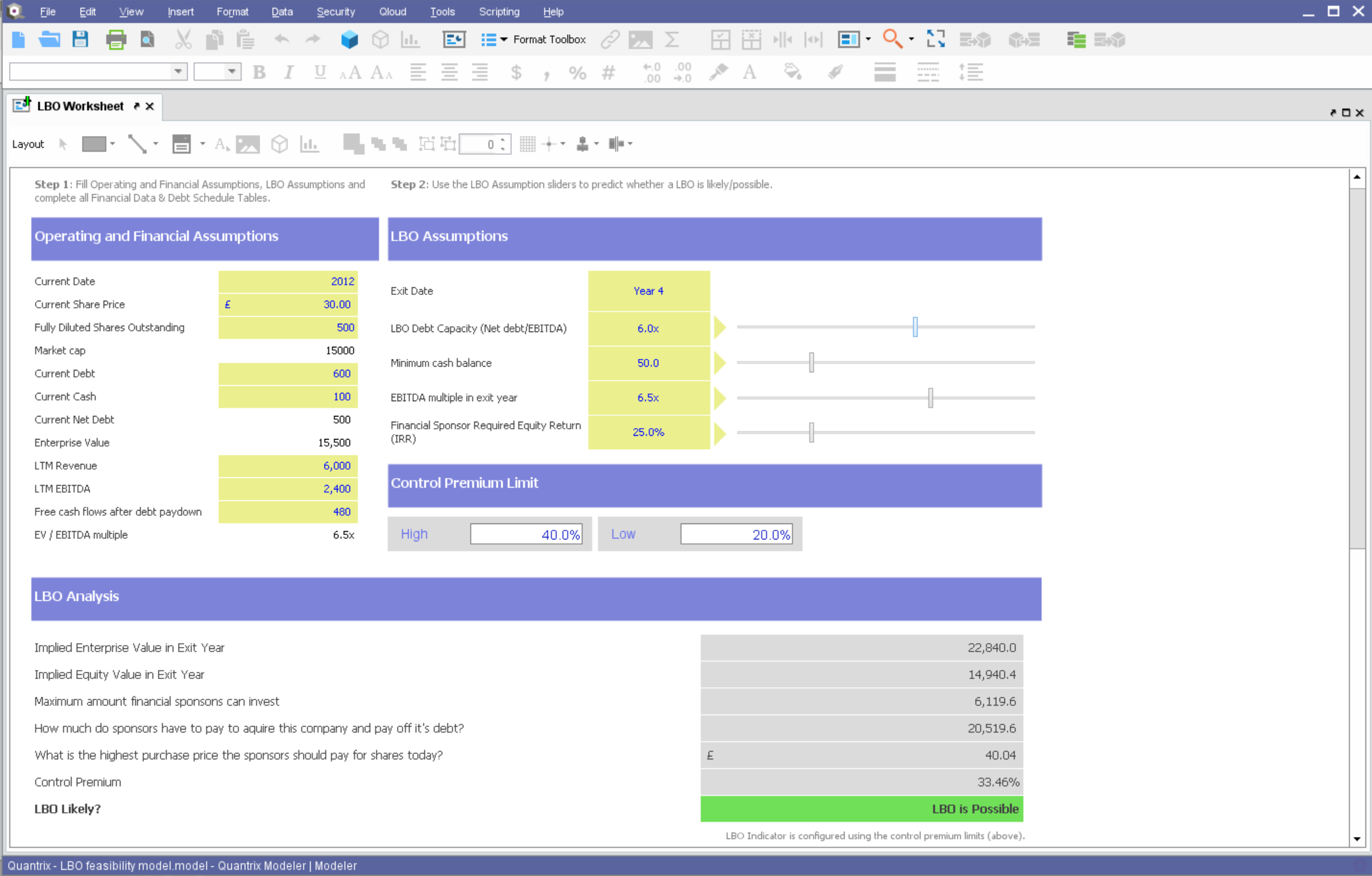
Quantrix is designed to allow users to address the limitations and risks inherent to spreadsheets when developing business-critical models. According to the vendor, this solution offers unmatched capability for forecasting, planning, budgeting, risk modeling and visual analytics, and also allows users to develop ‘what if’ scenarios and model the financial and operational impact of business decisions. Additionally, the vendor says sharing insight is made easier through the creation of interactive…
N/A
Pricing
IBM Planning Analytics
Quantrix
Editions & Modules
Essentials
$825
per month 5 users
Standard
$1,650
per month 10 users
No answers on this topic
Offerings
Pricing Offerings
IBM Planning Analytics
Quantrix
Free Trial
Yes
Yes
Free/Freemium Version
Yes
No
Premium Consulting/Integration Services
Yes
Yes
Entry-level Setup Fee
Optional
No setup fee
Additional Details
—
Quantrix Modeler is licensed on a per user subscription basis.
Very powerful modeling capabilities. It has a really good OLAP engine memory. Strong scenario planning for what if analysis. Flexibility of integration with ERPs or WM systems for both cloud and on premises. Centralized planning and alignment of governance is also a plus. Having one single system for many different functions.
A de minimis incentive was given to thank the reviewer for their time. The incentive was not used to bias or drive a particular response, nor was the incentive contingent on a positive endorsement. More Info
If you find yourself in the ocean of traditional spreadsheets, overwhelmed by broken links, errors, model audit problems, hardwiring, etc. here is a lifebuoy for you. If you want to have full flexibility in your budgeting and forecasting in contrast to ERPs with rigid structures and one-size-fits-all concept. If you are small or medium size company and do not want to invest in costly enterprise solutions. If you need a fast implementation https://youtu.be/5W_q5Xhw5fg
A de minimis incentive was given to thank the reviewer for their time. The incentive was not used to bias or drive a particular response, nor was the incentive contingent on a positive endorsement. More Info
Building complex financial planning model availing of a multidimensional data structure coupled with a powerful formula language, with the immediacy and intuitiveness typical of spreadsheets
Implement quickly model modifications (new products, new scenarios, new time periods) simply adding new "items" to "categories" (corresponding to dimensions in a multidimensional data model)
Scale up models to very large datasets with very fast computation times
Easily import data from text files, other Quantrix models and external databases via DataLink and DataNAV
Save snapshots of tables computed in Quantrix to external databases via DataPush
A de minimis incentive was given to thank the reviewer for their time. The incentive was not used to bias or drive a particular response, nor was the incentive contingent on a positive endorsement. More Info
A de minimis incentive was given to thank the reviewer for their time. The incentive was not used to bias or drive a particular response, nor was the incentive contingent on a positive endorsement. More Info
Hard to be critical of the Quantrix team as I know they strive to produce the best product possible. I suppose the next thing on my wish list would be the application of the new Solver functionality to be available in the Qloud.
A big help for new users would be a good book on transitioning from Excel or other environment into Quantrix. I know first hand it can be difficult to transition when having to learn the program through a help guide, forums and tech support. I had a lot of trial and error in my journey to producing the desired models. On one hand it was a valuable method as it taught me a lot of what not to do, but I will admit it was not the most efficient way to do things.
Would also love to see local user groups being formed at some point in the future. Quantrix puts on a fantastic conference once a year in beautiful Maine, but it is a big journey for someone in Southern California (and limited to one or two days a year). I would like to see some local chapters formed in different areas of the country so local Quantrix users can get together more often and collaborate (maybe a quarterly or semi-annual meetup?). Our Quantrix community is still relatively small and may be a difficult task for some areas, but is also the very reason why this would be great idea.
Since IBM Cognos Express is suitable only for medium data warehouse environment, we are not sure if this tool solves the long term need as the business keeps growing rapidly. So its a 50/50 ratio to renew Express license. But having said that, the components of IBM Cognos Express are also available in other Cognos BI suites like Cognos 10.x version. So we will probably upgrade our environment to IBM Cognos 10.x which comes with more new features.
IBM Planning Analytics is generally good in terms of functionalities. It can be used reduce time for budget planning, resource planning, demand forecasting, etc. The performance of IBM Planning Analytics is acceptable, but user interface can be improved. It would be good to see new features that allow users to customise the dashboard.
A de minimis incentive was given to thank the reviewer for their time. The incentive was not used to bias or drive a particular response, nor was the incentive contingent on a positive endorsement. More Info
IBM support has been very quick to respond and handle the very few issues we've had. We've had a third-party who partners with IBM to be our consulting team which has helped greatly reduce the need for us to contact IBM directly. I highly recommend researching and selecting a well-respected partner to help with an implementation as well as ongoing support as needed.
A de minimis incentive was given to thank the reviewer for their time. The incentive was not used to bias or drive a particular response, nor was the incentive contingent on a positive endorsement. More Info
As it is related to MS Excel, IBM Planning Analytics is a much more robust and complete solution for the CFO or COO in mind. Oracle Hyperion stacks up nicely against IBM Planning Analytics. However, IBM's investment in AI allows Planning Analytics users more options and speed.
Overall, I was not part of the ultimate decision to purchase Quantrix. I terms of user-friendliess and robust reporting capabilities I do think Tableau has Quantrix outclassed. That being said, Quantrix does provide more in-depth analyses for our relevant data and provides better modeling for our forecasts out of the box. The accuracy of the tools output is also much better
A de minimis incentive was given to thank the reviewer for their time. The incentive was not used to bias or drive a particular response, nor was the incentive contingent on a positive endorsement. More Info
A de minimis incentive was given to thank the reviewer for their time. The incentive was not used to bias or drive a particular response, nor was the incentive contingent on a positive endorsement. More Info
Capacity forecasting used to take hours to calculate with a ton of manual modifications. Quantrix has automated that so a model can be updated at any time with a click of a button
The accuracy of the models is incredible. It took some tweaking to add in data scubbers, but now it runs almost flawlessly
The confidence the management teams have in the output of the model is amazing. Before, people would question the output, have you rebuild it, and then compare. Now the report comes out and the output has high confidence.
A de minimis incentive was given to thank the reviewer for their time. The incentive was not used to bias or drive a particular response, nor was the incentive contingent on a positive endorsement. More Info