IBM Cloud for VMware Solutions vs. VMware vSOM (discontinued)

Overview
ProductRatingMost Used ByProduct SummaryStarting Price
IBM Cloud for VMware Solutions
Score 7.0 out of 10
Enterprise companies (1,001+ employees)
IBM Cloud for VMware Solutions is designed to make cloud adoption easier, allowing the user to optimize the value of existing on-premises infrastructure, while leveraging the same tools, technologies and skills in the cloud. The solution provides rapid scalability, deployment in 35+ global data centers and access to disaster recovery, backup, security and compliance solutions from an array of ecosystem partners. To address varying workload needs, IBM Cloud…
$0
IBM Cloud Object Storage Cross-Regional Smart Tier 1 GB (hourly)
VMware vSOM (discontinued)
Score 10.0 out of 10
N/A
VSOM from VMware was a solution that delivered vSphere server virtualization, and also added capacity management and performance monitoring features. It is discontinued as of February 2019. Users were migrated to VMware vSphere Enterprise Plus and VMware vRealize Operations Standard.N/A
Pricing
IBM Cloud for VMware SolutionsVMware vSOM (discontinued)
Editions & Modules
Add-on
$0
IBM Cloud Object Storage Cross-Regional Smart Tier 1 GB (hourly)
On-demand
$0
0.25 IOPs 1 GB
Reserved (monthly or 730 hours)
$0
0.25 IOPs 1 GB (Per gigabyte of storage (hourly))
Add-on
$0
IBM Cloud Block Storage 1 GB (hourly)
On-demand
$0.01
Per vCPU (hourly)
On-demand
$0.09
Per gigabyte of network and bandwidth egress (monthly)
Reserved (monthly or 730 hours)
$0.09
Per gigabyte of network and bandwidth egress (monthly)
Reserved (monthly or 730 hours)
$12.80
Microsoft license (monthly) per 1 vCPU²
Add-on
$13
Veeam backup license
No answers on this topic
Offerings
Pricing Offerings
IBM Cloud for VMware SolutionsVMware vSOM (discontinued)
Free Trial
NoNo
Free/Freemium Version
YesNo
Premium Consulting/Integration Services
NoNo
Entry-level Setup FeeOptionalNo setup fee
Additional Details
More Pricing Information
Community Pulse
IBM Cloud for VMware SolutionsVMware vSOM (discontinued)
Features
IBM Cloud for VMware SolutionsVMware vSOM (discontinued)
Server Virtualization
Comparison of Server Virtualization features of Product A and Product B
IBM Cloud for VMware Solutions
7.7
Ratings
6% below category average
VMware vSOM (discontinued)
10.0
Ratings
20% above category average
Virtual machine automated provisioning5.30 Ratings10.00 Ratings
Management console8.00 Ratings10.00 Ratings
Live virtual machine backup8.90 Ratings00 Ratings
Live virtual machine migration8.00 Ratings10.00 Ratings
Hypervisor-level security8.00 Ratings10.00 Ratings
Best Alternatives
IBM Cloud for VMware SolutionsVMware vSOM (discontinued)
Small Businesses
DigitalOcean Droplets
Score 8.7 out of 10
DigitalOcean Droplets
Score 8.7 out of 10
Medium-sized Companies
VMware vSOM (discontinued)
Score 10.0 out of 10
Scale Computing Platform
Score 8.1 out of 10
Enterprises
VMware vSOM (discontinued)
Score 10.0 out of 10
IBM PowerVM
IBM PowerVM
Score 9.0 out of 10
All AlternativesView all alternativesView all alternatives
User Ratings
IBM Cloud for VMware SolutionsVMware vSOM (discontinued)
Likelihood to Recommend
8.0
(0 ratings)
8.0
(0 ratings)
Usability
9.0
(0 ratings)
-
(0 ratings)
Support Rating
9.0
(0 ratings)
-
(0 ratings)
Implementation Rating
8.0
(0 ratings)
-
(0 ratings)
User Testimonials
IBM Cloud for VMware SolutionsVMware vSOM (discontinued)
Likelihood to Recommend
VMware Cloud Foundation for Disaster Recovery environment, when the client needs to deploy a pay-as-you-go service or if they need to migrate SAP workloads, you can use VMware Cloud Foundation for Classic and VPC. We are the unique SAP-Certified VMware cloud service provider.
Read full review
Vsphere Operation Management is suitable for automating the process of bringing up an alternate data center in case of a disaster. It also is a great way for testing your readiness of disaster. You have the ability to bring up a server in a "bubble" for testing. This way you can show your admins how the failover process will work.
Read full review
Pros
  • Ease of use - we don't want to spend extra hours trying to figure out a problem.
  • Easy Setup - onboarding was simple and quick.
  • Great documentation - Most of the answers to our questions are very easily accessible without additional help.
Read full review
  • The best thing about VSOM is that it's built into VCenter so you only have one point of administration
  • VSOM does a great job of making applications intuitive
  • Re-IPing virtual machines are a must and VSOM does a great job of making this a simple process
Read full review
Cons
  • Support is horrible and or non-existent
  • Documentation is out of date and incorrect for the most part
  • IBM employees and salespeople are not aware of features or offerings
  • Does not integrate the Zerto, only Veeam and has limited options for data migration
Read full review
  • The installation of VSOM is very tedious
  • It uses an MS SQL database
  • It should be able to adjust for hardware modifications in VCenter
Read full review
Usability
Everything is very clearly laid out. Being familiar with vSphere already, it was a quick transition over to the IBM environment. This allowed us to spend less time on the implementation phase and move quickly to actually utilizing the system on a day to day basis. Also, the performance is very good. No lagginess to the website like our previous on-prem environment.
Read full review
No answers on this topic
Support Rating
Overall, just a great experience here. No one in my opinion gets a perfect 10/10 rating (no one is ever perfect), so 9/10 is probably as good as it gets! From initial planning to post implementation support, the IBM Cloud and professional services has been there for my group as much as we have needed them. Great job!
Read full review
No answers on this topic
Implementation Rating
IBM professional services helped us plan and implement the project with great success. They guided the project from planning, scoping, pre-implementation, testing, roll-out, then production and post-production support. We were very impressed with their knowledge of VMware and really appreciated their desire to make our project a success. I would highly recommend them!
Read full review
No answers on this topic
Alternatives Considered
We chose VMware over Azure App Service because of the way that it was at that point natural and still offered similar cloud capacities that Azure would have acquired us. This permitted us to continue to utilize a similar interface and not need to relearn everything beginning to end with another item.
Read full review
vSphere with Operations Management has a much better way of automating the re-IPing of servers so you can stand them up in a different environment or location. You do, however, need another way of replicating your servers to your DR site, VSOM will not do that. We used EMC Recover Point for replication.
Read full review
Return on Investment
  • One of our business objectives was to ensure as close to 100% uptime of our servers and applications. This solution has helped us achieve that goal.
  • Another goal was to try and minimize our datacenter footprint. This was achieved by using the product.
Read full review
  • In the case of a disaster, the ROI would be substantial.
  • The license for VSOM is pretty expensive initially.
  • Support for VSOM is terrific.
Read full review
ScreenShots

IBM Cloud for VMware Solutions Screenshots

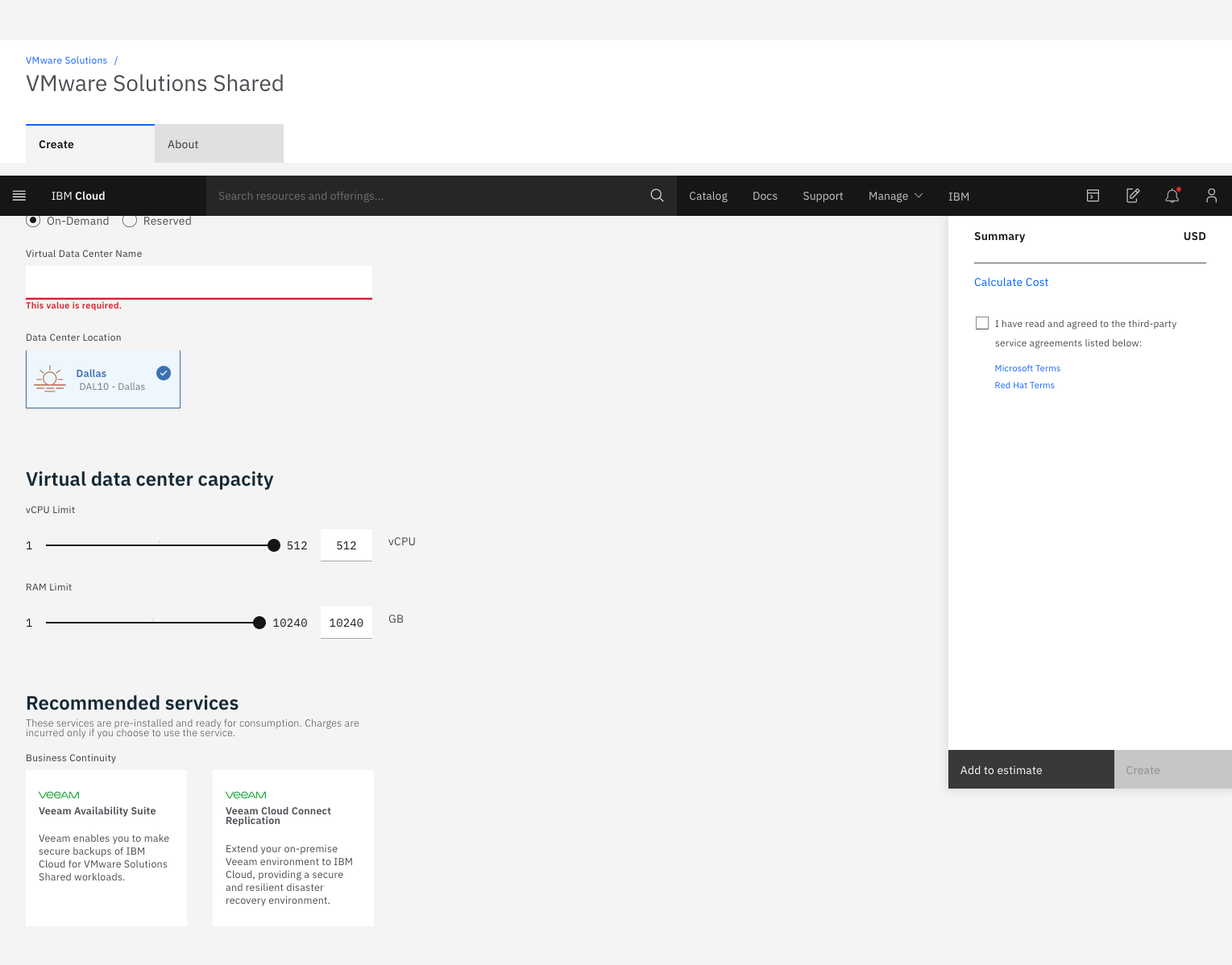
Screenshot of VMware vCenter Server on IBM Cloud product informationScreenshot of IBM Cloud for VMware Solutions automated and on-demand services information, and How to OrderScreenshot of IBM Cloud for VMware Solutions Dedicated, Order ScreenScreenshot of IBM Cloud for VMware Solutions Shared, Order Screen