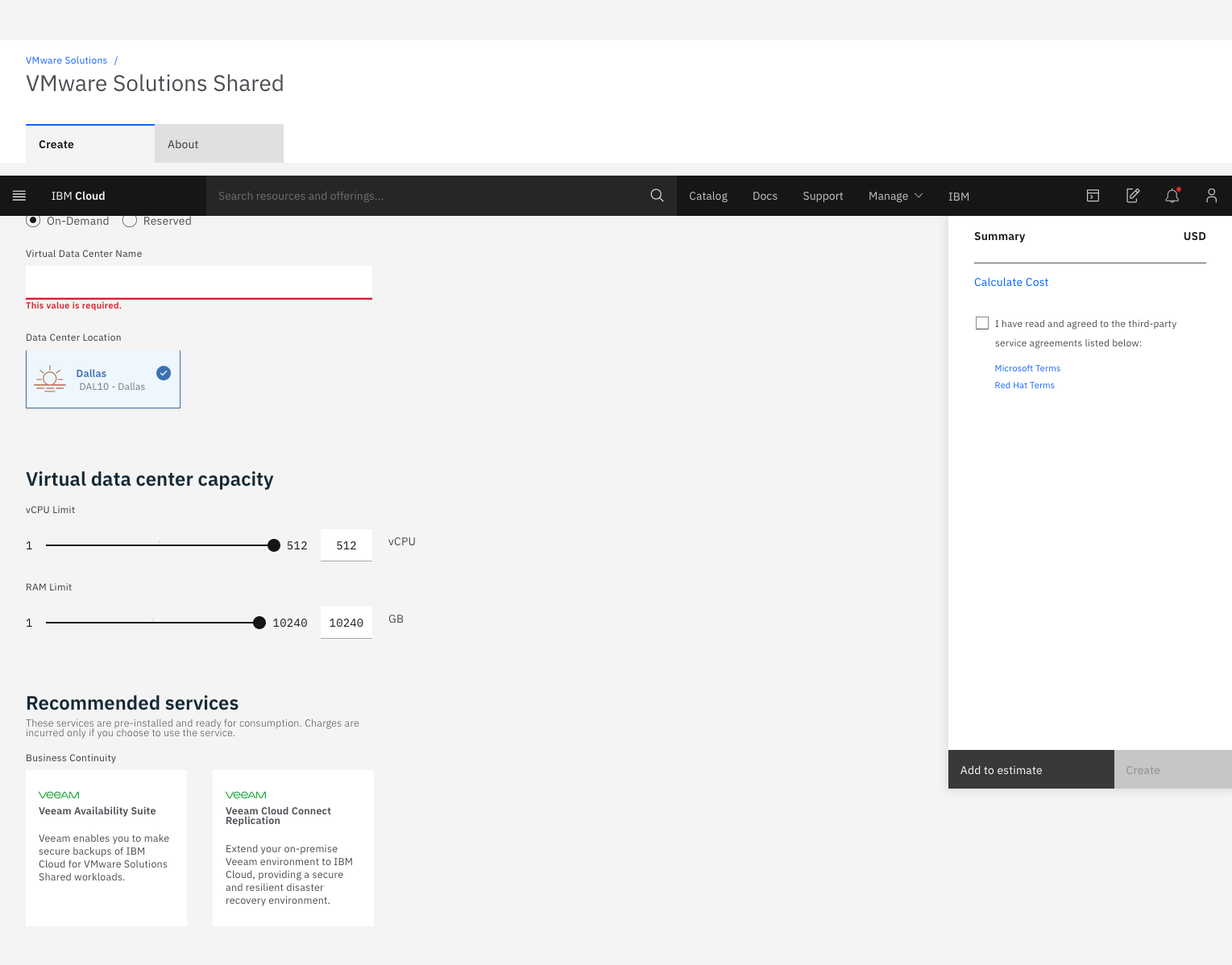
IBM Cloud for VMware
Solutions is designed to make cloud adoption easier, allowing the user to optimize the
value of existing on-premises infrastructure, while leveraging the
same tools, technologies and skills in the cloud. The solution provides rapid scalability,
deployment in 35+ global data centers and access to disaster
recovery, backup, security and compliance solutions from an array of ecosystem
partners. To address varying workload needs, IBM Cloud…
$0
IBM Cloud Object Storage Cross-Regional Smart Tier 1 GB (hourly)
VMware Workstation Pro
Score8.2 out of 10
N/A
VMware Workstation Pro is virtualization software which allows running multiple x86-based operating systems on one PC. Users can run Windows, Linux and BSD virtual machines on a Windows or Linux desktop.
N/A
Pricing
IBM Cloud for VMware Solutions
VMware Workstation Pro
Editions & Modules
Add-on
$0
IBM Cloud Object Storage Cross-Regional Smart Tier 1 GB (hourly)
On-demand
$0
0.25 IOPs 1 GB
Reserved (monthly or 730 hours)
$0
0.25 IOPs 1 GB (Per gigabyte of storage (hourly))
Add-on
$0
IBM Cloud Block Storage 1 GB (hourly)
On-demand
$0.01
Per vCPU (hourly)
On-demand
$0.09
Per gigabyte of network and bandwidth egress (monthly)
Reserved (monthly or 730 hours)
$0.09
Per gigabyte of network and bandwidth egress (monthly)
.NET Software Engineer in Information Technology at JFrog (Computer Software, 501-1000 employees)
Chose VMware Workstation Pro
The best and easy to adjust all the functions for easy production of the appropriate and quality services via the Cloud and the deployment of the product can easily be done with all users even those with little basic knowledge on VMware Workstation Pro similar platforms. With …
A de minimis incentive was given to thank the reviewer for their time. The incentive was not used to bias or drive a particular response, nor was the incentive contingent on a positive endorsement. More Info
VMware Cloud Foundation for Disaster Recovery environment, when the client needs to deploy a pay-as-you-go service or if they need to migrate SAP workloads, you can use VMware Cloud Foundation for Classic and VPC. We are the unique SAP-Certified VMware cloud service provider.
A de minimis incentive was given to thank the reviewer for their time. The incentive was not used to bias or drive a particular response, nor was the incentive contingent on a positive endorsement. More Info
I would not recommend using a VM as a complete replacement for your everyday driver, but I would recommend it for testing. One way that I use Workstation Pro is with testing GPO's. I can make a change to a user or computer GPO, take a snapshot, reboot the computer to pull the GPO, see if it worked. If it didn't, I revert to the last snapshot before the GPO was pulled, make some changes to the GPO again, and test on the test VM. The same style of testing can be used with creating and changing scripts for computer changes. We have a whole computer setup script that installs software and changes a ton of settings. On a VM you can test over and over to make sure the script runs how you want it to and revert if you didn't like the script outcome. Especially handy with software installs, so you don't have to wait for a program to uninstall and then edit the script and run the script again. Using snapshots save me so much time in testing!
A de minimis incentive was given to thank the reviewer for their time. The incentive was not used to bias or drive a particular response, nor was the incentive contingent on a positive endorsement. More Info
The presentation is first rate. Our on-prem climate was continually experiencing slack and general languor. With IBM running everything, it's much smoother.
Start another group as little as one ESXi worker or scale a current bunch.
A de minimis incentive was given to thank the reviewer for their time. The incentive was not used to bias or drive a particular response, nor was the incentive contingent on a positive endorsement. TR verified that a representative sample of customers was invited. More Info
It provides a great remote access tool for accessing and managing servers in virtual environment. With the security risks surround remote desktop this provides a good alternative to do the same functions.
The app itself is very lightweight and easy to install/maintain.
Sandbox testing can be a time consuming thing to setup and do. Workstation makes this easy to create, use, and put away. This make you more willing to put new things in the sandbox and test them before production usage.
The cost of workstation is very affordable for the functionality that you get and you can try it for free before you buy it.
We use it to run apps that can be difficult to setup or conflict with other apps. We just spin this app VM up run it, and then shut it back down. The startup and shutdown is very quick.
A de minimis incentive was given to thank the reviewer for their time. The incentive was not used to bias or drive a particular response, nor was the incentive contingent on a positive endorsement. More Info
A de minimis incentive was given to thank the reviewer for their time. The incentive was not used to bias or drive a particular response, nor was the incentive contingent on a positive endorsement. TR verified that a representative sample of customers was invited. More Info
A de minimis incentive was given to thank the reviewer for their time. The incentive was not used to bias or drive a particular response, nor was the incentive contingent on a positive endorsement. More Info
A de minimis incentive was given to thank the reviewer for their time. The incentive was not used to bias or drive a particular response, nor was the incentive contingent on a positive endorsement. More Info
It is easy to use and setting it up is simple. The only con is that the pricing is a little bit high as well as documentation is a little low; so we had to do some personal learning to be able to fully utilize the product, or hop on the phone with someone.
A de minimis incentive was given to thank the reviewer for their time. The incentive was not used to bias or drive a particular response, nor was the incentive contingent on a positive endorsement. TR verified that a representative sample of customers was invited. More Info
It is well documented since it is a long actor in the virtualization scene. Easy to use for most user cases. Pretty much not maintenance on the software besides the occasional software updates and/or compatibility issues from time to time.
A de minimis incentive was given to thank the reviewer for their time. The incentive was not used to bias or drive a particular response, nor was the incentive contingent on a positive endorsement. More Info
Overall, just a great experience here. No one in my opinion gets a perfect 10/10 rating (no one is ever perfect), so 9/10 is probably as good as it gets! From initial planning to post implementation support, the IBM Cloud and professional services has been there for my group as much as we have needed them. Great job!
A de minimis incentive was given to thank the reviewer for their time. The incentive was not used to bias or drive a particular response, nor was the incentive contingent on a positive endorsement. More Info
I haven't had to call VMware Workstation support. The majority of the time, whenever I have a problem, I can perform an online search and find the answers I need. Online forums and users with similar situations are generally sufficient to answer any questions I have had, though, from previous experience at another company, their support is outstanding and responsive to circumstances. However, that is generally for a paid support contract and should be expected when you are paying for that support.
A de minimis incentive was given to thank the reviewer for their time. The incentive was not used to bias or drive a particular response, nor was the incentive contingent on a positive endorsement. More Info
IBM professional services helped us plan and implement the project with great success. They guided the project from planning, scoping, pre-implementation, testing, roll-out, then production and post-production support. We were very impressed with their knowledge of VMware and really appreciated their desire to make our project a success. I would highly recommend them!
A de minimis incentive was given to thank the reviewer for their time. The incentive was not used to bias or drive a particular response, nor was the incentive contingent on a positive endorsement. More Info
IBM Cloud for VMware Solutions stacks up against them, we fully agree there are so many features in IBM cloud for VMware Solutions that make it unique and different. The system provides us hypervisor security level and the system even has live backup and storage capacity of data. This system provides us with accuracy that helps us to reduce errors and vulnerability.
A de minimis incentive was given to thank the reviewer for their time. The incentive was not used to bias or drive a particular response, nor was the incentive contingent on a positive endorsement. More Info
VMware ESXi is more enterprise based whereas VMware Workstation offers capabilities at a lower cost and smaller scale. VMware Workstation Pro is also user friendly and easy to install. It can be utilized on a regular desktop system as the name implies. It helps with also demonstrations when needed to clients without having bulky hardware every time.
A de minimis incentive was given to thank the reviewer for their time. The incentive was not used to bias or drive a particular response, nor was the incentive contingent on a positive endorsement. More Info
It has a positive impact on the cost required to maintain our vSphere environment by allowing us to get rid of our vsphere hardware and not worry about maintenance either.
There have been very few negatives, but one would definitely be the open-ended cost associated with cloud products in general.
A de minimis incentive was given to thank the reviewer for their time. The incentive was not used to bias or drive a particular response, nor was the incentive contingent on a positive endorsement. TR verified that a representative sample of customers was invited. More Info
A de minimis incentive was given to thank the reviewer for their time. The incentive was not used to bias or drive a particular response, nor was the incentive contingent on a positive endorsement. More Info