HotGloo vs. MockFlow

Overview
ProductRatingMost Used ByProduct SummaryStarting Price
HotGloo
Score 8.0 out of 10
Small Businesses (1-50 employees)
HotGloo is an online wireframing and prototyping tool. This solution has been designed for all those engaged in the concept, design and development of web or app projects: project managers, information architects, usability experts, freelancers, concept people, digital agencies, web companies, publishers, web designers, web developers and many more. The vendor’s value proposition is that this solution makes it easy to wireframe web and mobile sites and to collaborate with others due to the…
$13
up to 4 users, 2 active projects, unlimited reviewers
MockFlow
Score 8.5 out of 10
N/A
MockFlow is an online wireframe and UI toolset, from Indian company Produle.N/A
Pricing
HotGlooMockFlow
Editions & Modules
Group
$13
up to 4 users, 2 active projects, unlimited reviewers
Team
$27
up to 10 users / 6 active projects / unlimited reviewers
Agency
$54
up to 20 users / 15 active projects / unlimited reviewers
Enterprise
150 +
More users and projects, priority support. Get in touch for an individual quote.
No answers on this topic
Offerings
Pricing Offerings
HotGlooMockFlow
Free Trial
YesNo
Free/Freemium Version
NoYes
Premium Consulting/Integration Services
NoNo
Entry-level Setup FeeNo setup feeNo setup fee
Additional DetailsThe billing period starts on the day you upgrade from the free trial to a paying plan. If you pay by credit card the service is billed in advance on a monthly basis and is non-refundable. There will be no refunds or credits for partial months of service, upgrade/downgrade refunds, or refunds for months unused with an open account. If you do choose to cancel your account in the future, you will never be charged again, but you are responsible for charges already incurred up until your cancellation. For monthly recurring payments we accept Visa, MasterCard and American Express through our online payment system. You can also prepay any account for 12 months with credit card. In certain cases we also take money transfers – please contact us beforehand if you want to use this option.
More Pricing Information
Community Pulse
HotGlooMockFlow
Best Alternatives
HotGlooMockFlow
Small Businesses
OmniGraffle
OmniGraffle
Score 9.1 out of 10
OmniGraffle
OmniGraffle
Score 9.1 out of 10
Medium-sized Companies
OmniGraffle
OmniGraffle
Score 9.1 out of 10
OmniGraffle
OmniGraffle
Score 9.1 out of 10
Enterprises
OmniGraffle
OmniGraffle
Score 9.1 out of 10
OmniGraffle
OmniGraffle
Score 9.1 out of 10
All AlternativesView all alternativesView all alternatives
User Ratings
HotGlooMockFlow
Likelihood to Recommend
7.8
(0 ratings)
9.0
(0 ratings)
Likelihood to Renew
-
(0 ratings)
8.0
(0 ratings)
Usability
-
(0 ratings)
8.0
(0 ratings)
User Testimonials
HotGlooMockFlow
Likelihood to Recommend
HotGloo is well suited to a dispersed team of users who are looking to collaboratively wireframe and prototype their latest web solutions. It's extremely intuitive and comes with a large widget library meaning the newest user can be up and running very quickly. In browser access means it's extremely accessible whether you're working in a room together or across the country at home.
Read full review
MockFlow is a great tool for low-fidelity wireframing for quick validation & contextualization of UX & UI hypotheses. It is not a substitute for full-fledged designing tools such as Figma or Adobe XD.
Read full review
Pros
  • Elements Library
  • Symbols Library
  • Interface supports workflow
Read full review
  • Ease of use. The UX is great.
  • A decent number of pre-built UI elements such as browser frames, dropdowns, buttons, etc.
  • Good prototyping ability. We can create decent prototypes using links.
  • Collaborating capability for multiple members in a team.
  • Ease of exporting the wires in different formats.
Read full review
Cons
  • logical structure of interface objects
  • preview view does not scale frame on small screens
  • Tool ribbon
Read full review
  • Grouping the similar elements together to further enhance the UX.
  • Detailing the wires is still clumsy.
  • Monochromatic UI can be improved a bit.
  • Icon availability is limited.
  • More collaboration features.
  • Grouping of elements in the wires is cumbersome.
Read full review
Usability
No answers on this topic
Easy UI & good UX makes the usability very convenient.
Read full review
Alternatives Considered
HotGloo is tailored to this use case and therefore considers the right user needs. I think one strength is that it focuses on the main aspect. There are other tools, that have more extensive features. However, those are then more complex and not so well made for the specific work I use it for. Thus, I like HotGloo also because of the element and symbols library. Which has the right depth and detail - no more, no less then needed.
Read full review
Figma is a high-fidelity designing tool and provides too many features which would be overkill if we are looking for basic prototyping. Also, if you are not a designer and just want to create basic wires or prototypes as a Business Analyst or Product Manager, MockFlow would suffice your needs. But if you are focusing on pixel-perfect designs then I would suggest going for Figma. The ease of usability with MockFlow is very convenient as there would be a steep learning curve for Figma. Balsamiq is very similar to MockFlow but the wires created in it look a bit sketchy & clumsy.
Read full review
Return on Investment
  • Build more wireframes quicker and deliver to client and provide options.
Read full review
  • Low turnaround time for creating wireframes resulting in aligning the team on a single path.
  • Validating UX & UI hypothesis quickly leading to less rework & quicker results
  • Saving to & fro time with parallel collaboration feature.
Read full review
ScreenShots

HotGloo Screenshots

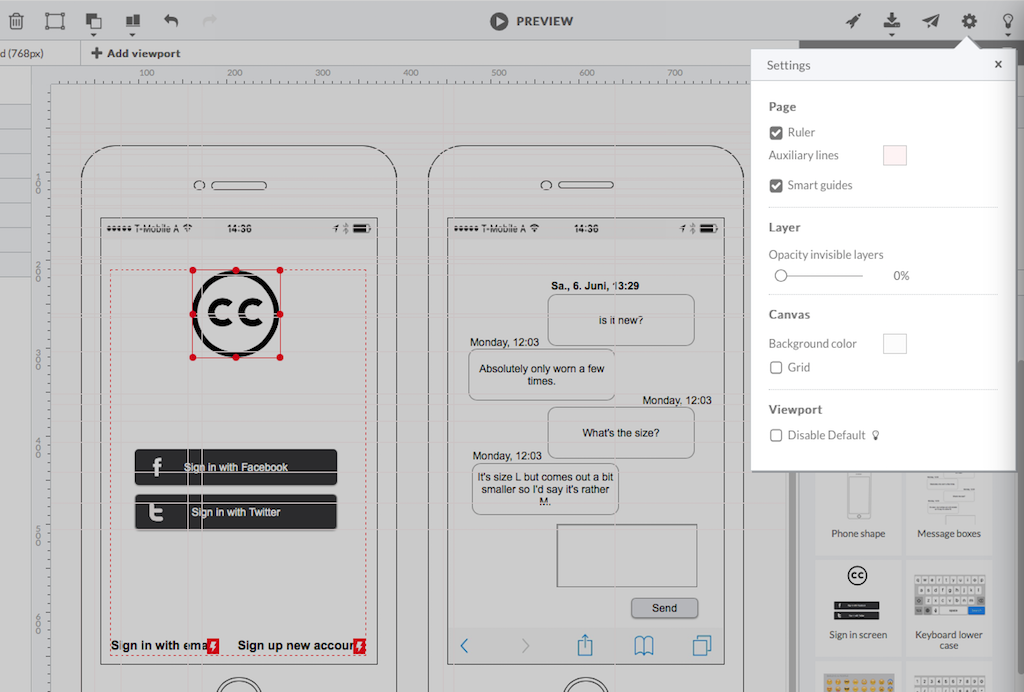
Screenshot of HotGloo 24/7 run & test anywhere.Screenshot of Responsive wireframing with different viewports.Screenshot of Create mobile app wireframesScreenshot of From desktop over tablet to mobile.

MockFlow Screenshots

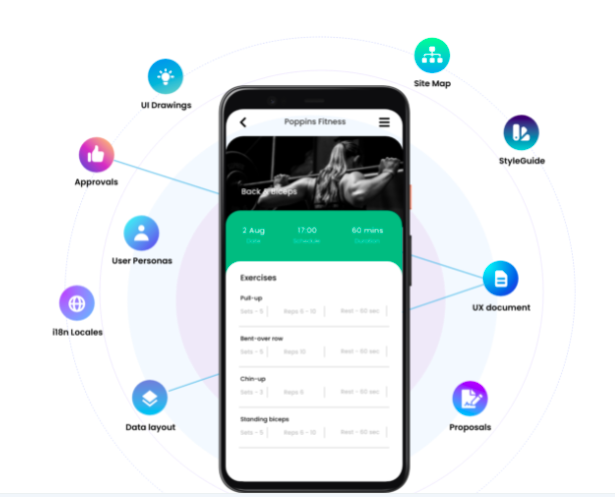
Screenshot of Bring all your Product Design needs in one space and never juggle multiple tools again!