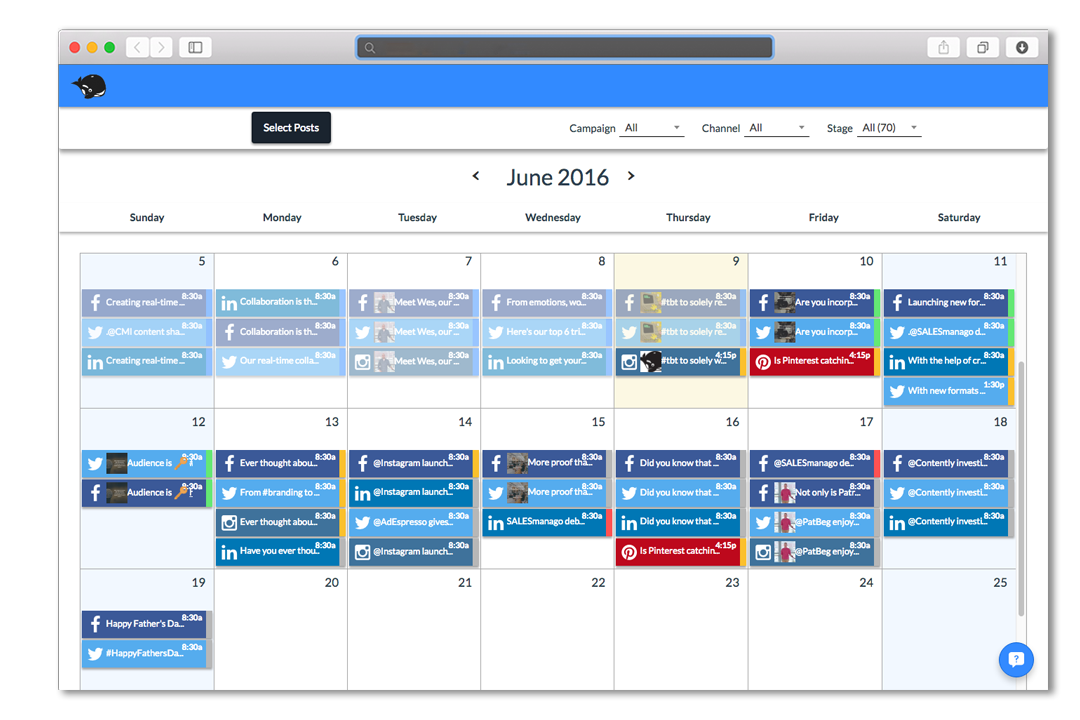
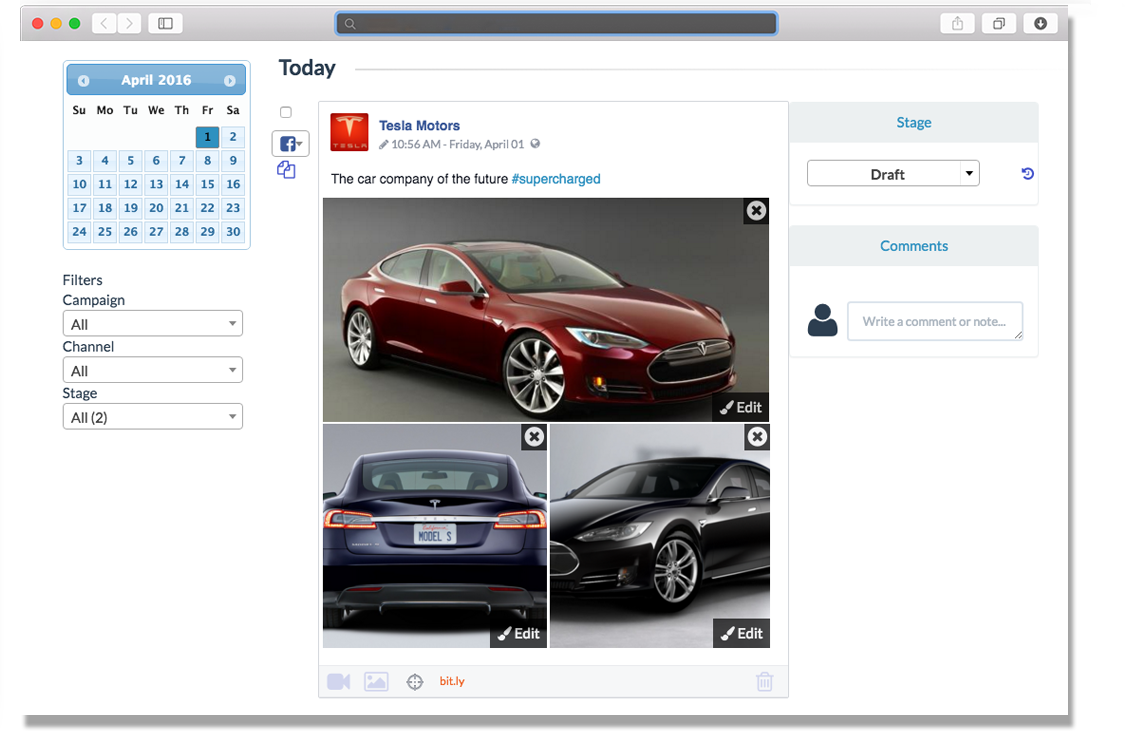
HeyOrca is a solution that allows an agency’s clients to review and approve upcoming social media content. The vendor aims to help agencies save time by moving away from using spreadsheets and docs to communicate and obtain approvals from their clients. With this solution, no logins or spreadsheets are needed. Agencies can invite clients into a visual stakeholder-friendly view where they can approve and provide feedback without needing to sign up. Agencies can also record every change made to…
$59
per month per calendar
Zoho Social
Score8.8 out of 10
N/A
Zoho Social is a comprehensive social media management platform designed for businesses of all sizes and agencies. It is used to schedule and publish posts, manage conversations—including direct messages, comments, and mentions—across multiple platforms, track keywords, competitors, and hashtags, and generate reports from one dashboard. Supported platforms: Meta (Facebook, Instagram, and Threads), Google Business Profile, YouTube, Pinterest, Mastodon, X (formerly Twitter),…
$15
per month
Pricing
HeyOrca
Zoho Social
Editions & Modules
Solo
$0
Basic
$59
per month per calendar
Standard
$99.00
per month per calendar
Pro
$149
per month per calendar
Free
$0
per month per user
Standard
$15
per month per user
Professional
$40
per month per user
Premium
$65
per month 3 users
Agency
$320
per month 5 users
Agency Plus
$460
per month 5 users
Offerings
Pricing Offerings
HeyOrca
Zoho Social
Free Trial
Yes
Yes
Free/Freemium Version
No
Yes
Premium Consulting/Integration Services
No
No
Entry-level Setup Fee
No setup fee
No setup fee
Additional Details
Plans start at: $99 USD Per Month. From there, the price scales according to your needs, up to a maximum of $499 USD per month.
Add Ons
Users at $10 / user / month
Brands $10 / brand / month
Discount available for annual pricing.
More Pricing Information
Community Pulse
HeyOrca
Zoho Social
Considered Both Products
HeyOrca
No answer on this topic
Zoho
Verified User
Chose Zoho Social
Zoho Social is so much easier to use than all the other platforms I've used.
A de minimis incentive was given to thank the reviewer for their time. The incentive was not used to bias or drive a particular response, nor was the incentive contingent on a positive endorsement. More Info
HeyOrca is perfect for the social post editing. For example, when I send the content link to my clients, they can easily go in and comment on posts that need editing rather than having to email me changes. Essentially it streamlines client/agency communication. It is perfect for a smaller agency who has less than 20 clients. I think HeyOrca is not for those whose main content is blogs and corresponding social posts. WordPress isn't Integrated, making it inconvenient to manage.
A de minimis incentive was given to thank the reviewer for their time. The incentive was not used to bias or drive a particular response, nor was the incentive contingent on a positive endorsement. More Info
We have a few videos to share on our social media accounts: Linked in, facebook, instagram, twitter, youtube, another personal youtube account, and tiktok. First of the videos will be shared now, but the second one should be shared 3 hours later, and the third one 6 hours later. Also, with some text, on each share... You give this job to a personnel and thrust they will be fast enough to login those accounts and share the content almost at the same time, with no mistakes on the texts we use, and you thing you are done, right? It doesn't work that way in real life situations. However, you can share the same text and video to every platform momentarily by clicking a button by Zoho Social. you can also schedule posts to be shared later at a certain time and date. Now, you can concentrate to develop the character and details of your campaign. And, also, now, you have a personnel who can be useful at some other work
A de minimis incentive was given to thank the reviewer for their time. The incentive was not used to bias or drive a particular response, nor was the incentive contingent on a positive endorsement. More Info
Zoho Social helps us develop posts, and it facilitates the automated publishing, which is vital in sharing the content we want.
Besides, Zoho Social is fruitful in customer engagement plan, where the software manages different accounts, and there is free communications throughout.
Finally, there is social media evaluation, monitoring, and analytics, and all of them brings to us an inference that is accurate and digital.
A de minimis incentive was given to thank the reviewer for their time. The incentive was not used to bias or drive a particular response, nor was the incentive contingent on a positive endorsement. More Info
A de minimis incentive was given to thank the reviewer for their time. The incentive was not used to bias or drive a particular response, nor was the incentive contingent on a positive endorsement. More Info
I wanted to use the ability to have Zoho queue the posts, but I wanted to choose the start time of the first post for a few days in the future and I did not find an easy way to set that.
I wish there were a box with a cheat sheet of the sizes that each social media platform allows for it's video and pictures in the dialogue box for posting so I can be sure to choose appropriate content.
I do think it's a bit expensive, especially for my needs, but I like the ease of use. I will continue to do what I can to get this service discounted until I can no longer afford it.
A de minimis incentive was given to thank the reviewer for their time. The incentive was not used to bias or drive a particular response, nor was the incentive contingent on a positive endorsement. More Info
A de minimis incentive was given to thank the reviewer for their time. The incentive was not used to bias or drive a particular response, nor was the incentive contingent on a positive endorsement. More Info
Zoho Social is the BEST! I have found the perfect solution to social media marketing! It is extremely affordable and I highly recommend it! Create a post once and post it to 5 or more social media platforms! LOVE IT!! :)
Hey Orca has a lot of really great features, they make the workflow really easy and are extremely available for help with questions. I think there are some minor workflow issues that it could overcome and features it could add on that are available in other apps. It definitely doesn't offer the best analytics and also hasn't offered single image direct publishing like hootsuite does. Yet, it's benefits outweigh those minor inconveniences for our team
A de minimis incentive was given to thank the reviewer for their time. The incentive was not used to bias or drive a particular response, nor was the incentive contingent on a positive endorsement. More Info
The reason behind assigning this rating stems from the software's remarkable ability to seamlessly integrate intricate functionalities with an incredibly user-friendly interface. It strikes an exceptional balance between sophisticated features and ease of use, making it a standout solution in its category. The software's attention to user experience, coupled with its comprehensive project tracking capabilities, has undoubtedly left a positive impression. This rating reflects my appreciation for how effortlessly it empowers teams to manage projects, collaborate effectively, and achieve their goals with utmost efficiency
A de minimis incentive was given to thank the reviewer for their time. The incentive was not used to bias or drive a particular response, nor was the incentive contingent on a positive endorsement. More Info
I have not needed support for Zoho Social. This comment requirement is confusing to me as I must find text to fill the requirement of a minimum of 50 words. There should be a non-applicable button that allows either user to skip a question or then require a shorter explanation like in my first sentence. Geez, now I have to give a rating while never using the feature.
HeyOrca is definitely more for the agency level than Hootsuite. Hootsuite is fairly limited, even at its larger plans. HeyOrca is geared towards agencies, and that is definitely clear in the interface and arrangement. Hootsuite sure seems like more of a consumer product than a B2B product in my opinion.
A de minimis incentive was given to thank the reviewer for their time. The incentive was not used to bias or drive a particular response, nor was the incentive contingent on a positive endorsement. More Info
Zoho Social is a great social media management tool that allows businesses, and individuals, to manage multiple social media accounts, schedule posts, track analytics, and engage with followers. It competes well with other social media management tools such as Hootsuite, Buffer, Sprout Social, Agora Pulse, and Hubspot. Zoho Social stands out for its integration capabilities with other Zoho applications and affordability for small to medium-sized businesses. Each tool has its own strengths and weaknesses, and businesses should evaluate them based on their specific needs and goals. The biggest fallacy for Zoho is its restriction on scheduling tools on the free plan who have social and personal needs. I believe this can be circumvented by Zoho periodically making an advertisement to one's feed.
A de minimis incentive was given to thank the reviewer for their time. The incentive was not used to bias or drive a particular response, nor was the incentive contingent on a positive endorsement. More Info
I had a month-long delay in launching my website. Zoho Social allowed me to continue to build an audience and anticipation while the website technical issues were worked out.
The free trial meant I could give it a good try before spending any of my precious startup budget.
A de minimis incentive was given to thank the reviewer for their time. The incentive was not used to bias or drive a particular response, nor was the incentive contingent on a positive endorsement. More Info