
Chrome Remote Desktop vs. Heimdal Remote Desktop
| Product | Rating | Most Used By | Product Summary | Starting Price |
|---|---|---|---|---|
 Chrome Remote Desktop | Score8.4 out of 10 | N/A | Chrome Remote Desktop from Google is a cross-platform remote administration and remote desktop tool that requires the Chrome browser and an extension. It is free to use. | $0 |
 Heimdal Remote Desktop | N/A | N/A | Heimdal’s Remote Desktop enables System Admins to support users or access unattended computers. The solution supports: • Dashboard-to-agent (Windows+ Windows Server; Linux, Android, MacOSX) • Agent-to-agent (Windows+ Windows Server) • Dashboard-to-NO agent (Windows+ Windows Server; Android, MacOSX, IoS with view only due to IoS limitations) Remote Desktop works stand-alone or as part of Heimdal’s… | N/A |
| Chrome Remote Desktop | Heimdal Remote Desktop | |||||||||||||||
|---|---|---|---|---|---|---|---|---|---|---|---|---|---|---|---|---|
| Editions & Modules | No answers on this topic | No answers on this topic | ||||||||||||||
| Offerings |
| |||||||||||||||
| Entry-level Setup Fee | No setup fee | No setup fee | ||||||||||||||
| Additional Details | — | — | ||||||||||||||
| More Pricing Information | ||||||||||||||||
| Chrome Remote Desktop | Heimdal Remote Desktop | |
|---|---|---|
| Considered Both Products | No answer on this topic | No answer on this topic |
| Key User Insights | ||
| Would buy again | ||
100% Would buy again 10 Answers | No answers on this topic | |
| Delivers good value for the price | ||
100% Delivers good value for the price 10 Answers | No answers on this topic | |
| Happy with the feature set | ||
90% Happy with the feature set 9 Answers | No answers on this topic | |
| Lived up to sales and marketing promises | ||
No answers on this topic | No answers on this topic | |
| Implementation went as expected | ||
100% Implementation went as expected 8 Answers | No answers on this topic | |
| Chrome Remote Desktop | Heimdal Remote Desktop | ||||||||||||||||||||||||||||||||||||||||||||||
|---|---|---|---|---|---|---|---|---|---|---|---|---|---|---|---|---|---|---|---|---|---|---|---|---|---|---|---|---|---|---|---|---|---|---|---|---|---|---|---|---|---|---|---|---|---|---|---|
| Remote Administration |
| ||||||||||||||||||||||||||||||||||||||||||||||
| Chrome Remote Desktop | Heimdal Remote Desktop | |
|---|---|---|
| Small Businesses |  N-able Take Control Score8.6 out of 10 | N-able Take Control Score8.6 out of 10 |
| Medium-sized Companies |  Remote Desktop Manager Score9 out of 10 | Remote Desktop Manager Score9 out of 10 |
| Enterprises |  BeyondTrust Privileged Remote Access Score8.9 out of 10 | BeyondTrust Privileged Remote Access Score8.9 out of 10 |
| All Alternatives | View all alternatives | View all alternatives |
| Chrome Remote Desktop | Heimdal Remote Desktop | |
|---|---|---|
| Likelihood to Recommend | 9.0 | - |
| Likelihood to Renew | 7.0 | - |
| Usability | 9.0 | - |
| Support Rating | 3.8 | - |
| Implementation Rating | 10.0 | - |
| Chrome Remote Desktop | Heimdal Remote Desktop | |
|---|---|---|
| Likelihood to Recommend |
| No answers on this topic |
| Pros |
| No answers on this topic |
| Cons |
| No answers on this topic |
| Likelihood to Renew |
| No answers on this topic |
| Usability |
| No answers on this topic |
| Support Rating |
| No answers on this topic |
| Implementation Rating |
| No answers on this topic |
| Alternatives Considered |
| No answers on this topic |
| Return on Investment |
| No answers on this topic |
| ScreenShots | Chrome Remote Desktop Screenshots  | Heimdal Remote Desktop Screenshots 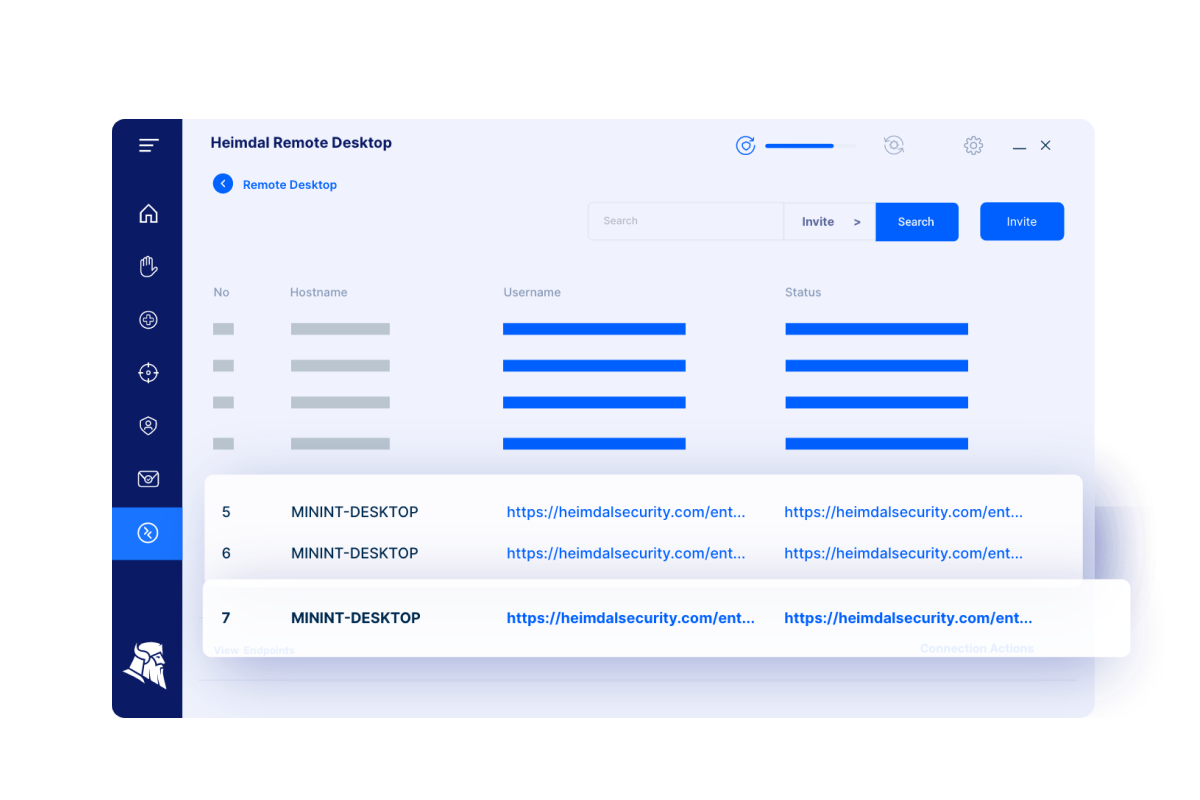 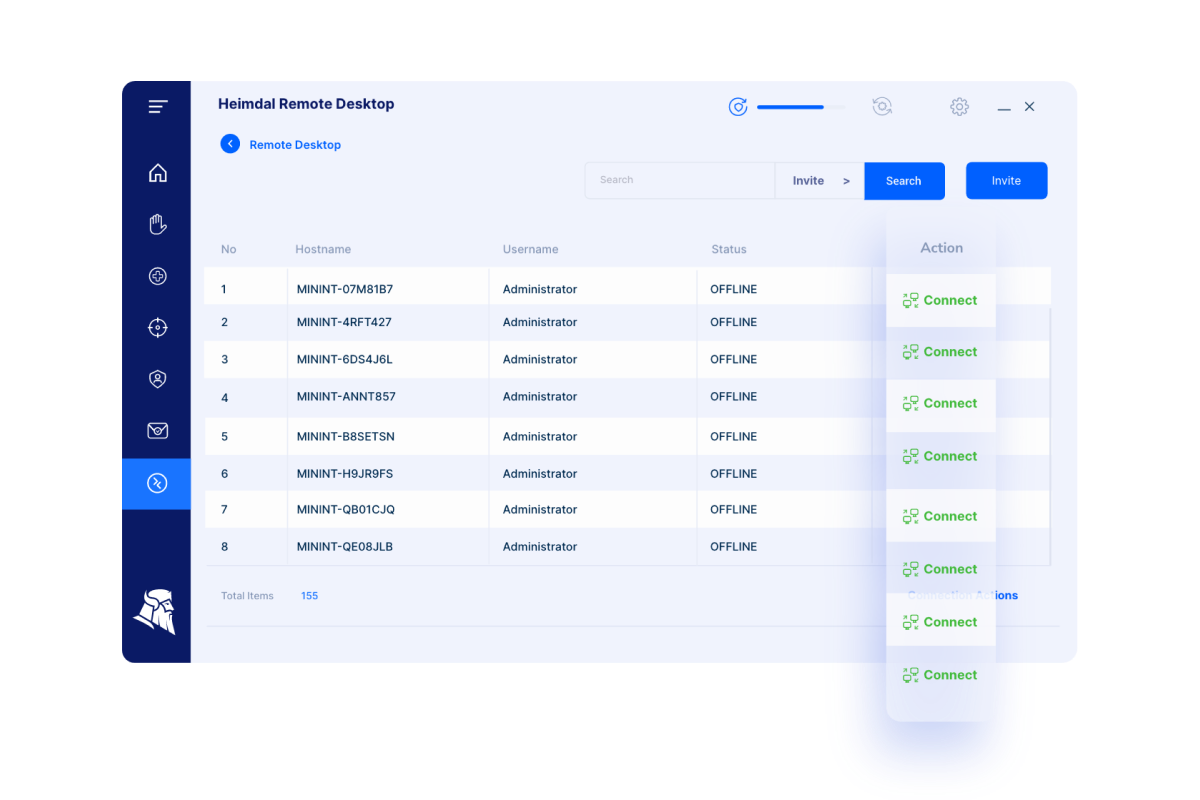 |

