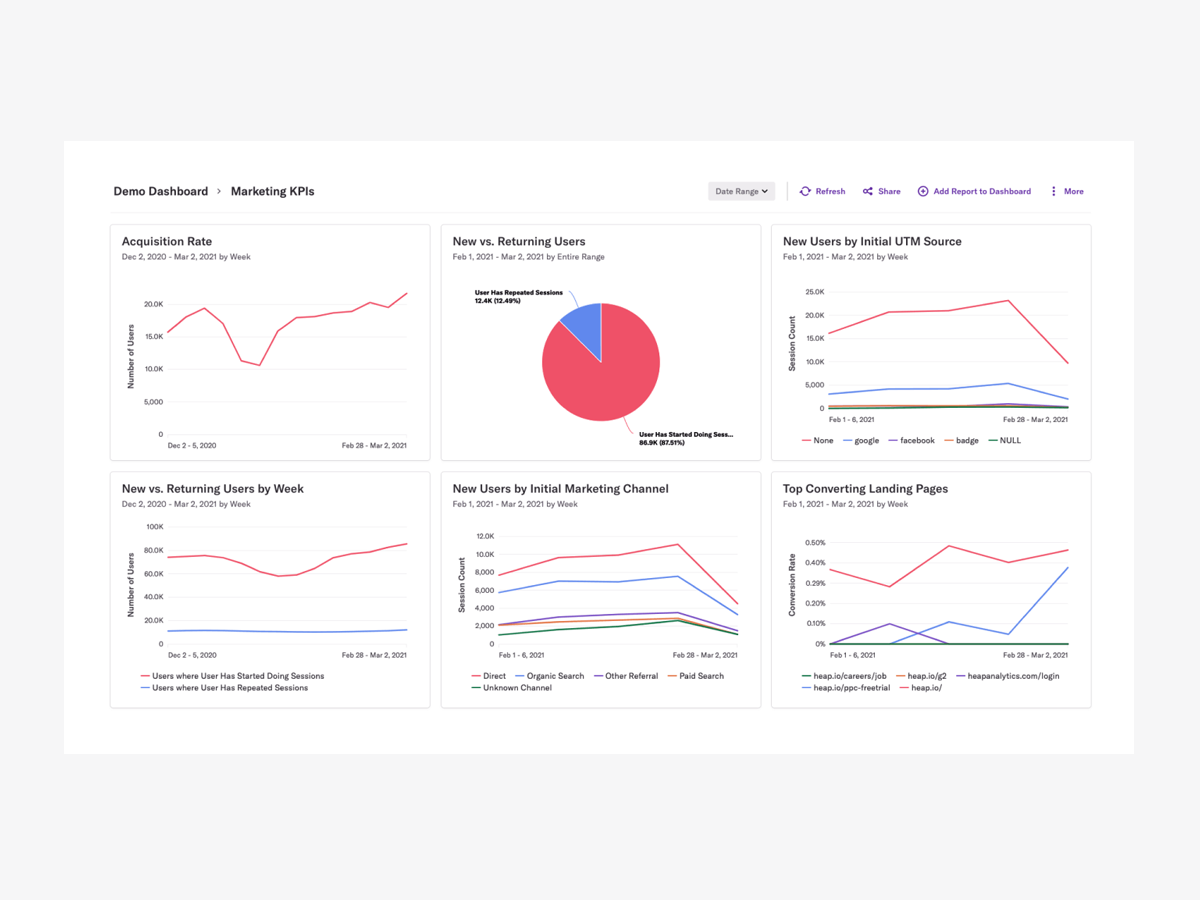
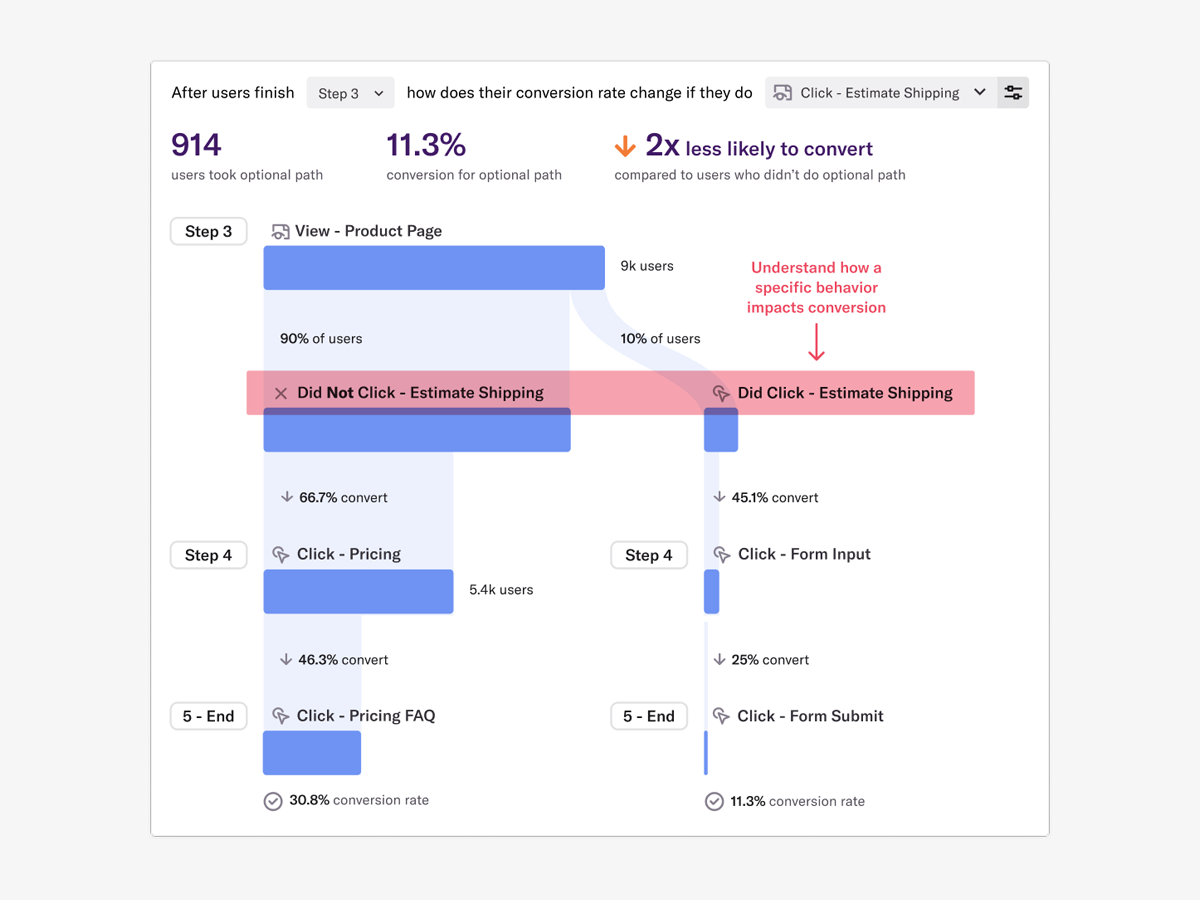
Heap is a web analytics platform captures every user interaction on web iOS with no extra code. The tool allows you to track events and set up funnels to understand user flow and dropoff. It also provides visualization tools to track trends over time.
$0
per month
HitsLink
Score9 out of 10
N/A
HitLinks is an inexpensive web analytics tools providing page view and unique visitor data to smaller site. Customers tend to be media sites with fairly simple analytics needs. The tools requires that some code be appended to all pages to be tracked, and does not offer any social media tracking.
$20
per month
Pricing
Heap
HitsLink
Editions & Modules
Free
$0
Up to 10k sessions/month
Growth
Starting at $3,600 annually
Up to 300k sessions/year
Pro
Contact Heap Sales
Custom sessions per month and unlimited projects
Premier
Contact Heap Sales
Custom sessions per month
10,000 Page Views
$19.95
25,000 Page Views
$24.95
50,000 Page Views
$29.95
Offerings
Pricing Offerings
Heap
HitsLink
Free Trial
Yes
Yes
Free/Freemium Version
Yes
No
Premium Consulting/Integration Services
Yes
No
Entry-level Setup Fee
Optional
No setup fee
Additional Details
Heap pricing is based on session volume. A session is a period of activity from a single user on your app or website. It can include many pageviews or events.
Scenarios when Heap was well suited: It is when a user claims that he encountered a bug without giving us the details of the error message. Scenarios where it is less appropriate: Its when we try to capture user interaction in our mobile app
A de minimis incentive was given to thank the reviewer for their time. The incentive was not used to bias or drive a particular response, nor was the incentive contingent on a positive endorsement. More Info
If you're looking for a comprehensive, user-friendly web analytics tool, you should definitely consider Hitslink. Before you subscribe to the software, take a test run on their Demo version of the site, as it behaves exactly like the full professional version. The biggest disadvantage is that Google+ registered users' search engine traffic data will be mostly (if not completely) blocked. However, this drawback is rarely a significant hindrance to analyzing your website's traffic, but it is something to be aware of.
A de minimis incentive was given to thank the reviewer for their time. The incentive was not used to bias or drive a particular response, nor was the incentive contingent on a positive endorsement. More Info
A de minimis incentive was given to thank the reviewer for their time. The incentive was not used to bias or drive a particular response, nor was the incentive contingent on a positive endorsement. More Info
Specific information such as search term and geographic location is blocked for users coming into your site through Google who are also signed into a Google+ account, making it increasingly more difficult to analyze trends as more and more people acquire Google+ accounts. This is part of Google's strategy to make companies pay them directly through their Google Analytics software, and it is working against services like Hitslink.
It's a great platform. I'm glad that one of our product managers introduced it because it has allowed us to create all kinds of new functionality. We're not only able to create a better product experience from our communications because of Heap, but we're also able to generate all kinds of helpful analysis.
A de minimis incentive was given to thank the reviewer for their time. The incentive was not used to bias or drive a particular response, nor was the incentive contingent on a positive endorsement. TR verified that a representative sample of customers was invited. More Info
Hitslink is as useful as it is user-friendly. I haven't seen another website analytics tool as comprehensive and at the same time straightforward as this service. The only downside of Hitslink is Google's blocking of information from its registered Google+ users to the software. As Google+ continues to reign in more of the population, I can see this being a significant problem for Hitslink to overcome. However, there is still a vast majority of search engine users whose actions are visible through Hitslink, and as long as this stays the case, the service will be an invaluable tool for website administrators.
On a scale from 1-10, I find Heap to be incredibly user-friendly and easy to use. I enjoyed the training videos available and was quickly able to pick up how to create events and reports to track user interactions on our product. I would recommend Heap for its usability first and foremost.
A de minimis incentive was given to thank the reviewer for their time. The incentive was not used to bias or drive a particular response, nor was the incentive contingent on a positive endorsement. TR verified that a representative sample of customers was invited. More Info
The service is incredibly intuitive and very easy to learn. The only drawback is not having a mobile-optimized website to easily view website reports on the go. But on a PC or Mac, Hitslink is as user friendly as it gets. I have yet to see a navigation system on any SaaS website that makes a service that is this comprehensive seem so straight-forward.
I've never run into any issues with Heap's availability, Heap is always there when I need it. I haven't run into any issues like application errors or unplanned outages during my 2+ years of using Heap. Each and every time I log in to Heap I have a completely functional experience
A de minimis incentive was given to thank the reviewer for their time. The incentive was not used to bias or drive a particular response, nor was the incentive contingent on a positive endorsement. More Info
Heap doesn't affect page load times considerably nor has a large impact [on] our overall score, as far as page loading times inside of the tool its pretty reliable to retrieve data as much as "instant" that it can be the delay seems to be on data getting tracked into the servers to be read but it's not significant.
A de minimis incentive was given to thank the reviewer for their time. The incentive was not used to bias or drive a particular response, nor was the incentive contingent on a positive endorsement. More Info
Heap support has allowed us to troubleshoot and test a lot of different items. Their support team is always helpful and friendly, even when we come to them with the most complicated questions. I think this greatly improves the value proposition of the product because their support team is knowledgable and friendly.
A de minimis incentive was given to thank the reviewer for their time. The incentive was not used to bias or drive a particular response, nor was the incentive contingent on a positive endorsement. TR verified that a representative sample of customers was invited. More Info
The implementation was smooth and easy. The Heap team helped us with implementation and it went great! Within a few weeks, we were fully up and running and utilizing the platform to its full capability. This is an additional thing that has made this platform so great and we couldn't recommend it enough.
A de minimis incentive was given to thank the reviewer for their time. The incentive was not used to bias or drive a particular response, nor was the incentive contingent on a positive endorsement. TR verified that a representative sample of customers was invited. More Info
Heap offers a ton of functionality on a single platform.It also has an smart data science layer to offers suggestions for next steps in the analysis, allowing us to explore alternative paths we may not think to take. The low-code option for updating data is appealing, and there is a lot of automation with minimal engineering effort.
A de minimis incentive was given to thank the reviewer for their time. The incentive was not used to bias or drive a particular response, nor was the incentive contingent on a positive endorsement. More Info
The most challenging part of using Heap in a growing organization is the naming and structure in which reports and dashboards are organized. I work within the marketing department and our Heap leader internally works within the IT/Product department, which makes it challenging because we often don't speak the same language, so the learning curve has been steep without any specific use-case examples to leverage online.
A de minimis incentive was given to thank the reviewer for their time. The incentive was not used to bias or drive a particular response, nor was the incentive contingent on a positive endorsement. More Info
A de minimis incentive was given to thank the reviewer for their time. The incentive was not used to bias or drive a particular response, nor was the incentive contingent on a positive endorsement. More Info