HashiCorp Vault vs. TOPKI – Certificate management & distribution platform

Overview
ProductRatingMost Used ByProduct SummaryStarting Price
HashiCorp Vault
Score 8.4 out of 10
N/A
HashiCorp offers Vault, an encryption tool of use in the management of secrets including credentials, passwords and other secrets, providing access control, audit trail, and support for multiple authentication methods. It is available open source, or under an enterprise license.
$0.03
TOPKI – Certificate management & distribution platform
Score 0.0 out of 10
N/A
Secardeo TOPKI (Trusted Open PKI) is a PKI system platform for automated key distribution of X.509 certificates and private keys to all users and devices where they are required. For this, TOPKI provides components that serve for specific certificate lifecycle management tasks. The PKI software components of the TOPKI platform can be integrated with other PKI systems, Active Directory or Mobile Device Management systems. TOPKI aims to enable adoption of managed PKI services.…N/A
Pricing
HashiCorp VaultTOPKI – Certificate management & distribution platform
Editions & Modules
Cloud - HCP Vault
$0.03/hr
Open Source
Free
Enterprise
Contact sales team
No answers on this topic
Offerings
Pricing Offerings
HashiCorp VaultTOPKI – Certificate management & distribution platform
Free Trial
NoNo
Free/Freemium Version
YesNo
Premium Consulting/Integration Services
NoNo
Entry-level Setup FeeNo setup feeNo setup fee
Additional Details
More Pricing Information
Community Pulse
HashiCorp VaultTOPKI – Certificate management & distribution platform
User Ratings
HashiCorp VaultTOPKI – Certificate management & distribution platform
Likelihood to Recommend
8.0
(0 ratings)
-
(0 ratings)
Likelihood to Renew
10.0
(0 ratings)
-
(0 ratings)
Usability
7.0
(0 ratings)
-
(0 ratings)
Support Rating
6.3
(0 ratings)
-
(0 ratings)
User Testimonials
HashiCorp VaultTOPKI – Certificate management & distribution platform
Likelihood to Recommend
Vault is a reliable and resilient as the Key Management System. It is not for the novice user that does not have a background in information security. It requires a significant time investment into the different key engines that the solution offers to get started. It works very well once implemented and is very flexible in general.
Read full review
No answers on this topic
Pros
  • The HTTP API you use to write and read secrets is open and can be used by any application.
  • It keeps our sensitive data/credentials out of our GitLab repositories.
  • Sealing and unsealing the Vault on demand adds an additional layer of security.
Read full review
No answers on this topic
Cons
  • Documentation for the API moves slower than changes in the API itself
  • The database secret engine's API design isn't as elegant as it could be
  • No support for revocation of all secrets under one path
Read full review
No answers on this topic
Likelihood to Renew
HashiCorp Vault is the best there is out there, and it has become critical to our secret management use cases. It would be difficult to find anything that would suit our needs better and that would be beneficial for us to switch over to.
Read full review
No answers on this topic
Usability
We spent a little more time than we imagined to conceptually understand how HashiCorp Vault operates, as well as how it is configured. This is not trivial, and keep in mind that you will need to take some time to get a thorough understanding of the tool. The documentation could be more helpful in this regard.
Read full review
No answers on this topic
Support Rating
Hashicorp has been very responsive to our questions and inquiries up to this point. We are currently working on them to develop a more granular permissions model within Vault. We are very close to achieving our objectives with the help of their support team. We do not seem to be in the same time zone which makes it hard for escalated issues.
Read full review
No answers on this topic
Alternatives Considered
HashiCorp Vault integrates with a lot of tools and systems, and the documentation was pretty robust with a lot of community help. Because HashiCorp Vault is also older than other solutions, it is already well developed with a lot of features you need for storing secrets and configuration. HashiCorp Vault is also friendlier towards application build and is focused in providing security and a lot of customization for almost any use case scenario. Bitwarden is more limited to password management of enterprise accounts, but for application usage is not that great or easy to integrate. It does not scale well also. AWS Secrets Manager on the other hand is really good but more limited to AWS applications and vendor lock is problematic as well for such a critical piece of infrastructure.
Read full review
No answers on this topic
Return on Investment
  • Allowed better access control for credentials, passwords, and important keys.
  • After we started using HashiCorp Vault, we were able to base our environment 100% as code.
  • SSH access control that is possible using HashiCorp Vault adds an extra level of security in environments where external remote access is required.
Read full review
No answers on this topic
ScreenShots

HashiCorp Vault Screenshots

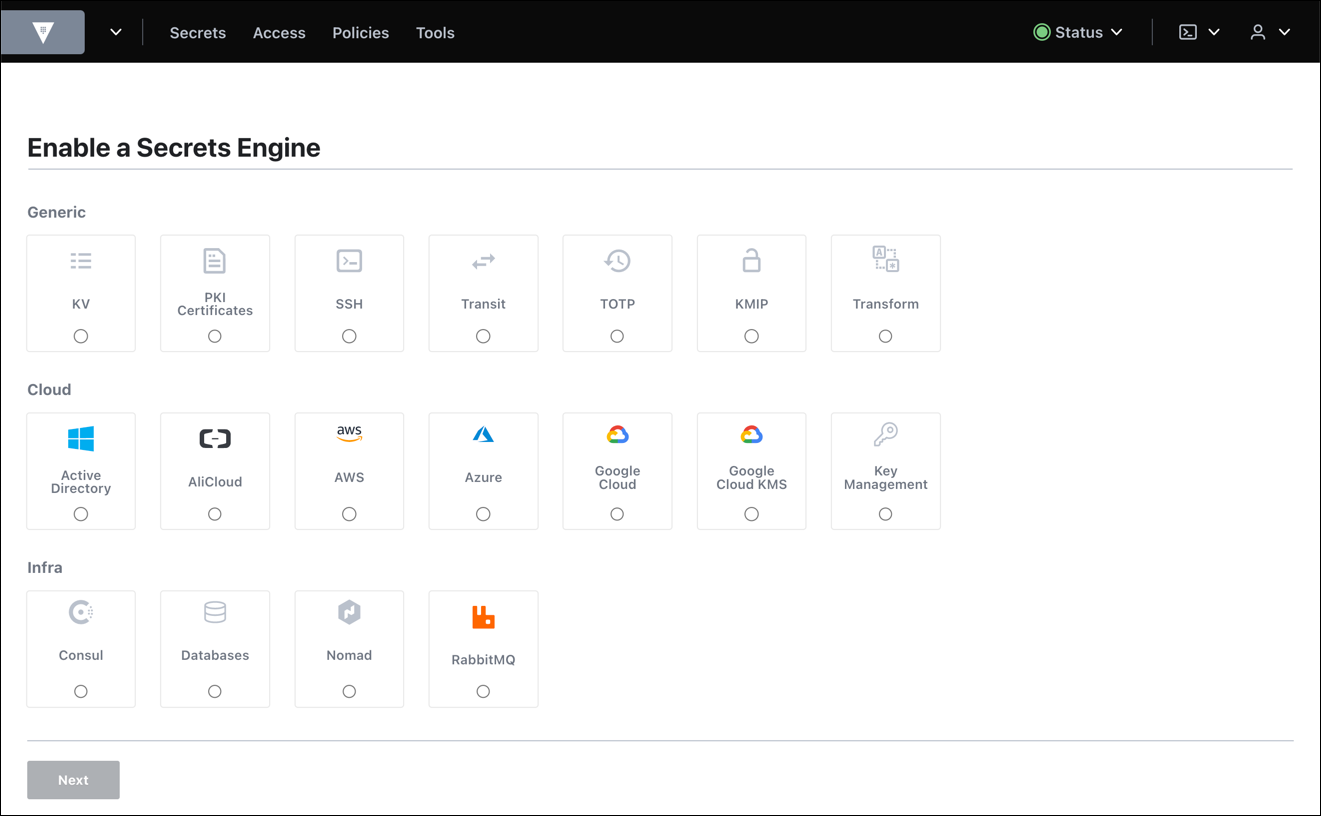
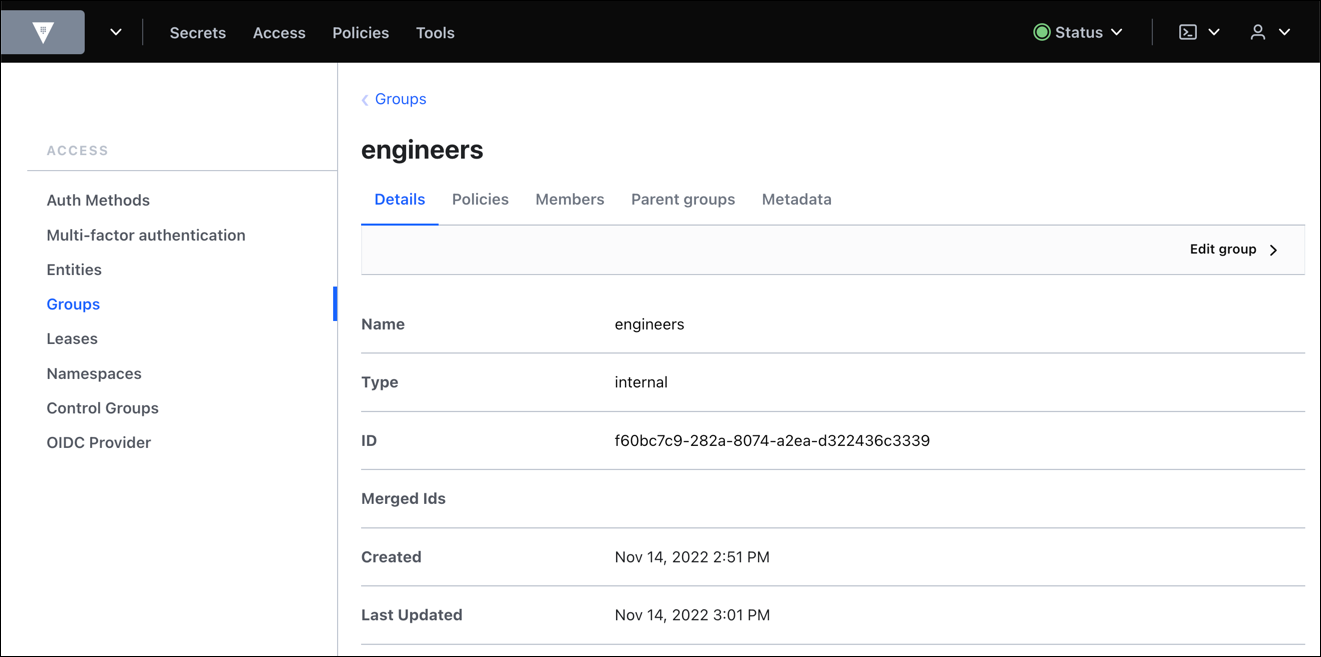
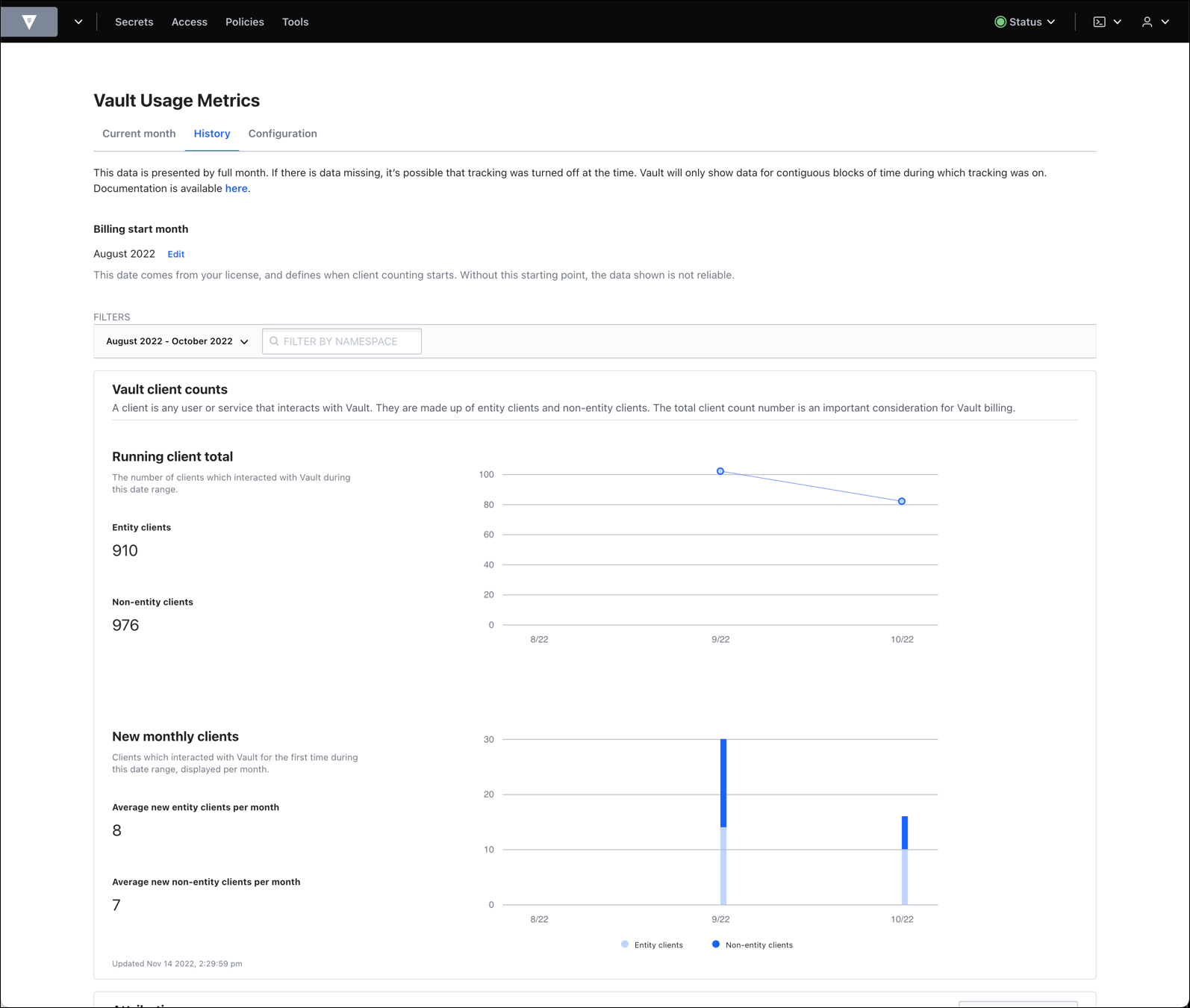
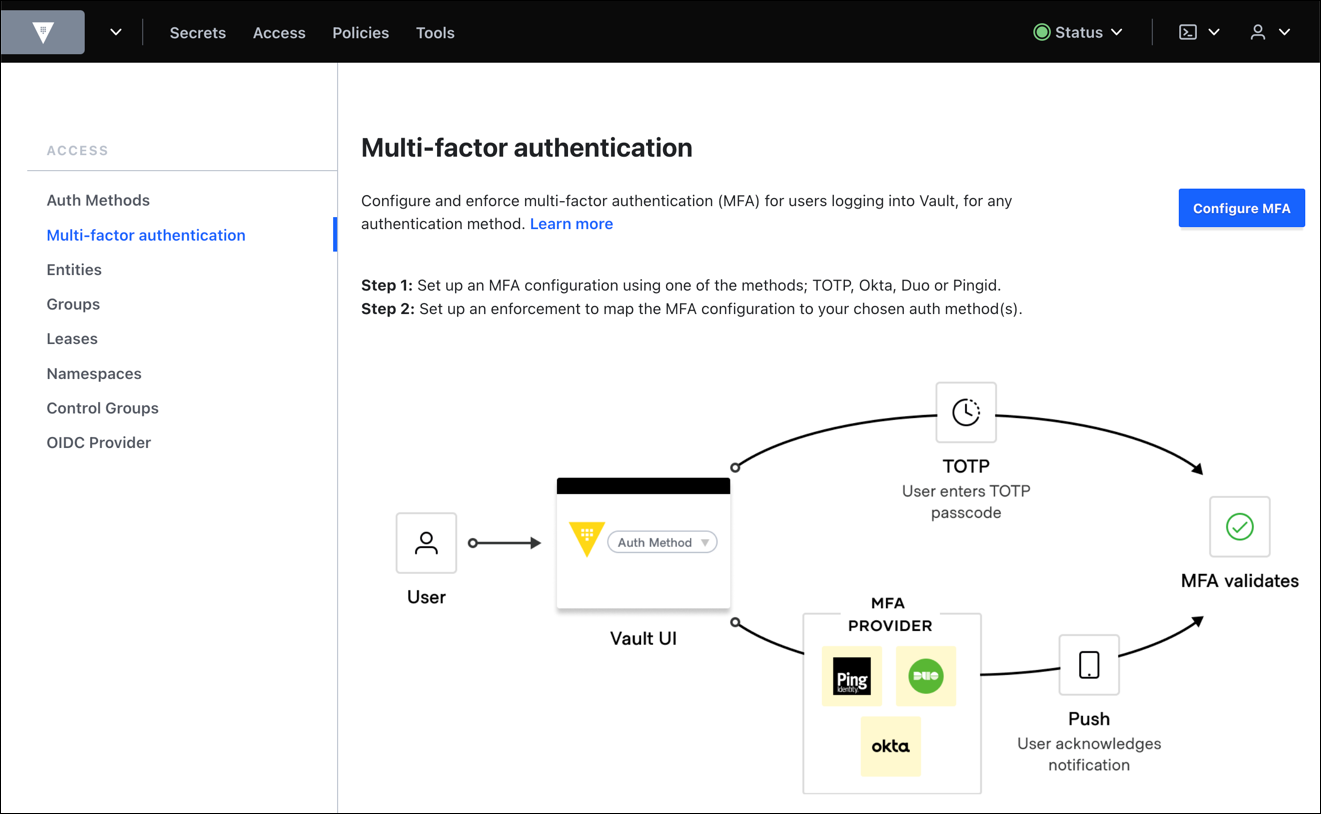
Screenshot of Example of writing a secret to Vault. Secrets are always encrypted and written to backend storage. To learn more: https://developer.hashicorp.com/vault/tutorials/getting-started/getting-started-first-secretScreenshot of Secrets menu to manage integrated secrets engines. Secrets Engines are components which store, generate, or encrypt data and are enabled at a path in Vault. To learn more: https://developer.hashicorp.com/vault/tutorials/getting-started/getting-started-uiScreenshot of Vault identity has support for groups. A group can contain multiple entities as its members. A group can also have subgroups. To learn more: https://developer.hashicorp.com/vault/docs/concepts/identityScreenshot of HCP Vault provides all of the power and security of Vault, without the complexity and overhead of managing it yourself. To learn more:  https://cloud.hashicorp.com/products/vaultScreenshot of View entity client and non-entity client counts.Screenshot of MFA is built on top of the Identity system of Vault. To learn more: https://developer.hashicorp.com/vault/docs/auth/login-mfa