Adobe Connect is a web conferencing platform that enables users to create presentations, online training materials, and learning modules. The product is entirely Adobe Flash-based and has several add-ons for customizing its software to suit each users’ unique needs.
$50
per host/per month
GoTo Webinar
Score 8.1 out of 10
N/A
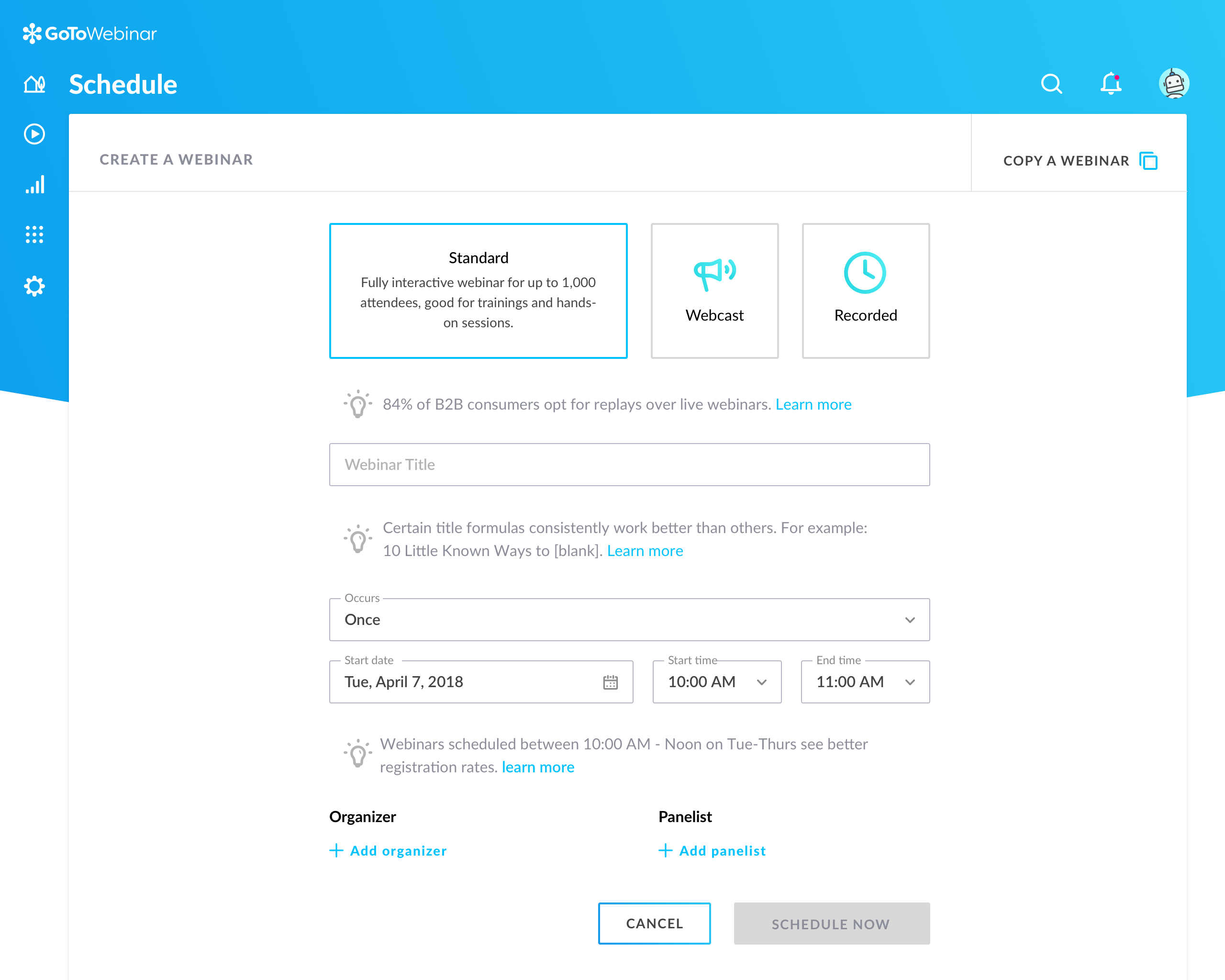
GoToWebinar is GoTo’s webinar and online conferencing solution, and offers features like audience polling and Q&A, flexible scheduling experiences, and webinar templates. It offers CRM integrations and reporting & analytics tools to help engage clients’ audiences.
I have used GoToMeeting and GoToWebinar for other trainings. The set up seems similar to Adobe Connect. GoToMeeting pricing is a bit more appealing, however, from what I have used. In all fairness, my usage of both has not been as extensive as Adobe Connect. I have worked …
I have used GoToMeeting only a few times. I am more familiar with Adobe connect. I have found them both useful in connecting employees, reviewing material together. I am not sure how GoToMeeting does with videos to stream. Due to the frequency of use, I would recommend Adobe …
We were on both GoTo platforms, when it was decided to move to Adobe Connect. Due to the audio access challenges and lackluster customer support, we decided to stay with GoTo webinar.
learning management system administrator/ data analyst
Chose Adobe Connect
Adobe connect is much more formal for our external audience. Skype and GoToMeeting work for internal meetings or informal meetings. The back end database for adobe connect is much more useful as well in my opinion.
If you are looking for an engaging session with loads of interactions and use of features. GoToMeeting/Webinar doesn't cut it as it lacks features, ClickMeeting is a great alternative, WebinarGeek can definitely hold up by is limited to the Dutch language for …
Adobe Connect offers best visual appearance and user accessibility other than the fact that is uses Adobe Flash which some web browsers have threatened to ban. I really miss the persistent meeting rooms of Adobe Connect Meeting and as a meeting host this is the very best system …
• GoToWebinar is better suited for external-facing webinars with a focus on marketing. training, or customer engagement. Its strength lies in detailed reporting, audience interaction tools, and ease of use for creating webinars
Zoom is great for Meetings (as is Google Hangouts) - The other platforms were either too costly or we couldn't get the data we needed. GoTo can do everything above in a similar fashion. Other webinar platforms we've reviewed/used not listed above: Omnovia, Big Market
We give [an] edge to GoTo Webinar because of [their] interactive and easy features for the user. Also on the budget side, GoTo Webinar's prices are less compared to the other tools. We get all the features of real analytics, polls, custom branding, and easy setup [to] help us …
I think GoToWebinar is more user friendly than Adobe. GoToWebinar is easy to access, and the menus are readily available and easy to understand. I would recommend this program over Adobe any day. I also feel that it is easier for participants to use as well.
I haven't formally reviewed these against one another. But I think that GoToWebinar (GTW) is the more robust solution and is the industry standard. I think that more people are familiar with using GTW, and I think that it's better suited for a one to many type meeting like what …
iLinc has inferior VoiP and we ended up paying for a conference line backup for our customers - got pricey. Adobe has a large learning curve - both for administrators and presenters, and isn't the most user-friendly for attendees either.
Adobe Connect is wonderful for repeatable branded learning experiences or webinars. They allow for creating an event with a series of similar layouts. The ability to alter these are easy, and duplicating layouts makes for fast alterations. Changing between layouts also creates visual interest as learners see things shift. Adobe Connect also is great for accessibility, the captions allow for resizing and placing the captions in various sections. The recordings also can have a searchable transcript to get to the information you want fast. Adobe Connect allows for running fun games/events as well, there are lots of apps that make the experience unique, and allows for managing content on screen as you'd like.
It is great for big events like training or product demos. It's good for marketing webinars with features like polls and Q&A. It's not ideal for small, casual meetings. It can be too expensive for some businesses. For smaller events, other tools might be better.
It's a quick method to exchange files, file, documents, and videos from a web app. Real-time conversation, and screen-sharing are all supported. It has a highly user-friendly interface. It is really simple to assist the teams.
Even team engagements is beneficial since it allows them to share their expertise with others, and the big benefit is the security of the rooms' access is fairly simple to manage.
The interface, which include features like notes, chat, pods, etc. When we're trying to gather rapid and exact information, simplify our work as much as possible.
Adobe Connect's features since they allow team members to express their ideas during meetings without causing disruptions, thereby bypassing the current international boundary of distance.
Can't schedule recurring webinars twice per week or every other week--must manually add or delete instances.
Can't schedule recurring webinars more than 'x' number of instances (less than a year's worth).
If you want a recurring webinar to continue past the last instance (in order to keep the same link), your only option is to manually add future instances before the last one occurs. If the last instance occurs, the webinar (and corresponding link) are archived with no recourse and you must recreate it from scratch and update every bit of external collateral with a new link. So I have to have reminders on my calendar every 6 months to go in and add additional dates for all my recurring webinars in order to keep my links active.
Canceling/changing seats is a huge pain.
The default 'join' screen is app-based rather than web based, so registrants often have to download GTW. I have a lot of clients whose computers are locked down from unapproved apps and have missed the webinar because the ability to join on the web is very unintuitive.
The longer you use Adobe Connect, the longer you are likely to use it. Because you can build more and more resources over time, creating rooms that you re-use, recorded content you can repurpose, and tools that form the basis of ever increasing productivity, the more you use Connect, the more productive you become. Unlike competing products where, with every meeting you essentially start over -- setting up your resources for each meeting -- in my Connect rooms, I have highly tuned tools to accomplish my knowledge transfer goals. When I want to conduct another session - I send a link out to the appropriate room and instantly we are all focusing on getting a job done together. This ability of Adobe Connect to make you productive at an ever quickening rate is a competitive advantage
Our largest issue with GoTo have been the limitations on recording and using recordings to host a webinar, and the biggest of those is the ability to record. We have had most of our webinars recorded successfully, but when it failed to save, it failed in a big way. Their customer service team was there to help, but they were unable to truly fix the problem. There are, of course, other providers, but as we are still seeing where hosted webinars fit in our marketing strategy, cost is an important factor. Since our company already uses GoToMeeting, it makes more sense for us to stay with the entire suite of products, especially while we are testing the strategy as a whole.
I gave it a 6 because it does have lots of functionality, has a strong brand and reputation following, etc. but it does have its glitches and experiences with low bandwidth issues. I believe it has more features than my organization fully leverages, so some of those pieces haven't been explored yet. But there are opportunities for improvement in their online resource support, stability at high usages as well.
This is very easy to set up, configure, onboard, and use. The features can be explored without much ado. In-webinar and post-webinar features are also used seamlessly. Any new person can self-train in minutes and be hands-on. I love the overall usability of this tool.
I rated GoTo Webinar a 9 out of 10 for availability because it generally performs reliably, with minimal application errors or unplanned outages. The platform’s high uptime ensures that it’s usually accessible when needed, supporting a seamless experience for scheduling and conducting webinars. While occasional minor issues may arise, they are infrequent and typically well-managed, contributing to a strong overall rating for availability.
I rated GoTo Webinar an 8 out of 10 for performance due to its generally robust capabilities. Pages load quickly, and reports are generated efficiently, even for complex data sets. The platform’s integration with other systems typically doesn’t introduce significant latency or performance issues. However, during peak usage times or when handling very large data volumes, there can be occasional slowdowns. Despite these instances, GoTo Webinar consistently provides strong performance and reliability in its core functions.
The customer support of Adobe connect is professional and well-skilled for resolving our minor and major issues. Moreover, it has almost all the features that will provide you a secure connection, with people across the world. Education institutes can also implement this software. On the basis of its quality and technology, I will surely advise you to try it once.
I was always able to get someone on the phone when I needed to. They were very thorough and ensuring my questions were answered. And if I was asking for a solution or request that they didn't offer, they told me so I could at least stop trying to search for it.
The ability to have most of the functionality of a full LMS at a fraction of the cost is huge. I can create manage and deploy both synchronous and asynchronous training based on the situation and all of my training is tracked through a series of easily created reports
Prices do not seem to vary much among resellers of the Adobe Connect hosted license; the only price variation you're likely to find are among the audio providers. When implementing, you may also wish to look into expanding the amount of storage you are allowed on the server to avoid any problems later on as your library of files starts to build up
I didn't participate in the implementation nor did my company. As far as I know we have an IT office running alla these projects and we just use the final products for our educational purposes. I also didn't notice implementation at any level while using the desktop interface, but would immediately recognize it, if so.
Actually, it was the other way around....we were using Adobe Connect, company-wide, then switched over to Zoom, mostly, I think, as a cost-cutting measure. But some Learning & Development folks campaigned to be allowed to retain some Adobe Connect licenses (for example, one L&D area had literally over 250 room layouts that their course facilitators could just jump into and use to deliver a course on short notice), which also allows some of us to continue to publish Presenter and Captivate modules to the Adobe server. (But, even those of us who still have Adobe Connect licenses use Zoom for most regular business meetings.)
GoToWebinar has a user-friendly interface and intuitive controls. When comparing it with other platforms, assess how easily you can navigate through features, set up events, and engage with participants. Connection stability, audio and video quality seem pretty much ok. Interactive polls, Q&A sessions, recording options are also working fine and provide to the user experience
I rated GoTo Webinar an 8 out of 10 for scalability because it effectively supports deployment across multiple departments and sites with its flexible features. It allows for easy management of large-scale webinars and integration with various systems, accommodating a growing number of users and sessions. However, some users might find limitations in advanced customization or specific integration needs as their requirements become more complex. Overall, its robust capabilities and adaptability make it a strong choice for scalable webinar solutions.
Save on time - our instructors and people that use the platform can teach more classes and more often than in-person training and time traveling.
We cut down on spending. When we offer training using Connect - we do not have to spend on meals, hard copy materials, and reserving a venue to deliver training.
We increase our training sales significantly but offering Connect as an alternative - any unforeseen cancellations to a public class can result in transferring to a remote online Connected class.