GoTo Meeting vs. WorkHub Connect

Overview
ProductRatingMost Used ByProduct SummaryStarting Price
GoTo Meeting
Score 8.1 out of 10
N/A
From GoTo (formerly LogMeIn), GoToMeeting is an online meeting, desktop sharing, and video conferencing software that enables users to connect via the internet. It hosts a suite of online meeting tools, including real-time screen sharing and integrated audio.
$12
Per Organizer / Per Month for 150 Participants [billed annually]
WorkHub Connect
Score 8.6 out of 10
N/A
WorkHub Connect is a team conferencing platform that enables internal team members and external contacts to communicate efficiently through one-click chat, audio, and video calls. The platform also includes screen-sharing and recording capabilities. To make internal and external communications easier, WorkHub Connect features an interactive Team Wall that displays live headshots of employees at regular intervals. This feature helps manage office presence more…N/A
Pricing
GoTo MeetingWorkHub Connect
Editions & Modules
Professional
$12.00
Per Organizer / Per Month for 150 Participants [billed annually]
Business
$16.00
Per Organizer / Per Month for 250 Participants [billed annually]
Enterprise
Custom Pricing
3,000 Participants
No answers on this topic
Offerings
Pricing Offerings
GoTo MeetingWorkHub Connect
Free Trial
YesYes
Free/Freemium Version
NoNo
Premium Consulting/Integration Services
NoNo
Entry-level Setup FeeNo setup feeRequired
Additional DetailsPricing available by monthly or annual subscription, with discounts for annual commitments.
More Pricing Information
Community Pulse
GoTo MeetingWorkHub Connect
Features
GoTo MeetingWorkHub Connect
Performance & Compatibility of Online Events Software
Comparison of Performance & Compatibility of Online Events Software features of Product A and Product B
GoTo Meeting
8.1
Ratings
2% above category average
WorkHub Connect
8.0
Ratings
1% above category average
High quality audio8.80 Ratings8.20 Ratings
High quality video8.70 Ratings9.10 Ratings
Low bandwidth requirements7.10 Ratings7.30 Ratings
Mobile support8.00 Ratings7.30 Ratings
Screen Sharing
Comparison of Screen Sharing features of Product A and Product B
GoTo Meeting
8.2
Ratings
3% above category average
WorkHub Connect
9.1
Ratings
14% above category average
Desktop sharing8.20 Ratings9.10 Ratings
Whiteboards8.10 Ratings00 Ratings
Online Meetings / Events
Comparison of Online Meetings / Events features of Product A and Product B
GoTo Meeting
8.1
Ratings
2% below category average
WorkHub Connect
8.0
Ratings
4% below category average
Calendar integration8.00 Ratings8.20 Ratings
Meeting initiation8.40 Ratings8.20 Ratings
Integrates with social media7.70 Ratings00 Ratings
Record meetings / events8.10 Ratings8.20 Ratings
Slideshows8.10 Ratings7.30 Ratings
Online Events Collaboration
Comparison of Online Events Collaboration features of Product A and Product B
GoTo Meeting
8.2
Ratings
0% above category average
WorkHub Connect
7.3
Ratings
11% below category average
Live chat8.30 Ratings7.30 Ratings
Audience polling8.10 Ratings00 Ratings
Q&A8.40 Ratings00 Ratings
Online Events Security
Comparison of Online Events Security features of Product A and Product B
GoTo Meeting
8.1
Ratings
0% below category average
WorkHub Connect
-
Ratings
User authentication8.00 Ratings00 Ratings
Participant roles & permissions8.20 Ratings00 Ratings
Confidential attendee list8.20 Ratings00 Ratings
Best Alternatives
GoTo MeetingWorkHub Connect
Small Businesses
Intermedia AnyMeeting Pro
Score 7.1 out of 10
Intermedia AnyMeeting Pro
Score 7.1 out of 10
Medium-sized Companies
JioMeet
JioMeet
Score 10.0 out of 10
JioMeet
JioMeet
Score 10.0 out of 10
Enterprises
Webex Meetings
Webex Meetings
Score 8.4 out of 10
Webex Meetings
Webex Meetings
Score 8.4 out of 10
All AlternativesView all alternativesView all alternatives
User Ratings
GoTo MeetingWorkHub Connect
Likelihood to Recommend
8.2
(0 ratings)
7.9
(0 ratings)
Likelihood to Renew
7.5
(0 ratings)
-
(0 ratings)
Usability
5.0
(0 ratings)
-
(0 ratings)
Availability
9.1
(0 ratings)
-
(0 ratings)
Performance
9.1
(0 ratings)
-
(0 ratings)
Support Rating
7.6
(0 ratings)
-
(0 ratings)
Online Training
7.3
(0 ratings)
-
(0 ratings)
Implementation Rating
8.9
(0 ratings)
-
(0 ratings)
Configurability
4.5
(0 ratings)
-
(0 ratings)
Ease of integration
3.0
(0 ratings)
-
(0 ratings)
Product Scalability
9.0
(0 ratings)
-
(0 ratings)
Vendor post-sale
4.0
(0 ratings)
-
(0 ratings)
Vendor pre-sale
10.0
(0 ratings)
-
(0 ratings)
User Testimonials
GoTo MeetingWorkHub Connect
Likelihood to Recommend
Microsoft Teams has always given us issues if we run an extensive meeting with more than 30 participants. Often, HR would train many people at once, and call quality would degrade or crash. This provides a good alternative when Teams is not working correctly, but we must continue orientation or training. It is inappropriate for all meetings since we are embedded in the Microsoft ecosystem, and Teams integrates well with SharePoint.
Read full review
We have been using WorkHub Connect for a while, which is excellent. We can stay in touch with our coworkers using a single platform. I can make an instant call or text anyone from the channel. Thanks to the valuable features and easy use of the software, it is very user-friendly.
Read full review
Pros
  • Calendar Scheduling: It prepares us for all meetings, automatically sends reminders, and ensures we never miss a meeting.
  • Ease of Scheduling: Scheduling a meeting is straightforward and saves us a lot of time.
  • The screen-sharing feature allows us to present documents and plans effortlessly during client calls.
  • We use the recording feature extensively for training purposes, especially for the onboarding of new members.
Read full review
  • Ability to create a separate channel and groups and only communicate with people who are relevant to you.
  • Using the @ notation, you can tag people in messages and reply to a message thread.
  • To notify only specific people who have joined the channel, use annotations such as @all, @channel, or any customized form.
Read full review
Cons
  • Lack of security updates (Not sure if they are taking care of but they should make users aware of it frequently)
  • Brand recognition improvement (Specifically in the US market where many customers still prefer Zoom)
  • Many prospects still consider GoTo as a legacy platform compared to Meet, Teams, Zoom. This is not a missing feature but GoTo team should really position themselves as innovative rather than pre-existing perceived notion of being legacy.
Read full review
  • We should be able to send voice notes over chats.
  • It is not a fully matured tool, so there are very frequent updates.
Read full review
Likelihood to Renew
We used other software like goto meetings but found it best because of its user friendly interface and easy interfacing. It helped us in COVID and now we can say we are depending on it and love it. We recommend it to our friends company and they are also using it. It is very affordable and easy to integrate with system
Read full review
No answers on this topic
Usability
The simplicity of GoToMeetings desktop, mobile, and web-based applications make it a very robust and user-friendly meeting solution. At times, it may be more complex than needed, but it is nice to have so many features that can be used if needed. Once installed, it is very easy to use and navigate.
Read full review
No answers on this topic
Reliability and Availability
This application has always been available. Never an issue
Read full review
No answers on this topic
Performance
This application is fast. Loads fast, no stall
Read full review
No answers on this topic
Support Rating
When we have issues, they seem to respond quickly and do everything they can to help us. They have even tried to find other ways we could get more use out of their product, or improve the way we are currently using it. Overall, their support has been fairly good for us.
Read full review
No answers on this topic
Implementation Rating
It was very easy and self-explanatory.
Read full review
No answers on this topic
Alternatives Considered
GoTo Meetings has no time limit for sessions with more than x attendees. GoTo Meetings provides an easy way to allow attendees to share their screens. GoTo Meeting does not require membership/license/registration attendees; they are not required to download the desktop application. They can attend from the web if they choose to do so.
Read full review
With Microsoft Teams, your staff can work remotely on various devices and freely collaborate with their partners and customers. You can add tasks, personnel, or locations quickly and easily.
Read full review
Return on Investment
  • It has improved the efficiency of our sales meetings, allowing us to close deals faster and with greater clarity.
  • There has been a 15% increase in our sales conversion rates.
  • The ability to effectively conduct in-house training has improved team productivity and reduced costs associated with in-person training.
Read full review
  • Nothing to say as I was not involved in the purchasing.
Read full review
ScreenShots

GoTo Meeting Screenshots

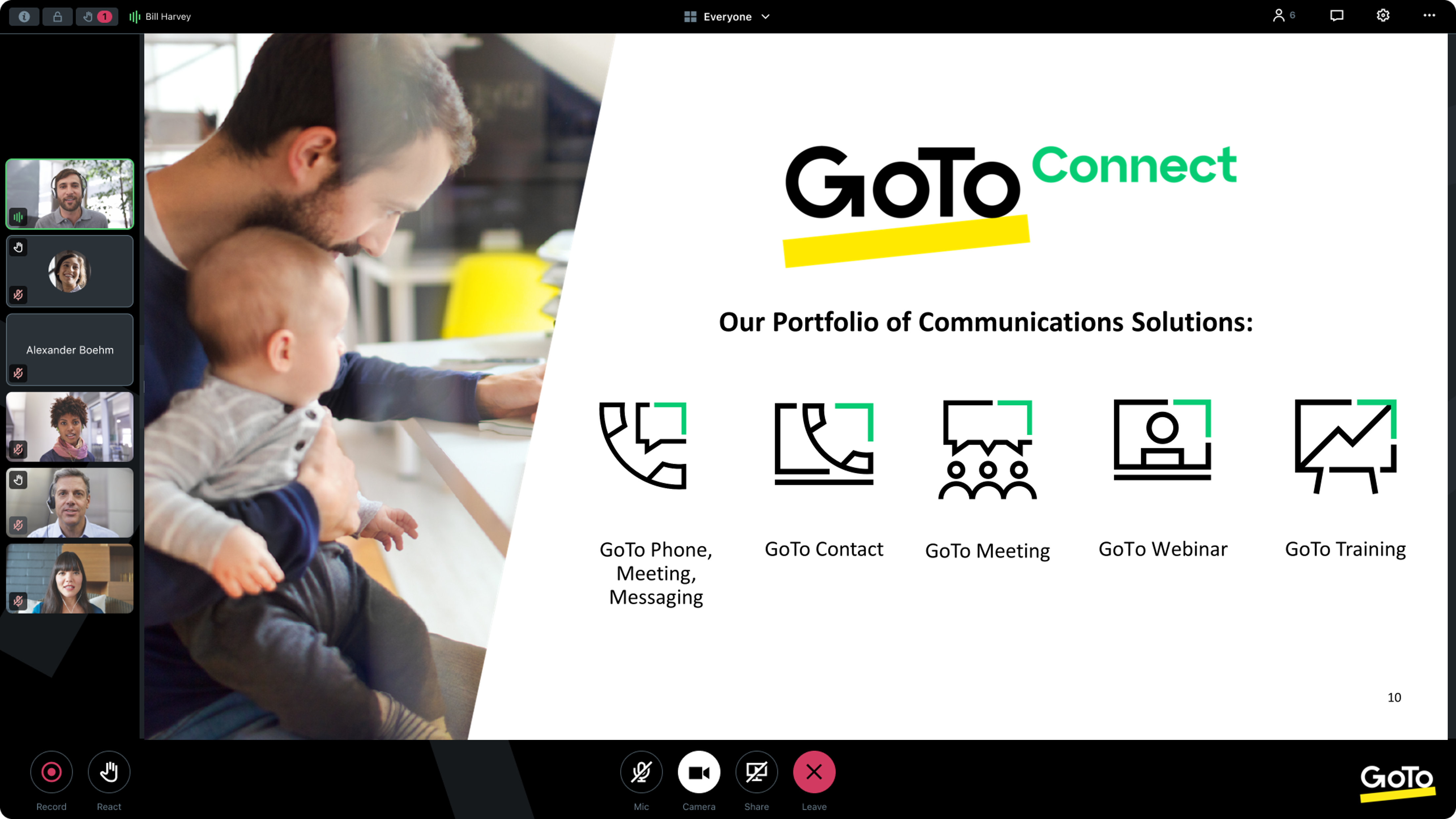
Screenshot of GoTo App - Create Meeting (Out of Session)Screenshot of GoTo App - Join Meeting (Out of Session)Screenshot of GoTo App - Meeting (In Session)Screenshot of GoTo App - Mobile Meetings (Out of Session)Screenshot of GoTo App - Screen Share Meeting (In Session)

WorkHub Connect Screenshots

Screenshot of Connect was built to boost team collaboration while working remotely from anywhere. Its video conferencing services simplify the process for users by creating live headshots of the employees after regular intervals. It aims to provide a realistic experience of how a team is performing remotely.Screenshot of Regardless of where colleagues are working, video conferencing services offer the freedom to make audio or video calls online with a click. Any two team members who are actively available on the application can connect with each other while working remotely from their homes.Screenshot of WorkHub Connect is a communication app, whether for one-to-one private calls or a conference call with a whole team.Screenshot of Tools for a complete collaboration experience are available within WorkHub Connect. Users can chat individually or create channels for group conversations to keep everyone on the same page. Instantly share images, videos, and documents with coworkers.Screenshot of WorkHub Connect also provides its users with a screen sharing feature for collaboration, supporting use cases from webinar presentations to sales conversations to a quick gut check on a design with a coworker.