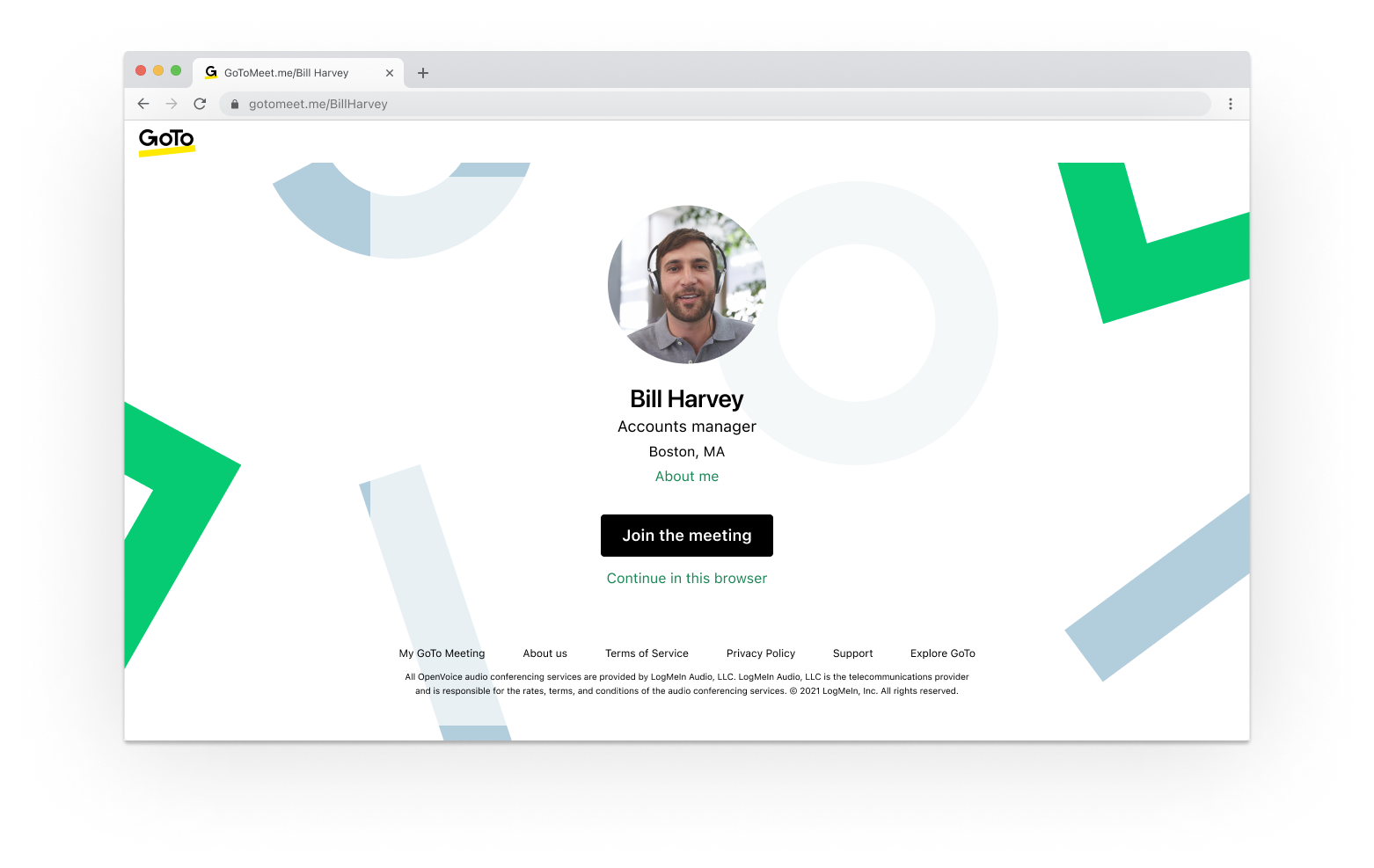
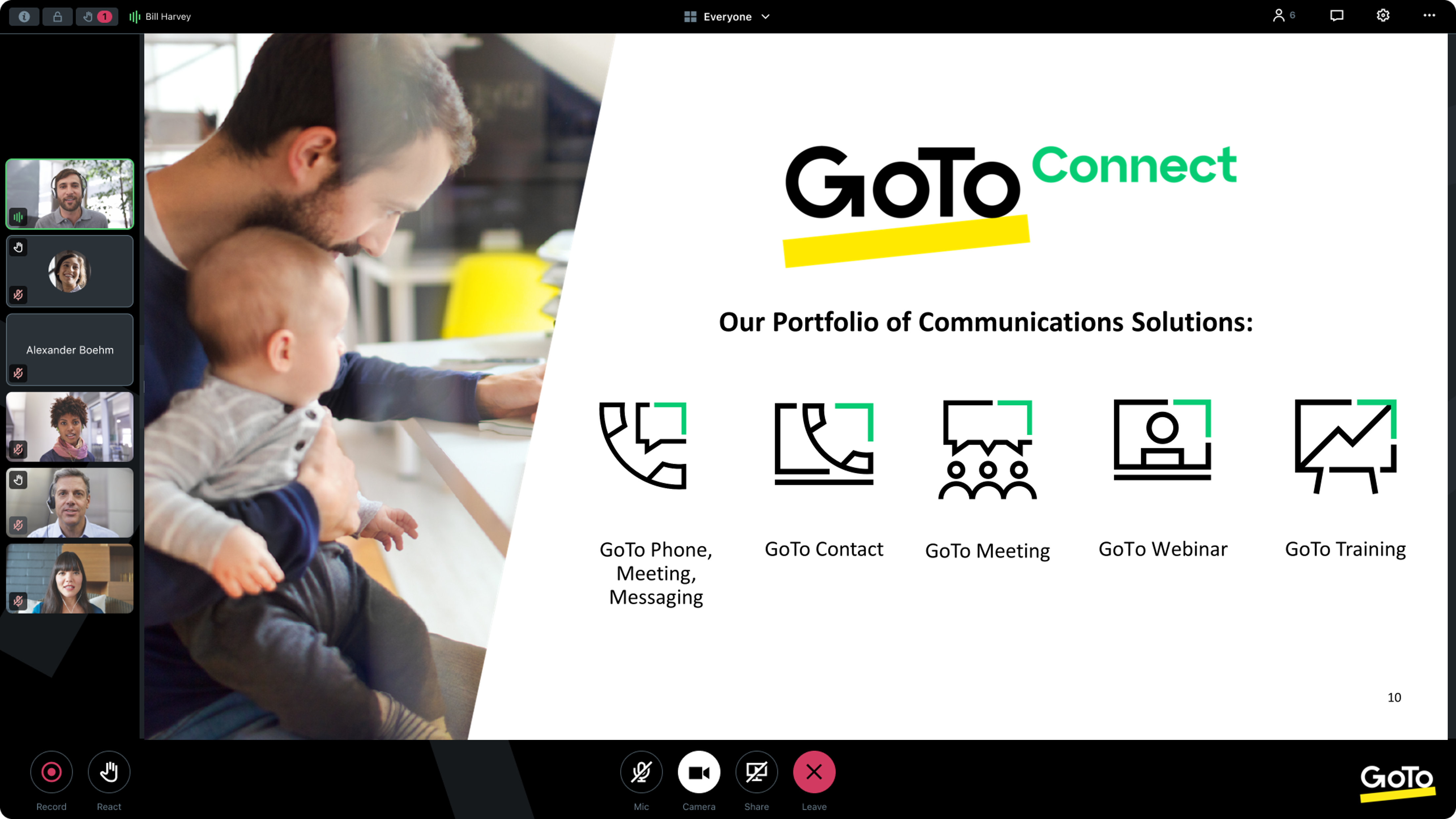
From GoTo (formerly LogMeIn), GoToMeeting is an online meeting, desktop sharing, and video conferencing software that enables users to connect via the internet. It hosts a suite of online meeting tools, including real-time screen sharing and integrated audio.
$12
per month
GoTo Webinar
Score8.1 out of 10
N/A
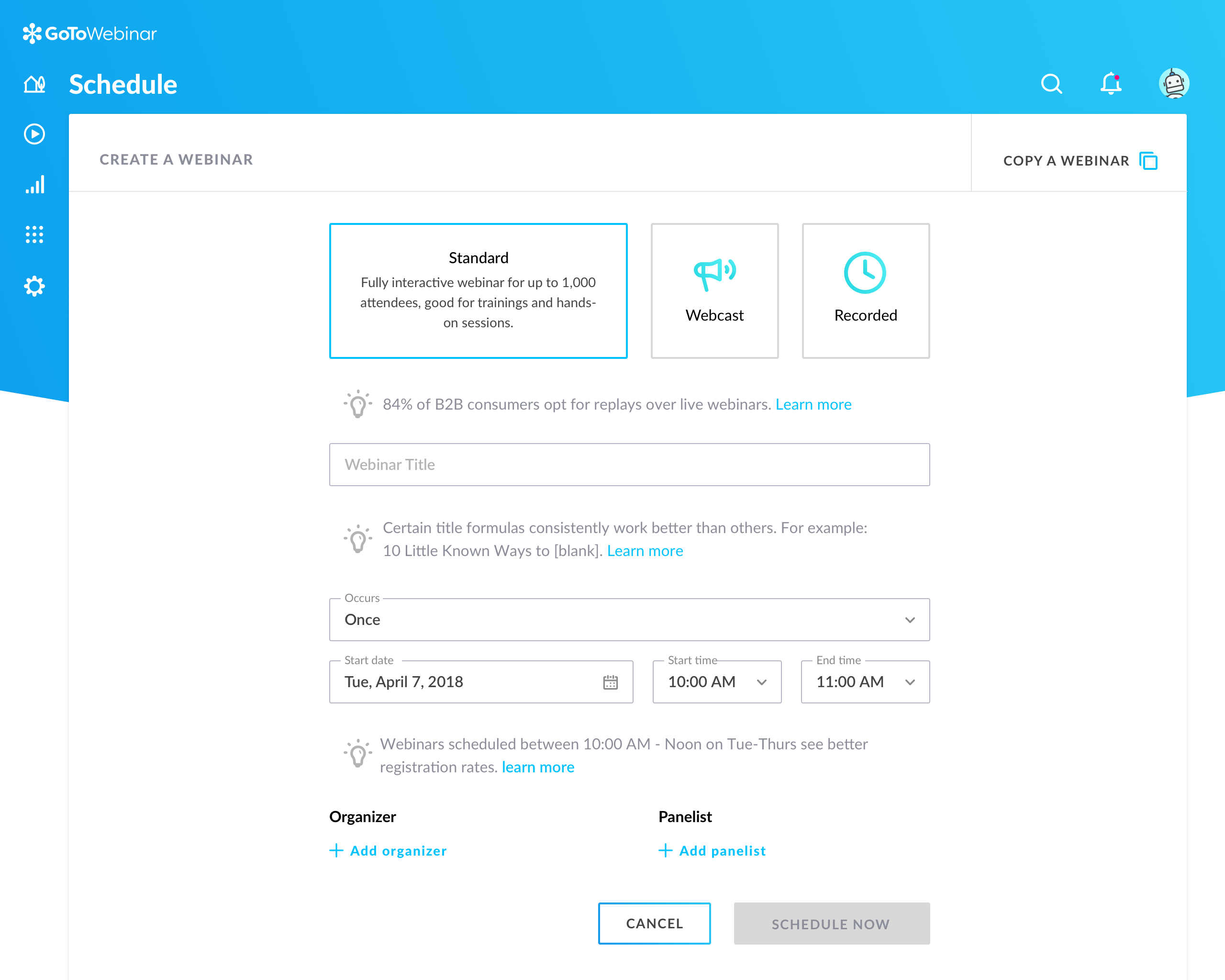
GoToWebinar is GoTo’s webinar and online conferencing solution, and offers features like audience polling and Q&A, flexible scheduling experiences, and webinar templates. It offers CRM integrations and reporting & analytics tools to help engage clients’ audiences.
$49
per month per organizer
Pricing
GoTo Meeting
GoTo Webinar
Editions & Modules
Professional
$12.00
Per Organizer / Per Month for 150 Participants [billed annually]
Business
$16.00
Per Organizer / Per Month for 250 Participants [billed annually]
Enterprise
Custom Pricing
3,000 Participants
Lite
$49/month
per month per organizer
Standard
$99/month
per month per organizer
Pro
$199/month
per month per organizer
Enterprise
$399/month
per month per organizer
Offerings
Pricing Offerings
GoTo Meeting
GoTo Webinar
Free Trial
Yes
Yes
Free/Freemium Version
No
Yes
Premium Consulting/Integration Services
Yes
Yes
Entry-level Setup Fee
No setup fee
No setup fee
Additional Details
Pricing available by monthly or annual subscription, with discounts for annual commitments.
—
More Pricing Information
Community Pulse
GoTo Meeting
GoTo Webinar
Considered Both Products
GoTo (formerly LogMeIn)
Verified User
Chose GoTo Meeting
At first, I never thought that this platform is existing because I have been exposed to different platform before, not until I was employed in my current company and I can say that it helps me to communicate with my colleague . If there's an urgent concern regarding the task, I …
A de minimis incentive was given to thank the reviewer for their time. The incentive was not used to bias or drive a particular response, nor was the incentive contingent on a positive endorsement. More Info
System Administrator in Customer Service at The Planning Council (Non-profit Organization Management, 11-50 employees)
Chose GoTo Meeting
GoTo Meetings has no time limit for sessions with more than x attendees. GoTo Meetings provides an easy way to allow attendees to share their screens. GoTo Meeting does not require membership/license/registration attendees; they are not required to download the desktop …
A de minimis incentive was given to thank the reviewer for their time. The incentive was not used to bias or drive a particular response, nor was the incentive contingent on a positive endorsement. More Info
Game Programmer in Engineering at Scale AI (Computer Software, 201-500 employees)
Chose GoTo Meeting
When exploring virtual meeting solutions, we evaluated alternatives such as Zoom and Microsoft Teams. GoTo Meeting stood out for its user-friendly interface, robust features, and a reputation for reliability, making it the preferred choice for our organization's diverse virtual …
A de minimis incentive was given to thank the reviewer for their time. The incentive was not used to bias or drive a particular response, nor was the incentive contingent on a positive endorsement. More Info
A de minimis incentive was given to thank the reviewer for their time. The incentive was not used to bias or drive a particular response, nor was the incentive contingent on a positive endorsement. More Info
Professional Counselor in Professional Services at Center for Counseling and Education (Hospital & Health Care, 11-50 employees)
Chose GoTo Meeting
GoToMeeting has greater flexibility in live streaming, file sharing and collaborative work. Zoom does well when there is the need for only one person to be in control of the meeting. GoToMeeting has become the product that is easiest to use and train new employees how to use.
A de minimis incentive was given to thank the reviewer for their time. The incentive was not used to bias or drive a particular response, nor was the incentive contingent on a positive endorsement. TR verified that a representative sample of customers was invited. More Info
Web Content Specialist at Johns Hopkins Bloomberg School of Public Health - Center for Communication Programs (Higher Education, 201-500 employees)
Chose GoTo Meeting
GoToMeeting is a solid basic option for remote meetings/teleconferencing. Although my team uses Zoom now, we had great experiences with GoToMeeting. I rarely if ever experienced poor video or audio quality, and I never heard my logistics team complain about GoToMeeting's …
A de minimis incentive was given to thank the reviewer for their time. The incentive was not used to bias or drive a particular response, nor was the incentive contingent on a positive endorsement. TR verified that a representative sample of customers was invited. More Info
Verified User
Chose GoTo Meeting
We selected GoToMeeting for its recording capabilities, but Skype now offers the same functionality without the cluttered/confusing GoToMeeting UI, and with a good degree of user competency from folks using it in their personal lives. Compared to the competition, GoToMeeting …
A de minimis incentive was given to thank the reviewer for their time. The incentive was not used to bias or drive a particular response, nor was the incentive contingent on a positive endorsement. More Info
Verified User
Chose GoTo Meeting
GoToMeeting allows staff to create seminars and run them as a class where Skype can be used for a call and tends to glitch when adding others to create a full conference. GoToMeeting allows for more of a group setting, which helps grow a program and audience.
A de minimis incentive was given to thank the reviewer for their time. The incentive was not used to bias or drive a particular response, nor was the incentive contingent on a positive endorsement. TR verified that a representative sample of customers was invited. More Info
Marketing Operations Manager in Marketing at Simpleview (Internet, 201-500 employees)
Chose GoTo Meeting
GoToMeeting is about as easy to use as Zoom and BlueJeans. It is comparable to Amazon Chime, but less integrated than Google Hangouts/Chat. Almost all these solutions include file sharing, screen sharing, chat, and polling. The most helpful features are dial-in numbers and …
A de minimis incentive was given to thank the reviewer for their time. The incentive was not used to bias or drive a particular response, nor was the incentive contingent on a positive endorsement. More Info
Verified User
Chose GoTo Meeting
In all honesty, there is very little difference from features and functionality standpoint from GoToMeeting and their primary competitors. It boils down to interface and ease of use for me. GoToMeeting is highly reliable and has evolved enough over time to keep me as an 8-year …
A de minimis incentive was given to thank the reviewer for their time. The incentive was not used to bias or drive a particular response, nor was the incentive contingent on a positive endorsement. More Info
Software Engineer in Information Technology at ProfitSword, LLC (Hospitality, 51-200 employees)
Chose GoTo Meeting
GoToMeeting out competes all, simply because GoToMeeting UI is so simple to use there is no need for additional manuals or tutorials to read on how to use it. The benefits and features are very helpful to us, and also getting on a session instantly is very quick without any …
A de minimis incentive was given to thank the reviewer for their time. The incentive was not used to bias or drive a particular response, nor was the incentive contingent on a positive endorsement. More Info
IT & Networking Associate in Information Technology at TheraOffice (Computer Software, 11-50 employees)
Chose GoTo Meeting
Cost is more when you use GoToMeeting compared to ScreenConnect but with that you do gain easier setup and a few more features. The integration of both are very easy to use and the customization of both are equivalent as well.
A de minimis incentive was given to thank the reviewer for their time. The incentive was not used to bias or drive a particular response, nor was the incentive contingent on a positive endorsement. More Info
Sales Director in Sales at Stony Point, Inc (Professional Training & Coaching, 11-50 employees)
Chose GoTo Meeting
All have nice features, and no single one seems to have everything, but I like GoToMeeting best because it is an industry standard that most people are familiar with and it works consistently even when some people connect by phone and others by VoIP.
Vice President & Chief Operating Officer in Corporate at Industrial Training International, Inc. (Education Management, 11-50 employees)
Chose GoTo Meeting
ITI has considered join.me as an alternative to GTM. Join.me did not have the full functionality like GTM and we could not record and download meetings for future reference. The one benefit of join.me was that it did not require attendees to download any software on their end …
Program Manager, MetroChicago HIE at MCHC (Hospital & Health Care, 51-200 employees)
Chose GoTo Meeting
I used WebEx at my last job. GoToMeeting seems to have a friendlier interface and is easier to log in, record presentations, as well as tracking attendees froma moderator perspective. I like that GoToMeeting will automatically create an Outlook invitation to forward onto …
GoTo (formerly LogMeIn)
Verified User
Chose GoTo Webinar
We tried GoTo Meeting before and I think that GoTo Webinar stacks up against GoTo Meeting by being quite similar. They both share a lot of similar features but I beleive Goto Webinar targets those who have larger groups within the meeting. GoTo Webinar also allows for …
A de minimis incentive was given to thank the reviewer for their time. The incentive was not used to bias or drive a particular response, nor was the incentive contingent on a positive endorsement. More Info
Office Coordinator in Corporate at Washington Health Alliance (Non-profit Organization Management, 1-10 employees)
Chose GoTo Webinar
We needed more participant seats. Plus you can either buy a GoTo Meeting, or buy a GoTo Webinar and get a free GoTo Meeting with it. It is more cost effective that way.
A de minimis incentive was given to thank the reviewer for their time. The incentive was not used to bias or drive a particular response, nor was the incentive contingent on a positive endorsement. More Info
A de minimis incentive was given to thank the reviewer for their time. The incentive was not used to bias or drive a particular response, nor was the incentive contingent on a positive endorsement. More Info
Verified User
Chose GoTo Webinar
GoTo Webinar simply looks much much more professional - it is the standard and professional go-to (quite literally) when it comes to presenting information in an easy, secure, accessible way. We also attempted to/used to following: Vimeo, GoTo Meeting, Google Hangouts Meet, …
A de minimis incentive was given to thank the reviewer for their time. The incentive was not used to bias or drive a particular response, nor was the incentive contingent on a positive endorsement. More Info
Solutions Consultant in Customer Service (Information Technology and Services, 11-50 employees)
Chose GoTo Webinar
It stacks up very well for what it is designed for. I found no alternative that I could do as good of job at registration, conferencing, and capturing responses in one platform. I prefer the join.me interface and desktop UI to gotomeeting, but they do not have a competing tool …
A de minimis incentive was given to thank the reviewer for their time. The incentive was not used to bias or drive a particular response, nor was the incentive contingent on a positive endorsement. More Info
Verified User
Chose GoTo Webinar
I was only introduced to GoTo Webinar in my current role, I would always give this a 10/10 rating because it is a work from home workers friendly, easy to use and to set up. I am encountering any trouble using it. Just clicking the generated link and there, I am already in the …
A de minimis incentive was given to thank the reviewer for their time. The incentive was not used to bias or drive a particular response, nor was the incentive contingent on a positive endorsement. More Info
Verified User
Chose GoTo Webinar
GoToWebinar has quite a few competitors however the pre-, during, and post-webinar features that GoToWebinar offers helps it to soar over these other options. GoToWebinar's email reminders to clients, Q/A during the session, and post-survey follow-up keep your client engaged …
A de minimis incentive was given to thank the reviewer for their time. The incentive was not used to bias or drive a particular response, nor was the incentive contingent on a positive endorsement. TR verified that a representative sample of customers was invited. More Info
Marketing & Course Creation Assistant in Marketing at Wilmette Institute (E-Learning, 1-10 employees)
Chose GoTo Webinar
We preferred the GoToWebinar interface over WizIQ. GoToWebinar controls are simple and intuitive. Our teaching staff are scattered around the globe, so we have to have a platform that is super easy to use. We don't have resources for a lot of face-to-face training. We haven't …
A de minimis incentive was given to thank the reviewer for their time. The incentive was not used to bias or drive a particular response, nor was the incentive contingent on a positive endorsement. More Info
Verified User
Chose GoTo Webinar
I've used GoToWebinar at multiple different organizations, and it continues to be the most affordable, functional and easy to use remote desktop tool on the market. Webex has grown more and more expensive over the last decade, and BlueJeans is complicated and confusing to use.
A de minimis incentive was given to thank the reviewer for their time. The incentive was not used to bias or drive a particular response, nor was the incentive contingent on a positive endorsement. More Info
Projects Manager in Professional Services at Clean Fuels Ohio (Environmental Services, 1-10 employees)
Chose GoTo Webinar
I have used BlueJeans' video conferencing service for some of our work with other agencies. BlueJeans, unlike GoToWebinar, requires a separate software download, which is quite cumbersome. The sharing of controls is also far more difficult and often leads to long pauses while …
A de minimis incentive was given to thank the reviewer for their time. The incentive was not used to bias or drive a particular response, nor was the incentive contingent on a positive endorsement. More Info
Professional network marketer in Marketing at Rain International (Marketing and Advertising, 10,001+ employees)
Chose GoTo Webinar
I selected gotowebinar as it was offering trial mode and I liked it. But I still think with number of participants that gotowebinar is allowing comparing to others they will need to think about lowering price and extending their capacities.
A de minimis incentive was given to thank the reviewer for their time. The incentive was not used to bias or drive a particular response, nor was the incentive contingent on a positive endorsement. More Info
I provide regular training as a big portion of my job. There is weekly training with an infinite number of users in attendance on any given date—GoTo Meeting is not the best option for this because I would have to mute users as they join the meeting. However, I also provide frequent training sessions to a small number of users that feature more individualized content, and having them able to mute/unmute at will is a better fit for a smaller group with in-depth materials.
A de minimis incentive was given to thank the reviewer for their time. The incentive was not used to bias or drive a particular response, nor was the incentive contingent on a positive endorsement. More Info
It is great for big events like training or product demos. It's good for marketing webinars with features like polls and Q&A. It's not ideal for small, casual meetings. It can be too expensive for some businesses. For smaller events, other tools might be better.
A de minimis incentive was given to thank the reviewer for their time. The incentive was not used to bias or drive a particular response, nor was the incentive contingent on a positive endorsement. More Info
A de minimis incentive was given to thank the reviewer for their time. The incentive was not used to bias or drive a particular response, nor was the incentive contingent on a positive endorsement. TR verified that a representative sample of customers was invited. More Info
A de minimis incentive was given to thank the reviewer for their time. The incentive was not used to bias or drive a particular response, nor was the incentive contingent on a positive endorsement. More Info
Can't schedule recurring webinars twice per week or every other week--must manually add or delete instances.
Can't schedule recurring webinars more than 'x' number of instances (less than a year's worth).
If you want a recurring webinar to continue past the last instance (in order to keep the same link), your only option is to manually add future instances before the last one occurs. If the last instance occurs, the webinar (and corresponding link) are archived with no recourse and you must recreate it from scratch and update every bit of external collateral with a new link. So I have to have reminders on my calendar every 6 months to go in and add additional dates for all my recurring webinars in order to keep my links active.
Canceling/changing seats is a huge pain.
The default 'join' screen is app-based rather than web based, so registrants often have to download GTW. I have a lot of clients whose computers are locked down from unapproved apps and have missed the webinar because the ability to join on the web is very unintuitive.
A de minimis incentive was given to thank the reviewer for their time. The incentive was not used to bias or drive a particular response, nor was the incentive contingent on a positive endorsement. TR verified that a representative sample of customers was invited. More Info
We used other software like goto meetings but found it best because of its user friendly interface and easy interfacing. It helped us in COVID and now we can say we are depending on it and love it. We recommend it to our friends company and they are also using it. It is very affordable and easy to integrate with system
A de minimis incentive was given to thank the reviewer for their time. The incentive was not used to bias or drive a particular response, nor was the incentive contingent on a positive endorsement. More Info
Our largest issue with GoTo have been the limitations on recording and using recordings to host a webinar, and the biggest of those is the ability to record. We have had most of our webinars recorded successfully, but when it failed to save, it failed in a big way. Their customer service team was there to help, but they were unable to truly fix the problem. There are, of course, other providers, but as we are still seeing where hosted webinars fit in our marketing strategy, cost is an important factor. Since our company already uses GoToMeeting, it makes more sense for us to stay with the entire suite of products, especially while we are testing the strategy as a whole.
The simplicity of GoToMeetings desktop, mobile, and web-based applications make it a very robust and user-friendly meeting solution. At times, it may be more complex than needed, but it is nice to have so many features that can be used if needed. Once installed, it is very easy to use and navigate.
A de minimis incentive was given to thank the reviewer for their time. The incentive was not used to bias or drive a particular response, nor was the incentive contingent on a positive endorsement. More Info
This is very easy to set up, configure, onboard, and use. The features can be explored without much ado. In-webinar and post-webinar features are also used seamlessly. Any new person can self-train in minutes and be hands-on. I love the overall usability of this tool.
A de minimis incentive was given to thank the reviewer for their time. The incentive was not used to bias or drive a particular response, nor was the incentive contingent on a positive endorsement. TR verified that a representative sample of customers was invited. More Info
A de minimis incentive was given to thank the reviewer for their time. The incentive was not used to bias or drive a particular response, nor was the incentive contingent on a positive endorsement. More Info
I rated GoTo Webinar a 9 out of 10 for availability because it generally performs reliably, with minimal application errors or unplanned outages. The platform’s high uptime ensures that it’s usually accessible when needed, supporting a seamless experience for scheduling and conducting webinars. While occasional minor issues may arise, they are infrequent and typically well-managed, contributing to a strong overall rating for availability.
A de minimis incentive was given to thank the reviewer for their time. The incentive was not used to bias or drive a particular response, nor was the incentive contingent on a positive endorsement. More Info
A de minimis incentive was given to thank the reviewer for their time. The incentive was not used to bias or drive a particular response, nor was the incentive contingent on a positive endorsement. More Info
I rated GoTo Webinar an 8 out of 10 for performance due to its generally robust capabilities. Pages load quickly, and reports are generated efficiently, even for complex data sets. The platform’s integration with other systems typically doesn’t introduce significant latency or performance issues. However, during peak usage times or when handling very large data volumes, there can be occasional slowdowns. Despite these instances, GoTo Webinar consistently provides strong performance and reliability in its core functions.
A de minimis incentive was given to thank the reviewer for their time. The incentive was not used to bias or drive a particular response, nor was the incentive contingent on a positive endorsement. More Info
When we have issues, they seem to respond quickly and do everything they can to help us. They have even tried to find other ways we could get more use out of their product, or improve the way we are currently using it. Overall, their support has been fairly good for us.
A de minimis incentive was given to thank the reviewer for their time. The incentive was not used to bias or drive a particular response, nor was the incentive contingent on a positive endorsement. More Info
I was always able to get someone on the phone when I needed to. They were very thorough and ensuring my questions were answered. And if I was asking for a solution or request that they didn't offer, they told me so I could at least stop trying to search for it.
A de minimis incentive was given to thank the reviewer for their time. The incentive was not used to bias or drive a particular response, nor was the incentive contingent on a positive endorsement. More Info
A de minimis incentive was given to thank the reviewer for their time. The incentive was not used to bias or drive a particular response, nor was the incentive contingent on a positive endorsement. More Info
I didn't participate in the implementation nor did my company. As far as I know we have an IT office running alla these projects and we just use the final products for our educational purposes. I also didn't notice implementation at any level while using the desktop interface, but would immediately recognize it, if so.
A de minimis incentive was given to thank the reviewer for their time. The incentive was not used to bias or drive a particular response, nor was the incentive contingent on a positive endorsement. More Info
Many times, it seems like GoTo Meeting requires less bandwidth to run. We noticed with a few test machines that if you have over twenty video streams, this product could handle the load better than if we used Microsoft Teams and had many video streams.
A de minimis incentive was given to thank the reviewer for their time. The incentive was not used to bias or drive a particular response, nor was the incentive contingent on a positive endorsement. More Info
GoToWebinar has a user-friendly interface and intuitive controls. When comparing it with other platforms, assess how easily you can navigate through features, set up events, and engage with participants. Connection stability, audio and video quality seem pretty much ok. Interactive polls, Q&A sessions, recording options are also working fine and provide to the user experience
A de minimis incentive was given to thank the reviewer for their time. The incentive was not used to bias or drive a particular response, nor was the incentive contingent on a positive endorsement. TR verified that a representative sample of customers was invited. More Info
I rated GoTo Webinar an 8 out of 10 for scalability because it effectively supports deployment across multiple departments and sites with its flexible features. It allows for easy management of large-scale webinars and integration with various systems, accommodating a growing number of users and sessions. However, some users might find limitations in advanced customization or specific integration needs as their requirements become more complex. Overall, its robust capabilities and adaptability make it a strong choice for scalable webinar solutions.
A de minimis incentive was given to thank the reviewer for their time. The incentive was not used to bias or drive a particular response, nor was the incentive contingent on a positive endorsement. More Info
Any collaboration app these days are now a great addition for those organizations which have more than one office and they need to collaborate with each other.
GoTo Meeting can contribute to cost savings by reducing the need for extensive travel, accommodation, and related expenses associated with in-person meetings especially in case like us as we have multiple branches.
A de minimis incentive was given to thank the reviewer for their time. The incentive was not used to bias or drive a particular response, nor was the incentive contingent on a positive endorsement. More Info