Google now offers Google Workspace Essentials (formerly G Suite Essentials), providing a solution for users of Outlook or Office whose teams want to use Google Meet and Google Apps without needing to involve a personal gmail account. Google Workspace Essentails includes Google Slides, Sheets, and Docs, as well as Google Meet, Google Drive, Forms, Sites, and Keep, in a bundle minus a gmail account.
Basic Essentials supports (via Meet) meetings with up to 150 participants, and Google Drive with…
N/A
WebWave
Score 9.5 out of 10
N/A
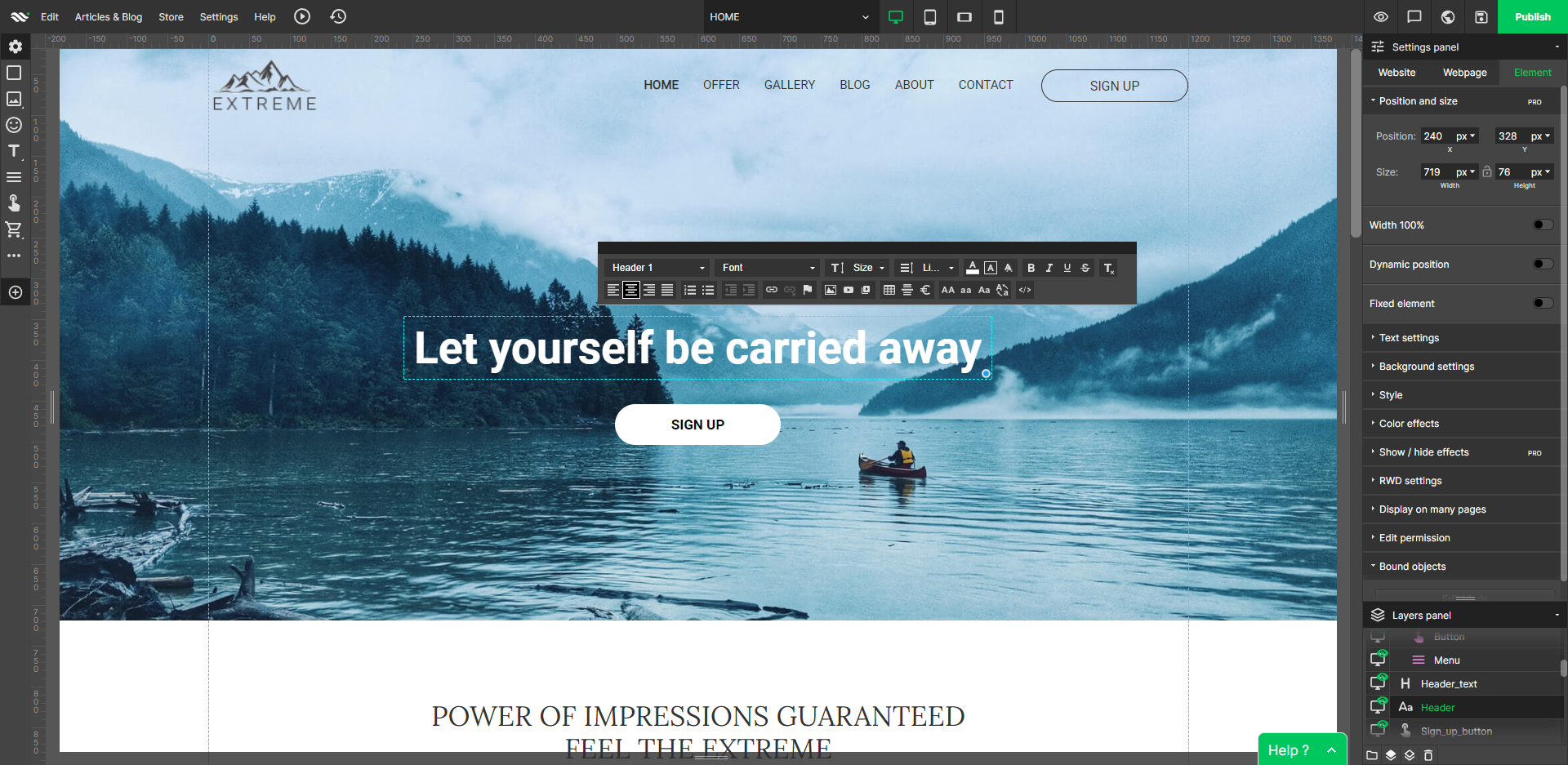
WebWave — an alternative for agencies and freelancers for creating custom websites for clients with the support of CMS. Using CMS with no sacrifices WebWave is a CMS platform that gives a designer precision up to 1 px in every single detail just like in more sophisticated graphic programs such as Photoshop while remaining a drag and drop software. This is to make creating websites much faster without loosing on details. Spend less time talking WebWave…
I will state this with 2 basic examples, When I require documentation to be edited by many editors then Google workspace is the way to go. It provides the best synching capabilities and also sharing capabilities. In case of meeting conduction through google meet a notes section would be awesome for personal notes and the capability to record the meetings would also help a ton to improve the productivity of all users
The WYSIWYG web builder marketspace is saturated, but there are not many solutions out there that eschew table-based design in favor of letting creators build sites where anything goes wherever you want. You’ll likely want to skip this product if you need a plug-and-play solution where everything is automatically responsively. However, if you have an eye for design, love creative control, and like to sweat the details until you have made the perfect website, WebWave is a must buy.
WebWave's site builder is the platform's truly innovative feature. I've never come across another service that deploys a layer-based approach in web design, as most of them usually deploy a grid-based system. This is an incredible alteration that ensures WebWave behaves much like a traditional graphic design tool, thereby resulting in an experience that is a lot more intuitive and instinctive. I believe this has the potential to radically change the way people approach no-code web design.
WebWave provides automatic, daily backups and a free SSL certificate for every website. This results in excellent security.
WebWave's support team is first-class! I had some teething-issues in the beginning, but the support team quickly got me back on track.
WebWave's community/forum is an excellent place to vote and request new features. This proves the development team is committed to making WebWave better by listening to their users.
Some scope for improvement in UX (colors are not very appealing). It is simple to use but design is a little dated. Especially in the builder section, I'd like to see modern design for buttons and maybe gradients also: as this is where visual motivation is also important
Some edits take effect only after pressing OK. That should be eliminated as it's an unnecessary addition. It's also kind of annoying to do that again and again, which can add up to a lot as we do so many small tweaks while building the website.
Few things (maybe glitches) in design. The rectangle below the footer was uneditable for me. I spent quite some time trying to figure it out so I'm convinced it's a glitch.
Now that our department has used G Suite Essentials for close to 2 years, I can't imagine not using it. It has proven to be a very practical tool for sharing files / folders on a shared drive. It also makes it easy to modify and update content. It is user friendly and the interface is simple.
Google Workspace is very easy to use. Even the advanced features are also rendered with an intuitive user interface. Opting into new features is easy, with a clear indication of whether they cost extra or free. Communications about new features as well as security threats are easy to understand and follow up on.
1. The support person does not seem to understand the issues, and seems like they go off to talk to somebody and revert back every 5 to 10 minutes. It takes up a lot of time. 2. There is a lack of reading material to address simple issues like changing the website name in the dashboard, pasting a code, etc.
Google Workspace Essentials is more robust than Dropbox with the other features that are available. Google Workspace Essentials is very comparable to Microsoft 365, and we ultimately went with Google because at the time, it was free/priced better than MS, and now we have lots of legacy files already stored on Google servers, so a switch would be too time-consuming. We went with Google Workspace Essentials over OpenOffice because of the email features of using Google.
Fast load times: WebWave's websites have fast load times, which is critical for ensuring a positive user experience and better SEO performance. Responsive design: WebWave's websites are optimized for mobile devices, ensuring that they look great and function well on any screen size. Wix simply just doesn't have that and I was really struggling with this issue. Cost-effective: WebWave's pricing plans are affordable and provide excellent value for money, making it a cost-effective option for small businesses and entrepreneurs.