Google Search Console is a search engine optimization software solution offered by Google.
N/A
Topic
Score 8.1 out of 10
N/A
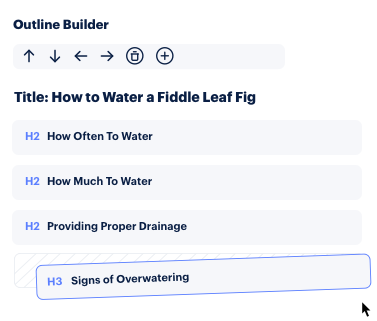
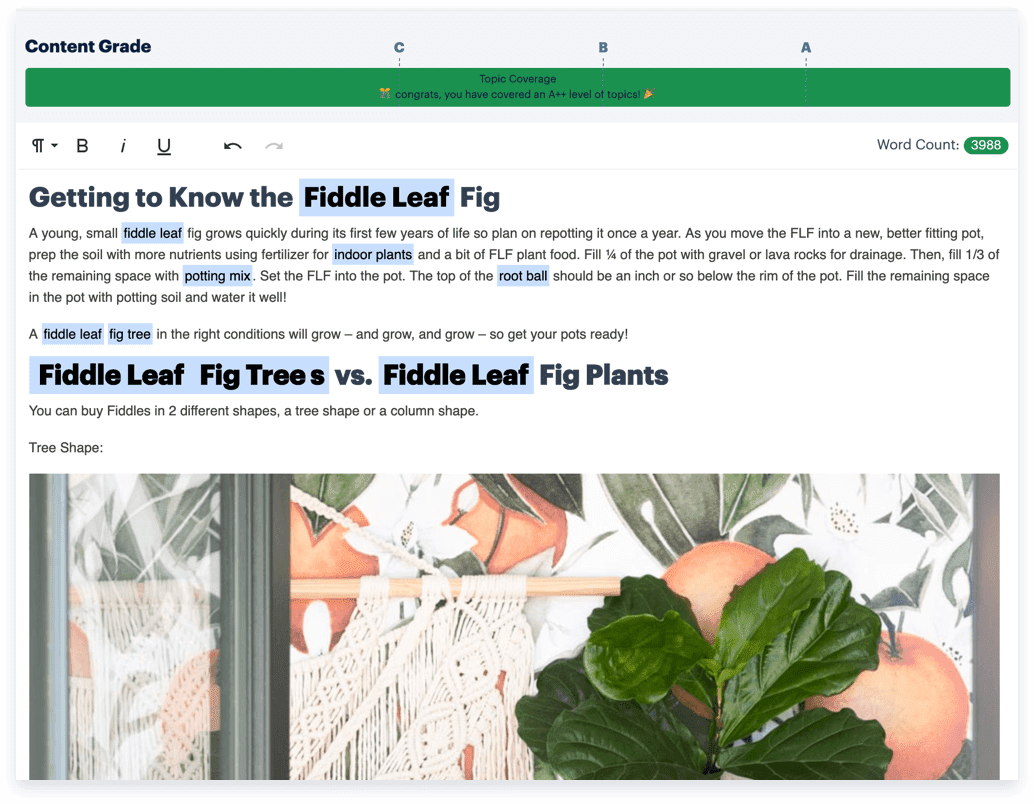
Topic, from Topic or Chia Labs, Inc, aims to make it easier for writers to create comprehensive content. Its AI analyzes the top results in Google, extracts key topics to cover, and provides an interactive editor to allow writers to grade their work. The system gives actionable suggestions to enable writers to create content in order to drive results.
$99
per month ($10 per brief)
Pricing
Google Search Console
Topic
Editions & Modules
No answers on this topic
Starter
$99
per month ($10 per brief)
Plus
$199
per month ($8 per brief)
Premium
$299
per month ($6 per brief)
Enterprise
Custom Pricing
Offerings
Pricing Offerings
Google Search Console
Topic
Free Trial
No
No
Free/Freemium Version
No
No
Premium Consulting/Integration Services
No
No
Entry-level Setup Fee
No setup fee
No setup fee
Additional Details
—
20% discount for annual payment.
More Pricing Information
Community Pulse
Google Search Console
Topic
Features
Google Search Console
Topic
SEO
Comparison of SEO features of Product A and Product B
Google Search Console
6.2
Ratings
22% below category average
Topic
8.8
Ratings
13% above category average
Keyword analysis
8.30 Ratings
10.00 Ratings
Backlink management
4.90 Ratings
00 Ratings
SERP ranking tracking
7.20 Ratings
8.00 Ratings
Page grader
5.10 Ratings
8.00 Ratings
Competitive analysis
2.00 Ratings
9.00 Ratings
Site audit / diagnostics
7.40 Ratings
00 Ratings
Site recommendations
6.20 Ratings
00 Ratings
Task management
8.50 Ratings
00 Ratings
SEO Channels
Comparison of SEO Channels features of Product A and Product B
Google Search Console
7.3
Ratings
4% below category average
Topic
10.0
Ratings
27% above category average
Local SEO
5.00 Ratings
10.00 Ratings
Social SEO
8.00 Ratings
00 Ratings
Mobile SEO
7.80 Ratings
10.00 Ratings
Global SEO
8.30 Ratings
00 Ratings
SEO Platform & Account Management
Comparison of SEO Platform & Account Management features of Product A and Product B
If you just want to understand how much traffic you're getting from Google organic search results, and study the queries and landing pages that make up this traffic, this is a great tool. If you also want to figure out where you may be missing opportunities or making it hard for people to find your site, this can help with that. However, GSC is not going to give you step by step instructions for how to fix SEO issues, and won't help prioritize anything either. It's essentially like a car dashboard, but doesn't do any driving or tell you how to drive.
Great at providing content briefs as well as for seeing the types of topics that rank well competitively. It's also good with finding content that needs to be refreshed which is a super easy way to drive near term SEO results.
I'd like more instructions about how to respond to certain errors I see - it can be difficult to understand when you see a red error message what it really means and how to fix it.
I'd appreciate warnings being 'ranked' somehow to understand what's really a big deal, and what might be a minor issue.
Search analytics is helpful but not comprehensive - you can only go back so far in the data, and can't see all the search terms that are sending traffic to your site.
It's easy to use, but some features are lacking a clear explanation. Somethings don't always match up. For example, the Core Web Vitals often doesn't match what you would see in the Chrome Lighthouse report or the Google Page Speed Insights tool. The tool itself is a little too basic and has to be used alongside other SEO tools and other Google properties such as Analytics
As with all Google software, your primary source of help is their forums, their knowledge base articles, or whatever tutorials you can find on the web. Often answers on their forums are not straightforward and may not address the actual issue you're experiencing. The KB articles are typically written like instruction manuals - for better or for worse. Tutorials on the web may vary, but the odds are good someone out there had the same questions as you and was kind enough to document their experience.
We are using Ahrefs and SEMRush along with the search console. Ahrefs helps in creating our backlink strategy while SEMRush for content gaps and opportunities. Search console is more preferred as it is completely free and data comes straight from Google. But you cannot see backlinks and ads in search console.
Topic was way less costly than MarketMuse with similar functionality. It was agnostic to CMS (WordLift is designed for Wordpress only). So it was priced well with all the functionality we needed.