Google offers the Optimize A/B testing tool for testing website content and versions.
N/A
Optimizely Web Experimentation
Score 8.7 out of 10
N/A
Whether launching a first test or scaling a sophisticated experimentation program, Optimizely Web Experimentation aims to deliver the insights needed to craft high-performing digital experiences that drive engagement, increase conversions, and accelerate growth.
N/A
Pricing
Google Optimize
Optimizely Web Experimentation
Editions & Modules
Google Optimize
Free
No answers on this topic
Offerings
Pricing Offerings
Google Optimize
Optimizely Web Experimentation
Free Trial
No
Yes
Free/Freemium Version
Yes
No
Premium Consulting/Integration Services
No
No
Entry-level Setup Fee
No setup fee
Optional
Additional Details
—
—
More Pricing Information
Community Pulse
Google Optimize
Optimizely Web Experimentation
Features
Google Optimize
Optimizely Web Experimentation
Testing and Experimentation
Comparison of Testing and Experimentation features of Product A and Product B
Google Optimize
4.9
Ratings
50% below category average
Optimizely Web Experimentation
8.0
Ratings
2% below category average
a/b experiment testing
4.00 Ratings
9.00 Ratings
Split URL testing
2.00 Ratings
8.50 Ratings
Multivariate testing
4.00 Ratings
8.40 Ratings
Multi-page/funnel testing
1.00 Ratings
7.90 Ratings
Cross-browser testing
6.40 Ratings
8.10 Ratings
Mobile app testing
2.70 Ratings
8.00 Ratings
Test significance
1.00 Ratings
8.40 Ratings
Visual / WYSIWYG editor
3.00 Ratings
8.20 Ratings
Advanced code editor
2.00 Ratings
8.00 Ratings
Page surveys
5.00 Ratings
6.20 Ratings
Visitor recordings
10.00 Ratings
8.40 Ratings
Preview mode
3.00 Ratings
7.60 Ratings
Test duration calculator
9.00 Ratings
7.90 Ratings
Experiment scheduler
7.00 Ratings
8.20 Ratings
Experiment workflow and approval
8.90 Ratings
7.80 Ratings
Dynamic experiment activation
6.90 Ratings
7.50 Ratings
Client-side tests
7.00 Ratings
7.80 Ratings
Server-side tests
2.60 Ratings
7.20 Ratings
Mutually exclusive tests
8.00 Ratings
8.20 Ratings
Audience Segmentation & Targeting
Comparison of Audience Segmentation & Targeting features of Product A and Product B
Google Optimize
7.0
Ratings
20% below category average
Optimizely Web Experimentation
8.2
Ratings
4% below category average
Standard visitor segmentation
6.00 Ratings
8.40 Ratings
Behavioral visitor segmentation
7.00 Ratings
7.60 Ratings
Traffic allocation control
8.00 Ratings
9.10 Ratings
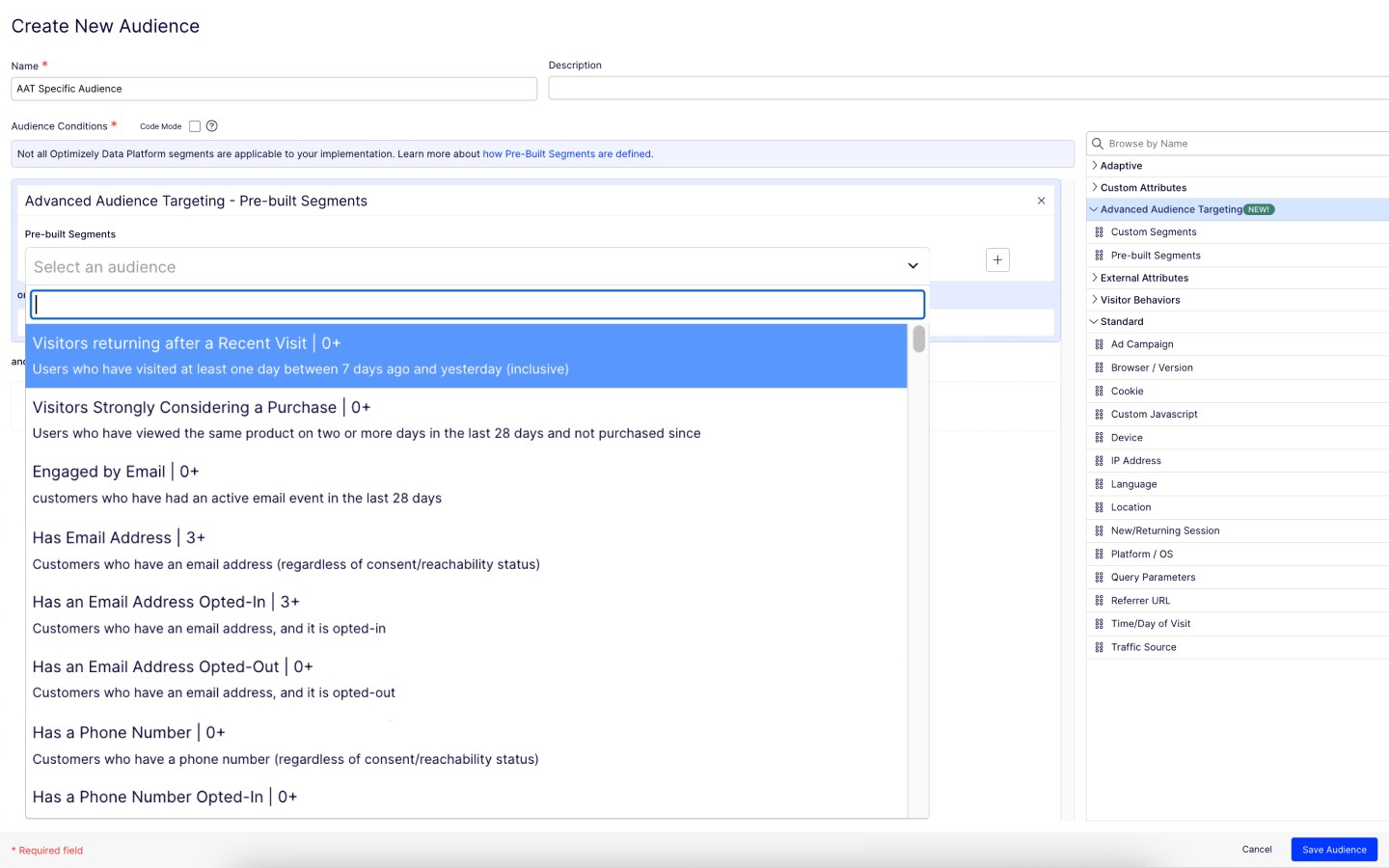
Website personalization
7.00 Ratings
7.80 Ratings
Results and Analysis
Comparison of Results and Analysis features of Product A and Product B
Google Optimize is well suited for testing small changes on the browser pages. You have the option of changing designs, texts, and some small features on the page. The audience can be divided using a long list of factors, so it makes it quite easy to set up the test. It is not well suited for complicated feature tests where you need to monitor the user over a long period or where the user is likely to use multiple sessions across multiple devices or browsers
I think it can serve the whole spectrum of experiences from people who are just getting used to web experimentation. It's really easy to pick up and use. If you're more experienced then it works well because it just gets out of the way and lets you really focus on the experimentation side of things. So yeah, strongly recommend. I think it is well suited both to small businesses and large enterprises as well. I think it's got a really low barrier to entry. It's very easy to integrate on your website and get results quickly. Likewise, if you are a big business, it's incrementally adoptable, so you can start out with one component of optimizing and you can build there and start to build in things like data CMS to augment experimentation as well. So it's got a really strong a pathway to grow your MarTech platform if you're a small company or a big company.
The Platform contains drag-and-drop editor options for creating variations, which ease the A/B tests process, as it does not require any coding or development resources.
Establishing it is so simple that even a non-technical person can do it perfectly.
It provides real-time results and analytics with robust dashboard access through which you can quickly analyze how different variations perform. With this, your team can easily make data-driven decisions Fastly.
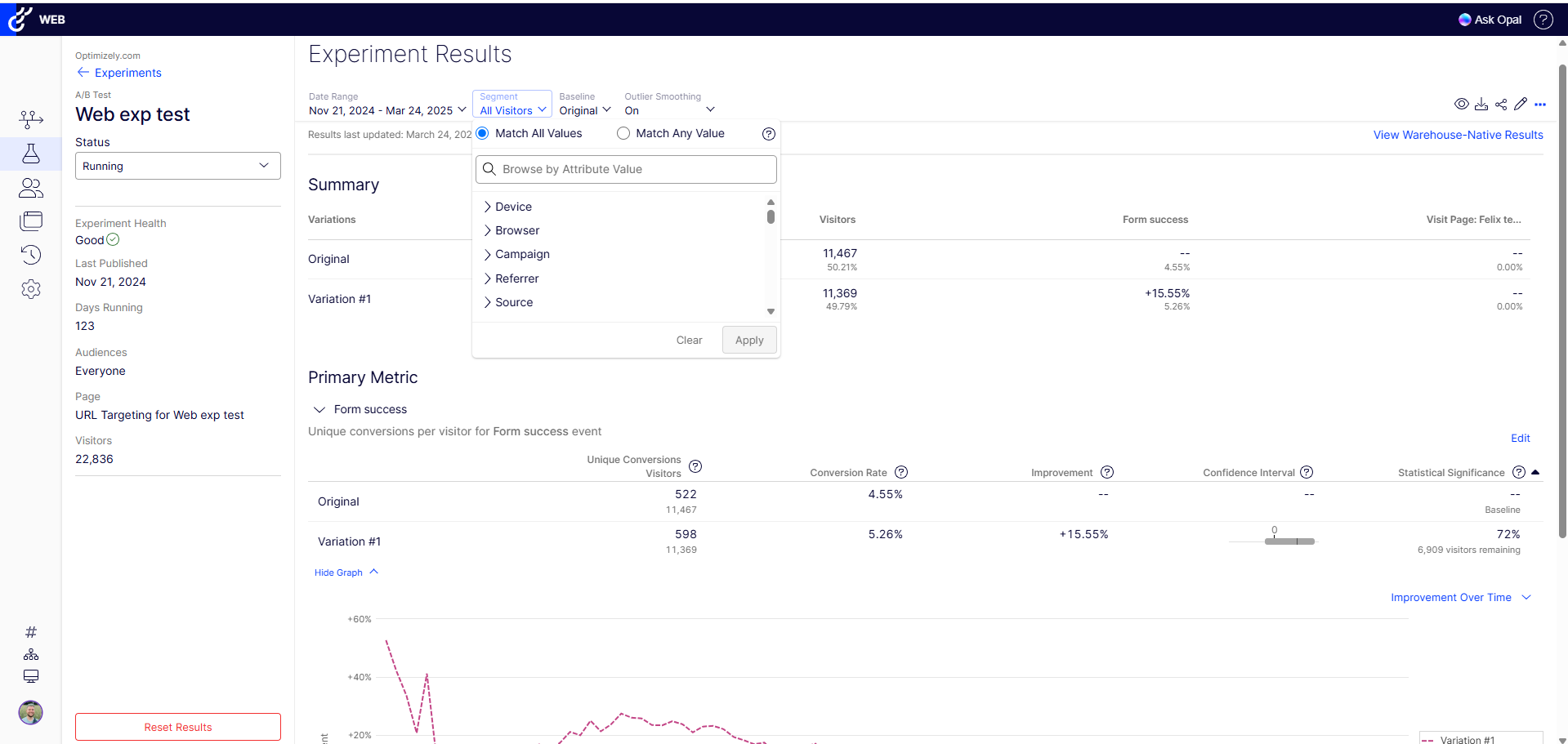
The results view is dense and difficult to package easily for leadership, and when filtering by segment it's hard to read comparative outcomes without clearing or swapping filters
The organization of experiments and statuses is a cluttered list and the search is limited in use - would love to see that improve with time
There are so many other MarTech products out there, would love to see more dedicated integrations so we don't have to invest in something like Zapier or Tray to build hacky automations
Because it's an incredible and essential tool for my line of work as a conversion optimization specialist. Really couldn't do my job nearly as effectively without it. It's paid for itself many times over and I feel like I'm only beginning to unlock the tools potential.
Optimizely Web Experimentation's visual editor is handy for non-technical or quick iterative testing. When it comes to content changes it's as easy as going into wordpress, clicking around, and then seeing your changes live--what you see is what you get. The preview and approval process for sharing built experiments is also handy for sharing experiments across teams for QA purposes or otherwise.
I would rate Optimizely Web Experimentation's availability as a 10 out of 10. The software is reliable and does not experience any application errors or unplanned outages. Additionally, the customer service and technical support teams are always available to help with any issues or questions.
I would rate Optimizely Web Experimentation's performance as a 9 out of 10. Pages load quickly, reports are complete in a reasonable time frame, and the software does not slow down any other software or systems that it integrates with. Additionally, the customer service and technical support teams are always available to help with any issues or questions.
They always are quick to respond, and are so friendly and helpful. They always answer the phone right away. And [they are] always willing to not only help you with your problem, but if you need ideas they have suggestions as well.
The tool itself is not very difficult to use so training was not very useful in my opinion. It did not also account for success events more complex than a click (which my company being ecommerce is looking to examine more than a mere click).
The implementation through the tag management system took a bit of trial and error at first, mostly due to the asynchronous nature of the TMS. We had to manipulate the implementation to assure that the Optimizely code was written to the page at the right time to allow the experiment content load in the browser without showing any of the original content first. We also needed to make some adjustments to the TMS code to get the integration with Site Catalyst timed appropriately.
We switched from Google Optimize to AB Tasty which is a paid platform. AB Tasty provides much better capabilities and support, although this is with a cost implication which Google Optimize didn’t have. Google Optimize was useful as an introductory platform prior to getting a full programme running but this has now sunset so is no longer available.
The ability to do A/B testing in Optimizely along with the associated statistical modelling and audience segmentation means it is a much better solution than using something like Google Analytics were a lot more effort is required to identify and isolate the specific data you need to confidently make changes
It's incredibly flexible and adapts well to organizations of all sizes, whether you’re running a single site or managing multiple departments and platforms. The ability to deploy experiments seamlessly across different environments is a huge plus, especially for growing businesses. While it’s highly scalable, the last point would depend on the right team leveraging its full potential.
Useful with clients on a budget who need to see ROI without another paid platform to install.
Setting up Google Optimize helps as an additional value add when bidding on projects.
Nothing negative unless a larger client needs a more robust package; then, there is always Google Optimize 360 as well as platforms from other vendors.