The classic version of Google Hangouts included messaging, voice, VoIP, and video call capabilities. It was replaced by the Hangouts Chat collaboration tool, and Google continues to support conferencing via the new Hangouts Meet.
N/A
MiCloud Connect
Score7.8 out of 10
N/A
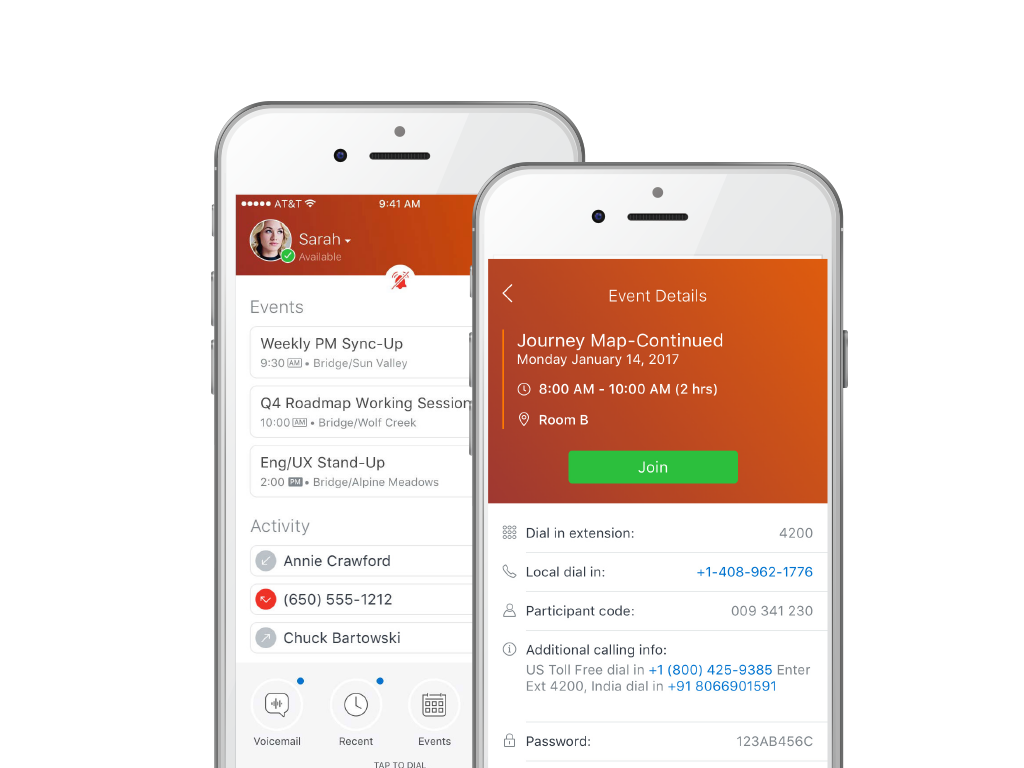
MiCloud Connect is a business communications solution for contact centers that includes features like IP PBX telephony service, desk phones, softphone, and collaboration tools. It is integrable with other business communication technology, including Microsoft Outlook and CRM software.
Had I completed this review a couple years ago, I would have given a rating of 9 or 10 as Hangouts (Classic) is an excellent product. However, now that Google Chat has succeeded Hangouts, I would not recommend that any new users begin using it where other more modern options are available. Android users who want an internet based instant messaging that also supports calling and video calling could benefit from using Hangouts (Classic) as Google Chat requires the user to also have Google Meet installed to make video calls and there is no voice only calling option.
A de minimis incentive was given to thank the reviewer for their time. The incentive was not used to bias or drive a particular response, nor was the incentive contingent on a positive endorsement. More Info
Mitel is excellent at allowing me as a user to setup up custom call routing in response to rapidly changing work flows. If I need to work from home for a period due to medical or other reasons, logging into Mitel and setting my office phone to ring through to my home or cell is quick and simple. Changing back is just as quick.
A de minimis incentive was given to thank the reviewer for their time. The incentive was not used to bias or drive a particular response, nor was the incentive contingent on a positive endorsement. More Info
A de minimis incentive was given to thank the reviewer for their time. The incentive was not used to bias or drive a particular response, nor was the incentive contingent on a positive endorsement. More Info
With separate systems and two locations we used to have to fake the system into 4 digit dialing by forwarding all remote extensions to DIDs. Now with Shortel extended to the remote location we have true 4 digit dialing.
The Shortel desktop application makes managing calls and call routing a breeze for even our most novice users.
A de minimis incentive was given to thank the reviewer for their time. The incentive was not used to bias or drive a particular response, nor was the incentive contingent on a positive endorsement. TR verified that a representative sample of customers was invited. More Info
I would like to see improved video support, so that saved videos can be sent back and forth via Hangouts more easily, without having to start a separate meet chat
More pronounced notifications of messages would be helpful; pop up notifications are good, but once there is one, additional messages do not pop up
Custom muting times would be great, so that if I am in a 90 minute Zoom meeting, I can set it for that time; right now, it is 1 hour or 2 hours. Easy to forget.
A de minimis incentive was given to thank the reviewer for their time. The incentive was not used to bias or drive a particular response, nor was the incentive contingent on a positive endorsement. More Info
A de minimis incentive was given to thank the reviewer for their time. The incentive was not used to bias or drive a particular response, nor was the incentive contingent on a positive endorsement. More Info
Although the price is higher than some of the other Hosted systems out there, the value is definitely worth a renewal. Everything is relative: there are some companies out there who need phones, but don't necessarily care how they work, the functionality/features available/durability etc., they just care that they have phones that make and receive calls. There are other companies that are completely reliant on phones and certain functionality that is provided by the system. There are even some companies who are straight up dependent on the phone system and are losing tons of money anytime they are down, ShoreTel is the perfect fit for theSMB client who sees value in a solid,robust, reliable and high functioning phone system
A de minimis incentive was given to thank the reviewer for their time. The incentive was not used to bias or drive a particular response, nor was the incentive contingent on a positive endorsement. More Info
The tool is almost self-implemented. It is likely to be available in every pc or mobile device a user or potential user might have, and all you need to do is adding the company's account and you are done. Once you are setted up, you have almost all actual communication methods available in one tool
A de minimis incentive was given to thank the reviewer for their time. The incentive was not used to bias or drive a particular response, nor was the incentive contingent on a positive endorsement. TR verified that a representative sample of customers was invited. More Info
I have not used a wide array of communication software, but this far ShoreTel/MiCloud has been the simplest and easiest to get into. My work employs several temps at certain points throughout the year, and they use this piece of software frequently, and new hires seem to have little to no issue using this software. Additionally, this is our primary telephone communication infrastructure, and I have yet to encounter any issues when signed in and regularly using it handling external calls to our department.
A de minimis incentive was given to thank the reviewer for their time. The incentive was not used to bias or drive a particular response, nor was the incentive contingent on a positive endorsement. More Info
The system has gone down on us MULTIPLE times. We asked them to move us to a different cluster. Shoretel declined. Basically we had problems or outages every month of the year from June 2012 to date. Our old phone system was just that: OLD, no bells or whistles. But it was up every day and I never had to think about it much until it was time for an upgrade. That's how I want Shoretel to be. I want it so reliable that I never have to think about it.
Even though the system uses a lower bandwidth connection we have experienced a higher call quality than our previous system which required a T1 line and back up broadband connection.
Google Hangouts works great and does not require a lot of work to troubleshoot. Everything is simple and easy to use. Google provides all of the tools that one requires to utilize Google Hangouts and any information can be found in the built-in help tools. There is also a forum for users to report issues and typically, Google responds well and will try to work out any issues.
A de minimis incentive was given to thank the reviewer for their time. The incentive was not used to bias or drive a particular response, nor was the incentive contingent on a positive endorsement. More Info
ShoreTel Sky's support is amazing. The only reason why I didn't give it a 10 is that we still need to contact them for stuff that we should be able to do, for ourselves, within the management portal. I know their portal is being worked on, so hopefully they will get the "little things" included for self-management.
I attended the first ShoreTel installer class in Austin,TX. It was a week of intensive study with a live lab and having hands on experience made the class worthwhile. I have taken all of the sales courses and remaining technical courses either online or self study to keep costs down. I send my techs to the first installer course in Austin as I feel it gives them a solid foundation and most of teh other courses they have taken have been online.
A de minimis incentive was given to thank the reviewer for their time. The incentive was not used to bias or drive a particular response, nor was the incentive contingent on a positive endorsement. More Info
The training identified some things M5 (ShoreTel's cloud division) could provide, however it was only using it every day and asking the Shoretel support several questions that I got the hang of it. The training was able to highlight functions but I did not learn how to use the phone from the training.
Each of our locations has a dedicated ShoreTel router and managed QoS. With full management, it provides us a breath of space and bandwidth to use our resources in other means. Strongly consider the managed solution as you have to maintain more technical issues when hosting with your ISP. You have to make sure your ISP can provide you the best service for voice and data. Plug and 'hope' doesn't work with just routing your phones over any Internet connection....especially when your handsets run int he 100's
Google is the white cotton socks of the conferencing world. It’s a great ad-hoc tool, but not too much more. If you are not looking to spend money or operate completely on WiFi (without data charges), it’s a great free option as well. The benefit of being free and open is also the liability. It doesn’t have a great integration story with other corporate tools, but [it doesn’t have to] if you aren’t looking for that. All in all, it’s as helpful and ubiquitous as a public payphone…without the pay…and with a video capability.
A de minimis incentive was given to thank the reviewer for their time. The incentive was not used to bias or drive a particular response, nor was the incentive contingent on a positive endorsement. More Info
Aptela. I chose M5 (ShoreTelSky) because their platform puts call quality first. Their system also uses Cisco endpoints, which are very compatible with the rest of my Cisco network. I also liked the fact that ShoreTelSky uses the internet only as a backup for transport; I use MPLS as my primary connectivity.
I believe that ShoreTel can be used by a minimum company size of about 25 to almost any size of a company and this can be achieved while the company grows, hence makes it pretty scalable when required. For companies which are smaller in size i.e. smaller than 25, I am not sure how useful it would be, it may be depending upon the type of business
A de minimis incentive was given to thank the reviewer for their time. The incentive was not used to bias or drive a particular response, nor was the incentive contingent on a positive endorsement. TR verified that a representative sample of customers was invited. More Info
I believe it was part of the google suite that was purchased. It was worth the cost as it was cheaper. I believe it is now free, but also becoming deprecated. It is much better to use Teams, Discord, Telegram, etc. Google does not provide enough support or features to make using hangouts worth it these days.
A de minimis incentive was given to thank the reviewer for their time. The incentive was not used to bias or drive a particular response, nor was the incentive contingent on a positive endorsement. More Info
At my branch alone, we are saving over $500 a month using Shoretel Sky versus the phone company we were using before them.
Shoretel Sky has increased customer service by allowing our employees to easily transfer a call to the proper department or branch no matter where they are located instead of giving the caller a phone number to call.
Most of our locations did not have caller ID before Shoretel Sky. That feature has increased employee efficiency because when they know who is calling before they answer allows them to professionally greet their caller and have their info up on their computer as they answer.