Google Compute Engine is an infrastructure-as-a-service (IaaS) product from Google Cloud. It provides virtual machines with carbon-neutral infrastructure which run on the same data centers that Google itself uses.
$0
per month GB
IBM Cloud Bare Metal Servers
Score8.7 out of 10
N/A
IBM Cloud bare metal servers are cloud servers configurable in hourly/monthly options, on-demand, from any location—with a selection of standard features and services for small businesses and enterprise demands. Users can customize RAM and SSDs with 11M+ configurations from which to choose.
$0.51
per hour
Pricing
Google Compute Engine
IBM Cloud Bare Metal Servers
Editions & Modules
Preemptible Price - Predefined Memory
0.000892 / GB
Hour
Three-year commitment price - Predefined Memory
$0.001907 / GB
Hour
One-year commitment price - Predefined Memory
$0.002669 / GB
Hour
On-demand price - Predefined Memory
$0.004237 / GB
Hour
Preemptible Price - Predefined vCPUs
0.006655 / vCPU
Hour
Three-year commitment price - Predefined vCPUS
$0.014225 / CPU
Hour
One-year commitment price - Predefined vCPUS
$0.019915 / vCPU
Hour
On-demand price - Predefined vCPUS
$0.031611 / vCPU
Hour
IBM Cloud Bare Metal Servers
starting at $0.51
per hour
IBM Cloud Bare Metal Servers
starting at $241.00
per month
Offerings
Pricing Offerings
Google Compute Engine
IBM Cloud Bare Metal Servers
Free Trial
Yes
Yes
Free/Freemium Version
Yes
Yes
Premium Consulting/Integration Services
No
Yes
Entry-level Setup Fee
No setup fee
Optional
Additional Details
Prices vary according to region (i.e US central, east, & west time zones). Google Compute Engine also offers a discounted rate for a 1 & 3 year commitment.
IBM Bare Metal Servers offer a choice between hourly or monthly pre-configured servers or can be customized with single to quad processing solutions. Bare metal servers are available worldwide and with no monthly contracts. Amonthly bare metal server built to spec can be ordered and made available in two to four hours—with 500 GB/month outbound bandwidth included. An hourly bare metal server can be ordered, and it is made ready for in 20 to 30 minutes. Public outbound bandwidth is charged per gigabyte.
IT supervisor in Information Technology at Internet and Mail Order Co. Ltd. (Consumer Goods, 11-50 employees)
Chose IBM Cloud Bare Metal Servers
I have used IBM Cloud Bare Metal Servers prior to Google Compute Engine as I started with RackShack, which changed to SoftLayer, which now changed to IBM Cloud. Over the 15 years with this service, recently I've had the worst tech support of all, and that is the reason we …
A de minimis incentive was given to thank the reviewer for their time. The incentive was not used to bias or drive a particular response, nor was the incentive contingent on a positive endorsement. More Info
Co-Founder in Engineering at GoPlay (Computer Games, 1-10 employees)
Chose IBM Cloud Bare Metal Servers
IBM Bare Metal Servers are super configurable. It's very easy to tailor them to your needs. The pricing is super cheap and they do come with included 20TB of free data transfer. For our company, we choose IBM Bare Metal Servers because they support GPU servers, unlike the …
A de minimis incentive was given to thank the reviewer for their time. The incentive was not used to bias or drive a particular response, nor was the incentive contingent on a positive endorsement. TR verified that a representative sample of customers was invited. More Info
You can use Google Cloud Compute Engine as an option to configure your Gitlab, GitHub, and Azure DevOps self-hosted runners. This allows full control and management of your runners rather than using the default runners, which you cannot manage. Additionally, they can be used as a workspace, which you can provide to the employees, where they can test their workloads or use them as a local host and then deploy to the actual production-grade instance.
A de minimis incentive was given to thank the reviewer for their time. The incentive was not used to bias or drive a particular response, nor was the incentive contingent on a positive endorsement. More Info
Well suited - 1) To Install required Products/Software in a middleware technology 2) Customize the file system and size of the storage 3) Install required monitoring tools like Tivoli, Splunk, etc. Less appropriate - 1) Maybe for SAAS products that do not require all of the installations.
A de minimis incentive was given to thank the reviewer for their time. The incentive was not used to bias or drive a particular response, nor was the incentive contingent on a positive endorsement. More Info
Scaling - whether it's traffic spikes or just steady growth, Google Compute Engine's auto-scaling makes sure we've got the compute power we need without any manual juggling acts
Load balancing - Keeping things smooth with that load balancing across multiple VMs, so our users don't have to deal with slow load times or downtime even when things get crazy busy
Customizability - Mix and match configs for CPU, RAM, storage and whatnot to suit our specific app needs
A de minimis incentive was given to thank the reviewer for their time. The incentive was not used to bias or drive a particular response, nor was the incentive contingent on a positive endorsement. More Info
Performance - the servers perform really well, even under stress. We have some long build processes running concurrently, and the server [can] serve other applications without any problems.
Secure - for the most part, the servers are very secure and IBM provides many tools to help [make] sure the servers stay that way.
Highly Available - while we have experienced various downtimes and outages with other IBM Cloud offerings, so far, we have not experienced any with [IBM Cloud] Bare Metal Servers.
A de minimis incentive was given to thank the reviewer for their time. The incentive was not used to bias or drive a particular response, nor was the incentive contingent on a positive endorsement. TR verified that a representative sample of customers was invited. More Info
A de minimis incentive was given to thank the reviewer for their time. The incentive was not used to bias or drive a particular response, nor was the incentive contingent on a positive endorsement. More Info
[In my experience, the] Customer Service Agreement (CSA) has many gaps in terms of responsibility with Bare Metal Servers.
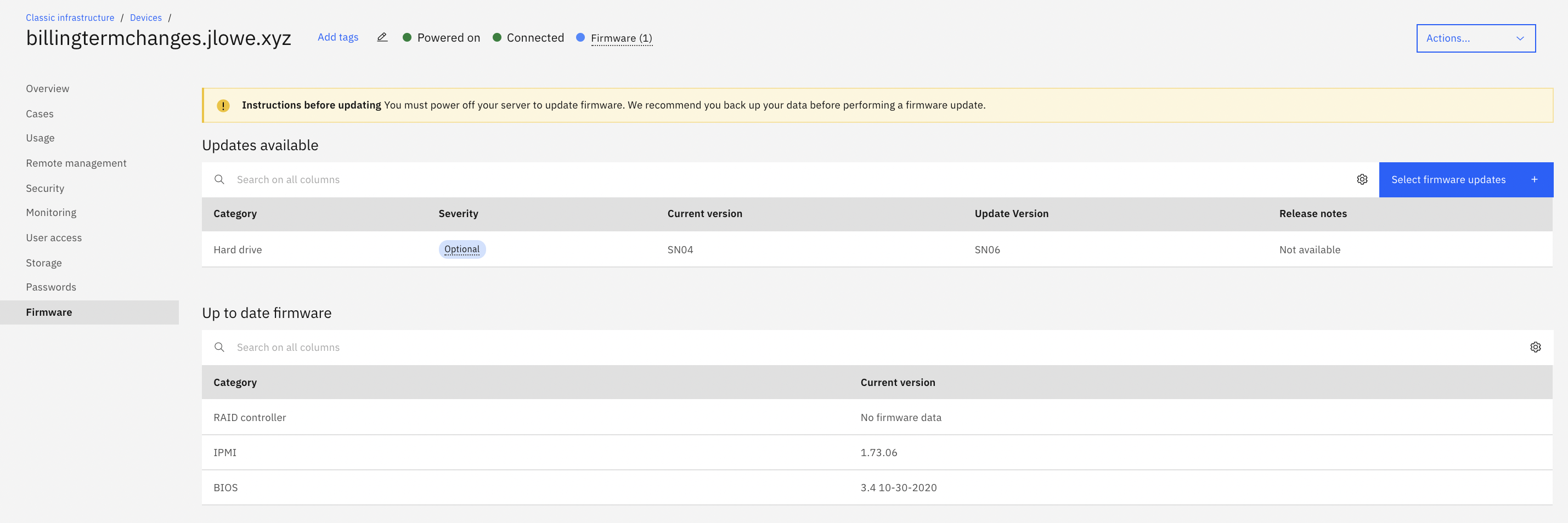
[I believe] IBM should be deploying servers and firmware updating all components before providing them to customers to prevent component failure.
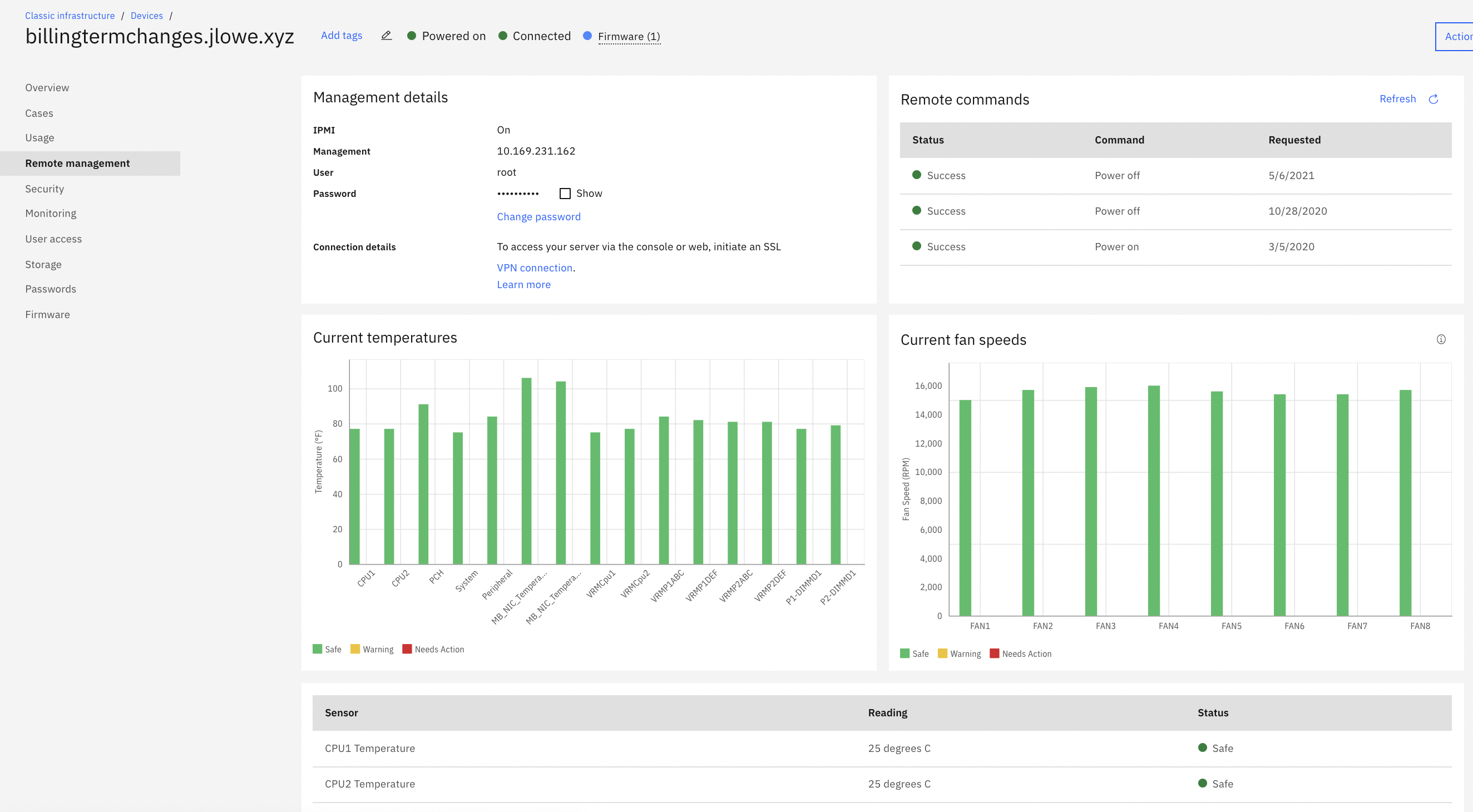
[I feel] IBM needs lots of improvement with their legacy VPN to access IMPI management tools. The level of security of it is unparalleled when it works. Having access to KVM / IPMI is critical for any business, and when their VPN service is not working.
[From my experiences,] IBM deployed faulty hardware, or failed to update firmware per Lenovo notices, only to pass off blame.
[In my opinion,] IBM's General Counsel and Paralegal held our data/company hostage when components failed, [in my experience] to IBM "gross negligence" (in their words), only to release it if we were to limit damages to $1,000.
Its pretty good, easy and good performance. Also, interface is very good for starters compared to competitors. Infra as Code (IaC) using Terraform even added easiness for creation, management and deletion of compute Virtual Machines (VM). Overall, very good and very easy cloud based compute platform which simplified infrastructure, very much recommend.
A de minimis incentive was given to thank the reviewer for their time. The incentive was not used to bias or drive a particular response, nor was the incentive contingent on a positive endorsement. TR verified that a representative sample of customers was invited. More Info
Due to cloud computing taking over the market, I have moved to cloud computing. It is so much easier upgrading or downsizing a virtual server on the cloud vs bare metal. I find it way more convenient on cloud computing. The provisioning takes way too long for bare metal servers.
A de minimis incentive was given to thank the reviewer for their time. The incentive was not used to bias or drive a particular response, nor was the incentive contingent on a positive endorsement. More Info
Having interacted with several cloud services, GCE stands out to me as more usable than most. The naming and locating of features is a little more intuitive than most I've interacted with, and hinting is also quite helpful. Getting staff up to speed has proven to be overall less painful than others.
A de minimis incentive was given to thank the reviewer for their time. The incentive was not used to bias or drive a particular response, nor was the incentive contingent on a positive endorsement. More Info
Google Compute Engine works well for cloud project with lesser geographical audience. It sometimes gives error while everything is set up perfectly. We also keep on check any updates available because that's one reason of site getting down. Google Compute Engine is ultimately a top solution to build an app and publish it online within a few minutes
A de minimis incentive was given to thank the reviewer for their time. The incentive was not used to bias or drive a particular response, nor was the incentive contingent on a positive endorsement. More Info
It works great all the time except for occasional issues, but overall, I am very happy with the performance. It delivers on the promise it makes and as per the SLAs provided. Networking is great with a premium network, and AZs are also widespread across geographies. Overall, it is a great infra item to have, which you can scale as you want.
A de minimis incentive was given to thank the reviewer for their time. The incentive was not used to bias or drive a particular response, nor was the incentive contingent on a positive endorsement. More Info
The documentation needs to be better for intermediate users - There are first steps that one can easily follow, but after that, the documentation is often spotty or not in a form where one can follow the steps and accomplish the task. Also, the documentation and the product often go out of sync, where the commands from the documentation do not work with the current version of the product.
Google support was great and their presence on site was very helpful in dealing with various issues.
A de minimis incentive was given to thank the reviewer for their time. The incentive was not used to bias or drive a particular response, nor was the incentive contingent on a positive endorsement. More Info
Great responsiveness and detailed know-how from the team. Self Explanatory and good resources on the Web to resolve issues. Good communication on issues via email. Good response times on issues which arise and where we have received support from the IBM support team. We believe that IBM is a great Partner to base our IT applications and we believe that a critical infrastructure like a cloud backend will be well served if we continue to base it on IBM.
A de minimis incentive was given to thank the reviewer for their time. The incentive was not used to bias or drive a particular response, nor was the incentive contingent on a positive endorsement. More Info
The implementation of this software took place as we planned. The performance time taken for full functionality was very reliable with positive results. The customer support team was the best team I have ever met in my career experience. They are always with timely responses when reached to offer any help.
A de minimis incentive was given to thank the reviewer for their time. The incentive was not used to bias or drive a particular response, nor was the incentive contingent on a positive endorsement. More Info
Google Compute Engine provides a one stop solution for all the complex features and the UI is better than Amazon's EC2 and Azure Machine Learning for ease of usability. It's always good to have an eco-system of products from Google as it's one of the most used search engine and IoT services provider, which helps with ease of integration and updates in the future.
A de minimis incentive was given to thank the reviewer for their time. The incentive was not used to bias or drive a particular response, nor was the incentive contingent on a positive endorsement. More Info
The Best part of this IBM Cloud Bare Metal Servers is performance and a very highly usable part is Security stuff. everyone needs to secure their data and work with a smoothly running app. for this reason I select this server rather than another one. I will use it in feature [definitely].
A de minimis incentive was given to thank the reviewer for their time. The incentive was not used to bias or drive a particular response, nor was the incentive contingent on a positive endorsement. TR verified that a representative sample of customers was invited. More Info
A de minimis incentive was given to thank the reviewer for their time. The incentive was not used to bias or drive a particular response, nor was the incentive contingent on a positive endorsement. More Info
A de minimis incentive was given to thank the reviewer for their time. The incentive was not used to bias or drive a particular response, nor was the incentive contingent on a positive endorsement. More Info
A de minimis incentive was given to thank the reviewer for their time. The incentive was not used to bias or drive a particular response, nor was the incentive contingent on a positive endorsement. More Info